Token Usage Calculator for LLMs
Calculate your AI token consumption • 2026 edition
Token Conversion Formula:
Show the calculator\( Tokens = \frac{Characters}{4} \)
Where:
- \( Characters \) = Number of characters in your text
- \( Tokens \) = Approximate number of tokens (1 token ≈ 4 characters)
This formula estimates token count for text-based LLMs. Note that this is an approximation - actual tokenization varies by model and language.
Example: For a text of 1,000 characters:
Tokens = 1,000 / 4 = 250 tokens
Actual token count may vary depending on the tokenizer used by the specific model.
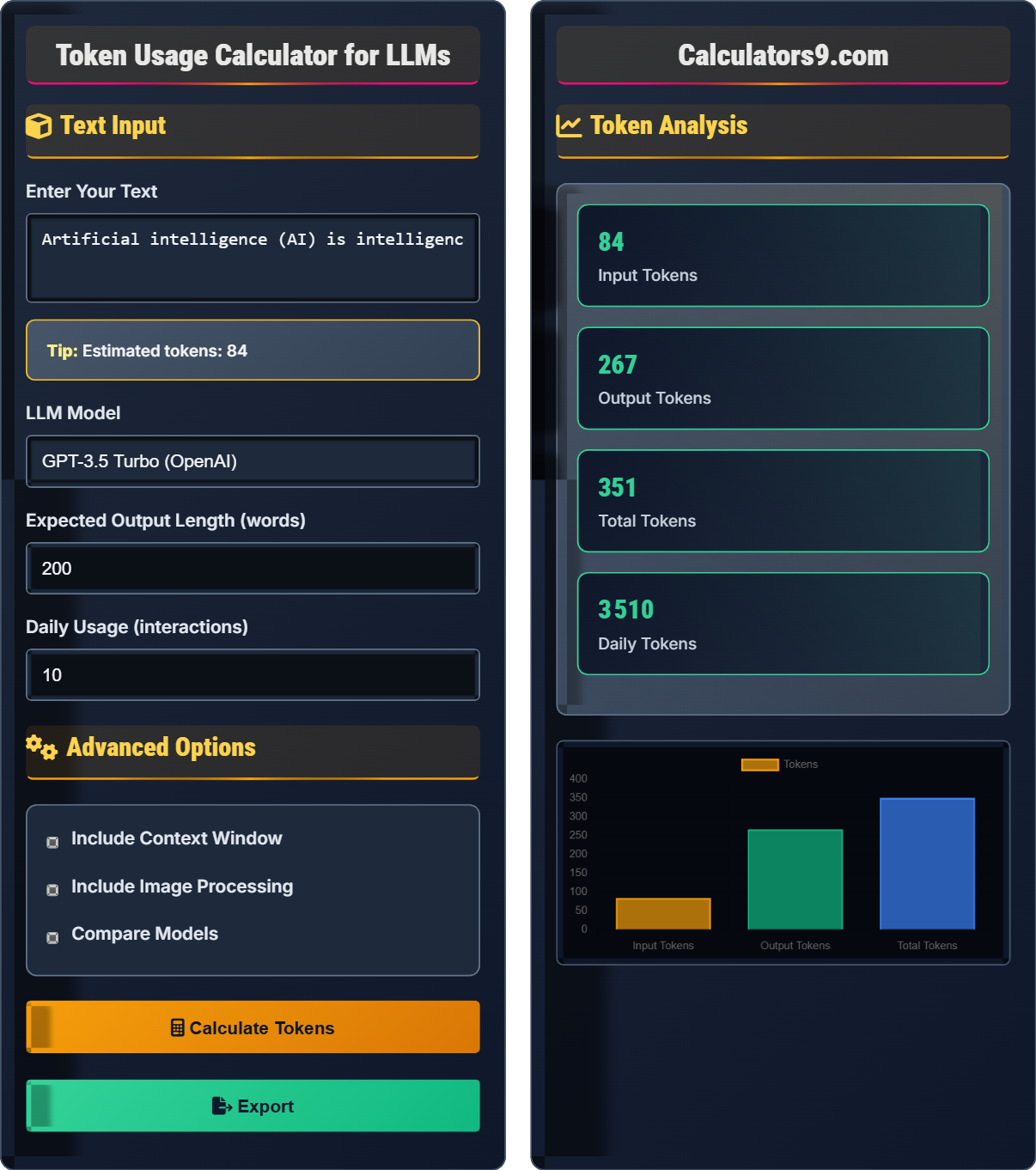
Text Input
Advanced Options
Token Analysis
| Component | Details | Tokens |
|---|---|---|
| Model Type | GPT-3.5 Turbo | - |
| Input Text | 512 characters | 128 |
| Expected Output | 200 words | 267 |
| Per Interaction | 1 interaction | 395 |
| Daily Usage | 10 interactions | 3,950 |
| Monthly Tokens | 30 days | 118,500 |
| Period | Interactions | Tokens |
|---|
Comprehensive Token Usage Guide
Tokens are the fundamental units that LLMs process. A token typically represents about 4 characters of text, though this varies by language and content type. Understanding token usage is crucial for managing costs and ensuring efficient use of AI models.
There are several approaches to count tokens:
More precise methods involve using tokenizer libraries specific to each model:
- tiktoken for OpenAI models
- sentencepiece for many other models
- transformers tokenizers for Hugging Face models
Context windows determine how much text an LLM can process at once:
- 4K tokens: GPT-3.5, suitable for most tasks
- 8K tokens: GPT-4, good for longer documents
- 32K tokens: GPT-4-32k, for extensive context
- 128K tokens: GPT-4-Turbo, for very long inputs
- 200K tokens: Claude 3 Opus, longest context available
- Summarize before processing: Reduce text length before analysis
- Chunk large documents: Process in smaller segments
- Optimize prompts: Use concise, specific instructions
- Reuse embeddings: Cache vector representations for efficiency
- Monitor usage: Track token consumption patterns
Token Fundamentals
Basic units of text processing in LLMs (≈4 characters each).
\( Tokens \approx \frac{Characters}{4} \)
Where Tokens=processing units, Characters=text length.
- 1 token ≈ 4 characters (approximation)
- 1 token ≈ 0.75 words (approximation)
- Actual counts vary by model
Optimization
Strategies to minimize token usage while maintaining quality.
- Summarize before processing
- Use appropriate model for task
- Optimize prompt length
- Process in chunks when needed
- Context window limits
- Model-specific tokenization
- Cost implications
- Performance trade-offs
Token Usage Learning Quiz
What is the approximate relationship between characters and tokens in most LLMs?
The answer is B) 4 characters = 1 token. In most LLMs, a token typically represents about 4 characters of text. This is an approximation that varies by model and language, but it's a good rule of thumb for estimating token counts.
Understanding the relationship between characters and tokens is fundamental for estimating costs and usage in LLMs. The 4-character-to-1-token ratio is a useful approximation, though actual tokenization is more complex. This knowledge helps users plan their text processing tasks and manage resource allocation efficiently.
Token: Basic unit of text processing in LLMs
Character: Individual letters, numbers, or symbols
Approximation: General rule of thumb for estimation
• 1 token ≈ 4 characters (general approximation)
• Actual ratios vary by model and content type
• Special characters may affect tokenization
• Use character count to estimate tokens
• For English text: tokens ≈ characters / 4
• For precise counts, use tokenizer libraries
• Assuming 1:1 character-token ratio
• Forgetting that special characters affect tokenization
• Not considering model-specific tokenization differences
Calculate the approximate number of tokens in a text that contains 1,200 characters. Show your work.
Step 1: Apply the token formula
Tokens ≈ Characters / 4
Step 2: Substitute the values
Tokens ≈ 1,200 / 4
Step 3: Calculate the result
Tokens ≈ 300
Therefore, a text with 1,200 characters would contain approximately 300 tokens.
This calculation demonstrates the practical application of the token formula. It's important to note that this is an approximation. The actual token count may vary depending on the specific tokenizer used by the LLM, the language of the text, and special characters. For critical applications, always use the specific tokenizer for the target model.
Approximation: Close estimate that may vary
Tokenizer: Tool that converts text to tokens
Formula: Mathematical relationship between quantities
• Tokens ≈ Characters / 4 (approximation)
• Actual counts depend on specific model
• Use tokenizer libraries for precise counts
• Remember: tokens ≈ characters / 4
• For more accuracy: use model-specific tokenizers
• Consider the 0.75 words per token rule
• Using exact rather than approximate calculations
• Forgetting to consider special characters
• Not accounting for model-specific differences
A researcher uses an LLM for daily analysis, averaging 15 interactions per day. Each interaction processes an average of 300 input tokens and generates 400 output tokens. What is the total daily token usage? What would be the monthly usage (assuming 30 days)?
Step 1: Calculate tokens per interaction
Tokens per interaction = Input tokens + Output tokens
Tokens per interaction = 300 + 400 = 700 tokens
Step 2: Calculate daily usage
Daily usage = Tokens per interaction × Interactions per day
Daily usage = 700 × 15 = 10,500 tokens
Step 3: Calculate monthly usage
Monthly usage = Daily usage × Days per month
Monthly usage = 10,500 × 30 = 315,000 tokens
Therefore, the daily token usage is 10,500 tokens and the monthly usage is 315,000 tokens.
This example demonstrates how to scale token usage from individual interactions to daily and monthly totals. It's important to consider both input and output tokens when calculating total usage, as both contribute to the overall token consumption and associated costs.
Input Tokens: Tokens in the prompt sent to the model
Output Tokens: Tokens in the model's response
Total Tokens: Sum of input and output tokens
• Total tokens = Input tokens + Output tokens
• Scale usage by multiplying by frequency
• Both input and output count toward usage
• Always add input and output tokens together
• Multiply by usage frequency for totals
• Consider both components in cost calculations
• Forgetting to include output tokens in total
• Not scaling appropriately for daily/monthly usage
• Assuming only input tokens count toward usage
A user needs to process a document of 15,000 tokens using GPT-4 (8K context window). How should they chunk the document to fit within the context window? How many separate interactions would this require?
Step 1: Understand the context window constraint
GPT-4 has an 8K token context window, meaning it can process up to 8,000 tokens at once.
Step 2: Calculate number of chunks needed
Number of chunks = Total document tokens / Context window size
Number of chunks = 15,000 / 8,000 = 1.875
Since we can't have a partial chunk, we round up to 2 chunks.
Step 3: Determine chunk sizes
To evenly distribute: 15,000 / 2 = 7,500 tokens per chunk
Step 4: Verify feasibility
Each chunk of 7,500 tokens fits within the 8K context window.
Therefore, the document should be split into 2 chunks of 7,500 tokens each, requiring 2 separate interactions.
This example demonstrates the importance of understanding context windows when working with large documents. Context windows limit the amount of text an LLM can process simultaneously, requiring strategic chunking of longer documents. The calculation shows how to determine the optimal number of chunks based on the context window size.
Context Window: Maximum tokens a model can process at once
Chunking: Dividing large documents into smaller pieces
Document Processing: Breaking large texts into manageable parts
• Document size must fit within context window
• Round up when calculating chunks needed
• Consider overlap for coherence between chunks
• Plan document splitting before processing
• Consider overlaps for better continuity
• Choose models with larger windows when possible
• Not accounting for context window limitations
• Forgetting to round up when calculating chunks
• Not considering how to reassemble results
Which of the following is the BEST strategy for minimizing token usage in LLM applications?
The answer is B) Summarize text before processing. Summarizing reduces the length of the input text, which directly reduces the number of tokens consumed. This is an effective strategy for minimizing token usage while still achieving the desired outcome. Using more advanced models, higher temperatures, or longer prompts would generally increase token usage rather than decrease it.
Token optimization is crucial for managing costs and efficiency in LLM applications. Summarization is one of the most effective strategies because it reduces the input size while preserving the essential information. This approach allows users to work within context limits while maintaining the quality of results.
Token Optimization: Strategies to minimize token consumption
Summarization: Condensing text while preserving key information
Efficiency: Achieving goals with minimal resource usage
• Reduce input size to minimize tokens
• Preserve essential information during optimization
• Consider cost-benefit trade-offs
• Summarize before complex processing
• Using unnecessarily advanced models
• Creating verbose prompts
• Not considering context window limitations
FAQ
Q: How do I get precise token counts for my specific model?
A: For precise token counts, use the specific tokenizer library for your model:
For OpenAI models:
import tiktoken
encoding = tiktoken.encoding_for_model("gpt-3.5-turbo")
tokens = encoding.encode("your text here")
token_count = len(tokens)
For Hugging Face models:
from transformers import AutoTokenizer
tokenizer = AutoTokenizer.from_pretrained("model-name")
tokens = tokenizer("your text here")
token_count = len(tokens['input_ids'])
This gives you the exact token count that the model will use, which is crucial for accurate cost estimation and context management.
Q: What's the difference between input and output tokens?
A: Input tokens are the text you provide to the LLM (your prompt), while output tokens are the text generated by the LLM in response. Both count toward your total usage and costs. For example, if you send a 100-token prompt and receive a 200-token response:
- Input tokens: 100 (your prompt)
- Output tokens: 200 (AI's response)
- Total tokens: 300 (combined usage)
Typically, output tokens cost more than input tokens in pricing models, so managing both is important for cost optimization.