Binary Converter Calculator
Fast number system conversion • 2026 standards
Number System Conversion Formulas:
Show the calculatorBinary to Decimal: \( \sum_{i=0}^{n} b_i \times 2^i \)
Decimal to Binary: Repeated division by 2
Binary to Hexadecimal: Group by 4 bits
Binary to Octal: Group by 3 bits
Where:
- \( b_i \) = bit value (0 or 1)
- \( i \) = bit position (0-indexed)
- \( n \) = highest bit position
These formulas allow conversion between different number systems used in computing. Binary (base-2) uses only 0s and 1s, decimal (base-10) uses digits 0-9, hexadecimal (base-16) uses 0-9 and A-F, and octal (base-8) uses digits 0-7.
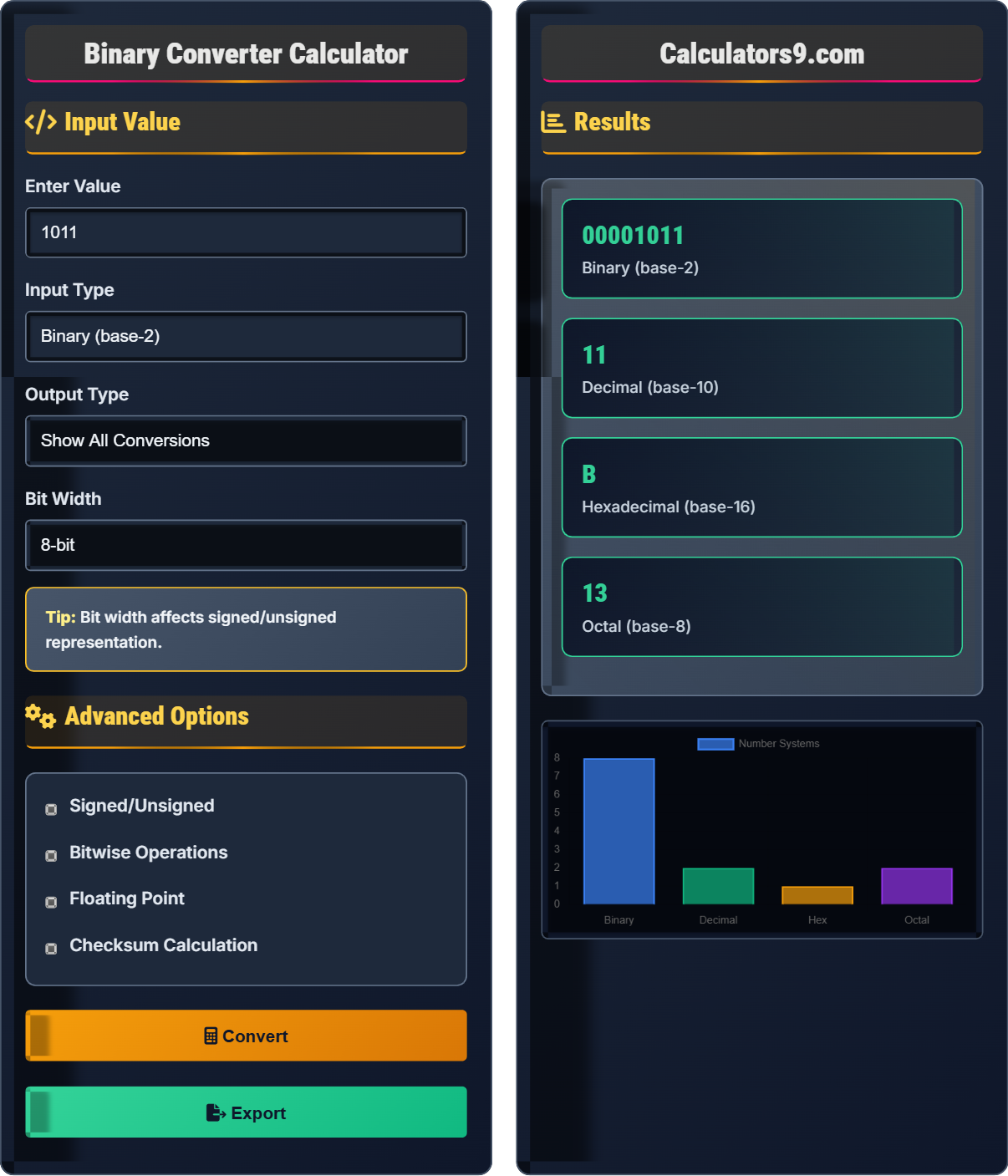
Example: Converting binary 1011 to decimal:
\( 1 \times 2^3 + 0 \times 2^2 + 1 \times 2^1 + 1 \times 2^0 = 8 + 0 + 2 + 1 = 11 \)
Thus, binary 1011 equals decimal 11.
Input Value
Advanced Options
Results
| System | Value | Representation |
|---|---|---|
| Binary | 1011 | Base-2 |
| Decimal | 11 | Base-10 |
| Hexadecimal | B | Base-16 |
| Octal | 13 | Base-8 |
| Parameter | Value | Description |
|---|---|---|
| Bit Pattern | 00001011 | 8-bit representation |
| Parity | Even | Even/odd parity |
| Hamming Weight | 3 | Count of 1s |
| Reverse Bits | 1101 | Bit-reversed |
Comprehensive Number System Guide
Number system conversion is the process of transforming a number from one base representation to another. In computing, the most common number systems are binary (base-2), decimal (base-10), hexadecimal (base-16), and octal (base-8). Each system uses different symbols to represent quantities, and understanding conversions between them is fundamental to computer science and digital electronics.
Each number system has a specific base and digit set:
- Binary (base-2): Uses digits 0, 1
- Octal (base-8): Uses digits 0-7
- Decimal (base-10): Uses digits 0-9
- Hexadecimal (base-16): Uses digits 0-9 and A-F
Conversion formulas:
- Binary to Decimal: \( \sum_{i=0}^{n} b_i \times 2^i \)
- Decimal to Binary: Repeated division by 2
- Binary to Hex: Group bits by 4 from right
- Binary to Octal: Group bits by 3 from right
Number systems are fundamental to various computing applications:
- Programming: Memory addresses, bitwise operations, color codes
- Networking: IP addresses, subnet masks, MAC addresses
- Digital Electronics: Logic gates, state machines, registers
- Data Storage: File permissions, compression algorithms
- Cryptography: Encryption algorithms, hash functions
- Bit Manipulation: AND, OR, XOR operations for flags and masks
- Endianness: Byte order in multi-byte data storage
- Overflow: Monitor for arithmetic overflow in fixed-width integers
- Performance: Bit shifting can be faster than multiplication/division by powers of 2
- Debugging: Hex representation makes memory dumps more readable
Number System Fundamentals
Mathematical notation system for representing numbers using digits or symbols in a consistent manner.
\( N_{base10} = \sum_{i=0}^{n} d_i \times base^i \)
Where d_i represents digit at position i, and base is the number system base.
- Each position has a value of base^position
- Leftmost digit has highest positional value
- Rightmost digit has lowest positional value (base^0)
Programming Applications
Operations that work on individual bits of binary representations.
- AND (&): Sets bit to 1 if both operands have 1
- OR (|): Sets bit to 1 if either operand has 1
- XOR (^): Sets bit to 1 if operands differ
- NOT (~): Flips all bits
- Use hexadecimal for memory addresses
- Binary for bit manipulation
- Understand signed vs unsigned representations
- Consider bit width limitations
Number System Learning Quiz
What is the decimal equivalent of the binary number 11010110?
The answer is B) 214. To convert binary to decimal, multiply each bit by its positional value (2^position) and sum the results:
11010110 = 1×2⁷ + 1×2⁶ + 0×2⁵ + 1×2⁴ + 0×2³ + 1×2² + 1×2¹ + 0×2⁰
= 128 + 64 + 0 + 16 + 0 + 4 + 2 + 0 = 214
Binary-to-decimal conversion requires understanding positional notation. Each position represents a power of 2, starting from 2⁰ (rightmost) and increasing as you move left. This fundamental concept is essential for understanding how computers store and process information.
Positional Notation: Value of a digit depends on its position in the number
Binary: Base-2 number system using only 0s and 1s
Decimal: Base-10 number system using digits 0-9
• Rightmost position is 2⁰ (equals 1)
• Each position to the left doubles the value
• Only add values where the bit is 1
• Memorize powers of 2: 1, 2, 4, 8, 16, 32, 64, 128, 256, 512, 1024
• Work from right to left, counting positions from 0
• For quick verification, odd binary numbers end in 1
• Counting positions from 1 instead of 0
• Forgetting that 2⁰ = 1
• Misreading binary digits (confusing 0s and 1s)
Convert the decimal number 1234 to hexadecimal and explain the step-by-step process. Also convert the result back to decimal to verify your answer.
To convert decimal 1234 to hexadecimal, repeatedly divide by 16 and record remainders:
1234 ÷ 16 = 77 remainder 2
77 ÷ 16 = 4 remainder 13 (D in hex)
4 ÷ 16 = 0 remainder 4
Reading remainders from bottom to top: 4D2
Verification: 4D2₁₆ = 4×16² + 13×16¹ + 2×16⁰ = 4×256 + 13×16 + 2×1 = 1024 + 208 + 2 = 1234 ✓
Therefore, decimal 1234 equals hexadecimal 4D2.
Decimal-to-hexadecimal conversion uses repeated division by 16. Each remainder becomes a hex digit, with 10-15 represented as A-F. The process continues until the quotient becomes zero. Verification confirms accuracy by converting back to decimal using positional notation.
Hexadecimal: Base-16 number system using digits 0-9 and letters A-F
Remainder: The leftover value after division
Positional Notation: Value depends on digit position
• Divide by base (16 for hex)
• Record remainders in reverse order
• Convert remainders 10-15 to A-F
• Use short division for efficiency
• Remember A=10, B=11, C=12, D=13, E=14, F=15
• Always verify by converting back
• Forgetting to convert remainders 10-15 to letters
• Reading remainders in wrong order
• Confusing base values during verification
FAQ
Q: Why is hexadecimal preferred over binary for representing memory addresses?
A: Hexadecimal is preferred for memory addresses because it's much more compact than binary while maintaining a simple conversion relationship. Each hex digit represents exactly 4 binary digits (bits), making it easy to mentally convert between representations.
For example, a 32-bit address in binary would be 32 digits long: 11110000101011001100101010110000
The same address in hexadecimal is only 8 digits: F0ACCA60
This compactness makes hex addresses much easier to read, write, and debug. Additionally, hex digits correspond directly to byte boundaries (since bytes are 8 bits, and 8 bits = 2 hex digits), making it convenient for representing byte-oriented memory.
Q: What is two's complement and why is it used for signed integers?
A: Two's complement is a method for representing signed integers in binary. To get the two's complement of a number:
- Invert all bits (one's complement)
- Add 1 to the result
For example, to represent -5 in 8-bit two's complement:
Positive 5: 00000101
One's complement: 11111010
Add 1: 11111011 (-5)
Two's complement is used because it allows the same hardware to perform addition and subtraction. The sign bit (leftmost bit) indicates positive (0) or negative (1). It also provides a unique representation for zero and allows for easy overflow detection.