Hex Converter Calculator
Fast hex conversion • 2026 standards
Hexadecimal Conversion Formulas:
Show the calculatorHex to Decimal: \( \sum_{i=0}^{n} h_i \times 16^i \)
Decimal to Hex: Repeated division by 16
Hex to Binary: Each hex digit = 4 binary digits
Hex to RGB: RR GG BB format
Where:
- \( h_i \) = hex digit value (0-9, A-F)
- \( i \) = digit position (0-indexed)
- \( n \) = highest digit position
Hexadecimal (base-16) uses digits 0-9 and letters A-F. It's widely used in computing because each hex digit represents exactly 4 binary digits (bits), making it a convenient shorthand for binary values.
Example: Converting hex FF to decimal:
\( F \times 16^1 + F \times 16^0 = 15 \times 16 + 15 \times 1 = 240 + 15 = 255 \)
Thus, hexadecimal FF equals decimal 255.
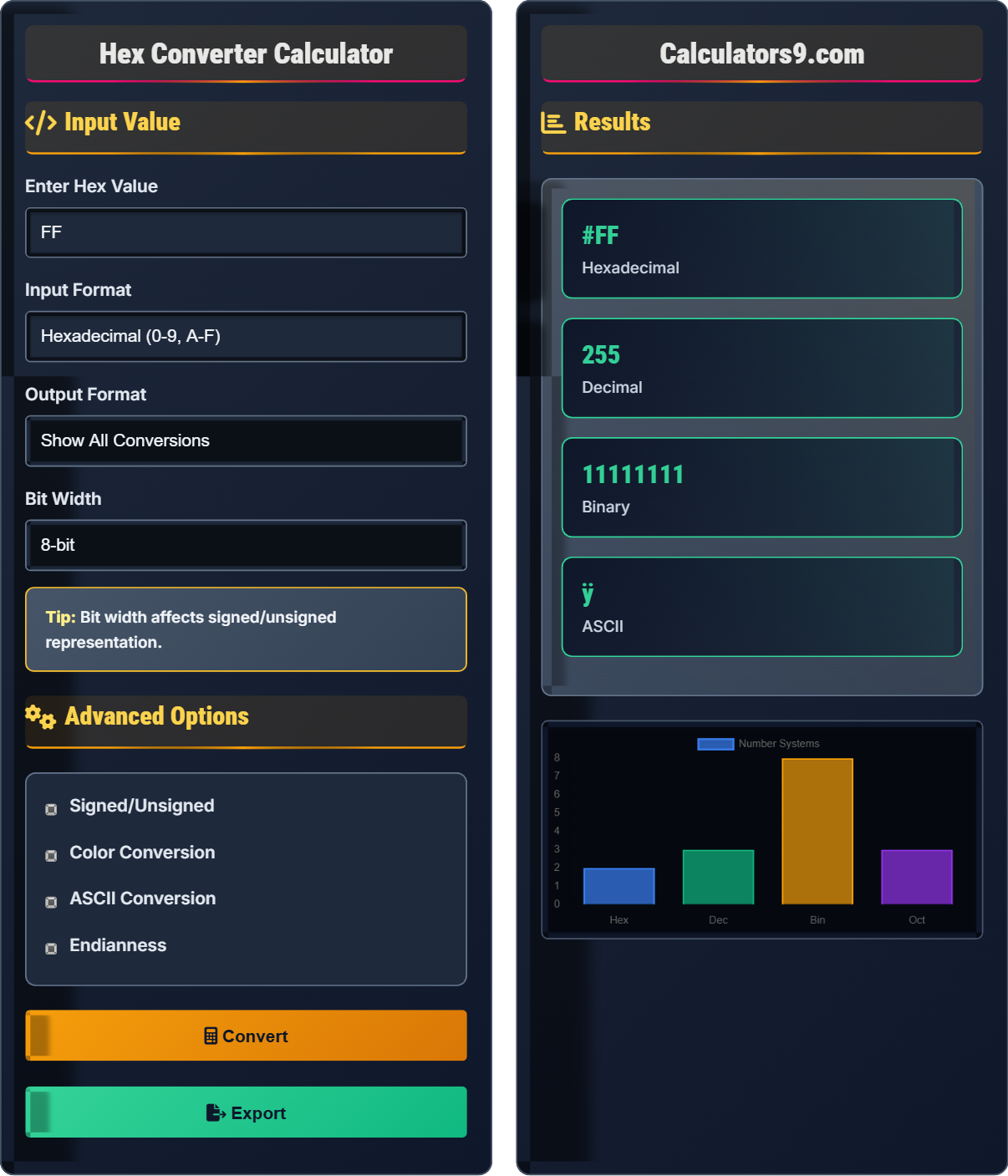
Input Value
Advanced Options
Results
| System | Value | Representation |
|---|---|---|
| Hexadecimal | FF | Base-16 |
| Decimal | 255 | Base-10 |
| Binary | 11111111 | Base-2 |
| Octal | 377 | Base-8 |
| Parameter | Value | Description |
|---|---|---|
| ASCII | ÿ | Character representation |
| RGB | 255, 0, 0 | Red, Green, Blue |
| Bit Pattern | 11111111 | 8-bit representation |
| Parity | Odd | Even/odd parity |
Comprehensive Hexadecimal Guide
Hexadecimal (base-16) is a number system that uses sixteen distinct symbols: 0-9 to represent values zero to nine, and A-F (or a-f) to represent values ten to fifteen. Hex is widely used in computing because it provides a human-friendly representation of binary-coded values. Each hex digit represents exactly four binary digits (bits), making it a convenient shorthand for binary values.
Key conversion formulas:
- Hex to Decimal: \( \sum_{i=0}^{n} h_i \times 16^i \)
- Decimal to Hex: Repeated division by 16, collect remainders
- Hex to Binary: Each hex digit converts to 4 binary digits
- Binary to Hex: Group binary digits in sets of 4 from right
For example, hex A1 = 10×16¹ + 1×16⁰ = 160 + 1 = 161 decimal
Hexadecimal is fundamental to various computing applications:
- Web Development: CSS color definitions, URL encoding
- Programming: Bit masking, flag operations, memory dumps
- Networking: MAC addresses, protocol analysis
- Data Storage: File permissions, checksums
- Graphics: Pixel color values, image formats
- Prefixes: Many languages use 0x prefix for hex literals
- Case Sensitivity: Most systems treat A-F and a-f equivalently
- Bit Alignment: Hex naturally aligns with 4-bit boundaries
- Endianness: Byte order affects multi-byte hex representations
- Validation: Always validate hex input to prevent errors
Hexadecimal Fundamentals
Base-16 number system using digits 0-9 and letters A-F to represent values 0-15.
\( N_{base10} = \sum_{i=0}^{n} h_i \times 16^i \)
Where h_i represents hex digit at position i, with A=10, B=11, ..., F=15.
- Each hex digit represents 4 bits
- Hex is more compact than binary
- Easy conversion to/from binary
Programming Applications
Hex values commonly used for RGB color codes in web development.
- Parse hex string into RGB components
- Extract RR, GG, BB pairs
- Convert each pair to decimal
- Use in color functions
- Use # prefix for web colors
- Validate hex color format
- Handle 3-digit shorthand (#RGB)
- Consider alpha channel for transparency
Hexadecimal Learning Quiz
What is the decimal equivalent of the hexadecimal value A5?
The answer is A) 165. To convert hexadecimal A5 to decimal, use the positional formula:
A5 = A×16¹ + 5×16⁰ = 10×16 + 5×1 = 160 + 5 = 165
Remember that A represents 10 in hexadecimal.
Hexadecimal-to-decimal conversion follows the same positional notation principle as other bases. Each position represents a power of 16, starting from 16⁰ (rightmost) and increasing as you move left. This is similar to how decimal works with powers of 10.
Hexadecimal: Base-16 number system using digits 0-9 and A-F
Positional Notation: Value of a digit depends on its position
Decimal: Base-10 number system using digits 0-9
• A=10, B=11, C=12, D=13, E=14, F=15
• Rightmost position is 16⁰ (equals 1)
• Each position to the left multiplies by 16
• Memorize hex digit values: A=10, B=11, C=12, D=13, E=14, F=15
• Powers of 16: 1, 16, 256, 4096, 65536
• Quick check: Odd hex digits in rightmost position yield odd decimal
• Forgetting A-F represent 10-15
• Counting positions from 1 instead of 0
• Confusing hex digit values
Convert the hex color code #FFAABBCC to RGBA format and explain the components. How would you represent this color in CSS?
The hex color code #FFAABBCC contains 8 digits representing RGBA values:
AA = Red component = 170 decimal
BB = Green component = 187 decimal
CC = Blue component = 204 decimal
FF = Alpha component = 255 decimal (fully opaque)
RGBA format: rgba(170, 187, 204, 1.0)
In CSS, this could be represented as: background-color: rgba(170, 187, 204, 1.0);
Alternatively, using the hex code: background-color: #AABBCCFF;
Extended hex color codes (8 digits) represent RGBA values where the last two digits indicate alpha (transparency). The first six digits follow the traditional RRGGBB format. Understanding this allows for precise color control in web design.
RGB: Red, Green, Blue color model
RGBA: RGB with Alpha (transparency) channel
Alpha: Transparency value (0=transparent, 255=opaque)
• Traditional hex: #RRGGBB (6 digits)
• Extended hex: #RRGGBBAA (8 digits)
• Alpha in RGBA: 0.0 (transparent) to 1.0 (opaque)
• Each pair of hex digits represents 0-255 in decimal
• FF = 255, 80 = 128, 00 = 0
• Shorthand: #RGB becomes #RRGGBB
• Confusing order of RGBA components
• Forgetting alpha is last in hex format
• Mixing up decimal and percentage alpha values
FAQ
Q: Why do web developers prefer hex color codes over RGB values?
A: Hex color codes offer several advantages over RGB:
1. Compactness: #FF0000 is shorter than rgb(255, 0, 0)
2. Consistency: Hex is the standard format for CSS colors
3. Tool Support: Most color pickers output hex values
4. Shorthand: #FFF instead of #FFFFFF
5. Historical Adoption: Hex became the de facto standard early in web development
However, RGB(A) and HSL(A) offer better readability for humans and easier manipulation of color properties like opacity and saturation.
Q: How do I convert a decimal number to hexadecimal manually?
A: To convert decimal to hexadecimal manually, use repeated division by 16:
Example: Convert decimal 255 to hex
255 ÷ 16 = 15 remainder 15 (F)
15 ÷ 16 = 0 remainder 15 (F)
Reading remainders from bottom to top: FF
So 255 decimal = FF hexadecimal
For larger numbers, continue dividing by 16 until the quotient is 0, then read the remainders in reverse order. Remember that remainders 10-15 become A-F respectively.