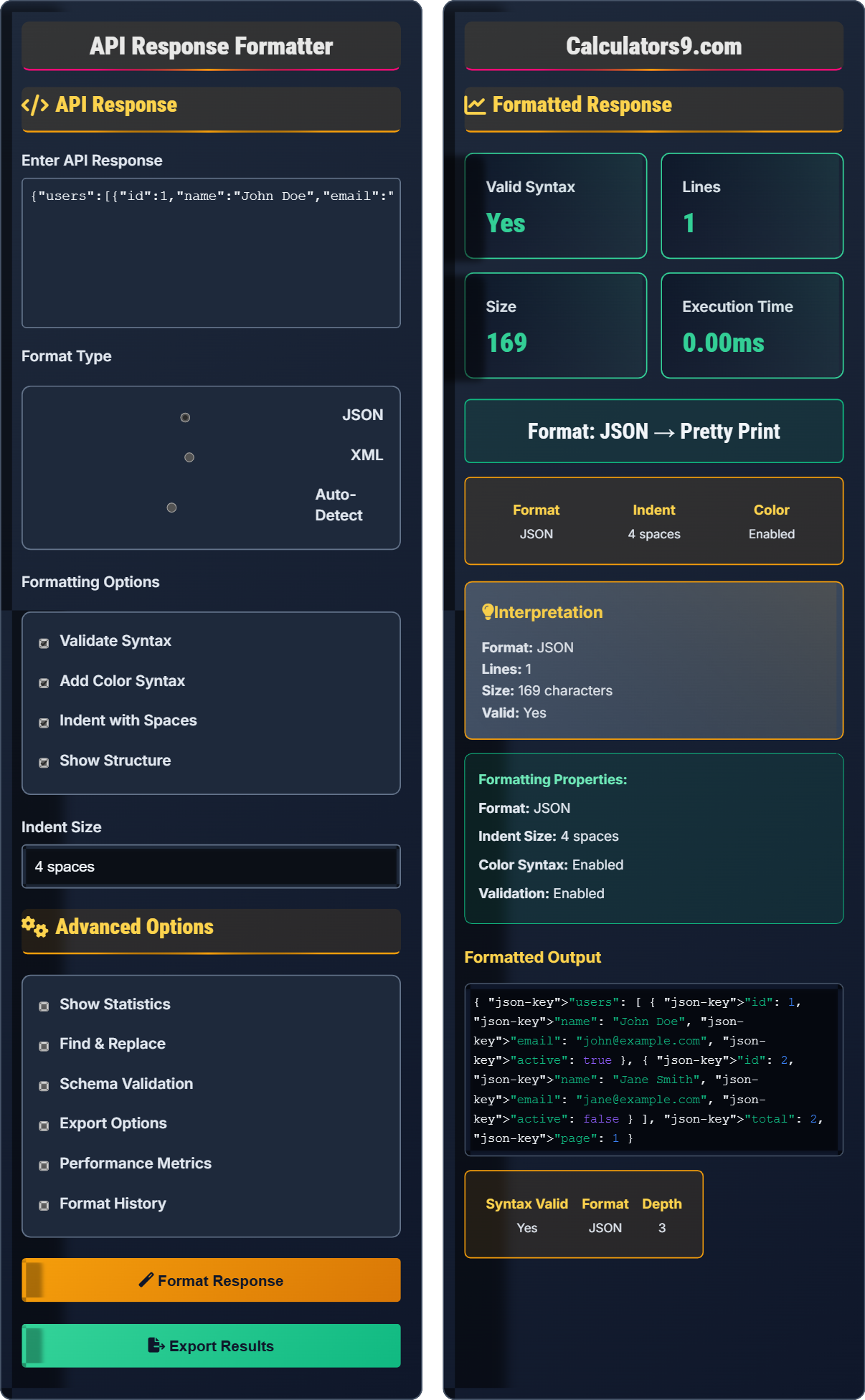
API Response Formatter
JSON/XML pretty print & validator • 2026 dev
API Response Formatting:
Show the formatterJSON: Structured data format with key-value pairs
XML: Markup language with tags and attributes
Formatting Process:
- Parse input string
- Validate syntax
- Indent and organize
- Add syntax highlighting
- Generate structure visualization
Example JSON Input:
{"name":"John","age":30,"city":"New York"}
Formatted Output:
{
  "name": "John",
  "age": 30,
  "city": "New York"
}
API Response
Advanced Options
Formatted Response
Formatted Output
Comprehensive API Response Guide
API response formatting is the process of structuring and presenting data returned by APIs in a human-readable format. This includes indentation, syntax highlighting, and organization of nested structures to make the data easier to understand and debug.
JSON Structure:
{}- Object[]- Array"key": "value"- Key-value pairstrue/false- Booleannull- Null value
XML Structure:
<tag></tag>- Element<tag attr="value">- Attribute<!-- comment -->- Comment
Important considerations:
- Validate syntax: Always check for valid JSON/XML
- Consistent indentation: Use uniform spacing
- Color coding: Apply syntax highlighting
- Structure visualization: Show nested relationships
- Error handling: Provide clear error messages
- Malformed JSON: Missing commas, brackets, quotes
- Invalid characters: Unescaped quotes or backslashes
- Incorrect nesting: Improperly closed elements
- Large payloads: Performance issues with huge responses
- Encoding issues: Problems with special characters
API Response Fundamentals
Data returned by APIs.
Parsing → Formatting → Validation
Structuring for readability.
- Validate syntax first
- Apply consistent formatting
- Provide clear error messages
API Response Applications
For debugging and analysis.
- API development
- Response debugging
- Data analysis
- Documentation
- Performance with large payloads
- Security implications
- Encoding issues
- Schema validation
API Response Learning Quiz
Which of the following is a valid JSON object?
The answer is B) {"name": "John", "age": 30}. In JSON, object keys must be enclosed in double quotes, and the object must be enclosed in curly braces {}. The array notation [] is for arrays, and parentheses () are not used in JSON.
JSON (JavaScript Object Notation) has strict syntax rules. Keys must always be quoted with double quotes, values can be strings, numbers, booleans, arrays, objects, or null, and all objects must be enclosed in {} while arrays are enclosed in [].
JSON Object: Collection of key-value pairs in {}
JSON Array: Ordered list of values in []
Key: Property name (must be quoted in JSON)
• Keys must be quoted
• Use double quotes only
• Objects in {}, Arrays in []
• Always use double quotes
• Validate with online tools
• Check for trailing commas
• Using single quotes instead of double
• Forgetting to quote keys
• Trailing commas in objects/arrays
What is the purpose of indenting JSON responses?
The purpose of indenting JSON responses is to improve readability by visually organizing the hierarchical structure of the data. Proper indentation makes it easier to understand nested objects and arrays, which is crucial for debugging and analyzing API responses.
Example of indented JSON:
{
  "user": {
    "name": "John",
    "address": {
      "street": "123 Main St",
      "city": "New York"
    }
  }
}
vs. unformatted:
{"user":{"name":"John","address":{"street":"123 Main St","city":"New York"}}}While JSON is technically valid without indentation, formatting makes it human-readable. Indentation shows the relationship between nested elements, making it easier to spot errors and understand the data structure.
Indentation: Adding spaces/tabs to show hierarchy
Readability: Ease of understanding code/data
Hierarchy: Parent-child relationships in data
• Consistent indentation improves readability
• Use 2 or 4 spaces consistently
• Nested elements get more indentation
• Use 2-4 spaces for indentation
• Keep indentation consistent
• Use formatters for large responses
• Mixing tabs and spaces
• Inconsistent indentation levels
• Forgetting indentation in large responses
You receive a minified JSON response from an API: {"users":[{"id":1,"name":"Alice","active":true},{"id":2,"name":"Bob","active":false}],"total":2,"page":1}. How would you format this for better readability?
The formatted version would be:
{
  "users": [
    {
      "id": 1,
      "name": "Alice",
      "active": true
    },
    {
      "id": 2,
      "name": "Bob",
      "active": false
    }
  ],
  "total": 2,
  "page": 1
}
This formatting shows the hierarchical structure clearly: an object containing an array of user objects, along with total and page properties. The indentation makes it easy to see the relationship between elements.
This example demonstrates how formatting reveals the structure of complex JSON. The outermost object contains an array of users, and each user is an object with id, name, and active properties. Proper formatting makes this relationship immediately apparent.
Minified JSON: Compact format without whitespace
Formatted JSON: Readable format with indentationHierarchical Structure: Nested parent-child relationships
• Objects start with {
• Arrays start with [
• Nested elements get more indentation
• Use 2 spaces for compact format
• Use 4 spaces for clarity
• Tools can auto-format for you
• Inconsistent indentation levels
• Misplaced commas or brackets
• Not recognizing nested structures
You receive this JSON response from an API: {"name": "John", "age": 30, "city": "New York",}. What's wrong with this JSON, and how would you fix it?
The issue is a trailing comma after "New York" - there's a comma after the last property in the object. Valid JSON does not allow trailing commas in objects or arrays.
Corrected version:
{
  "name": "John",
  "age": 30,
  "city": "New York"
}
This is a common error when copying code from programming languages that allow trailing commas. JSON parsers will reject this with a syntax error.
Trailing commas are allowed in JavaScript objects but not in JSON. Many developers accidentally include them when writing JSON by hand, causing parsing errors. This highlights the importance of using proper JSON validators.
Trailing Comma: Comma after the last item
Syntax Error: Invalid format causing parse failure
JSON Validator: Tool to check JSON validity
• No trailing commas in JSON
• Commas only between items
• Always validate JSON responses
• Use online validators to check JSON
• Look for trailing commas
• Format JSON to spot errors
• Including trailing commas
• Forgetting to validate JSON
• Confusing JSON with JavaScript objects
What is a key advantage of JSON over XML for API responses?
The answer is B) More compact and readable format. JSON is generally more lightweight than XML because it has less verbose syntax. JSON doesn't require closing tags, uses fewer characters for the same data structure, and is easier to read and write for humans and machines.
While XML has advantages in certain areas (like namespaces and schema validation), JSON became popular for APIs because it's lighter weight, easier to parse in JavaScript, and more intuitive for representing data structures commonly used in programming.
JSON: JavaScript Object Notation
XML: Extensible Markup Language
Lightweight: Less data overhead
• JSON is more compact than XML
• JSON is native to JavaScript
• XML has better schema support
• Use JSON for web APIs
• Use XML for complex documents
• Consider payload size
• Using XML when JSON would be better
• Not considering payload size
• Assuming JSON is always better
FAQ
Q: What's the difference between JSON and JSONP?
A: JSON is a data format, while JSONP is a technique for requesting data from a server in a different domain (cross-origin requests). JSONP wraps JSON data in a function call:
JSON: {"name": "John", "age": 30}
JSONP: callbackFunction({"name": "John", "age": 30})
JSONP was used to bypass CORS restrictions before CORS became widely supported. Modern applications typically use CORS instead of JSONP.
Q: How can I validate JSON schema programmatically?
A: You can use JSON Schema validation libraries:
JavaScript: ajv library
const Ajv = require('ajv');
const ajv = new Ajv();
const schema = { "type": "object", "properties": { "name": {"type": "string"} } };
const validate = ajv.compile(schema);
const valid = validate(data);
Python: jsonschema library
Many online tools also provide schema validation capabilities.