Cron Expression Tester
Schedule validator & parser • 2026 dev
Cron Expression Format:
Show the testerMinute Hour Day Month Weekday
Fields:
- Minute: 0-59
- Hour: 0-23
- Day: 1-31
- Month: 1-12 or JAN-DEC
- Weekday: 0-7 (Sunday=0) or SUN-SAT
Special Characters:
*- Any value,- List of values-- Range of values/- Step values?- No specific value (day/month)
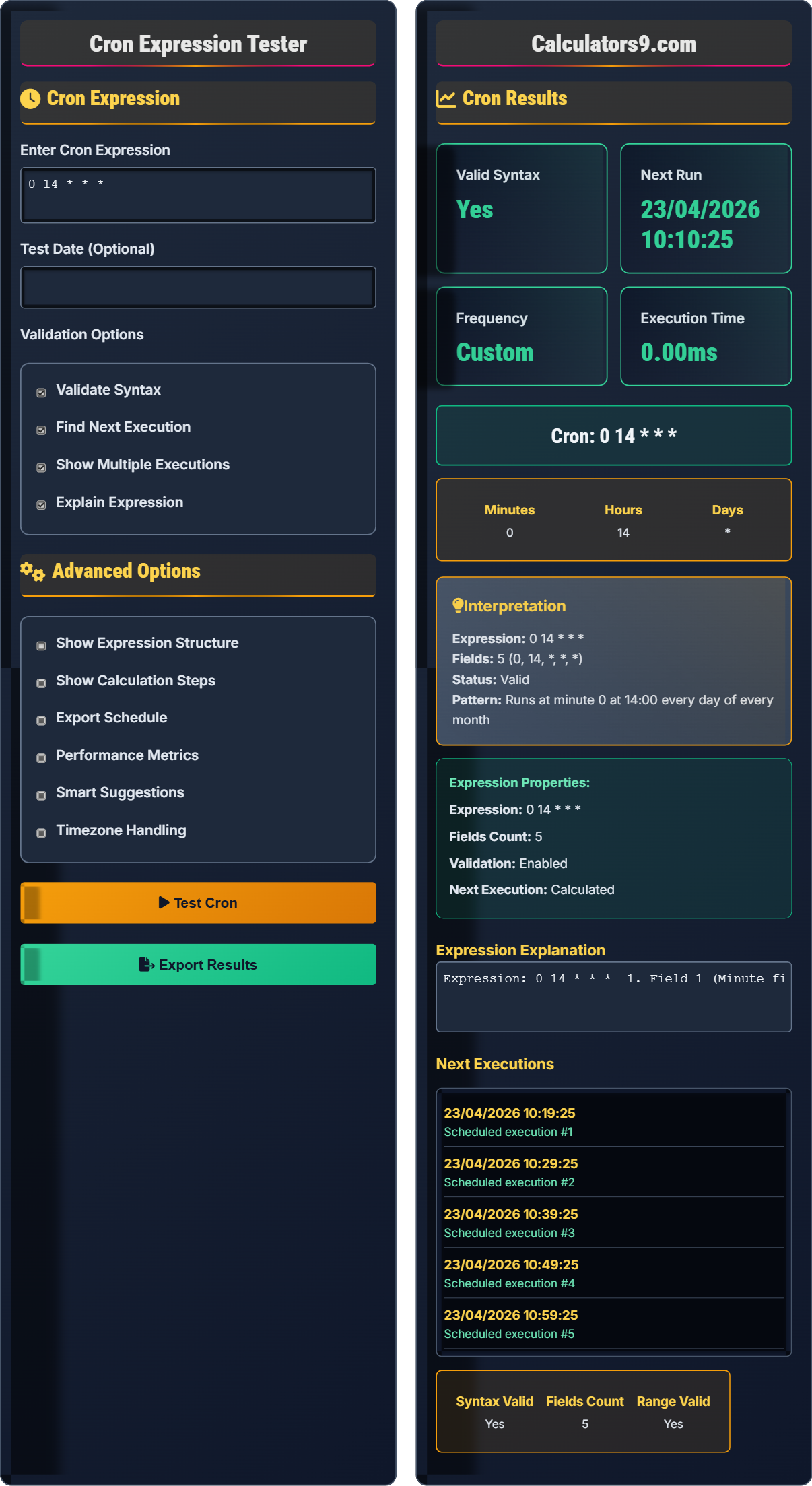
Example: 0 14 * * * runs daily at 2:00 PM
Cron Expression
Advanced Options
Cron Results
Expression Explanation
Next Executions
Comprehensive Cron Guide
Cron is a time-based job scheduler in Unix-like operating systems. Cron expressions define when jobs should run, using a specific format with five fields that represent different time units. Cron is essential for automating repetitive tasks.
Basic Format:
Minute(0-59)Hour(0-23)Day of Month(1-31)Month(1-12 or JAN-DEC)Day of Week(0-7 or SUN-SAT, 0 and 7 are Sunday)
Special Characters:
*- Any value,- List of values-- Range of values/- Step values?- No specific value
* * * * *
0 0 * * *
0 0 * * 0
0 0 1 * *
Important considerations:
- Test thoroughly: Always validate expressions before deployment
- Use meaningful comments: Document the purpose of cron jobs
- Handle timezones: Be aware of timezone settings
- Consider system load: Avoid running resource-intensive tasks during peak hours
- Log executions: Monitor job success and failures
- Wrong day numbering: Remember 0=Sunday, not Monday
- Invalid ranges: Ensure values are within allowed ranges
- Leap year issues: February 30th doesn't exist
- System timezone: Jobs run in server timezone
- Environment variables: Cron jobs may have limited environment
Cron Fundamentals
Time-based job scheduler.
Minute.Hour.Day.Month.Weekday
Defines when jobs run.
- 5 fields separated by spaces
- 0-based indexing for weekdays
- Validate before deployment
Cron Applications
For scheduled task automation.
- Database backups
- Log rotation
- Data synchronization
- Report generation
- Timezone settings matter
- System load during execution
- Failure handling
- Monitoring requirements
Cron Learning Quiz
What does the cron expression "0 14 * * *" mean?
The answer is B) Daily at 2 PM. Breaking down the expression "0 14 * * *":
- Minute: 0 (at the start of the hour)
- Hour: 14 (2 PM in 24-hour format)
- Day: * (every day of the month)
- Month: * (every month)
- Weekday: * (every day of the week)
This translates to "at 2:00 PM every day".
The cron format is always Minute-Hour-Day-Month-Weekday. The asterisk (*) means "any value," so when all day/month/weekday fields are *, it means every day. Remember that hours are in 24-hour format, so 14 = 2 PM.
Cron: Time-based job scheduler
24-hour format: Hours 0-23
Asterisk (*): Wildcard for "any value"
• Order: Min-Hour-Day-Mon-Weekday
• Hours in 24-hour format
• 0 = Sunday for weekdays
• Use online validators
• Test with simple expressions first
• Remember 0 = Sunday
• Confusing 12-hour vs 24-hour format
• Forgetting the field order
• Wrong weekday numbering
Which cron expression would run a job every 15 minutes?
The expression "*/15 * * * *" would run a job every 15 minutes.
Breaking it down:
- Minute: */15 (every 15 minutes: 0, 15, 30, 45)
- Hour: * (every hour)
- Day: * (every day)
- Month: * (every month)
- Weekday: * (every day of the week)
This means the job runs at :00, :15, :30, and :45 past every hour.
The "/" character in cron expressions defines step values. "*/15" means "starting from 0, every 15 units." So for minutes, it means 0, 15, 30, 45. This is different from "15" which would only run at the 15th minute of each hour.
Step values: Use / to define intervals
*/n: Every n units starting from 0
Range: Use - to define ranges
• */n means every n units
• Ranges: n-m
• Lists: n,m,p
• */5 = every 5 minutes
• */2 = every 2 hours
• */30 = every 30 minutes
• Using 15 instead of */15
• Confusing step with specific time
• Forgetting step syntax
You need to schedule a backup script to run at 1 AM on the first day of every month. What cron expression would accomplish this?
The expression "0 1 1 * *" would run the job at 1 AM on the first day of every month.
Breaking it down:
- Minute: 0 (at the start of the hour)
- Hour: 1 (1 AM in 24-hour format)
- Day: 1 (first day of the month)
- Month: * (every month)
- Weekday: * (every day of the week)
Note that this will run on the 1st of every month regardless of what day of the week it falls on.
When scheduling jobs for specific days of the month, you don't need to worry about the day of the week. The day-of-month and day-of-week fields are separate, and if both are specified, the job runs when either condition is met (not both).
Day of Month: 1-31 (field 3)
Day of Week: 0-7 (field 5)Separate Fields: Day/Month fields are independent
• Day of month ≠ Day of week
• Either field triggers execution
• Use ? for "no specific value"
• Use 1 for first day of month
• L for last day of month
• 1W for closest weekday to 1st
• Confusing day of month with day of week
• Forgetting 24-hour format
• Mixing up field positions
You need to schedule a job to run every weekday (Monday to Friday) at 9:30 AM. What cron expression would accomplish this?
The expression "30 9 * * 1-5" would run the job at 9:30 AM every weekday.
Breaking it down:
- Minute: 30 (at 30 minutes past the hour)
- Hour: 9 (9 AM in 24-hour format)
- Day: * (every day of the month)
- Month: * (every month)
- Weekday: 1-5 (Monday to Friday, where 0=Sunday, 1=Monday, etc.)
This will run on any day that falls on Monday through Friday at 9:30 AM.
For weekday scheduling, remember that 0 and 7 both represent Sunday. So 1-5 represents Monday through Friday. The day-of-month field is * because we want the job to run on any day of the month as long as it's a weekday.
Weekday Range: 1-5 for Mon-Fri
Sunday: 0 or 7
24-hour Format: 0-23
• 0 = Sunday, 1 = Monday
• 7 = Sunday too
• Weekdays: 1-5
• Mon-Fri: 1-5
• Weekend: 0,6 or 6,0
• Use abbreviations: MON,TUE,WED
• Thinking 1-5 means Jan-May
• Forgetting 0=Sunday
• Confusing with month numbers
What does the "L" character mean in a cron expression?
The answer is A) Last day of the month. The "L" character in cron expressions stands for "last" and is used in the day-of-month field to specify the last day of the month. For example, "0 0 L * *" means "at midnight on the last day of every month".
The "L" character is particularly useful for scheduling jobs that need to run on the last day of the month, regardless of whether the month has 28, 29, 30, or 31 days. This makes it easier to schedule month-end tasks.
L: Last day of month (in day field)
W: Weekday (closest weekday to specified day)
#: nth occurrence of weekday in month
• L = Last day of month
• W = Nearest weekday
• # = Nth occurrence of weekday
• L for month-end tasks
• 15W for nearest weekday to 15th
• 2#1 = First Tuesday of month
• Confusing L with list operator
• Using L in wrong field
• Forgetting L is month-specific
FAQ
Q: What's the difference between "0 1 * * *" and "0 13 * * *"?
A: The difference is in the hour:
0 1 * * * runs at 1:00 AM (01:00 in 24-hour format)
0 13 * * * runs at 1:00 PM (13:00 in 24-hour format)
Remember that cron uses 24-hour format, so 1 = 1 AM and 13 = 1 PM.
Q: How do I run a job every 10 minutes between 9 AM and 5 PM?
A: Use the expression: */10 9-17 * * *
This breaks down as:
- */10: Every 10 minutes
- 9-17: Hours 9 through 17 (9 AM to 5 PM)
- *: Every day of the month
- *: Every month
- *: Every day of the week
This will run at 9:00, 9:10, 9:20, ..., 17:50 every day.