SQL Formatter
Professional SQL Query Formatter • 2026 Edition
SQL Formatting Rules:
Show the formatterSQL formatting follows specific structural rules:
- Keywords should be capitalized
- Proper indentation for nested clauses
- Consistent spacing around operators
- Logical grouping of clauses
- Multi-line formatting for complex queries
- Appropriate line breaks for readability
SQL formatting improves readability and maintainability of database queries. Properly formatted SQL is easier to debug, optimize, and collaborate on.
Example: A well-formatted SQL query with proper indentation and line breaks:
SELECT
    u.id,
    u.name,
    u.email,
    p.title AS product_title
FROM users u
JOIN orders o ON u.id = o.user_id
JOIN products p ON o.product_id = p.id
WHERE u.created_at > '2023-01-01'
ORDER BY u.name ASC;
Input SQL
Formatting Options
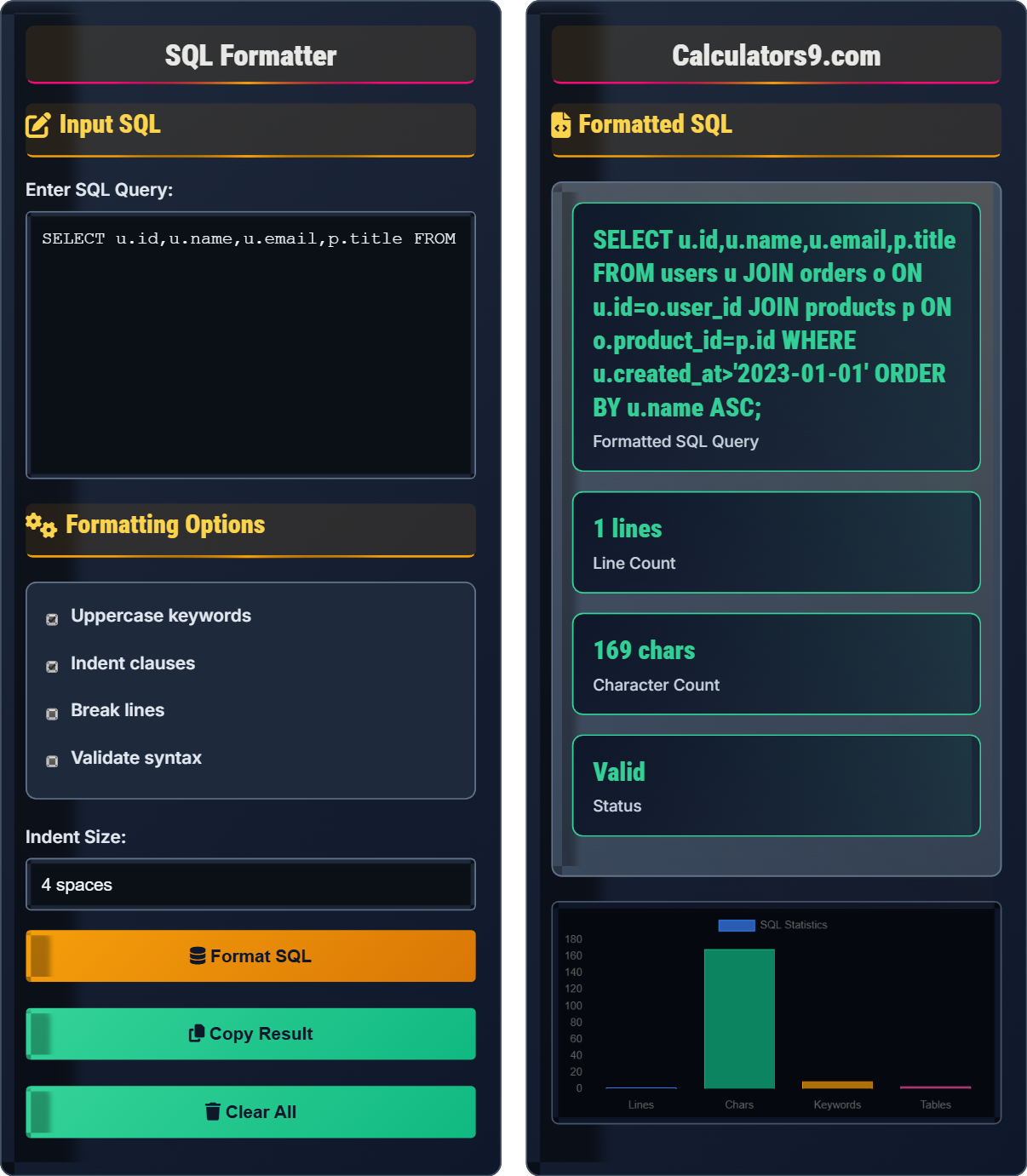
Formatted SQL
SELECT
    u.id,
    u.name,
    u.email,
    p.title
FROM users u
JOIN orders o ON u.id = o.user_id
JOIN products p ON o.product_id = p.id
WHERE u.created_at > '2023-01-01'
ORDER BY u.name ASC;
| Metric | Value |
|---|---|
| Lines | 9 |
| Characters | 187 |
| Keywords | 7 |
| Tables | 3 |
Comprehensive SQL Formatting Guide
SQL formatting is the process of structuring and organizing SQL queries to improve readability and maintainability. Proper formatting makes queries easier to understand, debug, and maintain.
- Capitalize SQL keywords (SELECT, FROM, WHERE, etc.)
- Use consistent indentation for nested clauses
- Place each clause on a separate line for complex queries
- Align related elements vertically
- Use appropriate spacing around operators
- Group related clauses logically
Unformatted SQL:
SELECT u.id,u.name,u.email FROM users u JOIN orders o ON u.id=o.user_id WHERE u.created_at>'2023-01-01' ORDER BY u.name;
Formatted SQL:
SELECT
    u.id,
    u.name,
    u.email
FROM users u
JOIN orders o ON u.id = o.user_id
WHERE u.created_at > '2023-01-01'
ORDER BY u.name;
- Use consistent capitalization for keywords
- Indent nested clauses for clarity
- Limit line length to improve readability
- Use aliases for table names
- Group related columns together
- Add comments for complex logic
SQL Formatting Learning Quiz
According to SQL formatting best practices, which of the following is NOT recommended?
The answer is C) Placing entire query on one line. While simple queries can be placed on a single line, complex queries should be formatted across multiple lines to improve readability. Proper formatting involves placing each major clause on a separate line and using consistent indentation for nested elements.
SQL formatting is crucial for maintainability and collaboration. Complex queries can become difficult to read when placed on a single line. Multi-line formatting allows developers to quickly identify different parts of the query, understand the relationships between tables, and spot potential issues. Consistent formatting also helps when reviewing code changes.
SQL Keyword: Reserved word in SQL (SELECT, FROM, WHERE, etc.)
Clause: A specific part of an SQL statement
Alias: A temporary name for a table or column in a query
• Keywords should be capitalized for consistency
• Complex queries should span multiple lines
• Indentation should reflect query structure
• Use consistent indentation (2 or 4 spaces)
• Place each major clause on a new line
• Align related elements vertically
• Placing complex queries on a single line
• Inconsistent indentation
• Mixing upper and lower case keywords
Explain the proper formatting for JOIN clauses in SQL queries and why this formatting is important.
JOIN clauses should be formatted with each JOIN on a separate line, properly indented, and with clear condition formatting:
SELECT
    u.name,
    o.order_date,
    p.title
FROM users u
JOIN orders o ON u.id = o.user_id
JOIN products p ON o.product_id = p.id
LEFT JOIN categories c ON p.category_id = c.id
WHERE u.created_at > '2023-01-01';
This formatting is important because:
- Each JOIN is clearly visible
- Join conditions are easily identifiable
- Relationships between tables are clear
- Query structure is more readable
- Mistakes in join conditions are easier to spot
JOIN clauses are often the most complex part of a query, connecting multiple tables with various conditions. Proper formatting makes it easier to understand the data relationships and verify that the correct join types (INNER, LEFT, RIGHT, FULL) are being used. Clear formatting also helps when debugging query performance issues.
JOIN: A clause that combines rows from two or more tables
ON Condition: The condition that specifies how tables are joined
Table Alias: A temporary name assigned to a table in a query
• Each JOIN should be on its own line
• Join conditions should be aligned
• Use table aliases for clarity
• Use consistent alias naming conventions
• Place ON condition on same line as JOIN
• Use different join types appropriately
• Placing JOINs on same line as other clauses
• Not using table aliases
• Poor alignment of join conditions
You're given the following SQL query that needs to be properly formatted: SELECT u.id,u.name,u.email FROM users u JOIN orders o ON u.id=o.user_id WHERE u.created_at>'2023-01-01' ORDER BY u.name;. How should this be formatted correctly?
Correctly formatted SQL:
SELECT
    u.id,
    u.name,
    u.email
FROM users u
JOIN orders o ON u.id = o.user_id
WHERE u.created_at > '2023-01-01'
ORDER BY u.name;
The original query had all elements on a single line without proper indentation or spacing. The formatted version follows SQL best practices by placing each major clause on its own line and using consistent indentation.
Proper SQL formatting improves readability significantly. The formatted version makes it easy to identify the SELECT columns, FROM clause, JOIN conditions, WHERE filter, and ORDER BY specification. This structure helps developers quickly understand the query's purpose and make modifications when needed.
SELECT Clause: Specifies columns to retrieve from the database
WHERE Clause: Filters rows based on specified conditions
ORDER BY Clause: Sorts the result set in specified order
• Each major clause should be on a separate line
• Use consistent indentation for nested elements
• Capitalize SQL keywords
• Use consistent spacing around operators
• Group related columns together
• Use table aliases for clarity
• Placing everything on a single line
• Inconsistent spacing around operators
• Not using proper indentation
A developer has a complex SQL query with multiple JOINs, subqueries, and aggregations. What formatting approach should they use to maintain readability?
For complex queries, use this formatting approach:
1. Place each major clause on its own line
2. Indent nested elements consistently
3. Format subqueries with their own indentation level
4. Group related columns and conditions
5. Use table aliases for clarity
6. Add comments for complex logic
Example:
SELECT
    u.name,
    COUNT(o.id) AS order_count,
    AVG(o.total) AS avg_order_value
FROM users u
JOIN orders o ON u.id = o.user_id
WHERE u.created_at > (
    SELECT DATE_SUB(CURDATE(), INTERVAL 1 YEAR)
)
GROUP BY u.id, u.name
HAVING COUNT(o.id) > 5
ORDER BY avg_order_value DESC;
Complex queries require careful formatting to maintain readability. Each nested element should be indented to show its relationship to parent elements. Subqueries should be treated as separate units with their own formatting structure. Proper formatting becomes increasingly important as query complexity increases.
Subquery: A query nested within another query
Aggregation: Functions that operate on groups of rows (COUNT, SUM, AVG)
HAVING Clause: Filters groups in GROUP BY queries
• Subqueries should have their own indentation level
• Complex conditions should be broken into multiple lines
• Group related elements together
• Use consistent indentation levels
• Format subqueries like main queries
• Add comments for complex logic
• Not properly indenting subqueries
• Placing complex conditions on single lines
• Mixing formatting styles within same query
Which of the following is NOT a benefit of properly formatted SQL?
The answer is C) Better performance. SQL formatting does not directly affect query performance. The database engine processes the query based on its logical structure, regardless of formatting. However, properly formatted SQL makes it easier to identify performance issues and optimize queries.
There's a common misconception that formatted SQL performs differently than unformatted SQL. The database engine ignores formatting when executing queries. However, good formatting makes it easier to identify inefficient patterns like unnecessary joins or suboptimal WHERE conditions that can impact performance.
Query Performance: How efficiently a database executes a query
Query Execution Plan: Database's strategy for executing a query
Database Engine: Software that processes SQL queries
• Formatting doesn't affect execution performance
• Good formatting helps identify performance issues
• Focus on query logic for performance optimization
• Use formatting to identify query structure
• Look for performance issues in logic, not formatting
• Use query execution plans for performance tuning
• Believing that formatting affects performance
• Ignoring query logic when optimizing
• Not using proper tools for performance analysis
SQL Formatting Basics
Structuring queries for readability and maintainability.
SELECT, FROM, WHERE, GROUP BY, ORDER BY.
Each clause on separate line with indentation.
- Capitalize keywords
- Use consistent indentation
- Place each clause on new line
Best Practices
Consistent indentation improves readability.
- Check syntax rules
- Validate against standards
- Test with databases
- Document changes
- Use meaningful aliases
- Keep lines under 80 characters
- Comment complex queries
- Follow team conventions
FAQ
Q: Why is SQL formatting important for database development?
A: SQL formatting is crucial for database development because:
- Readability: Well-formatted queries are easier to understand and maintain
- Debugging: Proper structure makes it easier to identify issues
- Collaboration: Team members can quickly understand each other's queries
- Review: Code reviews are more effective with consistent formatting
- Maintenance: Future modifications are easier to implement safely
For example, consider this poorly formatted query:
SELECT u.id,u.name,u.email FROM users u JOIN orders o ON u.id=o.user_id WHERE u.created_at>'2023-01-01';
Versus the same query properly formatted:
SELECT
    u.id,
    u.name,
    u.email
FROM users u
JOIN orders o ON u.id = o.user_id
WHERE u.created_at > '2023-01-01';
The second version clearly shows the structure, making it much easier to work with.
Q: What's the difference between SQL formatting and query optimization?
A: There's an important distinction between SQL formatting and query optimization:
- SQL Formatting: Focuses on the visual presentation and organization of the code, improving readability and maintainability.
- Query Optimization: Focuses on improving the execution efficiency of the query through indexing, join strategies, and logical restructuring.
Example of well-formatted but potentially unoptimized query:
SELECT
    u.name,
    COUNT(o.id) AS order_count
FROM users u
JOIN orders o ON u.id = o.user_id
WHERE u.created_at > '2023-01-01'
GROUP BY u.name;
Same query optimized (with proper indexing considerations):
-- With proper indexes on users.created_at and orders.user_id
SELECT
    u.name,
    COUNT(o.id) AS order_count
FROM users u
JOIN orders o ON u.id = o.user_id
WHERE u.created_at > '2023-01-01'
GROUP BY u.name;
Both are well-formatted, but the optimized version considers performance factors.