Time Tracking Calculator
Freelancer productivity tracker • 2026 edition
Time Tracking Formulas:
- Billable Hours = Total Time - Breaks
- Earnings = Billable Hours × Hourly Rate
- Productivity = (Billable Hours ÷ Total Hours) × 100
- Profit Margin = ((Earnings - Expenses) ÷ Earnings) × 100
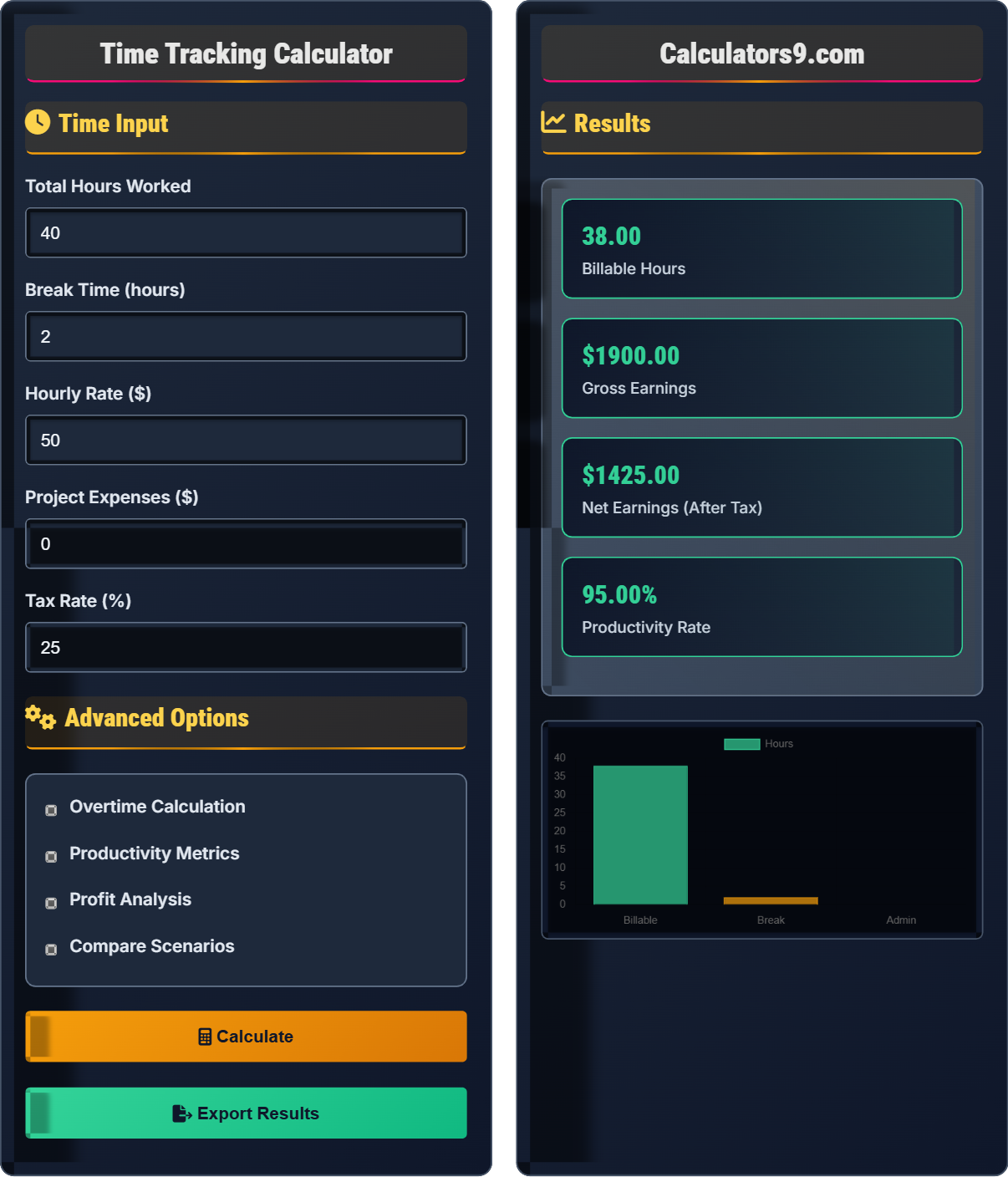
For example: 40 total hours with 2 hours breaks at $50/hour = 38 billable hours × $50 = $1,900 earnings. Productivity: (38÷40)×100 = 95%.
Time Input
Advanced Options
Results
| Day | Total Hours | Billable Hours | Earnings | Productivity |
|---|
| Week | Total Hours | Billable Hours | Earnings | Profit |
|---|
Time Tracking Essentials
Time tracking is the systematic recording of hours spent on various tasks and projects. For freelancers and gig workers, it's crucial for accurate billing, productivity analysis, and project profitability assessment. Effective time tracking helps identify inefficiencies and optimize work patterns.
Key calculations for effective time tracking:
Billable Hours = Total Time - Breaks
Earnings = Billable Hours × Hourly Rate
Productivity = (Billable Hours ÷ Total Hours) × 100
Profit Margin = ((Earnings - Expenses) ÷ Earnings) × 100
Successful freelancers typically aim for 70-80% billable time. Non-billable activities include:
- Administrative tasks: Invoicing, accounting, business development
- Marketing: Proposals, networking, portfolio updates
- Learning: Skill development, industry research
- Breaks: Rest periods for productivity and health
- Time blocking: Schedule specific hours for focused work
- Batch similar tasks: Group administrative work to minimize context switching
- Use automation: Tools for invoicing, time tracking, and project management
- Track interruptions: Identify and minimize productivity killers
- Regular reviews: Weekly analysis of time usage patterns
Time Tracking Learning Quiz
What percentage of total work time should ideally be billable for a freelancer to maintain profitability?
The answer is B) 70-80%. Successful freelancers typically maintain 70-80% billable time. The remaining 20-30% covers non-billable activities like marketing, admin, client communication, and skill development. Going above 80% can lead to burnout and insufficient business development time.
This question tests understanding of the balance between billable work and business sustainability. New freelancers often expect to bill 100% of their time, but this ignores the reality of running a business. The 70-80% benchmark accounts for necessary non-billable activities while maintaining profitability.
Billable Time: Hours spent directly on client work that can be charged to clients
Non-Billable Time: Business-related activities that don't generate direct revenue
Productivity Rate: Percentage of total time that is billable
• Aim for 70-80% billable time for sustainable profitability
• Non-billable time is essential for business growth
• Track both categories separately for accurate analysis
• Use time tracking tools to automatically categorize activities
• Set weekly targets for both billable and non-billable time
• Batch non-billable tasks to improve efficiency
• Expecting to bill 100% of available time
• Neglecting to track non-billable activities
• Failing to account for business development time
If a freelancer works 40 hours in a week with 3 hours of breaks and 2 hours of administrative tasks, what is their productivity rate and how much would they earn at $60/hour?
Step 1: Calculate total non-billable time = breaks + admin = 3 + 2 = 5 hours
Step 2: Calculate billable hours = total hours - non-billable time = 40 - 5 = 35 hours
Step 3: Calculate productivity rate = (billable hours ÷ total hours) × 100 = (35 ÷ 40) × 100 = 87.5%
Step 4: Calculate earnings = billable hours × hourly rate = 35 × $60 = $2,100
Therefore, productivity rate is 87.5% and earnings are $2,100.
This problem demonstrates the importance of distinguishing between total time worked and billable time. It shows how non-billable activities impact both productivity metrics and actual earnings. The calculation reveals that even with 40 hours of work, only 35 hours generate revenue.
Productivity Rate: The percentage of total time that is billable
Billable Hours: Hours that directly generate client revenue
Revenue per Hour: Average earnings per billable hour
• Productivity rate = (billable hours ÷ total hours) × 100
• Earnings = billable hours × hourly rate
• Non-billable time is still productive for business growth
• Always subtract non-billable time from total hours for accurate billing
• Track non-billable time to identify optimization opportunities
• Use productivity benchmarks to set improvement goals
• Including breaks in billable hours calculation
• Forgetting to account for administrative tasks
• Calculating productivity based on incorrect time categories
Sarah works 35 billable hours at $75/hour on a project. She incurs $200 in project expenses (software licenses, research materials) and pays 28% in taxes on her earnings. What is her net profit and profit margin?
Step 1: Calculate gross earnings = billable hours × hourly rate = 35 × $75 = $2,625
Step 2: Calculate tax amount = gross earnings × tax rate = $2,625 × 0.28 = $735
Step 3: Calculate net earnings after tax = gross earnings - tax = $2,625 - $735 = $1,890
Step 4: Calculate net profit = net earnings - project expenses = $1,890 - $200 = $1,690
Step 5: Calculate profit margin = ((net profit) ÷ gross earnings) × 100 = ($1,690 ÷ $2,625) × 100 = 64.4%
Therefore, Sarah's net profit is $1,690 and her profit margin is 64.4%.
This problem illustrates the difference between gross earnings and net profit. It shows how expenses and taxes significantly impact the actual take-home pay. The profit margin calculation reveals the percentage of revenue that becomes actual profit after all costs are considered.
Gross Earnings: Total revenue before deductions
Net Profit: Earnings after all expenses and taxes
Profit Margin: Percentage of revenue that remains as profit
• Net profit = Gross earnings - Expenses - Taxes
• Profit margin = (Net profit ÷ Gross earnings) × 100
• Track all project-specific expenses separately
• Factor in all costs when quoting project prices
<• Use profit margin to evaluate project viability• Maintain separate accounts for business expenses
• Forgetting to account for taxes in profit calculations
• Not tracking project-specific expenses
• Confusing gross earnings with take-home pay
Mike normally bills 40 hours per week at $50/hour. He has the option to work 10 hours of overtime at 1.5x his normal rate. His tax rate is 30% and he expects $100 in additional expenses for the overtime week. How much more net profit does he earn with overtime compared to his regular week?
Regular week: 40 × $50 = $2,000 gross earnings
Regular week net after tax: $2,000 × (1 - 0.30) = $1,400
Overtime week: (40 × $50) + (10 × $50 × 1.5) = $2,000 + $750 = $2,750 gross earnings
Overtime week tax: $2,750 × 0.30 = $825
Overtime week net after tax: $2,750 - $825 = $1,925
Overtime week net profit: $1,925 - $100 = $1,825
Difference: $1,825 - $1,400 = $425 more net profit with overtime
This problem demonstrates how overtime affects net profit after accounting for taxes and additional expenses. The calculation shows that while overtime increases gross earnings significantly, the actual net benefit is reduced by higher taxes and additional costs. This helps freelancers evaluate whether overtime work is worth the effort.
Overtime Rate: Premium rate paid for hours worked beyond standard
Marginal Benefit: Additional profit gained from extra work
Tax Bracket Effect: Higher income potentially affecting tax rate
• Overtime earnings are subject to same tax rates as regular income
• Additional expenses may offset overtime benefits
• Consider opportunity cost of overtime work
• Calculate net benefit of overtime, not just gross earnings
• Factor in additional expenses when working extra hours
• Consider impact on work-life balance and sustainability
• Calculating overtime benefit based on gross earnings only
• Forgetting to account for additional expenses during overtime
• Not considering tax implications of higher income
Which of the following time tracking practices will MOST improve a freelancer's profitability?
The answer is B) Recording all activities including breaks and admin. Complete time tracking reveals where time is actually spent, identifying inefficiencies and optimization opportunities. This comprehensive view enables better pricing decisions, workload management, and productivity improvements.
This question highlights the importance of comprehensive time tracking for business optimization. Partial tracking only provides limited insights. By tracking everything, freelancers can identify time-wasters, optimize workflows, and make informed decisions about pricing and project selection. The data reveals patterns invisible with partial tracking.
Comprehensive Tracking: Recording all activities regardless of billability
Time Audit: Analysis of how time is allocated across activities
Productivity Insights: Actionable data from time tracking
• Track all activities for complete visibility
• Categorize time for meaningful analysis
• Review patterns regularly to identify improvements
• Use automated time tracking tools to capture all activities
• Set up categories for different types of work
• Review weekly reports to spot trends and inefficiencies
• Only tracking billable time and missing optimization opportunities
• Failing to categorize different types of activities
• Not reviewing time tracking data regularly
Time Tracking Basics
Billable hours, productivity metrics, and profit calculations.
Billable Hours = Total Time - Breaks
Earnings = Billable Hours × Hourly Rate
Productivity = (Billable Hours ÷ Total Hours) × 100
- Aim for 70-80% billable time
- Track all activities for insights
- Account for taxes and expenses
Optimization Strategies
Identify patterns in work efficiency and time allocation.
- Time blocking for focus
- Batch similar tasks
- Automate routine work
- Regular performance reviews
- Work-life balance matters
- Quality over quantity
- Sustainable practices
- Client satisfaction
FAQ
Q: How do I determine the right hourly rate for my services?
A: Determining your hourly rate requires considering multiple factors:
1. Cost Coverage: Calculate your minimum required rate based on living expenses, business costs, and desired savings. For example, if you need $60,000 annually and plan to work 1,500 billable hours: $60,000 ÷ 1,500 = $40/hour minimum.
2. Market Research: Research rates in your field and location. If the market average is $50-70/hour, price within that range based on your experience.
3. Value Proposition: Consider the value you provide to clients. If your work generates $10,000 in value for a client, they may pay premium rates for your expertise.
4. Experience Level: Adjust rates based on expertise. Entry-level: market rate × 0.8, Mid-level: market rate × 1.0, Senior: market rate × 1.2-1.5.
Q: Should I track time for fixed-price projects?
A: Yes, tracking time for fixed-price projects is crucial for several reasons:
1. Profitability Analysis: Understanding actual hours spent vs. estimated hours helps evaluate project profitability. If a $5,000 project takes 60 hours instead of estimated 40, your effective rate drops from $125/hour to $83/hour.
2. Future Pricing: Historical data from tracked projects improves future estimates and pricing accuracy.
3. Efficiency Identification: Time tracking reveals inefficiencies in processes that can be improved for future projects.
4. Client Transparency: Some clients appreciate seeing time breakdowns for complex projects, especially if scope changes occur.
Formula: Project Profitability = (Contract Price - Actual Costs) ÷ Contract Price × 100