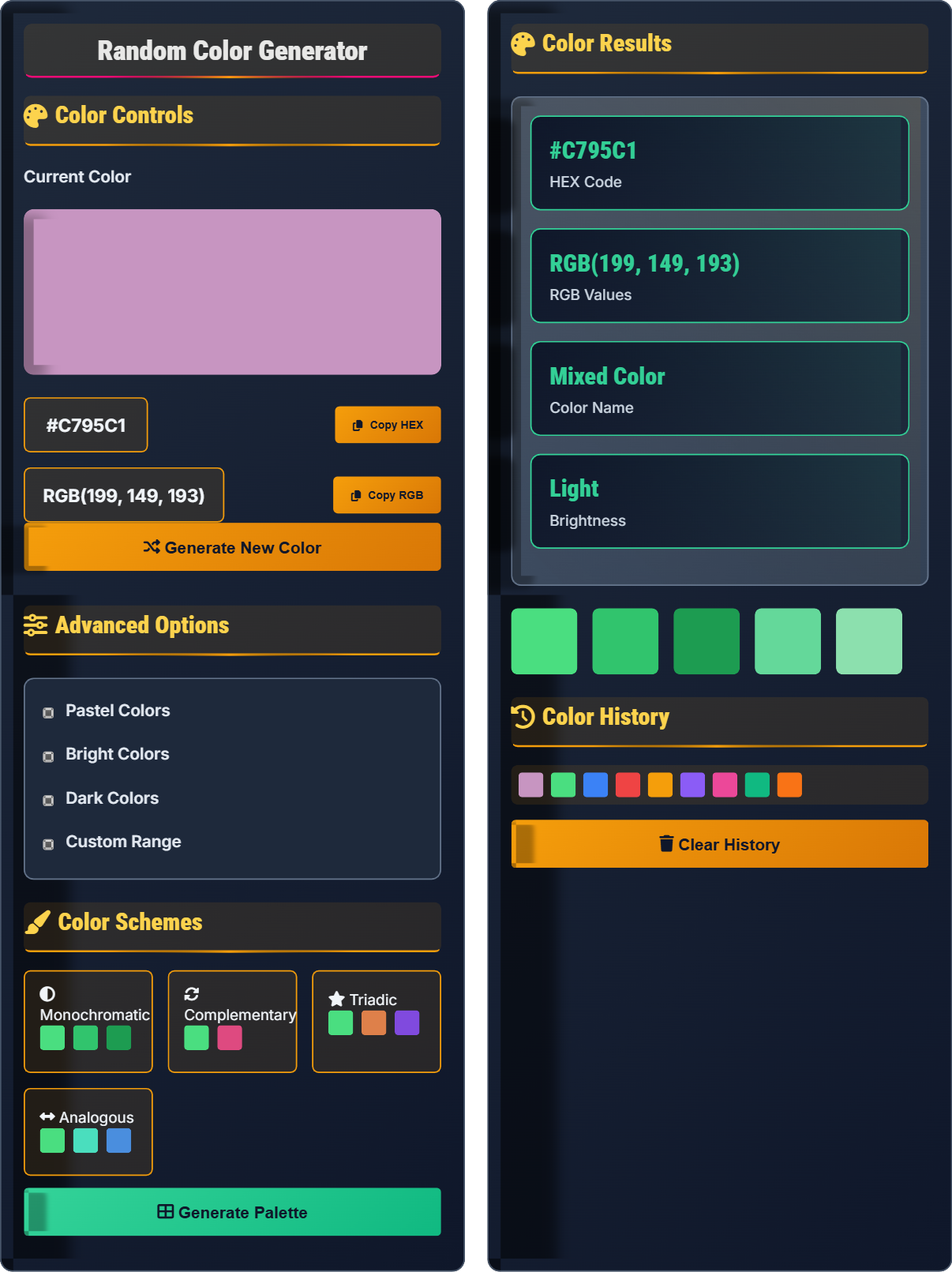
Random Color Generator
Generate beautiful colors instantly • 2026 edition
Color Generation Formula:
Show the generatorRGB: \( R, G, B = \text{random}(0, 255) \)
Where:
- \( R \) = Red component (0-255)
- \( G \) = Green component (0-255)
- \( B \) = Blue component (0-255)
Hex conversion: \( \text{Hex} = \# + R_{16} + G_{16} + B_{16} \)
This formula generates random colors by selecting random values for each RGB component, then converting to hexadecimal format for web use.
Example: Random RGB (255, 128, 64) converts to Hex #FF8040
The algorithm ensures each color component is within valid ranges (0-255), producing vibrant, web-safe colors.
Color Controls
Advanced Options
Color Schemes
Color Results
Color History
Color Theory Basics
Color theory is the study of how colors interact and affect human perception. It includes understanding color relationships, harmony, and the psychological effects of different hues.
RGB stands for Red, Green, Blue. Each color is represented by values from 0-255. Hex codes are a compact way to represent these values in web design.
- Higher values = brighter colors
- Equal RGB values = grayscale
- Complementary colors create contrast
- Adjacent colors create harmony
Design Applications
Colors are essential for branding, user interface design, accessibility, and visual hierarchy in web applications.
- Contrast ratios of 4.5:1 for normal text
- Contrast ratios of 3:1 for large text
- Color shouldn't be sole indicator of meaning
- Test with color blindness simulators
- Use consistent color palettes
- Consider cultural meanings of colors
- Test on different devices
- Provide alternatives for colorblind users
Color Theory Learning Quiz
What RGB values represent pure red?
The answer is A) RGB(255, 0, 0). In the RGB color model, the first value represents Red, the second represents Green, and the third represents Blue. Pure red has maximum red intensity (255) and no green or blue (0).
The RGB color model is additive, meaning colors are created by adding light wavelengths. When all three components are at maximum (255, 255, 255), we get white. When all are at minimum (0, 0, 0), we get black. Understanding these fundamentals is crucial for digital color creation.
RGB: Red, Green, Blue color model used in digital displays
Additive Color: Colors created by adding light wavelengths
Color Channel: Individual component (Red, Green, or Blue)
• RGB values range from 0 to 255
• Higher values mean more intensity
• Equal values create grayscale colors
• Remember: RGB = Red, Green, Blue (in that order)
• Maximum of any channel creates that pure color
• Zero in all channels = black
• Mixing up the order of color channels
• Confusing RGB with CMYK color models
• Thinking RGB values can go beyond 255
Convert the RGB color (128, 64, 192) to its hexadecimal equivalent. Show your work.
Step 1: Convert each RGB component to hexadecimal:
Red: 128 → 80 (since 128 = 8×16 + 0)
Green: 64 → 40 (since 64 = 4×16 + 0)
Blue: 192 → C0 (since 192 = 12×16 + 0, and 12 = C in hex)
Step 2: Combine the values: #8040C0
Therefore, RGB(128, 64, 192) = #8040C0
Hexadecimal is a base-16 number system using digits 0-9 and letters A-F. Each RGB component (0-255) corresponds to two hex digits. To convert, divide by 16 and use the quotient as the first digit and remainder as the second.
Hexadecimal: Base-16 number system (0-9, A-F)
Base Conversion: Changing number representation between systems
Web Colors: Colors specified in hex format for web use
• Each RGB component becomes 2 hex digits
• Hex values range from 00 to FF
• Hex color codes start with #
• Memorize common conversions (128=80, 192=C0, 255=FF)
• Use online converters for verification
• Remember A=10, B=11, C=12, D=13, E=14, F=15
• Forgetting leading zeros (e.g., 8 instead of 08)
• Mixing up hex letters (A vs F)
• Not using uppercase letters consistently
If you have a color with hue 120° (green) on the color wheel, what is its complementary color? Calculate the hue value and describe the relationship.
Step 1: Complementary colors are 180° apart on the color wheel
Step 2: Complementary hue = 120° + 180° = 300°
Step 3: A hue of 300° corresponds to magenta/purple
Therefore, the complementary color of green (120°) is magenta (300°). These colors create high contrast when placed together.
Complementary colors are opposite each other on the color wheel and create visual tension. They enhance each other when used together, making both appear more vibrant. This principle is fundamental in design for creating focus and visual interest.
Color Wheel: Circular diagram showing color relationships
Complementary Colors: Colors 180° apart on the wheel
Hue: The pure color without shading or tinting
• Complementary colors are 180° apart
• They create maximum contrast
• Use sparingly to avoid visual fatigue
• Add one color as accent to dominant color
• Use in 80/20 proportion for balance
• Consider cultural implications of color pairs
• Using equal amounts of complementary colors
• Not accounting for saturation differences
• Ignoring accessibility concerns with high contrast
You're designing a website with a dark blue background (#0F172A). What would be an appropriate text color to meet WCAG AA accessibility standards? Calculate the contrast ratio and explain your choice.
Step 1: Convert hex to RGB for calculation
Background #0F172A = RGB(15, 23, 42)
Step 2: Recommended text color is white (#FFFFFF) = RGB(255, 255, 255)
Step 3: Calculate luminance for each color using the formula:
L = 0.2126*R + 0.7152*G + 0.0722*B (normalized to 0-1)
Background luminance: L1 ≈ 0.02
Text luminance: L2 ≈ 1.00
Step 4: Contrast ratio = (L2 + 0.05) / (L1 + 0.05) = (1.00 + 0.05) / (0.02 + 0.05) = 15:1
This exceeds the WCAG AA requirement of 4.5:1 for normal text.
Accessibility in color design is critical for users with visual impairments. The contrast ratio measures the difference in brightness between foreground and background. Higher ratios improve readability for everyone, especially those with low vision or color blindness.
WCAG: Web Content Accessibility Guidelines
Contrast Ratio: Measure of brightness difference between colorsLuminance: Brightness of a color perceived by the eye
• Normal text needs 4.5:1 contrast ratio
• Large text needs 3:1 contrast ratio
• Pure black and white provide maximum contrast
• Use online contrast checkers for verification
• Test with simulated color blindness
• Consider interactive states (hover, focus)
• Not testing actual contrast ratios
• Using color alone to convey information
• Ignoring interactive element contrasts
Which of the following colors is most commonly associated with trust and professionalism in business contexts?
The answer is B) Blue. Blue is universally associated with trust, reliability, and professionalism. It's the dominant color in corporate branding (Facebook, Twitter, LinkedIn, IBM) because it evokes feelings of security and competence.
Color psychology studies how colors affect human behavior and emotions. Different cultures may interpret colors differently, but certain associations are universal. Understanding these helps designers make intentional choices that support their message and brand identity.
Color Psychology: Study of how colors affect human behavior
Brand Identity: Visual elements that represent a company
Cultural Associations: Color meanings vary by culture
• Blue = Trust, reliability, calmness
• Red = Urgency, passion, energy
• Green = Growth, nature, health
• Research target audience cultural backgrounds
• Consider context and purpose
• Test color choices with users
• Ignoring cultural differences in color meaning
• Choosing colors based solely on personal preference
• Not considering the emotional impact on users
FAQ
Q: How do I ensure my color choices are accessible to users with color blindness?
A: Ensuring color accessibility involves multiple strategies:
1. Contrast Ratios: Maintain at least 4.5:1 for normal text and 3:1 for large text according to WCAG guidelines.
2. Don't rely on color alone: Use text labels, patterns, or icons in addition to color to convey information.
3. Simulate color blindness: Use tools like Color Oracle or online simulators to test your designs.
4. Test with users: Conduct usability tests with participants who have various forms of color vision deficiency.
For example, if you have a success message in green, also include a checkmark icon or "Success" text so users with red-green color blindness can identify the message type.
Q: What's the difference between HSL and RGB color models?
A: RGB (Red, Green, Blue) and HSL (Hue, Saturation, Lightness) are different ways to represent colors:
RGB: Additive color model using amounts of red, green, and blue light (0-255 each). Best for digital screens.
HSL: More intuitive for humans:
- Hue: Position on color wheel (0-360°)
- Saturation: Intensity/vibrancy (0-100%)
- Lightness: How light or dark (0-100%)
For example, RGB(128, 64, 192) ≈ HSL(272, 50%, 50%). HSL makes it easier to create variations of a color by adjusting lightness or saturation while keeping the same hue.