Password Generator
Secure password creator • 2026 edition
Password Strength Formula:
Generate PasswordEntropy = \(\log_2(\text{Character Set Size}) \times \text{Length}\)
Where:
- Character Set Size = number of possible characters
- Length = number of characters in password
- Uppercase = 26 possibilities (A-Z)
- Lowercase = 26 possibilities (a-z)
- Numbers = 10 possibilities (0-9)
- Symbols = 32 possibilities (!@#$%^&*)
This formula calculates the entropy (randomness) of a password, which determines its resistance to brute-force attacks. Higher entropy means stronger passwords.
Example: For a 12-character password with all character sets:
Character set size = 26 + 26 + 10 + 32 = 94
Entropy = \(\log_2(94) \times 12 \approx 6.55 \times 12 = 78.6\) bits
This password would take billions of years to crack with current technology.
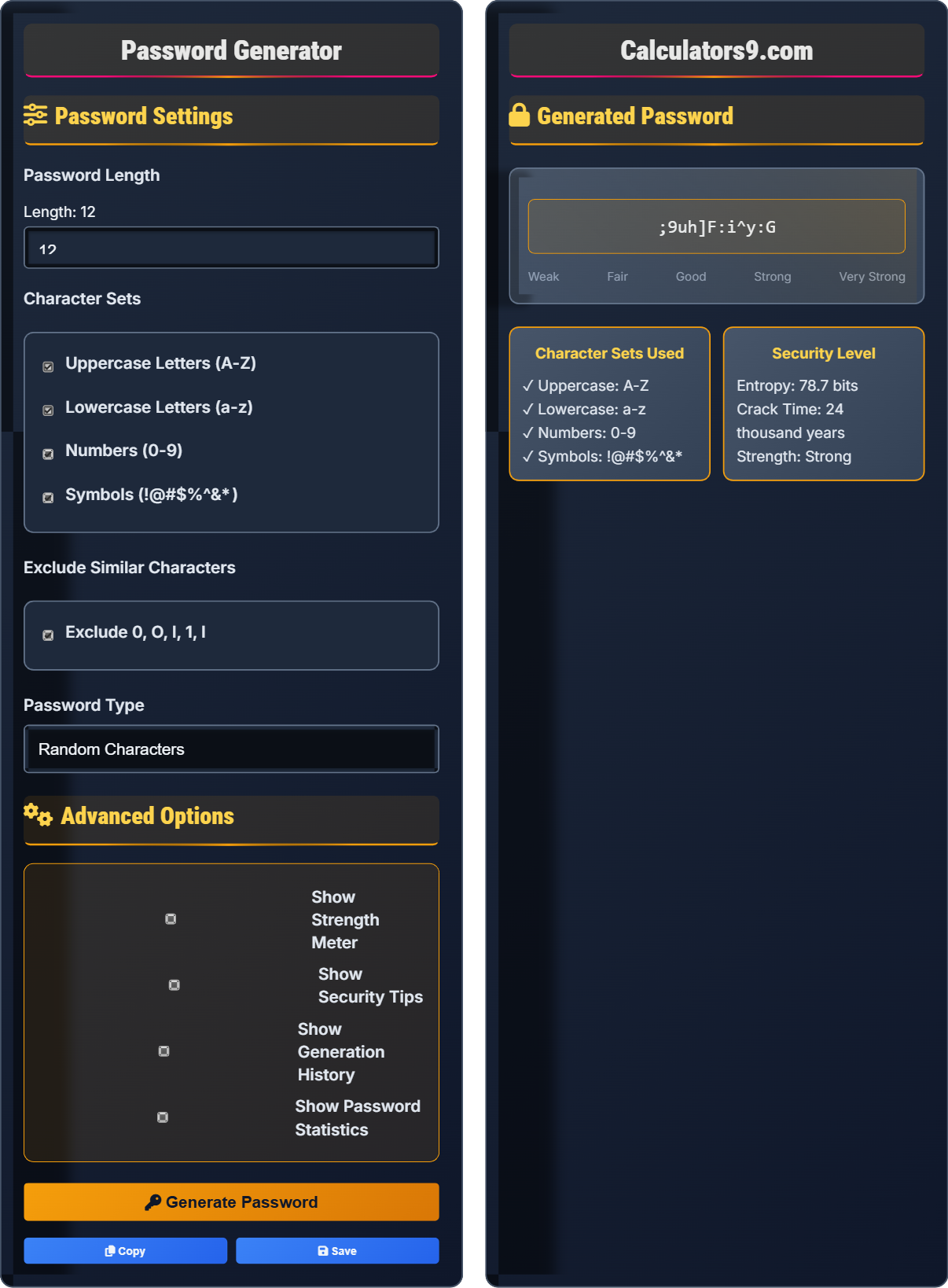
Password Settings
Advanced Options
Generated Password
Password Security Fundamentals
A strong password is long, complex, and unique. It should be at least 12 characters with a mix of uppercase, lowercase, numbers, and symbols.
Entropy = \(\log_2(\text{Character Set Size}) \times \text{Length}\)
Higher entropy means stronger passwords resistant to cracking.
- Minimum 12 characters recommended
- Include mixed case, numbers, symbols
- Avoid dictionary words or personal info
- Use unique passwords for each account
Best Practices
Use a password manager, enable 2FA, update regularly, and never reuse passwords across sites.
- Start with a memorable phrase
- Take first letters of each word
- Add numbers and symbols
- Capitalize some letters
- Longer passwords are better than complex short ones
- Dictionary attacks target common patterns
- Brute force tests all possible combinations
- Phishing bypasses password security
Password Security Learning Quiz
Which password has the highest entropy assuming all are 10 characters long?
The answer is C) Abc123!@#. Password entropy depends on the character set size. Option A uses only numbers (10 characters), B uses only lowercase (26 characters), D uses only upper/lower (52 characters), while C uses uppercase, lowercase, numbers, and symbols (26+26+10+32=94 characters). Using the entropy formula: log₂(94) × 10 ≈ 65.5 bits.
Entropy measures password randomness. The larger the character set, the higher the entropy. A 10-character password with numbers only has 10¹⁰ possibilities, while one with all character types has 94¹⁰ possibilities - vastly more secure.
Entropy: Measure of password randomness and unpredictability
Character Set: Pool of possible characters for each position
Brute Force: Attack trying all possible combinations
• More character types = higher entropy
• Longer passwords exponentially increase security
• Predictable patterns reduce effective entropy
• Mix character types to maximize entropy
• Use longer passwords instead of complex short ones
• Using predictable character substitutions (3 for e, etc.)
• Repeating patterns that reduce randomness
Explain the relationship between password length, character variety, and security. How does this affect resistance to brute-force attacks?
Password security depends on the total number of possible combinations an attacker must try:
Length Effect: Each additional character multiplies the search space. A 6-character numeric password has 10⁶ = 1 million combinations, while a 7-character one has 10⁷ = 10 million combinations.
Character Variety Effect: Each position can use more possible characters. A 6-character lowercase password has 26⁶ ≈ 308 million combinations, while one with mixed case has 52⁶ ≈ 19.8 billion combinations.
Combined Effect: A 12-character password with all character types has 94¹² ≈ 4.76 × 10²³ possible combinations. At 1 billion guesses per second, it would take 15,000+ years to exhaust all possibilities.
Security increases exponentially with both length and character variety. The formula is: Total Combinations = (Character Set Size) ^ (Password Length). This exponential relationship makes even modest increases in length or variety significantly more secure.
Brute Force: Systematic trial of all possible combinations
Search Space: Total possible password combinations
Exponential Growth: Multiplicative increase in security
• Security grows exponentially, not linearly
• Both length and variety are important
• 12+ characters recommended for sensitive accounts
• Prioritize length over complexity
• Short passwords with maximum complexity
• Predictable substitution patterns
Password Security FAQ
Q: How long should passwords be to be considered secure, and why?
A: Current recommendations suggest:
1. Minimum 12 characters for general accounts
2. 16+ characters for sensitive accounts
3. 20+ characters for critical systems
The length requirement exists because password security grows exponentially with length. Each additional character multiplies the possible combinations. A 12-character password with mixed characters has 94¹² ≈ 4.76 × 10²³ possible combinations. At 1 billion guesses per second, this would take over 15,000 years to crack through brute force.
Modern password policies prioritize length over complexity because longer passwords are more secure and often easier to remember than shorter, complex ones.
Q: Are password managers safe to use, and what are the best practices?
A: Password managers are generally safer than not using one, when implemented properly:
Security Benefits:
1. Unique passwords for every account
2. Strong, randomly generated passwords
3. Encryption of stored credentials
4. Automatic updates and breach monitoring
Best Practices:
1. Main password should be extremely strong and memorized
2. Two-factor authentication on the password manager
3. Regular backups of encrypted data
4. Keep software updated for security patches
The master password is the only one you need to remember, so make it long and complex. Consider using a passphrase made of random words for better memorability.