QR Code Generator
Create custom QR codes • Technology Converter
QR Code Content
Advanced Options
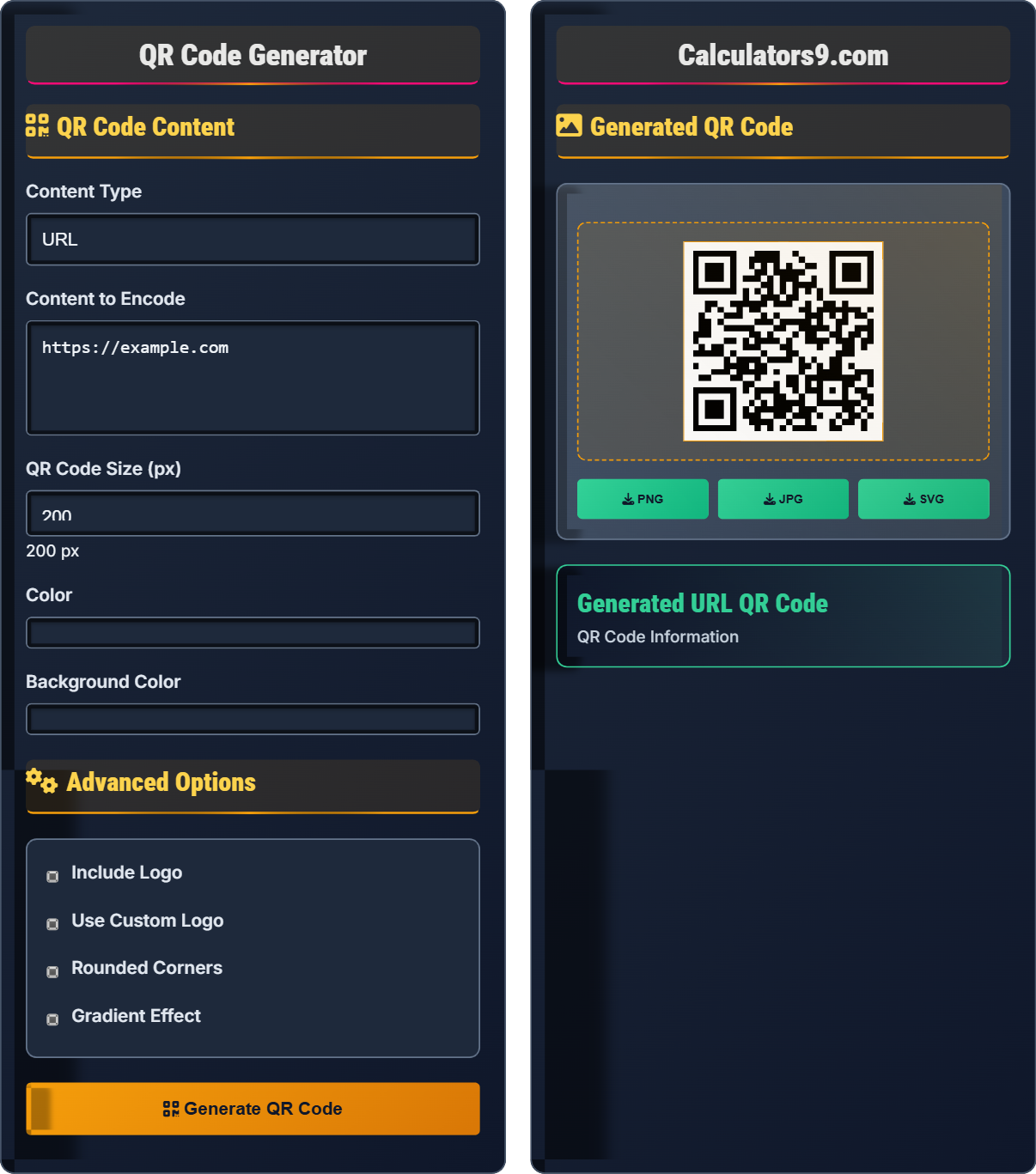
Generated QR Code
| Property | Value |
|---|---|
| Type | Text |
| Version | Medium |
| Error Correction | Medium |
| Size | 200x200px |
| Time | Content | Type |
|---|---|---|
| Now | https://example.com | URL |
QR Code Technology Guide
A QR (Quick Response) code is a type of matrix barcode that can be read quickly by digital devices, primarily smartphones. Developed by Denso Wave in 1994, QR codes can store various types of information including URLs, text, contact details, and more. Unlike traditional barcodes that store data in one dimension, QR codes store data in two dimensions, allowing for much more information to be encoded in a compact space.
QR codes work by encoding information in a grid pattern of black squares and white spaces. The three large squares in the corners help scanners identify and orient the code. The smaller squares within the grid represent binary data (1s and 0s) that can be decoded by scanning software. Different versions of QR codes can store varying amounts of data depending on their size and error correction capabilities.
QR codes come in 40 different versions, ranging from 21×21 modules (version 1) to 177×177 modules (version 40). They support four error correction levels: L (7%), M (15%), Q (25%), and H (30%). The error correction allows the code to be read even if it's damaged or partially obscured. The maximum storage capacity varies by version and character set, with up to 7,089 numeric digits or 4,296 alphanumeric characters.
- Marketing: Product information, promotions, and campaigns
- Education: Linking to resources, assignments, and multimedia
- Healthcare: Patient records, appointment scheduling, and medical information
- Payment: Contactless transactions and mobile payments
- Logistics: Tracking packages, inventory management, and shipping
QR Code Learning Quiz
Who developed QR codes and when?
The answer is B) Denso Wave in 1994. QR codes were originally developed by Denso Wave, a subsidiary of Toyota, to track vehicles and parts during manufacturing. The technology was later made public and became widely adopted across industries.
Understanding the history of QR codes helps appreciate their evolution and widespread adoption. Originally designed for automotive industry needs, QR codes were later opened to public use, leading to their global proliferation. The "Quick Response" name reflects their ability to provide immediate access to information.
QR Code: Quick Response code, a type of matrix barcode
Denso Wave: Japanese company that invented QR codes
Matrix Barcode: 2D barcode that stores data in a grid pattern
• QR codes were invented in 1994 by Denso Wave
• They were originally designed for automotive tracking
• The technology was made public and is now royalty-free
• Remember: QR stands for Quick Response
• The three corner squares help with orientation
• QR codes can store up to 7,089 numeric characters
• Confusing QR codes with traditional barcodes
• Thinking QR codes were invented for consumer use initially
• Underestimating their storage capacity
What is the maximum storage capacity of a QR code in numeric digits, and what determines this capacity?
The maximum storage capacity of a QR code is 7,089 numeric digits. This capacity is determined by several factors:
- QR code version (size): Ranges from version 1 (21×21) to version 40 (177×177)
- Error correction level: L (7%), M (15%), Q (25%), H (30%)
- Data type: Numeric, alphanumeric, byte/binary, or Kanji
Numeric data has the highest capacity because it requires fewer bits per character compared to other data types.
QR code capacity varies based on multiple parameters. The version determines the physical size of the code, while the error correction level affects how much data can be stored (higher error correction means less data storage). The type of data also impacts capacity, with numeric data being the most efficient in terms of storage.
QR Version: Size of the QR code from 21×21 to 177×177 modules
Error Correction: Ability to recover data from damaged codes
Data Types: Numeric, alphanumeric, byte/binary, Kanji
• Maximum numeric capacity: 7,089 digits
• Capacity depends on version, error correction, and data type
• Higher error correction = lower data capacity
• Numeric data stores most efficiently in QR codes
• Use version 1-4 for simple content, higher versions for more data
• Choose error correction based on expected code durability
• Assuming all QR codes have the same storage capacity
• Ignoring the impact of error correction on data capacity
• Not considering data type efficiency when designing codes
A marketing company creates a QR code for a campaign poster that will be placed outdoors. They want to ensure the code remains scannable even if it gets partially damaged by weather or graffiti. Which error correction level should they choose, and why? What is the trade-off of this choice?
Step 1: Identify the environment - Outdoor placement means exposure to weather, dirt, and potential vandalism
Step 2: Determine the appropriate error correction level - Level H (High) provides 30% error correction capability
Step 3: Analyze the trade-offs - Higher error correction means less data storage capacity and potentially larger code size
Step 4: Conclusion - Level H is optimal for outdoor use as it ensures scannability despite damage, though it reduces the amount of data that can be stored in the same physical space.
This example demonstrates the practical application of QR code specifications. Error correction is crucial for codes in challenging environments. The four levels (L, M, Q, H) represent a trade-off between robustness and data capacity. For outdoor applications, durability is more important than maximizing data storage.
Error Correction Level L: 7% recovery capability
Error Correction Level M: 15% recovery capability
Error Correction Level Q: 25% recovery capability
Error Correction Level H: 30% recovery capability
• Choose error correction based on expected environmental conditions
• Higher error correction = more robust but less data capacity
• Level H is best for outdoor or high-risk environments
• Use Level L for indoor, controlled environments
• Use Level M for general use (most common)
• Use Level Q for important documents
• Use Level H for outdoor or high-risk applications
• Choosing too low error correction for harsh environments
• Not considering the trade-off between error correction and data capacity
• Using Level H unnecessarily, reducing data efficiency
A restaurant wants to replace its printed menu with a QR code that links to their digital menu. The QR code will be placed on table tents and needs to be scanned frequently by customers. What type of QR code should they use, and what considerations should they take regarding size, color, and placement?
Step 1: Choose content type - URL QR code linking to digital menu
Step 2: Size consideration - At least 200x200px to ensure reliable scanning from typical reading distance
Step 3: Color scheme - High contrast (black and white) for optimal scanning by all devices
Step 4: Placement - Flat surface with good lighting, avoiding reflective materials
Step 5: Additional considerations - Include instructions like "Scan to view menu" and ensure internet connectivity for the linked content.
This example shows how to apply QR code knowledge in a real-world business scenario. The success of a QR code depends not just on the code itself, but also on its implementation. Factors like size, contrast, placement, and user guidance all contribute to successful scanning experiences.
Digital Menu: Electronic version of restaurant menu accessible via QR code
Scanning Distance: Typical distance from which QR code is scanned (usually 1-3 feet)
Contrast Ratio: Difference in brightness between dark and light modules
• Minimum size of 200x200px for reliable scanning
• High contrast ensures compatibility with all devices
• Placement should avoid glare and shadows
• User instructions improve adoption
• Test QR code with multiple devices before deployment
• Place QR code away from edges to avoid scanning issues
• Consider using a static QR code for stable content
• Monitor scan rates to gauge effectiveness
• Using small QR codes that are difficult to scan
• Poor color contrast that doesn't work with all scanners
• Placing codes in poorly lit areas
• Not testing codes before public deployment
Which of the following is NOT a valid application of QR codes?
The answer is B) Creating a direct video call. While QR codes can link to video calling platforms or apps, they cannot directly initiate a video call. QR codes are essentially data storage mechanisms that encode information to be read by devices. They can store URLs that open video calling apps, but cannot establish direct connections themselves.
This question tests understanding of the fundamental limitations of QR codes. While they're incredibly versatile, QR codes are passive data storage devices - they don't actively perform actions but rather encode information that triggers actions in the scanning device. Understanding these limitations is important for proper implementation.
Passive Data Storage: QR codes store data but don't execute actions
Trigger Mechanism: QR codes initiate actions in the scanning device
Limitations: Cannot perform network actions independently
• QR codes store data, devices execute actions
• They can link to interactive applications
• They cannot establish network connections directly
• Use QR codes to connect to services, not replace them
• Consider the user's device capabilities
• Plan for the action that follows the scan
• Expecting QR codes to perform actions directly
• Not considering post-scan user experience
• Assuming all devices handle QR codes identically
QR Code Basics
Two-dimensional barcode storing data in grid pattern.
Versions 1-40, Error correction L/M/Q/H, Up to 7,089 digits.
- Developed by Denso Wave in 1994
- Can store URLs, text, contacts, WiFi
- Require high contrast for scanning
Applications
Marketing, education, healthcare, payments, logistics.
- Minimum 200x200px size
- High contrast colors
- Good lighting placement
- User instructions
- Error correction level affects capacity
- Environment impacts scan reliability
- Mobile-first design approach
- Analytics for performance tracking
FAQ
Q: How large should my QR code be?
A: Minimum 200x200px for reliable scanning. Larger is better for distant viewing. 300-500px recommended for printed materials.
Q: Can QR codes store any type of data?
A: Yes, QR codes support URLs, text, contacts, WiFi, emails, phone numbers. Up to 7,089 numeric digits maximum.