Audio Compressor
Professional audio compression • Size reduction
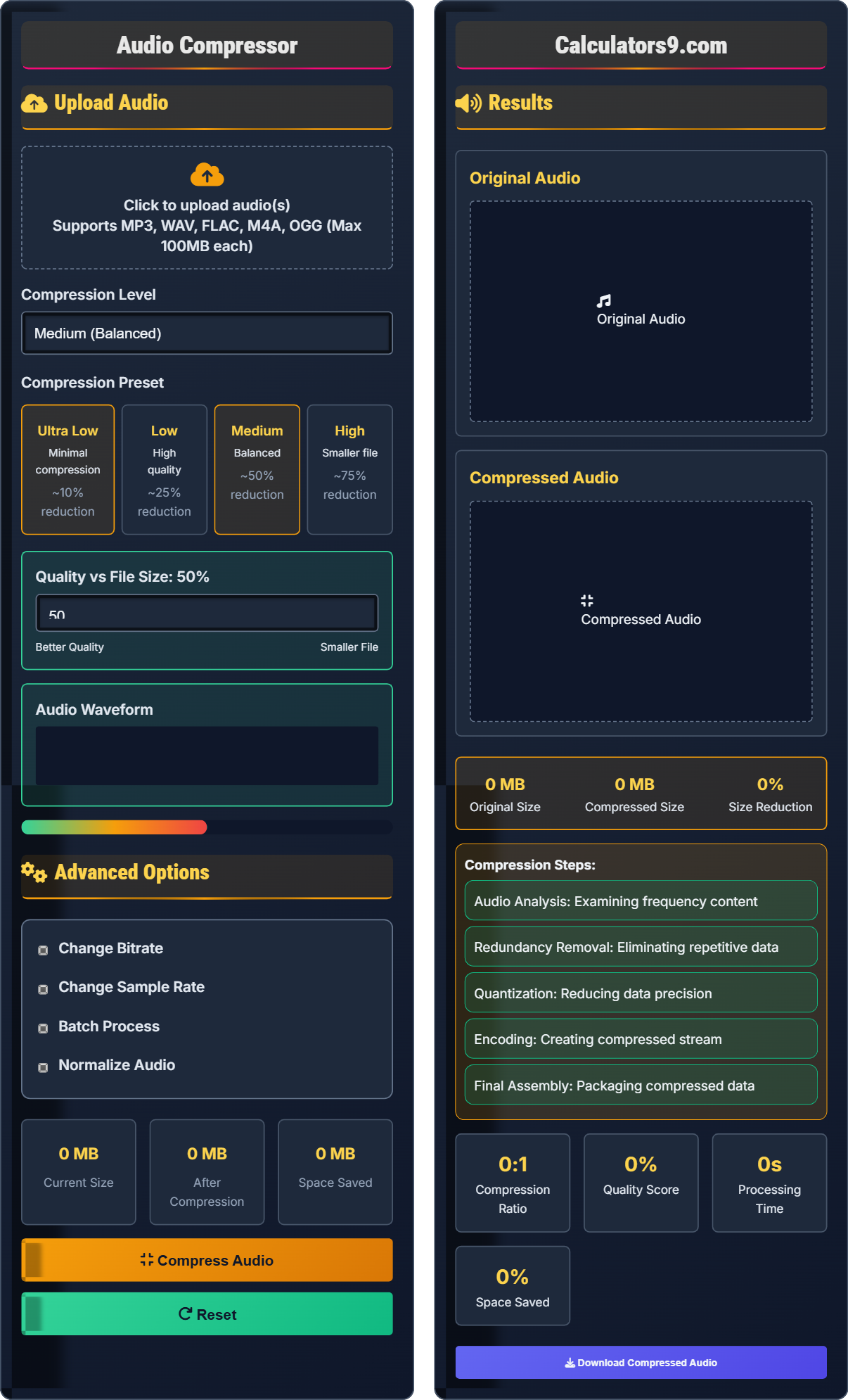
Audio Compression Process:
Show the toolAudio compression reduces file size by removing redundant or less important audio information using sophisticated algorithms. The process includes:
Key steps include:
- Analysis: Examining audio for redundant data
- Prediction: Predicting audio patterns
- Quantization: Reducing precision of audio data
- Entropy Coding: Efficiently encoding remaining data
Compression Ratios: MP3 typically achieves 10:1-12:1, FLAC achieves 2:1-5:1.
Quality Impact: Compression affects quality differently based on content.
Processing Time: Typically 1-5 minutes depending on file length and settings.
Upload Audio
Advanced Options
Results
Original Audio
Compressed Audio
- Audio Analysis: Examining frequency content
- Redundancy Removal: Eliminating repetitive data
- Quantization: Reducing data precision
- Encoding: Creating compressed stream
- Final Assembly: Packaging compressed data
Comprehensive Audio Compression Guide
Audio compression is the process of reducing the size of audio files by removing redundant or less important audio information. This is achieved through sophisticated algorithms that analyze and encode audio data more efficiently, allowing for smaller file sizes while maintaining acceptable quality.
Different compression methods offer various trade-offs between file size and quality:
- Lossless Compression: Preserves all original data (FLAC, ALAC)
- Lossy Compression: Removes some data for smaller files (MP3, AAC)
- Perceptual Coding: Removes inaudible frequencies
- Psychoacoustic Modeling: Based on human hearing limitations
Different codecs offer varying compression efficiency:
- MP3: Excellent compatibility, good compression
- AAC: Better compression than MP3 at same quality
- FLAC: Lossless compression, larger files
- Opus: Latest standard, excellent efficiency
- For Music: Use 192-320 kbps for high quality
- For Speech: 64-128 kbps is often sufficient
- For Archival: Use lossless compression to preserve quality
- For Streaming: Match bitrate to expected connection speeds
- Dynamic Range: Complex music requires higher bitrates
Compression Fundamentals
Bitrate measures the amount of data processed per second, typically expressed in kilobits per second (kbps). Higher bitrates generally mean better quality but larger file sizes.
Compression ratio = Original File Size / Compressed File Size
Quality Score = (1 - (Compressed Size / Original Size)) × 100%
- Higher compression ratios mean smaller files but potential quality loss
- Content complexity affects compression efficiency
- Sample rate and bitrate impact file size significantly
Optimization Strategies
VBR adjusts bitrate based on audio complexity, using more data for complex passages and less for simple ones.
- High Quality: 256-320 kbps
- Balanced: 192-256 kbps
- Low Quality: 64-128 kbps
- Music requires higher bitrates than speech
- Lossless formats preserve all data
- Sample rate affects quality and size
- Longer audio benefits more from compression
Audio Compression Learning Quiz
Which compression level provides the best balance between file size and quality for most general use cases?
The answer is B) Medium (Balanced). This level typically achieves a 50% reduction in file size while maintaining good audio quality. It provides the optimal trade-off between file size and quality for most general purposes, including sharing on social media, email attachments, and general storage.
This question tests understanding of the fundamental trade-off in audio compression between file size and quality. The balanced setting represents the "sweet spot" where users get significant size reduction without noticeable quality loss for most content. This concept builds on the principle of diminishing returns in compression efficiency.
Compression Ratio: The ratio of original size to compressed size
Quality Threshold: The point where quality loss becomes noticeable
Diminishing Returns: Point where additional compression provides little benefit
• Medium compression offers best balance
• Ultra high compression causes quality loss
• Ultra low compression doesn't save space
• Start with medium compression for most files
• Test different levels for critical content
• Consider the playback device when choosing
• Using ultra-high compression for important content
• Not testing compression results audibly
• Ignoring playback device capabilities
Why does audio with complex orchestral arrangements compress less efficiently than simple speech?
Audio compression relies heavily on detecting patterns and redundancies in the audio signal. Simple speech has more predictable patterns and less frequency content than complex orchestral arrangements. Orchestral music contains many instruments playing simultaneously across a wide frequency spectrum, creating less redundancy for compression algorithms to exploit. This results in smaller file size reductions for complex content compared to simple content.
This question explores the fundamental principle of audio compression efficiency. Compression algorithms like those used in MP3 and AAC formats work by identifying and removing redundant information. When audio contains complex, unpredictable patterns (like orchestral music), there's less redundancy to exploit, making compression less efficient. This demonstrates why compression efficiency varies significantly based on content characteristics.
Frequency Spectrum: Range of frequencies present in audio
Audio Redundancy: Repetitive or predictable patterns in audioPsychoacoustic Model: Model of human hearing limitations
• Complex audio compresses less efficiently
• Expect larger files for complex audio
• Use higher bitrates for music
• Consider content type when setting compression
• Using same compression settings for all content types
• Not accounting for content complexity
• Assuming all audio compresses equally
An audio engineer needs to compress a 5-minute song (30MB) for email attachment. The email service has a 5MB limit. Calculate the required compression ratio and recommend the appropriate compression level to achieve this goal while maintaining acceptable quality.
Required compression ratio = Original Size / Target Size = 30MB / 5MB = 6:1. This compression ratio (83.3% size reduction) would significantly impact quality. More realistic approach: 3:1 compression (to ~10MB) using high settings, then split into multiple parts. Alternatively, use a file-sharing service. For 50% quality preservation, aim for 2:1 compression (~15MB), still too large for email.
This problem demonstrates the practical limitations of compression. The required 6:1 ratio is beyond what maintains acceptable quality. The mathematical relationship shows that extreme compression requirements often necessitate alternative solutions. This teaches students to consider the feasibility of compression goals and explore other options when compression alone is insufficient.
Compression Ratio: Original size divided by compressed size
Feasibility: Practical achievability of compression goals
Quality Preservation: Maintaining acceptable audio quality
• Extreme compression ratios sacrifice quality
• Calculate required ratios before compressing
• Consider cloud storage for large files
• Split audio if needed for size limits
• Expecting impossible compression ratios
• Not considering quality implications
• Ignoring alternative file sharing methods
A podcast producer needs to compress 30 episodes (average 30 minutes each) from WAV to MP3 for web distribution. The compression process takes 2 minutes per episode. Calculate the total processing time and propose optimization strategies to reduce the overall time while maintaining quality.
Total processing time = 30 episodes × 2 minutes per episode = 60 minutes = 1 hour. Optimization strategies: (1) Use batch processing to compress multiple episodes simultaneously; (2) Upgrade hardware (faster CPU with more cores); (3) Use faster encoding presets (faster but slightly lower compression); (4) Distribute processing across multiple machines; (5) Use cloud-based compression services. With 4-core processing, time reduces to ~15 minutes.
This represents a classic scalability problem in audio production. The relationship between file count and processing time is linear, but when multiplied by multiple files, it becomes a significant factor. Parallel processing techniques allow for more efficient resource utilization. Understanding computational complexity helps in planning large-scale audio operations.
Parallel Processing: Executing multiple tasks simultaneously
Batch Processing: Processing multiple files with same settings
Computational Complexity: Relationship between input size and processing time
• Processing time scales linearly with file count
• Multi-threading can significantly reduce time
• Quality settings affect processing time
• Use batch processing when possible
• Plan large batches during off-peak hours
• Consider cloud processing for large jobs
• Not accounting for processing time in project planning
• Running large batches during peak hours
• Not utilizing available hardware resources efficiently
Which codec provides the best compression efficiency for a given quality level?
The answer is D) Opus. Opus provides the best compression efficiency of the listed codecs, achieving 20-30% better compression than AAC at the same quality level. However, AAC offers the best balance of efficiency and widespread support. Opus requires more processing power but delivers superior compression efficiency.
This question tests knowledge of codec evolution and trade-offs. Each new generation of codecs aims to improve compression efficiency over predecessors. However, adoption depends on hardware support and processing requirements. Understanding these relationships helps users make informed decisions based on their specific needs and constraints.
Compression Efficiency: Quality achieved per bit of data
Hardware Support: Availability of dedicated processing hardware
Processing Requirements: Computational resources needed
• Newer codecs offer better efficiency
• Hardware support affects practical use
• Processing requirements vary by codec
• Use MP3 for broad compatibility
• Use AAC for better efficiency
• Consider Opus for maximum compression
• Using outdated codecs unnecessarily
• Not considering device compatibility
• Ignoring hardware acceleration options
FAQ
Q: What's the difference between constant bitrate (CBR) and variable bitrate (VBR) compression?
A: The key differences are:
- CBR (Constant Bitrate): Uses the same bitrate throughout the audio
- VBR (Variable Bitrate): Adjusts bitrate based on complexity
Mathematically, for an audio of duration T seconds:
\( \text{CBR File Size} = \text{Bitrate} \times T \)
\( \text{VBR File Size} = \int_0^T \text{Bitrate}(t) \, dt \)
VBR typically produces better quality at the same file size because it allocates more bits to complex passages and fewer to simple passages, optimizing the overall quality-to-size ratio.
Q: How much quality will I lose when compressing a 320 kbps MP3 to 128 kbps?
A: When compressing from 320 kbps to 128 kbps:
- Size Reduction: Approximately 60% smaller file
- Quality Loss: Noticeable for discerning listeners
- Compatibility: Much better for portable devices
The quality loss depends on the audio content and listener sensitivity. For speech content, 128 kbps often sounds acceptable, but for music with complex arrangements, the difference may be more apparent. The information retention can be quantified as:
\( \text{Information Loss} = \frac{\text{320 kbps} - \text{128 kbps}}{\text{320 kbps}} \times 100\% = 60\% \)