Voice Recorder
Professional audio recording • High quality
Voice Recording Process:
Show the toolVoice recording involves capturing audio through a microphone and converting analog signals to digital format. The process includes:
Key steps include:
- Signal Capture: Converting sound waves to electrical signals
- Sampling: Taking measurements at regular intervals
- Quantization: Converting to digital values
- Encoding: Storing in chosen format
Sampling Rates: 44.1kHz for CD quality, 48kHz for professional.
Bit Depth: 16-bit or 24-bit for quality recording.
Processing Time: Real-time during recording.
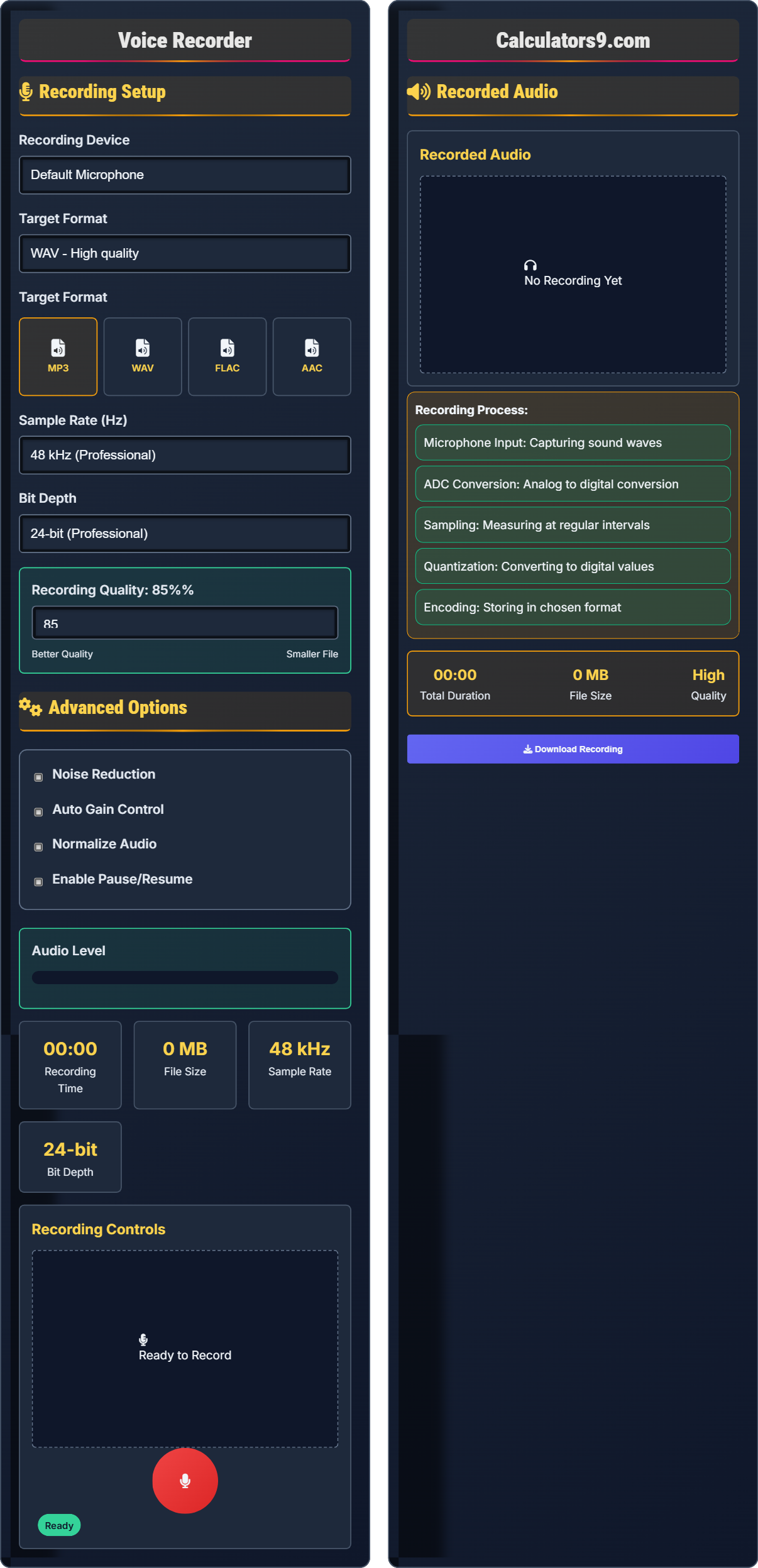
Recording Setup
Advanced Options
Recording Controls
Recorded Audio
Recorded Audio
- Microphone Input: Capturing sound waves
- ADC Conversion: Analog to digital conversion
- Sampling: Measuring at regular intervals
- Quantization: Converting to digital values
- Encoding: Storing in chosen format
Comprehensive Voice Recording Guide
Voice recording is the process of capturing audio through a microphone and converting analog sound waves into digital format. This allows for storage, playback, and editing of voice recordings for various purposes.
Different factors affect the quality of voice recordings:
- Sample Rate: How many measurements per second (44.1kHz, 48kHz)
- Bit Depth: Precision of each measurement (16-bit, 24-bit)
- Microphone Quality: Hardware used for capturing audio
- Environment: Acoustic conditions during recording
Each format has unique characteristics that affect recording:
- WAV: Uncompressed, high quality, large files
- MP3: Compressed, smaller files, good quality
- FLAC: Lossless compression, good for archival
- AAC: Advanced compression, efficient quality
- For Podcasts: Use 48kHz/24-bit for professional quality
- For Interviews: Use noise reduction features
- For Notes: MP3 format is sufficient
- For Music: Use highest quality settings available
- Environment: Choose quiet spaces with soft furnishings
Recording Fundamentals
Sampling rate is the number of samples taken per second when converting analog audio to digital format, measured in Hertz (Hz).
File Size (MB) = (Sample Rate × Bit Depth × Duration × Channels) / 8,000,000
Where Duration is in seconds and Channels is typically 1 (mono) or 2 (stereo).
- Higher sample rates = better quality
- Higher bit depth = better precision
- Larger files with higher quality settings
Optimization Strategies
Techniques to minimize unwanted background sounds during recording.
- Podcasts: 48kHz/24-bit, WAV or MP3
- Notes: 44.1kHz/16-bit, MP3
- Archival: 96kHz/24-bit, FLAC or WAV
- WAV for highest quality
- MP3 for portability
- FLAC for lossless compression
- Consider storage limitations
Voice Recording Learning Quiz
What is the standard sample rate for CD quality audio?
The answer is B) 44.1 kHz. This is the standard sample rate for CD quality audio as established by the Red Book specification. This rate was chosen because it exceeds the Nyquist rate for human hearing (which extends up to approximately 20 kHz) and allows for practical filter design in digital-to-analog converters.
This question tests fundamental knowledge of digital audio standards. The Nyquist-Shannon sampling theorem states that to accurately reproduce a signal, the sample rate must be at least twice the highest frequency present. For human hearing (up to 20 kHz), 44.1 kHz provides adequate coverage with room for filtering.
Sample Rate: Number of samples taken per second
Nyquist Rate: Minimum sampling rate required (2x highest frequency)
Red Book: Technical specification for CDs
• 44.1 kHz is CD standard
• Must exceed 2x highest frequency
• Higher rates = better quality
• Use 44.1 kHz for CD compatibility
• Use 48 kHz for professional work
• 96 kHz for high-end applications
• Confusing sample rates with bit depth
• Using inadequate sample rates for human hearing
• Not understanding Nyquist theorem
What happens to file size when you double the sample rate from 44.1 kHz to 88.2 kHz?
When you double the sample rate from 44.1 kHz to 88.2 kHz, the file size also doubles. This is because file size is directly proportional to the sample rate. The relationship is linear: File Size ∝ Sample Rate. So if Sample Rate doubles, File Size also doubles, assuming all other parameters (bit depth, duration, channels) remain constant.
This question explores the mathematical relationship between sample rate and file size. The direct proportionality means that higher quality comes at the cost of larger files. Understanding this relationship helps in making informed decisions about quality vs. storage requirements. The formula for file size shows this linear relationship.
Direct Proportionality: Linear relationship between variables
File Size: Amount of storage space required
Linear Relationship: Direct correlation between variables
• File size ∝ sample rate
• Plan storage requirements accordingly
• Consider purpose when choosing sample rate
• Balance quality with practical needs
• Not accounting for storage requirements
• Using unnecessarily high sample rates
• Ignoring practical storage limitations
A podcaster records a 30-minute interview at 48 kHz sample rate and 24-bit depth in mono. Calculate the approximate file size in MB and determine if this would be suitable for email attachment (assuming 25MB limit).
Using the formula: File Size (MB) = (Sample Rate × Bit Depth × Duration × Channels) / 8,000,000
Duration = 30 minutes = 1800 seconds
File Size = (48000 × 24 × 1800 × 1) / 8,000,000 = 2,073,600,000 / 8,000,000 = 259.2 MB
This is far above the 25MB email limit. The recording would need to be compressed to MP3 format (approximately 30-40 MB for 30 minutes at 128 kbps) to be suitable for email.
This problem demonstrates the mathematical relationship in audio recording and practical application. The calculation shows how quickly high-quality audio files can become very large. Understanding these relationships helps in making informed decisions about format choices based on distribution requirements.
File Size Calculation: Mathematical determination of audio file size
Compression: Reducing file size through encoding
Storage Efficiency: Optimizing file size for storage constraints
• File Size = (SR × BD × Dur × Ch) / 8,000,000
• Calculate expected size before recording
• Consider distribution method
• Use appropriate format for purpose
• Not calculating expected file sizes
• Using uncompressed formats unnecessarily
• Ignoring distribution limitations
A voice actor needs to record high-quality dialogue for a podcast in a small apartment with hard surfaces. Analyze the acoustic challenges and propose strategies to improve the recording quality.
Acoustic challenges in hard-surfaced apartments: (1) Echo/reverb from sound bouncing off walls; (2) Poor sound absorption; (3) External noise infiltration. Improvement strategies: (1) Use blankets/carpets to absorb reflections; (2) Record in closet full of clothes; (3) Use pop filter to reduce plosive sounds; (4) Close windows and doors; (5) Record during quiet hours; (6) Use directional microphone.
This represents a common real-world recording challenge. Hard surfaces create reflections that cause echo and reverberation, degrading recording quality. Soft materials absorb sound waves, reducing reflections. The solution involves acoustic treatment and proper microphone technique to achieve professional results in suboptimal environments.
Reverberation: Persistence of sound due to reflections
Acoustic Treatment: Materials used to control sound reflections
Plosive Sounds: Explosive consonants like 'p' and 'b'
• Soft materials absorb sound
• Hard surfaces reflect sound
• Directional mics reduce background noise
• Use soft furnishings as acoustic treatment
• Record in closet for natural absorption
• Use directional microphone
• Recording in untreated hard rooms
• Not considering microphone directionality
• Ignoring external noise sources
What is the primary advantage of using 24-bit depth instead of 16-bit depth for voice recording?
The answer is B) Greater dynamic range. 24-bit depth provides a theoretical dynamic range of 144 dB compared to 96 dB for 16-bit. This allows for much more subtle audio details to be captured and provides more headroom for post-processing without introducing quantization noise. The increased precision in amplitude measurements results in better overall audio quality.
This question tests understanding of bit depth fundamentals. Bit depth determines the number of possible amplitude values that can be recorded. More bits mean more precision and a wider range between the quietest and loudest sounds that can be captured. This is crucial for professional recording where subtle dynamics matter.
Bit Depth: Number of bits used to represent audio amplitude
Dynamic Range: Difference between loudest and quietest sounds
Quantization Noise: Error introduced by digital conversion
• Higher bit depth = greater dynamic range
• 24-bit provides 144 dB range
• More precision in amplitude measurements
• Use 24-bit for professional work
• 16-bit sufficient for basic applications
• Consider purpose when choosing bit depth
• Confusing bit depth with sample rate
• Not understanding dynamic range concept
• Using inadequate bit depth for purpose
FAQ
Q: What's the difference between sample rate and bit depth in audio recording?
A: The key differences are:
- Sample Rate: How many measurements per second (frequency resolution)
- Bit Depth: Precision of each measurement (amplitude resolution)
Mathematically, the relationship can be expressed as:
\( \text{Sample Rate} = \frac{\text{Measurements}}{\text{Second}} \)
\( \text{Bit Depth} = \log_2(\text{Possible Amplitude Values}) \)
Sample rate affects the frequency range that can be captured (Nyquist theorem), while bit depth affects the dynamic range and precision of amplitude measurements. Together they determine the overall quality of digital audio.
Q: Should I record in mono or stereo for podcast interviews?
A: For podcast interviews:
- Mono: Recommended for single speaker recordings
- Stereo: For multiple speakers or ambient recordings
- Advantages: Mono files are half the size of stereo
- Quality: Mono provides identical quality for single voices
The file size relationship is:
\( \text{Mono File Size} = \frac{\text{Stereo File Size}}{2} \)
For single voice recordings, mono is optimal as it halves file size without compromising quality. Stereo is only necessary when capturing spatial information or multiple sources.