Image Cropper
Professional image editor • Pixel precision
Image cropping removes unwanted areas to focus on important content, adjust aspect ratios, or fit specific dimensions. Advanced cropping tools use content-aware algorithms to intelligently preserve important elements while removing distractions.
Key Technologies:
- Content-Aware Cropping: Preserves important visual elements
- Aspect Ratio Locks: Maintains proportional relationships
- Edge Detection: Identifies boundaries and objects
- Face Recognition: Prioritizes facial features
- Visual Importance Maps: Determines focal points
Design Impact: Properly cropped images improve composition, focus attention, and enhance visual hierarchy. Cropping is essential for responsive design, social media optimization, and print preparation.
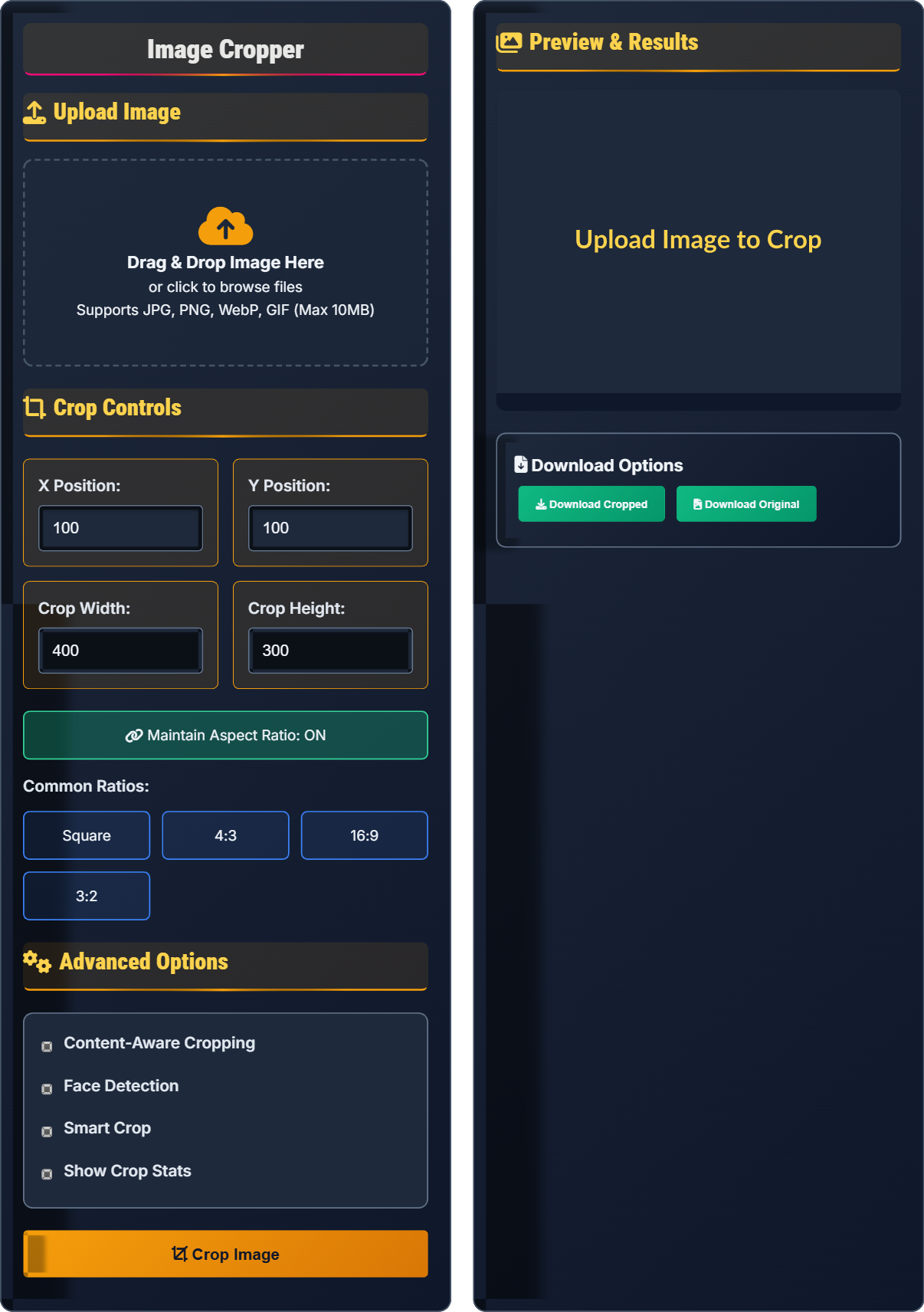
Upload Image
Drag & Drop Image Here
or click to browse files
Supports JPG, PNG, WebP, GIF (Max 10MB)
Crop Controls
Advanced Options
Preview & Results
Download Options
Image Cropping Fundamentals
Geometric Cropping: Removes borders to achieve specific aspect ratios or eliminate distractions. Uses rectangular selections to isolate desired content.
Content-Aware Cropping: Intelligently preserves important visual elements while removing less important areas. Uses algorithms to identify and protect focal points.
Rule of Thirds: Positions important elements along imaginary lines dividing the frame into thirds for balanced composition.
Aspect ratios are calculated using greatest common divisors:
- Formula: aspect_ratio = width ÷ GCD(width, height) : height ÷ GCD(width, height)
- Common Ratios: 1:1 (square), 4:3 (standard), 16:9 (widescreen)
- Calculation: For 800x600 → GCD(800,600)=200 → 800/200:600/200 = 4:3
- Preserve focal points and important content
- Maintain proper aspect ratios for destinations
- Follow compositional guidelines like rule of thirds
- Ensure sufficient resolution after cropping
Cropping for Different Applications
Optimal cropping for different platforms and applications:
- Social Media: 1:1 for Instagram, 16:9 for YouTube thumbnails
- Print: Match paper dimensions (8.5x11 for US letter)
- Web: Fit container dimensions while preserving quality
- Mobile: Optimize for portrait orientation
Advanced cropping approaches:
- Face Detection: Prioritize human faces in portraits
- Visual Importance: Preserve most salient image regions
- Salience Maps: Identify attention-grabbing areas
- Edge Preservation: Maintain important boundaries
- Social media: Follow platform-specific dimensions
- Print: Maintain 300 DPI minimum resolution
- Web: Optimize for display dimensions
- Mobile: Consider portrait orientation
Image Cropping Quiz
What is the aspect ratio of an image that is 1200x800 pixels?
The answer is B) 3:2. To find the aspect ratio, divide both dimensions by their greatest common divisor (GCD). The GCD of 1200 and 800 is 400. So, 1200÷400 = 3 and 800÷400 = 2, giving us an aspect ratio of 3:2.
Aspect ratio calculation is fundamental to image cropping. It ensures proportional relationships are maintained when resizing or fitting images to specific dimensions. Understanding aspect ratios helps prevent distortion and ensures images fit properly in their intended containers.
Aspect Ratio: Proportional relationship between width and height
Greatest Common Divisor (GCD): Largest number that divides both dimensions
Proportional Relationships: Maintaining dimensional ratios
• Calculate aspect ratio using GCD method
• Maintain aspect ratio to prevent distortion
• Common ratios: 4:3, 16:9, 3:2
• Divide dimensions by GCD to simplify ratio
• Use 3:2 for standard photography
• Use 16:9 for widescreen content
• Not simplifying the ratio to lowest terms
• Confusing width and height in ratio
• Forgetting to maintain aspect ratio
Explain how to calculate the coordinates for a centered crop that removes 20% of an image's width and height. Provide the formula and example for a 1000x800 pixel image.
Cropping Formula: To remove 20% from each dimension while centering:
Calculations:
- Width to remove: 1000 × 0.20 = 200 pixels
- Height to remove: 800 × 0.20 = 160 pixels
- New width: 1000 - 200 = 800 pixels
- New height: 800 - 160 = 640 pixels
- X offset: 200 ÷ 2 = 100 pixels
- Y offset: 160 ÷ 2 = 80 pixels
Resulting crop coordinates: X=100, Y=80, Width=800, Height=640. This centered crop removes 20% from each side while preserving the central content.
Centered cropping maintains symmetry by removing equal amounts from opposite sides. The offset calculation ensures the crop region is centered on the original image. This technique preserves the most important central content while achieving the desired reduction in size.
Centered Crop: Equal removal from opposite sides
Offset Calculation: Distance from original edge to crop start
Proportional Removal: Equal percentage reduction
• Calculate offset as (removed_pixels ÷ 2)
• Maintain center point during crop
• Verify new dimensions fit within original
• Use percentage-based cropping for consistency
• Calculate offsets before applying crop
• Verify new dimensions don't exceed original
• Not accounting for centering in offset calculation
• Forgetting to verify new dimensions
• Applying crop without checking bounds
An image has dimensions of 1200x900 pixels (1,080,000 pixels total). If it's cropped to 800x600 pixels (480,000 pixels total), calculate the percentage reduction in area and determine the aspect ratio preservation.
Calculations:
- Area reduction: (1,080,000 - 480,000) ÷ 1,080,000 × 100 = 55.6%
- Original aspect ratio: 1200:900 = 4:3 (GCD=300)
- New aspect ratio: 800:600 = 4:3 (GCD=200)
The crop removes 55.6% of the image area while preserving the original 4:3 aspect ratio, making it suitable for applications requiring that specific proportion.
Area reduction calculations help quantify the impact of cropping decisions. Maintaining aspect ratios during cropping ensures compatibility with specific display requirements while achieving the desired size reduction. This approach preserves the proportional relationships important for consistent presentation.
Area Reduction: Percentage decrease in pixel count
Aspect Ratio Preservation: Maintaining proportional relationshipsPixel Count: Total number of pixels in an image
• Calculate area reduction using pixel count
• Verify aspect ratio preservation after crop
• Consider destination requirements for ratios
• Calculate aspect ratios before and after cropping
• Use percentage reduction to measure impact
• Verify ratios match destination requirements
• Not verifying aspect ratio after cropping
• Forgetting to calculate area reduction
• Ignoring destination requirements
You have a 2400x1600 pixel landscape photo that needs to be cropped for Instagram square posts (1080x1080), Facebook timeline (1200x630), and Twitter profile (400x400). Calculate the optimal crop dimensions for each platform while preserving the most important visual content.
Instagram Square (1080x1080):
- Centered crop: X=400, Y=0, Width=1600, Height=1600
- Removes 800px from left/right, preserves vertical content
Facebook Timeline (1200x630):
- Aspect ratio 1200:630 = 40:21, crop: X=0, Y=200, Width=2400, Height=1260
- Removes 200px from top/bottom, preserves horizontal content
Twitter Profile (400x400):
- Centered crop: X=800, Y=400, Width=800, Height=800
- Removes 800px from left/right and 400px from top/bottom
Each crop prioritizes the most important visual content for its specific platform requirements.
Platform-specific cropping requires understanding both the destination requirements and the visual priorities of the original image. Different aspect ratios may require different cropping strategies - some may need horizontal cropping while others need vertical cropping. The key is identifying the most important visual content and ensuring it remains visible in the final crop.
Platform Requirements: Specific dimensions needed for different services
Visual Priorities: Most important content in the image
Destination Requirements: Specifications for target platform
• Identify visual priorities before cropping
• Match crop to platform specifications
• Preserve important content in final crop
• Plan crops for multiple platforms simultaneously
• Use composition guidelines like rule of thirds
• Consider focal points when positioning crop
• Not considering platform-specific requirements
• Cropping out important visual elements
• Forgetting to verify final dimensions
Which cropping technique is most appropriate for preserving important visual content while removing distracting elements?
The answer is B) Content-aware cropping. Content-aware cropping algorithms analyze the image to identify important visual elements (faces, edges, salient regions) and prioritize their preservation while removing less important areas. This technique uses visual importance maps to make intelligent cropping decisions.
Content-aware cropping represents the most sophisticated approach to image cropping. Unlike geometric methods that follow predetermined shapes, content-aware algorithms adapt to the specific visual content of each image. This results in better preservation of important elements while effectively removing distractions.
Content-Aware Cropping: Algorithm that analyzes visual importance
Visual Importance Maps: Analysis of image significance
Geometric Cropping: Predetermined shape-based cropping
• Use content-aware for complex images
• Apply geometric methods for simple crops
• Consider visual priorities in selection
• Use content-aware for portraits and complex scenes
• Apply geometric methods for simple borders
• Combine techniques for optimal results
• Using geometric cropping for complex content
• Not considering visual importance in crops
• Forgetting to verify important content preservation
FAQ
Q: What's the difference between cropping and resizing, and when should I use each?
A: Cropping removes portions of an image to change its composition or aspect ratio, keeping only the selected area. The resolution of the remaining portion stays the same.
Resizing changes the dimensions of the entire image while keeping all content, either enlarging or shrinking the whole image.
When to use each:
- Cropping: When you want to change composition, remove distractions, or adjust aspect ratio
- Resizing: When you need different dimensions but want to keep all content
- Combined: First crop to composition, then resize to final dimensions
Q: How do I ensure my cropped images maintain quality for printing?
A: For high-quality printing, ensure your cropped image meets these requirements:
- Minimum DPI: 300 DPI for standard prints, 150 DPI for large format viewed from distance
- Pixel calculation: Required pixels = Physical size (inches) × DPI
- 8x10 inch print at 300 DPI = 2400x3000 pixels minimum
- 16x20 inch print at 300 DPI = 4800x6000 pixels minimum
- Crop carefully: Ensure the cropped area has sufficient resolution for the intended print size
Always check that your cropped image meets the pixel requirements for your desired print size. Cropping reduces the available pixel count, so ensure the remaining area is adequate for your printing needs.