Watermark Tool
Professional image protection • Brand security
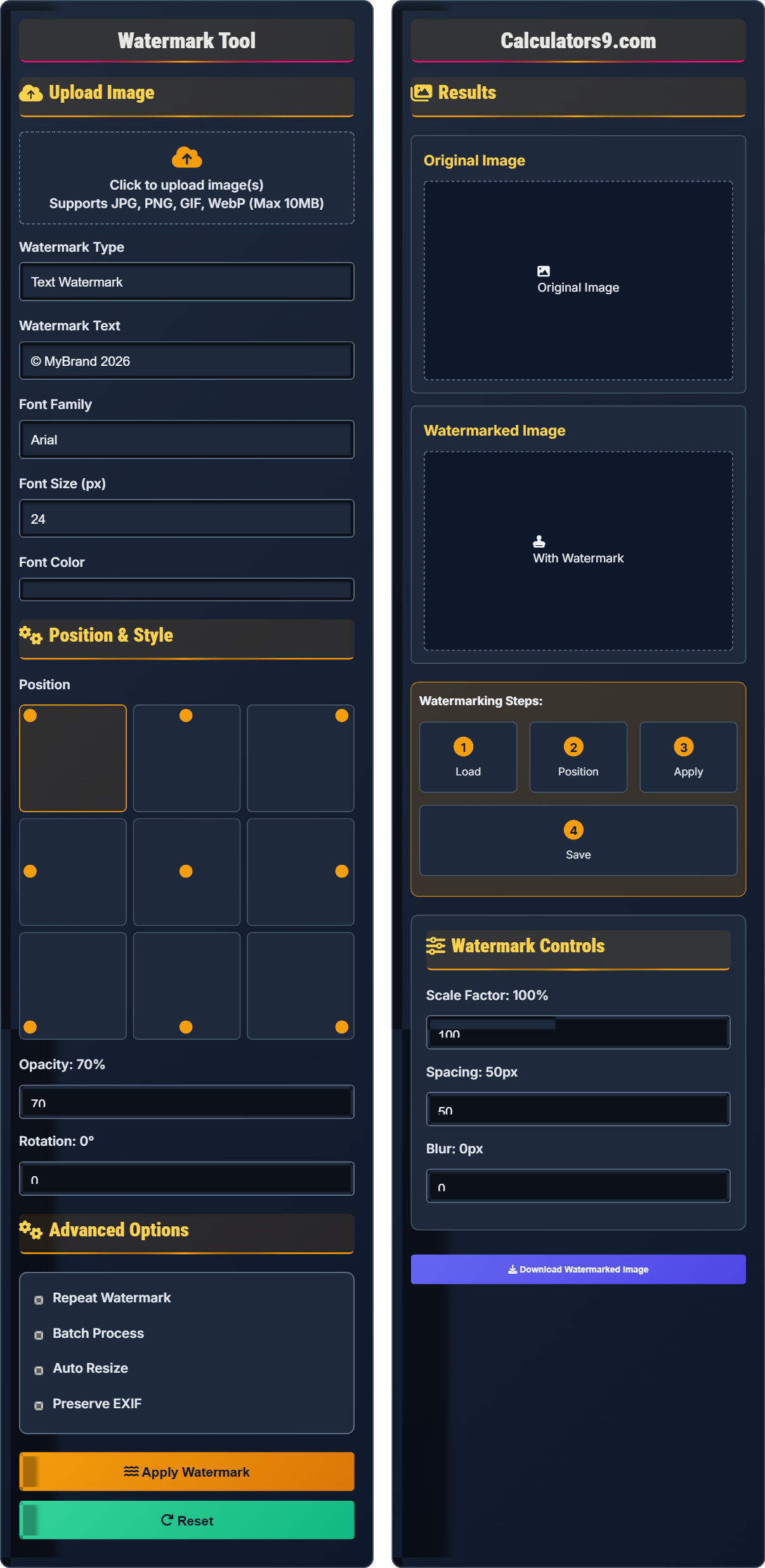
Watermarking Process:
Show the toolWatermarking is a digital process that embeds protective marks onto images to establish ownership and prevent unauthorized use. The process involves:
Key steps include:
- Positioning: Determining optimal placement to preserve image quality
- Opacity Control: Balancing visibility with image aesthetics
- Scaling: Adjusting watermark size relative to image dimensions
- Rotation: Adding diagonal watermarks for enhanced protection
Protection Levels: Professional tools offer visible and invisible watermarks.
File Formats: Supports all common image formats including JPG, PNG, GIF, and WebP.
Processing Time: Typically 1-3 seconds for standard resolution images.
Upload Image
Position & Style
Advanced Options
Results
Original Image
Watermarked Image
Watermark Controls
Comprehensive Watermarking Guide
Image watermarking is a digital technique that embeds identifying information onto images to establish ownership, prevent unauthorized use, and provide copyright protection. Watermarks can be visible (easily seen) or invisible (embedded within the image data).
Different watermarking approaches serve various purposes:
- Visible Watermarks: Clearly visible text or logo overlays
- Transparent Watermarks: Semi-transparent overlays
- Diagonal Watermarks: Positioned diagonally across the image
- Invisible Watermarks: Embedded in image data
Your watermarked images can be saved in multiple formats:
- JPG: Smallest file size, good for photographs
- PNG: Lossless compression, supports transparency
- WebP: Modern format with excellent compression
- GIF: Supports animated watermarks
- Size Matters: Watermarks should be large enough to deter theft but not overwhelm the image
- Color Contrast: Ensure good contrast against various backgrounds
- Strategic Placement: Corners or center depending on image composition
- Batch Processing: Apply consistent watermarks to multiple images efficiently
- Backup Originals: Always keep copies of original, unwatermarked images
Watermarking Fundamentals
Copyright protection automatically applies to original works of authorship fixed in tangible form.
Algorithms blend watermark with image data using alpha compositing techniques.
- Visible watermarks provide immediate protection
- Opacity affects both visibility and image quality
- Positioning impacts usability and protection
Optimization Strategies
Technique combining foreground watermark with background image using transparency.
- Corner placement: Preserves image center focus
- Center placement: Maximum protection area
- Tile pattern: Comprehensive coverage
- JPG for photographs with watermarks
- PNG for graphics requiring transparency
- WebP for modern browsers
- Consider compression artifacts
Watermarking Learning Quiz
What is the recommended opacity range for visible watermarks to balance protection and image quality?
The answer is B) 30-70%. This range provides optimal balance between protecting the image from unauthorized use and maintaining image quality. At 30-70% opacity, the watermark is clearly visible to deter theft while not completely obscuring the underlying image content.
Opacity control is a critical aspect of watermark design. Too low and the watermark won't deter unauthorized use; too high and it ruins the viewing experience. The 30-70% range represents a sweet spot that maintains both protection and aesthetics. This concept builds on the principle of visual hierarchy in design.
Opacity: Degree of transparency, ranging from 0% (transparent) to 100% (opaque)
Visual Hierarchy: Arrangement of elements to indicate importance
Deterrence: Making unauthorized use less attractive
• 30-70% opacity provides optimal balance
• Lower opacity may not deter theft
• Higher opacity may damage image quality
• Test different opacity levels
• Consider image content when choosing opacity
• Use semi-transparent watermarks for photos
• Using 100% opaque watermarks that ruin images
• Setting opacity too low to be effective
• Not considering image content when choosing opacity
Why is corner positioning often preferred for watermarks over center positioning?
Corner positioning is preferred because: (1) It preserves the focal point of the image which is typically centered; (2) It's less likely to interfere with important image content; (3) It's harder to crop out without losing significant portions of the image; (4) It maintains visual hierarchy by not competing with the main subject. Center positioning can obscure important content and disrupt the image's composition.
Effective watermark positioning follows principles of visual design and psychology. The rule of thirds suggests that important elements are often placed away from the center. Corner placement respects this while providing protection. Additionally, cropping software often requires removing larger sections to eliminate corner watermarks, making theft more difficult.
Visual Hierarchy: Arrangement of elements by importance
Rule of Thirds: Composition principle dividing image into nine equal parts
Focal Point: Main subject of the image that draws attention
• Corner placement preserves image composition
• Use bottom-right corner for international audiences
• Consider image composition when choosing corner
• Diagonal watermarks provide additional protection
• Placing watermarks over important image content
• Using center positioning for artistic images
• Not considering the image's natural focal point
A photographer needs to watermark a collection of high-resolution landscape photos for online sharing. The watermarks should be semi-transparent and the photographer wants to maintain the highest possible image quality. Which file format should be chosen and what are the trade-offs compared to alternatives?
For semi-transparent watermarks, PNG is the optimal choice as it supports alpha transparency. However, for photographs, this creates large file sizes. The best approach is to use PNG for the watermarked version and then convert to JPG for web distribution. Alternatives: JPG doesn't support transparency at all. WebP offers both transparency and smaller file sizes but has limited browser support. GIF supports binary transparency only.
This problem illustrates the fundamental trade-off between transparency support and file efficiency for photographic content. PNG's lossless nature makes it ideal for preserving image quality, but the large file sizes may not be suitable for web distribution. The workflow often involves using PNG for processing and then optimizing for distribution.
Alpha Transparency: Partial transparency with multiple opacity levels
Lossless Compression: Compression that preserves all image data
Workflow Optimization: Using different formats for different stages
• PNG supports alpha transparency
• Use PNG for processing with transparency
• Convert to JPG for web distribution
• Consider WebP for modern browsers
• Using JPG for images requiring transparency
• Not considering file size implications
• Ignoring browser compatibility for WebP
A stock photography company needs to watermark thousands of images daily. They want consistent watermarks but also need to process images quickly. Analyze the factors affecting batch processing performance and recommend strategies to optimize throughput while maintaining quality.
Factors affecting batch processing: (1) Image resolution - higher res takes longer; (2) Watermark complexity - complex watermarks require more processing; (3) System resources - CPU/RAM availability; (4) Storage speed - affects read/write operations. Strategies: (1) Use consistent, simple watermarks; (2) Process during off-peak hours; (3) Optimize watermark parameters for speed; (4) Use multi-threading for parallel processing; (5) Consider cloud processing for large volumes.
This represents a classic systems optimization problem in digital asset management. The key insight is that batch processing efficiency depends on finding the optimal balance between processing parameters and available resources. Consistency in watermark parameters allows for optimization, while complex parameters may require more sophisticated processing strategies.
Batch Processing: Processing multiple files sequentially
Throughput: Rate of successful job completion
Parallel Processing: Executing multiple tasks simultaneously
• Consistent parameters improve processing speed
• Higher resolution requires more processing time
• Complex watermarks slow down processing
• Pre-resize images to consistent dimensions
• Use simple, consistent watermarks
• Schedule processing during off-peak hours
• Using complex watermarks for large batches
• Not optimizing system resources
• Processing during peak system usage
Which combination of watermark characteristics provides the best protection against unauthorized use while maintaining reasonable image quality?
The answer is B) 40-60% opacity, corner positioned, moderate size. This combination provides effective deterrence while preserving image quality. The corner positioning avoids interfering with the main subject, the 40-60% opacity ensures visibility without overwhelming the image, and the moderate size makes the watermark noticeable but not dominant.
This question tests understanding of the core principles of effective watermarking. The optimal solution balances multiple competing factors: protection effectiveness, visual impact, and usability. The corner position respects compositional principles, the opacity range provides visibility without damage, and the moderate size offers good coverage without being overwhelming.
Deterrence: Making unauthorized use less attractive
Visual Hierarchy: Relative importance of image elements
Optimal Balance: Best compromise between competing requirements
• Corner positioning preserves image focus
• 40-60% opacity provides good balance
• Moderate size offers effective protection
• Test watermarks on sample images
• Consider target audience when choosing opacity
• Use consistent positioning across all images
• Using 100% opacity that ruins image quality
• Center positioning that disrupts composition
• Too low opacity to be effective
FAQ
Q: How do I create a watermark that's visible enough to deter theft but doesn't ruin the image quality?
A: The key is finding the optimal balance between protection and aesthetics. Use 40-60% opacity for text/logos, position in a corner rather than center, and choose a size that's noticeable but not overwhelming.
Mathematically, the perceived strength of a watermark can be represented as:
\( S = O \times P \times I \)
Where S is strength, O is opacity (0-1), P is position effectiveness (corner=0.8, center=1.0), and I is image interference (inversely related to quality preservation).
For optimal deterrence: \( 0.4 \leq O \leq 0.6 \), ensuring S is sufficient to discourage theft while maintaining image quality.
Q: What's the difference between visible and invisible watermarks, and which should I use?
A: The key differences are:
- Visible Watermarks: Clearly seen, deter immediate theft, easy to verify ownership
- Invisible Watermarks: Hidden in image data, prove ownership after theft, don't affect appearance
For stock photography, visible watermarks are essential as they provide immediate deterrence. Invisible watermarks serve as forensic evidence if images are stolen. Most professionals use both: visible watermarks for prevention and invisible watermarks for proof of ownership.
Invisible watermarks often use frequency domain techniques, embedding information in the discrete cosine transform (DCT) coefficients, making them robust against common image manipulations.