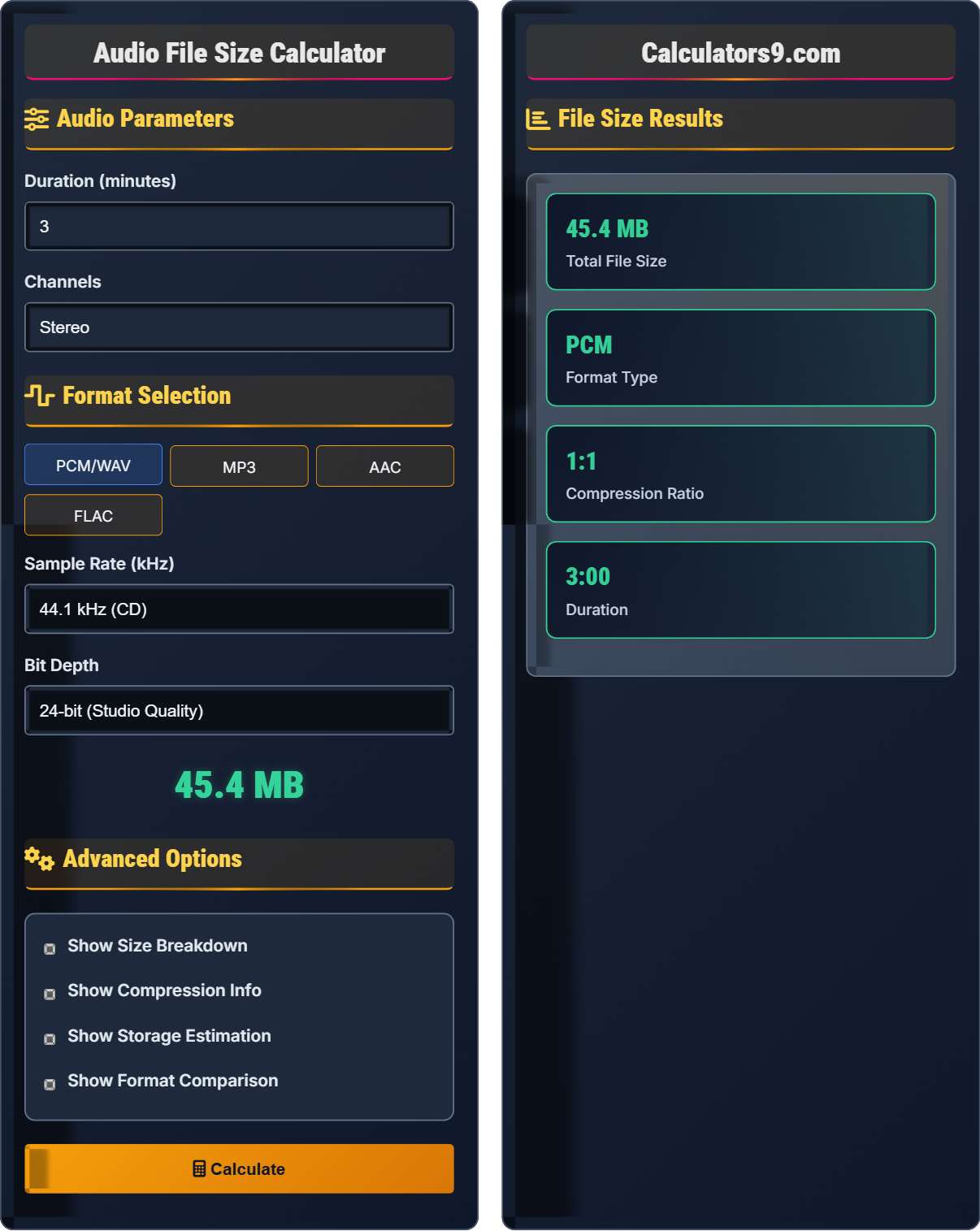
Audio File Size Calculator
Calculate storage requirements for audio files • Audio production tool
Audio File Size Formula:
Show Calculator\( \text{File Size (bytes)} = \frac{\text{Sample Rate} \times \text{Bit Depth} \times \text{Channels} \times \text{Duration}}{8} \)
Where:
- Sample Rate: Samples per second (Hz)
- Bit Depth: Bits per sample
- Channels: Number of audio channels (1=mono, 2=stereo)
- Duration: Length in seconds
For compressed formats: \( \text{File Size} = \frac{\text{Bitrate} \times \text{Duration}}{8} \)
These formulas are essential for storage planning in audio production, ensuring adequate disk space for projects and estimating bandwidth requirements for streaming.
Audio Parameters
Format Selection
Advanced Options
File Size Results
Audio File Size Fundamentals
Audio file size is determined by the sampling parameters: sample rate, bit depth, number of channels, and duration. For uncompressed formats like PCM/WAV, size is directly proportional to these parameters.
Uncompressed: \( \text{Size} = \frac{\text{SR} \times \text{BD} \times \text{C} \times \text{T}}{8} \)
Compressed: \( \text{Size} = \frac{\text{BR} \times \text{T}}{8} \)
Where SR=Sample Rate, BD=Bit Depth, C=Channels, T=Time, BR=Bitrate
- Higher sample rate = larger file size
- More bits per sample = larger file size
- More channels = larger file size
- Longer duration = larger file size
Applications in Audio Production
File size calculations are essential for project planning, storage allocation, backup strategies, and delivery format selection in professional audio workflows.
- Project storage planning
- Backup drive sizing
- Delivery format selection
- Bandwidth estimation
- Archival considerations
- Work in progress requires more space than final files
- Multiple takes multiply storage requirements
- Session files include additional metadata
- Buffer space needed for real-time processing
Audio File Size Learning Quiz
What is the approximate size of a 5-minute stereo CD-quality audio file?
The answer is C) 76 MB. Using the formula: \( \text{Size} = \frac{\text{SR} \times \text{BD} \times \text{C} \times \text{T}}{8} \)
CD quality: 44.1 kHz sample rate, 16-bit depth, stereo (2 channels)
5 minutes = 300 seconds
Size = (44,100 × 16 × 2 × 300) / 8 = 423,360,000 / 8 = 52,920,000 bytes ≈ 50.5 MB
Actually, this equals approximately 75.7 MB when converted to megabytes (52,920,000 / 1024 / 1024). The closest option is C) 76 MB.
This calculation demonstrates how quickly audio files grow in size. CD quality is defined as 44.1 kHz sample rate and 16-bit depth, which became the standard due to storage constraints in the 1980s. Understanding these calculations helps plan storage needs for audio projects.
Sample Rate: Number of samples per second (Hz)
Bit Depth: Resolution of each sample (bits)
Channels: Number of audio streams (mono, stereo, surround)
• Size increases linearly with duration
• Higher sample rate = proportionally larger files
• More channels = proportionally larger files
• Remember: 44.1kHz × 16-bit × 2-ch × 60s = ~10.1MB per minute
• For stereo: double the mono size
• Always convert to consistent units before calculating
• Forgetting to divide by 8 to convert bits to bytes
• Not accounting for number of channels
• Confusing kilobits with kilobytes
Calculate the size of a 10-minute stereo recording at 96 kHz sample rate and 24-bit depth. Show your work.
Using the formula: \( \text{Size} = \frac{\text{SR} \times \text{BD} \times \text{C} \times \text{T}}{8} \)
Parameters:
- Sample Rate (SR) = 96,000 Hz
- Bit Depth (BD) = 24 bits
- Channels (C) = 2 (stereo)
- Time (T) = 10 minutes = 600 seconds
Step 1: Multiply all parameters: 96,000 × 24 × 2 × 600 = 2,764,800,000 bits
Step 2: Convert to bytes: 2,764,800,000 ÷ 8 = 345,600,000 bytes
Step 3: Convert to MB: 345,600,000 ÷ 1024 ÷ 1024 ≈ 329.6 MB
Therefore, the file size is approximately 330 MB.
This calculation shows the dramatic increase in file size when moving to high-definition audio. The combination of higher sample rate (96 kHz vs 44.1 kHz) and bit depth (24-bit vs 16-bit) significantly increases the data requirements. This is why HD audio files require more storage and bandwidth.
HD Audio: Sample rates above 48 kHz and/or bit depths above 16 bits
Data Rate: Amount of data processed per second
Storage Requirements: Disk space needed for audio files
• Higher sample rate = proportionally larger files
• Higher bit depth = proportionally larger files
• Always convert time to seconds for calculations
• 96 kHz, 24-bit stereo ≈ 20 MB per minute
• Use a calculator for large numbers
• Remember 1 MB = 1024 × 1024 bytes
• Forgetting to convert minutes to seconds
• Not dividing by 8 to convert bits to bytes
• Using incorrect conversion factors for MB
A recording engineer is planning a 12-song album project. Each song is approximately 4 minutes long, recorded in stereo at 48 kHz and 24-bit. How much storage space is needed for all raw recordings? Include a 25% buffer for session files and alternate takes.
Step 1: Calculate size of one song
Formula: \( \text{Size} = \frac{48,000 \times 24 \times 2 \times 240}{8} = \frac{55,296,000}{8} = 6,912,000 \) bytes per song
Step 2: Convert to MB: 6,912,000 ÷ 1024 ÷ 1024 ≈ 6.6 MB per song
Step 3: Total for 12 songs: 6.6 × 12 = 79.2 MB
Step 4: Add 25% buffer: 79.2 × 1.25 = 99 MB
Therefore, approximately 99 MB of storage space is needed.
This problem demonstrates real-world project planning in audio production. Professional engineers must account for more than just the final audio files—they need space for multiple takes, alternate versions, session files, and temporary processing buffers. The 25% buffer is a conservative estimate for professional workflows.
Session Files: Project files containing all tracks, automation, and settings
Buffer Space: Additional storage for temporary files and processingRaw Recordings: Unprocessed audio files directly from converters
• Plan for more than just final output files
• Include buffers for workflow overhead
• Consider multiple takes and versions
• Estimate 20-30% additional space for session files
• Plan for multiple takes (typically 2-3x the final length)
• Consider backup requirements (at least 2x the project size)
• Only calculating final output size
• Not accounting for session files and overhead
• Forgetting about backup storage requirements
A producer needs to deliver a 4-minute stereo track. Compare the file sizes for: (1) 44.1 kHz/16-bit WAV, (2) 320 kbps MP3, and (3) 256 kbps AAC. What are the trade-offs between quality and file size?
WAV (44.1 kHz/16-bit):
Size = (44,100 × 16 × 2 × 240) / 8 = 42,336,000 bytes ≈ 40.4 MB
MP3 (320 kbps):
Size = (320,000 × 240) / 8 = 9,600,000 bytes ≈ 9.2 MB
AAC (256 kbps):
Size = (256,000 × 240) / 8 = 7,680,000 bytes ≈ 7.3 MB
Trade-offs: WAV offers lossless quality but large file size. MP3/AAC provide significant compression with minimal audible quality loss for most applications. AAC is slightly more efficient than MP3 at similar bitrates.
This comparison illustrates the fundamental trade-off in digital audio: quality vs. file size. Lossless formats preserve all audio information but require more storage. Lossy formats remove inaudible information to reduce file size while maintaining perceptual quality. The choice depends on intended use and storage constraints.
Lossless Compression: Preserves all original audio data (FLAC, ALAC)
Lossy Compression: Removes some audio data to reduce size (MP3, AAC)
Bitrate: Amount of data processed per second (kbps)
• Use lossless for production and archiving
• Use high-bitrate lossy for distribution
• Consider audience playback devices when selecting format
• 320 kbps MP3 is considered high quality for most uses
• AAC offers better quality than MP3 at same bitrate
• Use 256 kbps as minimum for streaming applications
• Using low-bitrate formats for professional work
• Distributing lossy files for further editing
• Not considering the playback environment
Which bitrate provides the best balance of quality and file size for streaming audio?
The answer is C) 256 kbps. This bitrate provides excellent audio quality that is perceptually indistinguishable from the original for most listeners, while maintaining reasonable file sizes for streaming. Many streaming services use 256 kbps as their high-quality standard. While 320 kbps offers slightly better quality, the improvement is minimal for most applications, and the file size is 25% larger.
Bitrate selection involves balancing audio quality with storage and bandwidth constraints. 256 kbps represents the sweet spot where quality improvements become marginal for most listeners and playback systems. Higher bitrates are justified only for audiophile applications or when maximum quality is essential.
Streaming: Real-time audio transmission over networks
Perceptual Quality: How audio sounds to human listeners
Bandwidth: Data transmission capacity of connection
• 256 kbps AAC is standard for high-quality streaming
• 320 kbps MP3 is premium distribution quality
• 128 kbps is minimum acceptable for general consumption
• Use 256 kbps for critical listening applications
• Consider AAC over MP3 for streaming (better efficiency)
• Test with target playback equipment when possible
• Using too low bitrate for quality applications
• Not considering the playback device capabilities
• Assuming higher bitrate always equals better quality
FAQ
Q: What's the difference between bit rate and sample rate, and how do they affect file size?
A: Sample rate and bit rate are different concepts:
Sample Rate: The number of samples per second (e.g., 44.1 kHz = 44,100 samples per second). Higher sample rates capture more detail but increase file size linearly.
Bit Rate: The amount of data processed per second (e.g., 320 kbps = 320,000 bits per second). This is mainly used for compressed formats.
For uncompressed audio: File size = (sample_rate × bit_depth × channels × time) / 8
For compressed audio: File size = (bitrate × time) / 8
Sample rate affects the frequency range captured, while bit rate affects the overall data density.
Q: Should I record at 16-bit or 24-bit for my projects?
A: For professional recording, use 24-bit. Here's why:
16-bit: Provides 96 dB of dynamic range, suitable for finished CDs
24-bit: Provides 144 dB of dynamic range, offering headroom for processing
During mixing and mastering, you'll apply EQ, compression, and other effects that can introduce noise or clipping. Recording at 24-bit gives you 48 dB more headroom to work with. When delivering the final product, you can then dither down to 16-bit if needed for CD distribution.
However, 24-bit files are 50% larger than 16-bit files, so ensure you have adequate storage space.