Screen Time Calculator
Balance digital wellness • 2026 edition
Screen Time Guidelines:
Show the calculator\( \text{Daily Screen Time} = f(\text{Age}) \)
Recommended daily limits by age group:
- Ages 2-5: 1 hour on weekdays, 3 hours on weekends
- Ages 6-10: 1-2 hours on weekdays, 3 hours on weekends
- Ages 11-13: 2-3 hours on weekdays, 4 hours on weekends
- Ages 14-18: 3-4 hours on weekdays, 5 hours on weekends
These guidelines help establish healthy digital habits while allowing for educational and recreational screen activities. The formula accounts for developmental appropriateness and the increasing role of technology in education and social connection.
Example: For an 8-year-old child:
Recommended weekday limit: 1-2 hours
Recommended weekend limit: 3 hours
Parents should also consider the quality of screen time, ensuring a balance between educational content, creative activities, and passive consumption.
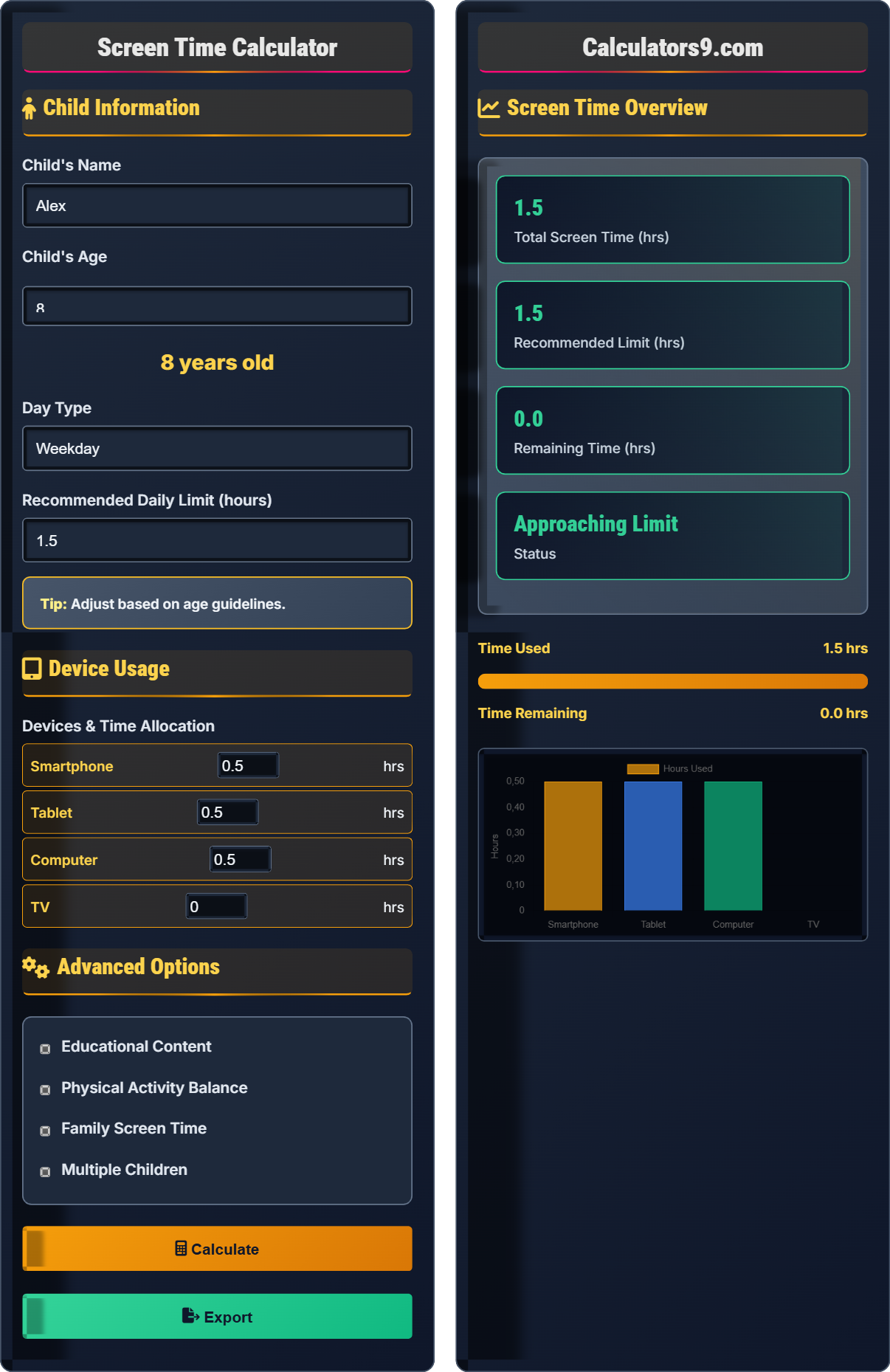
Child Information
Device Usage
Advanced Options
Screen Time Overview
| Device | Time Used | Percentage |
|---|
| Activity Type | Time Allocated | Recommendation |
|---|
Screen Time Guidelines
Screen Time Planning Guide
Healthy screen time isn't just about limiting minutes—it's about balancing educational, creative, and recreational activities while ensuring adequate time for physical activity, sleep, and face-to-face interactions. The goal is to establish sustainable digital habits that support your child's development.
Guidelines vary by developmental stage:
Where:
- \(ST_{age}\) = Recommended screen time for age group
- \(age\) = Child's age in years
- \(activity\_type\) = Educational vs. recreational content
- \(day\_type\) = Weekday vs. weekend
Experts recommend a balanced approach:
- Educational (40%): Learning-focused activities
- Creative (30%): Content creation and artistic expression
- Entertainment (30%): Recreational gaming and viewing
- Create schedules: Establish consistent screen time routines
- Use timers: Visual cues for time management
- Lead by example: Model healthy screen habits
- Quality over quantity: Prioritize meaningful content
- Balance activities: Integrate physical and social activities
Screen Time Basics
Time spent using digital devices.
Vary by developmental stage.
Consider activity type and day.
- Quality matters more than quantity
- Balance with physical activities
- Supervise younger children
Planning Strategies
Educational, Creative, Entertainment.
- Educational: 40% of screen time
- Creative: 30% of screen time
- Entertainment: 30% of screen time
- Adjust for special occasions
- Account for homework needs
- Monitor content quality
- Encourage breaks
Screen Time Planning Learning Quiz
According to AAP guidelines, what is the recommended daily screen time for a 4-year-old child on a weekday?
The answer is A) 1 hour. For children aged 2-5, the American Academy of Pediatrics recommends no more than 1 hour of high-quality programming per day on weekdays. This guideline recognizes that while some screen time can be beneficial for young children, it should be limited and focused on educational content with adult supervision.
The 1-hour guideline for 2-5 year olds is based on research showing that excessive screen time during early childhood can interfere with critical developmental activities like sleep, physical activity, and face-to-face interactions. The recommendation emphasizes quality over quantity, encouraging parents to choose educational content and co-view with their children to enhance learning.
AAP: American Academy of Pediatrics
High-Quality Programming: Educational, age-appropriate content
Co-Viewing: Watching with adult guidance
• Limit to 1 hour for ages 2-5
• Focus on educational content
• Adult supervision required
• Choose ad-free educational programs
• Discuss content with children
• Set consistent screen time routines
• Exceeding the 1-hour limit
• Not supervising content quality
• Using screens during meals or bedtime
If a 12-year-old has used 1.5 hours of screen time on a weekday and the recommended limit is 2.5 hours, what percentage of the daily limit has been used?
Percentage used = (Time used ÷ Recommended limit) × 100
Percentage used = (1.5 ÷ 2.5) × 100
Percentage used = 0.6 × 100 = 60%
Therefore, 60% of the daily screen time limit has been used.
This calculation helps track compliance with screen time guidelines. For a 12-year-old, the AAP suggests 2-3 hours on weekdays. With 1.5 hours used out of a 2.5-hour limit, the child has 1 hour remaining. This approach helps parents and children visualize progress toward daily limits.
Daily Limit: Recommended maximum screen time
Percentage Calculation: Part-to-whole relationship
Remaining Time: Available screen time left
• Calculate percentage regularly
• Track remaining time
• Adjust for special circumstances
• Use visual progress bars
• Set alerts near limits
• Plan screen time in advance
• Not tracking time consistently
• Exceeding limits regularly
• Not accounting for different activities
Sarah is 10 years old and has a weekday screen time limit of 2 hours. She spent 45 minutes on educational apps, 30 minutes on creative projects, and 15 minutes watching videos. How many minutes of screen time does she have remaining? What percentage of her limit has she used?
Step 1: Calculate total time used
Time used = 45 min + 30 min + 15 min = 90 minutes = 1.5 hours
Step 2: Calculate remaining time
Remaining time = 2 hours - 1.5 hours = 0.5 hours = 30 minutes
Step 3: Calculate percentage used
Percentage used = (1.5 ÷ 2) × 100 = 75%
Sarah has 30 minutes of screen time remaining, and she has used 75% of her daily limit.
This problem demonstrates how to categorize and track different types of screen activities. Sarah's time is distributed across educational, creative, and entertainment activities, which aligns with the recommended balance. The calculation helps visualize how different activities contribute to the daily limit.
Educational Apps: Learning-focused digital tools
Creative Projects: Content creation activities
Entertainment: Passive viewing or gaming
• Categorize different activities
• Track time across all devices
• Balance activity types
• Use a timer for each activity
• Encourage educational content
• Take breaks between activities
• Not tracking all devices
• Spending too much on entertainment
• Skipping breaks
Michael is 13 years old. His parents allow 2.5 hours on weekdays and 4 hours on weekends. If he has already used 3 hours of screen time on Saturday, what percentage of his weekend limit has he used? How much time does he have remaining?
Step 1: Calculate percentage used
Weekend limit = 4 hours
Time used = 3 hours
Percentage used = (3 ÷ 4) × 100 = 75%
Step 2: Calculate remaining time
Remaining time = 4 hours - 3 hours = 1 hour
Michael has used 75% of his weekend screen time limit and has 1 hour remaining.
This demonstrates the flexibility of weekend limits compared to weekdays. Many families allow more screen time on weekends when children have fewer academic responsibilities. The calculation helps track usage against the appropriate daily limit based on the day of the week.
Weekday Limits: Stricter limits during school days
Weekend Limits: More flexible during free time
Flexible Scheduling: Adapting to activity needs
• Apply correct daily limit
• Track by calendar day
• Consider special events
• Plan weekend activities in advance
• Balance with outdoor activities
• Maintain some structure
• Confusing weekday vs. weekend limits
• Not applying limits consistently
• Allowing unlimited weekend time
According to digital wellness experts, what is the recommended distribution of screen time activities for children?
The answer is B) 40% educational, 30% creative, 30% entertainment. Experts recommend balancing screen time between educational activities that support learning, creative activities that foster imagination and skills, and entertainment activities that provide relaxation. This distribution promotes holistic development while maintaining enjoyment.
The balanced distribution reflects the importance of different types of digital engagement. Educational content supports academic growth, creative activities develop problem-solving and artistic skills, and entertainment provides necessary relaxation. This approach ensures screen time contributes positively to child development.
Educational Content: Learning-focused digital activities
Creative Activities: Content creation and artistic expression
Entertainment: Recreational digital experiences
• Balance all three categories
• Prioritize educational content
• Encourage creative expression
• Rotate activity types
• Set category-specific limits
• Explore new educational apps
• Focusing only on entertainment
• Not tracking activity types
• Neglecting creative activities
FAQ
Q: How do I handle screen time during virtual learning?
A: Educational screen time for virtual learning should be treated differently from recreational screen time. The AAP suggests that school-related screen time doesn't count toward recreational limits, but it's important to balance with breaks.
During virtual learning, consider the total time spent in front of screens:
\( \text{Total Educational Time} = \text{School Hours} + \text{Homework Time} \)
Then adjust recreational time accordingly. For example, if a child spends 4 hours in virtual classes, their recreational screen time should be reduced proportionally to maintain the recommended daily total.
Q: My teenager says screen time limits are unfair. How should I respond?
A: Involve teenagers in setting screen time agreements. Explain the science behind recommendations:
Research shows that excessive screen time can affect sleep, physical activity, and face-to-face social connections. However, acknowledge that technology plays an important role in their education, communication, and future careers.
Consider a collaborative approach where teens help calculate appropriate limits using guidelines like:
\( \text{Recreational Limit} = \text{Base Recommendation} \pm \text{Individual Factors} \)
Allow for flexibility during special occasions or projects while maintaining core boundaries.