PDF Table Extractor
Fast data extraction • 2026 tools
PDF Table Extraction Process:
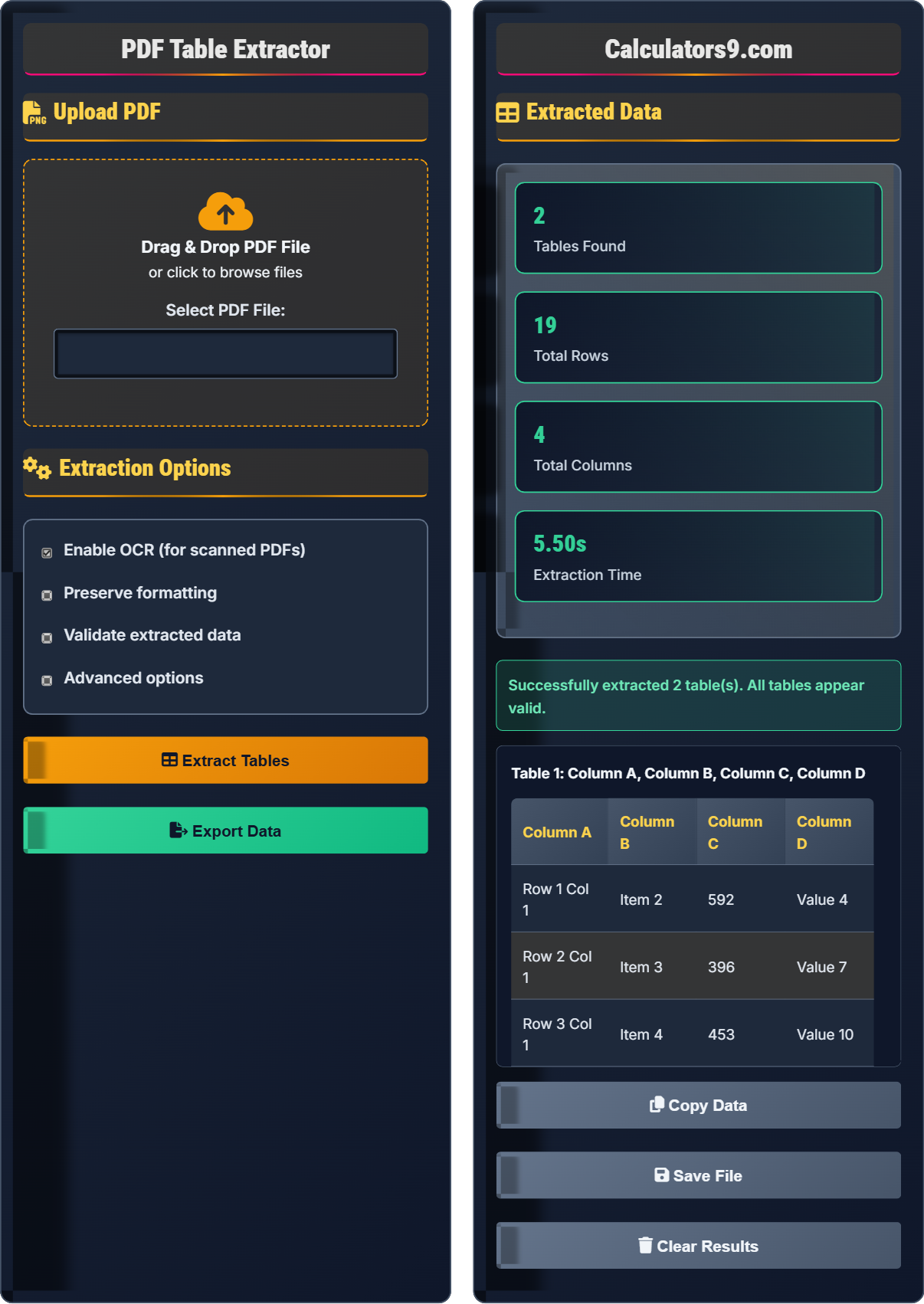
Extract Tables NowPDF table extraction involves parsing PDF documents to identify and extract tabular data into structured formats. The process includes:
- Document Analysis: Reading PDF structure and identifying table boundaries
- Text Recognition: Extracting text content using OCR technology
- Structure Detection: Identifying rows, columns, and cell relationships
- Data Validation: Ensuring extracted data integrity and formatting
- Export Processing: Converting to desired output formats (CSV, Excel, JSON)
This systematic approach ensures accurate data extraction from complex PDF layouts while maintaining data integrity and formatting.
Example: A PDF invoice with multiple tables containing item details, pricing, and totals can be automatically parsed and converted to structured data for further processing.
Upload PDF
Drag & Drop PDF File
or click to browse files
Extraction Options
Extracted Data
No data extracted yet. Upload a PDF and click "Extract Tables" to get started.
PDF Table Extraction Guide
PDF table extraction is the process of identifying and converting tabular data from PDF documents into structured, editable formats like CSV, Excel, or JSON. This technology uses optical character recognition (OCR) and machine learning algorithms to detect table structures, parse content, and preserve data relationships.
- Document Analysis: Analyze PDF structure and identify table boundaries
- Text Recognition: Extract text using OCR for scanned documents
- Structure Detection: Identify rows, columns, and cell relationships
- Data Parsing: Convert detected structures into structured data
- Validation: Verify data integrity and formatting accuracy
- Export: Output data in desired format
- Scanned PDFs require OCR processing for text recognition
- Complex layouts may need manual validation
- Table headers should be preserved for data context
- Cell merging and spanning affect extraction accuracy
- Output format affects data compatibility
Best Practices
Prepare your PDF documents for optimal extraction results by following these best practices.
- Use high-quality PDFs with clear text
- Ensure tables have distinct borders
- Standardize column headers across pages
- Minimize overlapping text or graphics
- Test extraction on sample documents first
- Merged cells affecting row/column detection
- Multi-column layouts causing confusion
- Scanned documents requiring OCR preprocessing
- Special characters and formatting preservation
- Data validation after extraction
PDF Table Extraction Quiz
When is Optical Character Recognition (OCR) technology necessary for PDF table extraction?
The answer is B) Only for scanned PDFs with images of text. OCR is only necessary when the PDF contains images of text rather than actual text characters. For text-based PDFs, the text is already digitally encoded and doesn't require OCR processing.
Understanding when OCR is needed is crucial for efficient PDF processing. Text-based PDFs contain actual text characters that can be copied and searched. Scanned PDFs contain images of text that must be converted to digital text using OCR technology. The extraction method differs based on the PDF type.
OCR: Optical Character Recognition - technology that converts images of text into digital text
Text-based PDF: PDF containing actual text characters that can be selected and copied
Scanned PDF: PDF containing images of pages rather than actual text
• OCR is computationally intensive and slows down processing
• Only enable OCR when dealing with scanned documents
• OCR accuracy depends on image quality and clarity
• Test if text is selectable in the PDF viewer to determine if OCR is needed
• Higher resolution scans improve OCR accuracy
• Clean, high-contrast text yields better results
• Enabling OCR unnecessarily for text-based PDFs
• Assuming all PDFs require OCR processing
• Not verifying OCR accuracy after extraction
Which output format would be most appropriate for extracting sales data from a PDF report to import into a database system? Explain your reasoning.
JSON (JavaScript Object Notation) would be the most appropriate format for database import. JSON is a lightweight, structured data interchange format that is easily parsed by most programming languages and database systems. It preserves data types and hierarchical relationships, making it ideal for database insertion.
Alternative formats like CSV could also work but require more preprocessing to handle complex data types. Excel format is good for human review but less suitable for automated database import.
The choice of output format depends on the destination system and intended use. JSON maintains data structure and types, making it ideal for programmatic processing. CSV is simpler but loses some structural information. Excel is human-readable but requires additional steps for automated processing.
JSON: JavaScript Object Notation - structured data format suitable for databases
CSV: Comma-Separated Values - simple tabular format
Database Import: Process of inserting structured data into a database system
• Match output format to destination system requirements
• Consider data complexity and type preservation needs
• Factor in post-processing requirements
• Use JSON for complex, hierarchical data
• Use CSV for simple tabular data
• Consider schema requirements of target database
• Choosing format based on convenience rather than destination requirements
• Not considering data type preservation
• Overlooking post-processing complexity
A company processes 1,000 PDF invoices monthly, each containing 5-10 tables. Without OCR, extraction takes 2 seconds per table. With OCR enabled (necessary for 30% of documents), extraction takes 15 seconds per table. Calculate the total monthly processing time and suggest optimization strategies.
Step 1: Calculate tables per month = 1,000 invoices × average 7.5 tables = 7,500 tables
Step 2: Tables requiring OCR = 30% of 7,500 = 2,250 tables
Step 3: Tables without OCR = 7,500 - 2,250 = 5,250 tables
Step 4: Time for OCR tables = 2,250 × 15 seconds = 33,750 seconds
Step 5: Time for non-OCR tables = 5,250 × 2 seconds = 10,500 seconds
Step 6: Total time = 33,750 + 10,500 = 44,250 seconds ≈ 12.3 hours
Optimization strategies: Batch processing, parallel execution, OCR accuracy improvement.
This calculation demonstrates how OCR processing significantly impacts performance. The 15-second processing time per table with OCR is 7.5 times slower than without OCR. Understanding these time differences helps optimize processing workflows and resource allocation.
Batch Processing: Processing multiple documents together for efficiency
Parallel Execution: Running multiple extractions simultaneously
Processing Time: Duration required to extract data from a document
• OCR processing time is significantly higher than text-based extraction
• Processing time scales linearly with document volume
• Optimization becomes critical at scale
• Estimate processing time before starting large jobs
• Use parallel processing for multiple documents
• Consider cloud-based solutions for large volumes
• Underestimating processing time requirements
• Not accounting for OCR vs non-OCR differences
• Ignoring scalability considerations
You're implementing a PDF table extraction system for financial reports. The system achieves 95% accuracy on clean documents but drops to 75% on documents with complex formatting. Propose a quality control workflow to maintain high data integrity.
Step 1: Document classification - Identify document complexity level
Step 2: Automatic extraction with confidence scoring
Step 3: Flag low-confidence extractions for review
Step 4: Manual verification for flagged items
Step 5: Statistical validation of extracted data
Step 6: Automated error reporting and correction suggestions
This workflow maintains high accuracy while minimizing manual intervention.
Quality control in automated extraction systems balances efficiency with accuracy. Rather than manually reviewing all extractions, intelligent filtering focuses human effort on problematic cases. Confidence scoring allows prioritization of reviews based on extraction reliability.
Confidence Scoring: Numerical assessment of extraction accuracy likelihood
Quality Control: Process ensuring data accuracy and completeness
Statistical Validation: Mathematical checks for data reasonableness
• Focus human review on lowest confidence extractions
• Implement statistical checks for data validation
• Maintain audit trail for quality assurance
• Set confidence thresholds based on business requirements
• Use domain-specific validation rules
• Implement progressive disclosure of complex issues
• Reviewing all extractions instead of targeting problematic ones
• Not implementing statistical validation checks
• Lacking proper audit trails for corrections
Which factor is most important when selecting an output format for PDF table extraction?
The answer is B) Compatibility with destination system. The output format must be compatible with the system where the data will be used. Whether it's a database, spreadsheet application, or another software, the format determines whether the extracted data can be properly processed and utilized.
The purpose of extraction determines the appropriate format. If data goes to a database, JSON or CSV might be preferred. For human review, Excel format works well. For web applications, JSON is often ideal. The destination system's requirements should drive format selection.
Destination System: The software or database that will use the extracted data
Format Compatibility: Ability of a system to process a particular data format
Data Pipeline: Series of processes that move data from source to destination
• Match output format to destination system requirements
• Consider data transformation needs
• Factor in system limitations and capabilities
• Survey destination systems before choosing output format
• Consider intermediate transformations if needed
• Test format compatibility with sample data
• Choosing format based on extraction convenience rather than destination needs
• Not verifying format compatibility with target system
• Overlooking data transformation requirements
FAQ
Q: How accurate is PDF table extraction, and what factors affect it?
A: PDF table extraction accuracy varies significantly based on document characteristics. For clean, well-formatted PDFs with clear table borders, accuracy typically ranges from 95-98%. However, several factors affect extraction quality:
- Document Quality: High-resolution scans with clear text achieve better OCR accuracy
- Table Complexity: Simple grids with consistent formatting are easier to parse
- Font and Layout: Standard fonts and consistent layouts improve recognition
- Table Borders: Visible borders help algorithms detect table structure
For complex documents with merged cells, multi-column layouts, or poor image quality, accuracy may drop to 70-85%, requiring manual verification.
Q: What's the difference between text-based and image-based PDF extraction?
A: Text-based PDFs contain actual text characters that can be directly extracted, resulting in near-perfect accuracy and faster processing. Image-based PDFs (scanned documents) require Optical Character Recognition (OCR) to convert image pixels into text.
Key differences:
- Text-based: Direct extraction, 99%+ accuracy, fast processing
- Image-based: OCR required, 85-95% accuracy depending on quality, slower processing
- File size: Text-based files are typically smaller
- Searchability: Text-based PDFs are searchable without OCR
Modern extraction tools automatically detect the PDF type and apply appropriate processing methods.