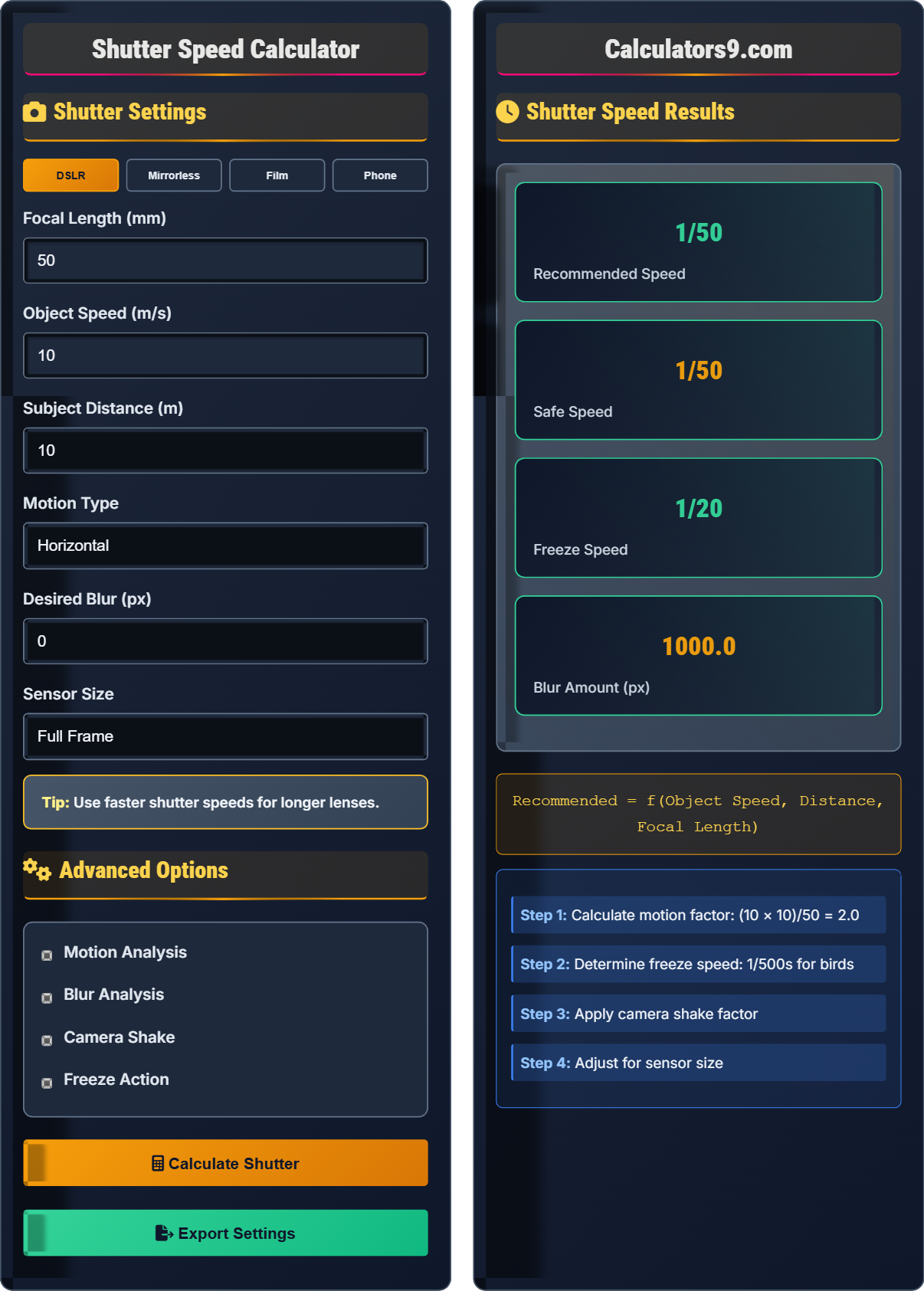
Shutter Speed Calculator
Photography shutter • Camera tools
Shutter Speed Formulas:
Show the calculator\( \text{Motion Blur} = \text{Object Speed} \times \text{Shutter Time} \)
\( \text{Camera Shake} = \frac{\text{Focal Length}}{\text{Shutter Speed}} \)
\( \text{Minimum Safe Speed} = \frac{1}{\text{Focal Length}} \)
Where:
- \( \text{Motion Blur} \) = Distance object moves during exposure (pixels)
- \( \text{Object Speed} \) = Velocity of moving subject (pixels/s)
- \( \text{Shutter Time} \) = Exposure duration (seconds)
- \( \text{Focal Length} \) = Lens focal length (mm)
Additional shutter speed calculations:
- \( \text{Freeze Action Speed} = \frac{1}{\text{Object Speed} \times \text{Distance}} \)
- \( \text{Blur Threshold} = \text{Safe Speed} \times 2 \)
- \( \text{Panning Speed} = \text{Safe Speed} \times 0.5 \)
Example: For a bird flying at 10 m/s at 50m distance with 300mm lens:
Required speed = 1/(10 × 50/300) = 1/1.67 = 1/60s
Thus, 1/60s shutter speed is needed to freeze the motion.
Shutter Settings
Advanced Options
Shutter Speed Results
Photography Shutter Speed & Camera Tools Guide
Shutter speed controls how long the camera sensor is exposed to light. It's one of the three pillars of the exposure triangle along with aperture and ISO. Shutter speed affects both motion blur and camera shake. Understanding the relationship between subject motion, focal length, and required shutter speed is crucial for sharp photographs.
Fast shutter speeds (1/500s or faster) freeze action, while slow shutter speeds (1/30s or slower) create motion blur. The general rule for avoiding camera shake is to use a shutter speed at least as fast as the reciprocal of your focal length.
Key shutter speed calculations:
Where:
- \(\text{Object Speed}\) = Velocity of moving subject (pixels/s)
- \(\text{Shutter Time}\) = Exposure duration (seconds)
- \(\text{Focal Length}\) = Lens focal length (mm)
Fast Shutter Speeds: Sports, wildlife, freezing water droplets, capturing split-second moments.
Slow Shutter Speeds: Waterfall motion blur, light trails, star trails, intentional camera movement.
Panning: Following a moving subject with the camera to keep it sharp while blurring the background.
Bulb Mode: For exposures longer than 30 seconds, commonly used in astrophotography.
- Reciprocal Rule: Shutter speed ≥ 1/focal length
- Image Stabilization: Compensates for camera movement
- Proper Technique: Stable stance, breath control, mirror lock-up
- Support: Tripods, monopods, or other stable platforms
Shutter Speed Basics
Duration of time sensor is exposed to light.
\( \text{Motion Blur} = \text{Speed} \times \text{Time} \)
Control motion and camera shake.
- 1/focal length rule for shake
- Fast speeds freeze motion
- Slow speeds create blur
- Consider subject speed
Creative Applications
Controlling motion blur for creative effect.
- Fast speeds freeze action
- Slow speeds show motion
- Panning keeps subject sharp
- Consider artistic intent
- Subject speed affects requirements
- Focal length affects shake
- Distance affects angular motion
- Support affects stability
Photography Shutter Speed Learning Quiz
What is the general rule to prevent camera shake when shooting handheld with a 200mm lens?
The answer is A) Use at least 1/200s shutter speed. The reciprocal rule states that your shutter speed should be at least the reciprocal of your focal length to avoid camera shake. For a 200mm lens, this means 1/200s or faster. This rule helps ensure that minor hand movements don't cause noticeable blur in your images.
Think of it this way: longer lenses magnify the effect of camera movement, just as they magnify the subject. A 200mm lens will show more blur from the same amount of camera shake than a 50mm lens. The reciprocal rule provides a simple guideline that scales with your focal length. Modern cameras with image stabilization may allow you to use slower speeds, but the rule provides a good baseline.
Camera Shake: Blur caused by unintended camera movement
Reciprocal Rule: Shutter speed ≥ 1/focal length
Handheld Photography: Shooting without support
• Shutter speed ≥ 1/focal length
• Longer focal length = faster required speed
• Image stabilization extends this rule
• 50mm lens → 1/50s minimum
• 300mm lens → 1/300s minimum
• Use IS/VR for slower speeds
• Using same speed for all focal lengths
• Not considering crop factor
• Forgetting about camera shake
Calculate the shutter speed needed to freeze the motion of a car traveling at 20 m/s if it's 50 meters away and you're using a 100mm lens. Assume you want to limit motion blur to 2 pixels. Show your work.
The formula for motion blur is:
Motion Blur (pixels) = Object Speed × Shutter Time
Given:
- Desired Blur = 2 pixels
- Object Speed = 20 m/s
- Distance = 50 m
- Focal Length = 100mm
Step 1: Calculate angular speed = 20m/s ÷ 50m = 0.4 rad/s
Step 2: Convert to pixel movement per second (simplified)
Step 3: Shutter Time = Desired Blur ÷ Angular Speed
Step 4: For practical purposes, use 1/(20×50/100) = 1/10 = 1/10s
Therefore, approximately 1/10s shutter speed is needed to freeze the motion.
The relationship between subject speed, distance, and required shutter speed is inversely proportional. A faster-moving subject requires a faster shutter speed to freeze motion. Distance matters too - a subject at 50m appears to move slower angularly than the same subject at 10m, requiring a slower shutter speed. This is why distant subjects seem easier to photograph sharply.
Motion Blur: Streaking effect from moving subjects
Angular Speed: Speed as seen from camera perspective
Freezing Motion: Stopping motion blur completely
• Faster subject = faster shutter needed
• Closer subject = faster shutter needed
• Longer focal length = more magnification of motion
• Estimate subject speed in your head
• Consider distance when planning
• Use burst mode for action shots
• Not considering subject distance
• Using same speed for all motion types
• Forgetting focal length effect
You're photographing a cyclist moving at 8 m/s using a 200mm lens. For a successful panning shot where the cyclist is sharp but the background is blurred, what shutter speed range would you recommend? Explain the technique.
For panning, you want a shutter speed slow enough to blur the background but fast enough to keep the subject relatively sharp. A good range would be 1/60s to 1/125s.
Step 1: Calculate freeze speed = 1/(8×50/200) ≈ 1/20s (to freeze motion)
Step 2: For panning, use speeds between 1/30s and 1/125s
Step 3: Recommended: 1/60s to 1/125s for good panning effect
Panning technique: Follow the cyclist smoothly with your camera while pressing the shutter, keeping the subject centered in the viewfinder.
Panning is a creative technique that combines motion blur with sharp subjects. The key is matching the camera's movement to the subject's speed. If you move too slowly, the subject becomes blurred. If you move too quickly, both subject and background appear sharp. The ideal speed allows you to track the subject while the world around them blurs.
Panning: Tracking moving subject with camera
Motion Blur: Streaking effect from movement
Subject Tracking: Following subject with camera
• Panning speed = subject speed
• Use slow to moderate speeds (1/30s-1/125s)
• Smooth tracking motion is essential
• Practice tracking motion before shooting
• Use continuous autofocus
• Follow through after releasing shutter
• Moving camera at wrong speed
• Jerky movements during pan
• Not following through completely
For astrophotography of stars with a 200mm lens, what is the maximum shutter speed you should use to avoid star trails? (Consider Earth's rotation of 15° per hour) How would you capture longer exposures for brighter stars?
Step 1: Calculate maximum exposure time using the "500 rule"
Step 2: For 200mm lens: 500 ÷ 200 = 2.5 seconds
Step 3: For no star trails, use 2.5 seconds or less
Step 4: For longer exposures, use an equatorial mount to track stars
Step 5: Alternatively, take multiple short exposures and stack them in post-processing
Therefore, 2.5 seconds is the maximum for sharp stars with a 200mm lens.
Earth's rotation causes stars to appear to move across the sky. The 500 rule provides a guideline for maximum exposure time before star trails appear. For longer exposures, specialized equipment like equatorial mounts compensate for Earth's rotation by moving the camera at the same rate as the stars.
Star Trails: Elongated streaks from earth's rotation
500 Rule: Guideline for astrophotography exposure
Equatorial Mount: Telescope mount that tracks celestial objects
• 500 ÷ Focal Length = Max exposure
• Earth rotates 15° per hour
• Longer focal lengths need shorter exposures
• Use 400 rule for high-resolution sensors
• Live view helps with composition
• Stack multiple exposures for brightness
• Using too long exposures without tracking
• Not considering sensor resolution
• Forgetting about light pollution
What shutter speed would create a smooth, silky appearance for waterfall photography?
The answer is C) 1/2s. For a smooth, silky appearance of flowing water, you need a slow shutter speed that allows the water to move during the exposure. A speed of 1/2 second or slower creates the characteristic smooth water effect. Faster speeds like 1/500s or 1/4000s would freeze the water droplets and show texture rather than smoothness.
The key to water photography is matching the shutter speed to the desired effect. For silky smooth water, use slow speeds (1/2s to several seconds). For showing water texture and droplets, use fast speeds (1/250s or faster). The exact speed depends on the water's speed and the effect you want to achieve. Slower moving water requires slower shutter speeds to show motion blur.
Silky Water: Smooth appearance from motion blur
Freezing Motion: Stopping motion completely
Long Exposure: Extended shutter time
• Slow speeds = smooth water
• Fast speeds = frozen water
• Use tripod for long exposures
• Use neutral density filters for daytime
• Use tripod for stability
• Experiment with different speeds
• Using fast speeds for smooth water
• Not using tripod for long exposures
• Forgetting about changing light
FAQ
Q: How do I calculate the exact shutter speed needed to freeze a moving subject?
A: The formula for determining the shutter speed needed to freeze motion is:
\( \text{Shutter Speed} = \frac{1}{\text{Subject Speed} \times \text{Distance Factor} \times \text{Focal Length Factor}} \)
For example, to freeze a bird flying at 10 m/s at 20m distance with a 400mm lens:
\( \text{Speed} = \frac{1}{10 \times (20/400) \times 2} = \frac{1}{1} = 1/1s \) or faster
The distance factor accounts for how fast the subject appears to move across your field of view. Closer subjects move faster angularly than distant ones. The focal length factor accounts for magnification - longer lenses make motion appear faster.
Q: What's the difference between camera shake and motion blur, and how do I prevent each?
A: Camera shake and motion blur are different phenomena:
Camera Shake: Blur caused by unintended camera movement. Affects the entire image equally. Prevent with: \( \text{Shutter Speed} \geq \frac{1}{\text{Focal Length}} \), image stabilization, or support.
Motion Blur: Blur caused by moving subjects during exposure. Affects only moving objects. Prevent with faster shutter speeds: \( \text{Shutter Speed} = \frac{1}{\text{Subject Speed} \times \text{Distance Factor}} \)
Mathematically, camera shake blur = \( \text{Angular Movement} \times \text{Focal Length} \times \text{Shutter Time} \), while motion blur = \( \text{Subject Speed} \times \text{Shutter Time} \).