Email Time Tracker Calculator
Optimize your email productivity • 2026 trends
Email Time Tracking Formula:
Show the calculator\( Total\ Email\ Time = \sum{(Time\ per\ Activity \times Frequency)} \)
Where:
- Check Emails: Time spent opening and reading emails
- Respond to Emails: Time composing responses
- Process Emails: Time organizing, filing, deleting
- Reply All: Time spent on group communications
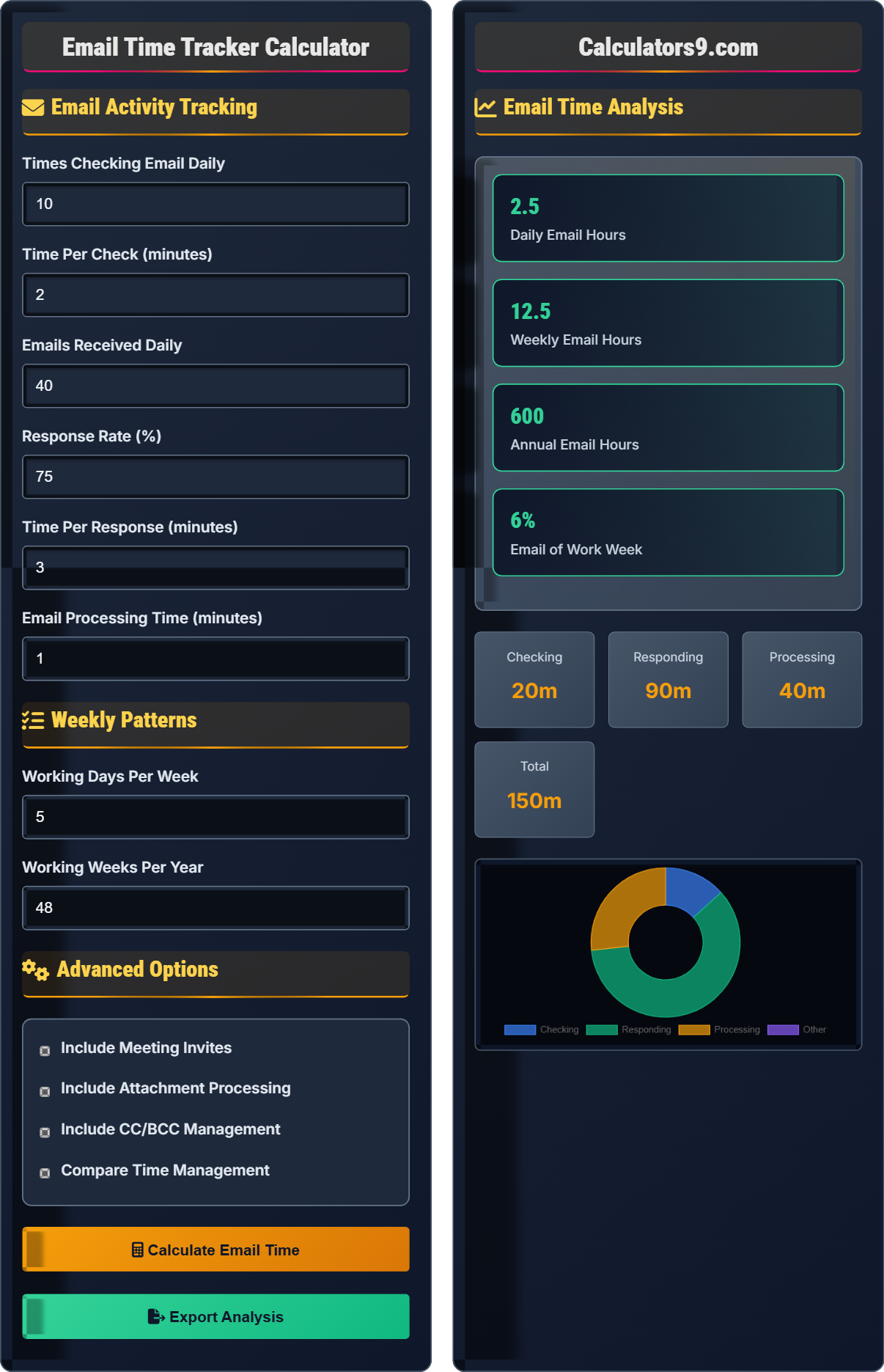
This formula calculates the total time spent on email activities throughout the day. Research shows that professionals spend 28% of their workweek managing emails, averaging 3 hours daily. For example, checking emails 10 times/day for 2 minutes each = 20 minutes daily. Combined with 40 responses at 3 minutes each = 120 minutes, totaling 2.3 hours daily.
Example: For someone checking emails 15 times daily (2 min each), responding to 50 emails (3 min each), and processing 20 emails (1 min each):
Checking: 15 × 2 = 30 minutes
Responding: 50 × 3 = 150 minutes
Processing: 20 × 1 = 20 minutes
Total daily: 30 + 150 + 20 = 200 minutes (3.3 hours)
Annual: 3.3 hours × 250 working days = 825 hours
Therefore, this person spends 825 hours annually on email.
Email Activity Tracking
Weekly Patterns
Advanced Options
Email Time Analysis
| Activity | Frequency | Time Per | Total Time | Percentage |
|---|
| Metric | Value | Industry Average | Status | Recommendation |
|---|
Comprehensive Email Time Management Guide
Email time tracking is the systematic measurement of time spent on email-related activities throughout the workday. It includes checking, reading, responding, organizing, and processing emails. Research shows that professionals spend approximately 28% of their workweek managing email, which translates to about 3 hours daily. Effective tracking helps identify productivity bottlenecks and optimize email workflows.
The comprehensive email time formula includes:
Where:
- Checks: Number of times checking email per day
- Time per Check: Average time spent per email session
- Responses: Number of emails responded to daily
- Processing Time: Time organizing, filing, deleting emails
Key metrics to evaluate email productivity include:
- Response Time: Average time to reply to important emails
- Batch Processing: Consolidating email time into focused sessions
- Out-of-Office Time: Reducing email interruptions during deep work
- Unsubscribe Rate: Reducing irrelevant email volume
- Time per Message: Average duration spent per email
- Batch Processing: Check email 2-3 times daily instead of continuously
- Two-Minute Rule: Respond immediately to emails taking less than 2 minutes
- Templates: Use canned responses for common inquiries
- Unsubscribe: Reduce unnecessary newsletters and notifications
- Time Blocking: Allocate specific time slots for email management
Email Time Management Quiz
According to research, what percentage of the workweek do professionals spend managing emails?
The answer is B) 28%. Research consistently shows that professionals spend approximately 28% of their workweek managing emails, which averages about 3 hours daily. This significant time investment highlights the importance of email efficiency strategies and time management techniques.
Understanding the average time spent on email helps put your personal email usage in perspective. If you're spending significantly more or less than 28%, it may indicate opportunities for optimization. This benchmark helps set realistic expectations for email management and guides time-saving strategies.
Email Management: The process of organizing, responding, and maintaining email communications
Time Investment: The total amount of time devoted to an activity
Productivity Benchmark: Standard metrics for comparison
• 28% of workweek = ~3 hours daily
• Email time includes checking, responding, and organizing
• This is the industry average across professions
• Track your actual email time for a week
• Compare to the 28% benchmark
• Identify areas for improvement
• Underestimating time spent on email
• Not accounting for context switching costs
• Failing to batch email activities
Calculate the daily email time for someone who checks email 12 times daily (2 minutes per check), responds to 35 emails (2.5 minutes each), and processes 15 emails (1 minute each). Show your work.
Step 1: Calculate checking time
Checks: 12 × 2 minutes = 24 minutes
Step 2: Calculate response time
Responses: 35 × 2.5 minutes = 87.5 minutes
Step 3: Calculate processing time
Processing: 15 × 1 minute = 15 minutes
Step 4: Calculate total daily time
Total: 24 + 87.5 + 15 = 126.5 minutes
Convert to hours: 126.5 ÷ 60 = 2.1 hours
Therefore, the daily email time is 2.1 hours.
This calculation demonstrates how to break down email activities into measurable components. By tracking each category separately, you can identify which activities consume the most time and target specific improvements. In this example, responses account for the majority of email time (69%), suggesting that response efficiency should be a focus area.
Time Segmentation: Breaking activities into measurable components
Activity Tracking: Monitoring time spent on specific tasks
Time Conversion: Converting minutes to hours for easier understanding
• Sum all email activities for total time
• Convert to consistent time units (hours or minutes)
• Include all email-related activities
• Track different activities separately
• Calculate weekly and annual totals
• Identify the largest time consumers
• Forgetting to include processing time
• Not accounting for meeting invites
• Incorrect unit conversions
Sarah spends 2.5 hours daily on email activities. She works 5 days a week for 48 weeks per year. What percentage of her work year is spent on email if she works 8 hours per day?
Step 1: Calculate total annual email time
Daily email time: 2.5 hours
Working days per year: 5 days/week × 48 weeks = 240 days
Annual email time: 2.5 hours/day × 240 days = 600 hours
Step 2: Calculate total annual work time
Total work time: 8 hours/day × 240 days = 1,920 hours
Step 3: Calculate percentage
Percentage: (600 ÷ 1,920) × 100 = 31.25%
Therefore, Sarah spends 31.25% of her work year on email.
This example shows how daily email time accumulates to a significant portion of the annual work schedule. Sarah's 31.25% exceeds the industry average of 28%, indicating potential for optimization. The calculation converts daily habits into annual impact, making the time investment more tangible and motivating for change.
Annual Time Investment: Total time spent on an activity per year
Percentage Calculation: Part ÷ Whole × 100Time Proportion: Fraction of total time devoted to an activity
• Annual time = Daily time × Working days
• Percentage = (Email time ÷ Total work time) × 100
• Compare to industry benchmarks
• Convert daily time to annual impact
• Compare to industry averages
• Calculate cost of email time
• Forgetting to account for vacation days
• Not converting to annual figures
• Incorrect percentage calculations
John currently checks email 15 times daily for 3 minutes each. If he reduces checks to 3 times daily but spends 15 minutes per session, how much time does he save weekly? Assume 5 working days.
Step 1: Calculate current daily email time
Current: 15 checks × 3 minutes = 45 minutes daily
Step 2: Calculate optimized daily email time
Optimized: 3 checks × 15 minutes = 45 minutes daily
Step 3: Calculate daily time difference
Difference: 45 - 45 = 0 minutes daily
Step 4: Calculate weekly time difference
Weekly: 0 minutes × 5 days = 0 minutes
Therefore, John saves 0 minutes weekly with this change.
However, batching may improve focus and reduce context switching, providing non-quantifiable benefits.
This example demonstrates that simple time calculations may not capture all benefits of email optimization. While the math shows no time savings, batching emails can reduce context switching and improve focus. The psychological benefits of reduced interruptions may outweigh the neutral time impact. This highlights the importance of considering both quantitative and qualitative factors in email management.
Context Switching: Mental shift between different tasks
Batch Processing: Grouping similar activities together
Qualitative Benefits: Improvements that aren't easily measured
• Consider both time and focus benefits
• Quantitative analysis has limitations
• Context switching impacts productivity
• Track both time and focus metrics
• Consider non-quantifiable benefits
• Test different approaches systematically
• Only considering time metrics
• Ignoring context switching costs
• Not testing changes empirically
Which email management strategy is most effective for reducing daily email time?
The answer is C) Batch email sessions 2-3 times daily. This approach reduces context switching, allows for focused processing, and prevents constant interruptions. Research shows that batch processing can reduce total email time by 20-40% while improving response quality and reducing stress.
Batch processing leverages the psychological principle that frequent task switching reduces efficiency. By grouping email activities into focused sessions, you eliminate the cognitive load of constantly shifting attention. This approach also allows for more thoughtful responses and better organization. The 2-3 times daily recommendation balances responsiveness with productivity.
Batch Processing: Grouping similar tasks together
Context Switching: Mental shift between different activities
Cognitive Load: Mental resources required for task performance
• Limit email checks to 2-3 focused sessions
• Process emails in batches rather than individually
• Turn off notifications during focused work
• Use scheduled times (e.g., 9am, 1pm, 4pm)
• Set specific durations for each session
• Use templates for common responses
• Checking email too frequently
• Not setting time limits for sessions
• Failing to turn off notifications
Email Time Basics
Systematic measurement of time spent on email activities.
\( Total\ Email\ Time = (Checks \times Time\ per\ Check) + (Responses \times Time\ per\ Response) + (Processing\ Time) \)
Where total time includes all email-related activities.
- Track all email activities
- Include checking, responding, processing
- Calculate daily, weekly, and annual totals
Strategies
Reduce email time while maintaining effectiveness.
- Batch email sessions
- Use templates for common responses
- Unsubscribe from unnecessary emails
- Set specific times for email
- Responsiveness requirements
- Collaboration needs
- Communication preferences
- Technology tools
FAQ
Q: How can I accurately track my email time without a stopwatch?
A: There are several practical ways to track email time without a stopwatch:
Method 1: Use the "Time Log" approach
Note the start and end times of email sessions in a notebook or app
Method 2: Leverage technology
Use email client features (like Outlook's time tracking) or third-party apps like RescueTime or Toggl
Method 3: Estimate based on patterns
Track how many times you check email and estimate average time per session
Example: If you check email 10 times daily for about 2 minutes each, that's approximately 20 minutes daily (1.7 hours weekly). The formula would be: Total Time = (Checks × Avg. Time per Check) + (Responses × Avg. Time per Response) + Processing Time
For accurate results, track for at least a week to establish patterns and averages.
Q: What's the difference between email time and email efficiency?
A: Email time and email efficiency are related but distinct concepts:
Email Time: The total amount of time spent on email activities
Formula: Σ(Activity Time × Frequency)
This measures quantity - how much time you spend
Email Efficiency: How effectively you manage email to achieve desired outcomes
Formula: (Value Created ÷ Time Spent) × 100
This measures quality - the return on your time investment
Example: Two people might each spend 3 hours daily on email, but if Person A completes 20 important tasks while Person B completes 30 important tasks, Person B is more efficient.
While time tracking helps you understand your email habits, efficiency metrics help you optimize those habits. Both are essential for comprehensive email management.