Binary to Decimal Converter
Number system calculator • 2026 dev tools
Binary to Decimal Formula:
Show the calculator\( \text{Decimal} = \sum_{i=0}^{n-1} b_i \times 2^i \)
Where:
- \( b_i \) = Bit value at position \( i \) (0 or 1)
- \( i \) = Position index (starting from 0 on the right)
- \( n \) = Number of bits in the binary number
This formula converts binary to decimal by summing powers of 2.
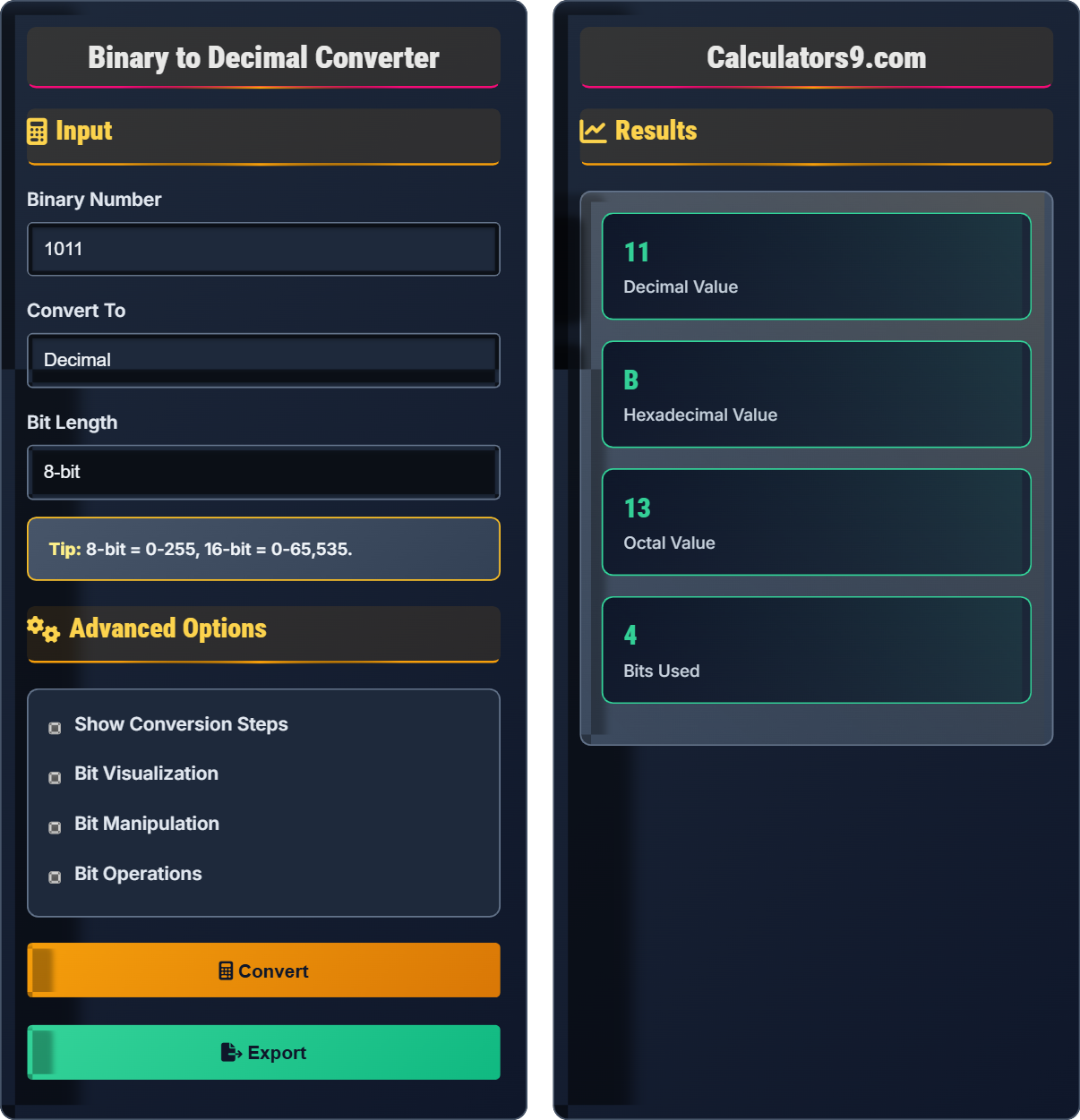
Example: Converting binary 1011 to decimal:
\( 1 \times 2^3 + 0 \times 2^2 + 1 \times 2^1 + 1 \times 2^0 = 8 + 0 + 2 + 1 = 11 \)
Thus, binary 1011 equals decimal 11.
Input
Advanced Options
Results
Comprehensive Programming Guide
The binary number system is a base-2 numeral system that uses only two digits: 0 and 1. Each digit in a binary number is called a bit (binary digit). Binary is fundamental to computer science and digital electronics because it represents the two states of a transistor: off (0) and on (1).
The conversion from binary to decimal uses positional notation:
Where:
- \(b_i\) = Bit value at position \(i\) (0 or 1)
- \(i\) = Position index (starting from 0 on the right)
- \(n\) = Number of bits in the binary number
- AND (&): Returns 1 only if both bits are 1
- OR (|): Returns 1 if at least one bit is 1
- XOR (^): Returns 1 if bits are different
- NOT (~): Flips all bits (complement)
- Shift Left (<<): Multiplies by 2 (adds zeros)
- Shift Right (>>): Divides by 2 (removes bits)
- Flags: Represent multiple boolean values efficiently
- Masks: Extract specific bits from a number
- Optimization: Bit shifts for multiplication/division
- Compression: Pack multiple values in fewer bytes
- Cryptography: XOR for simple encryption
Binary Fundamentals
Base-2 number system using only 0 and 1 digits.
\( \text{Decimal} = \sum b_i \times 2^i \)
Where bᵢ=bit value, i=position from right.
- Each position doubles in value
- Rightmost = 2⁰ = 1
- Leftmost = 2ⁿ⁻¹ for n-bit number
Dev Tips
Logical operations performed on individual bits.
- Identify each bit position
- Multiply by appropriate power of 2
- Sum all values
- Verify result
- Bit shifting multiplies by 2
- AND with mask extracts bits
- Check for overflow in fixed-length systems
Programming Learning Quiz
What does the binary number 1010 represent in decimal?
The answer is B) 10. To convert binary 1010 to decimal:
(1 × 2³) + (0 × 2²) + (1 × 2¹) + (0 × 2⁰) = 8 + 0 + 2 + 0 = 10
So binary 1010 equals decimal 10.
This demonstrates the positional notation system in binary. Each digit position represents a power of 2, starting from 2⁰ on the right. Understanding this pattern is fundamental to working with binary numbers in programming.
Binary: Base-2 number system using 0s and 1s
Bit: Single binary digit (0 or 1)
Positional Notation: Value depends on digit position
• Rightmost bit = 2⁰ = 1
• Each position doubles in value
• Sum all positions with value 1
• Remember powers of 2: 1, 2, 4, 8, 16, 32, 64...
• Work from right to left
• Starting with 2¹ instead of 2⁰
Convert the binary number 1101 to decimal using the formula Decimal = Σ(bi × 2^i). Show your work.
Using the binary to decimal formula: \( \text{Decimal} = \sum_{i=0}^{n-1} b_i \times 2^i \)
For binary 1101 (reading from right to left, i=0 to i=3):
Step 1: Position 0 (rightmost): 1 × 2⁰ = 1 × 1 = 1
Step 2: Position 1: 0 × 2¹ = 0 × 2 = 0
Step 3: Position 2: 1 × 2² = 1 × 4 = 4
Step 4: Position 3 (leftmost): 1 × 2³ = 1 × 8 = 8
Step 5: Sum all values: 8 + 4 + 0 + 1 = 13
Therefore, binary 1101 equals decimal 13.
This systematic approach ensures accuracy when converting binary to decimal. The formula emphasizes that each bit position contributes a value based on its place in the sequence. Understanding this mathematical foundation helps when working with bit manipulation in programming.
Σ (Sigma): Summation symbol
Position Index (i): Location of bit counting from right
Power of 2: Exponential value based on position
• Start from rightmost bit (i=0)
• Each position is 2^i
• Only sum positions with value 1
• Write out the powers of 2 for each position
• Circle the positions with value 1
• Add only those values
• Starting index at 1 instead of 0
• Miscounting positions
• Adding values for 0 bits
A programmer needs to extract the 4 least significant bits from a binary number 11010111. What is the decimal value of the extracted bits? (Hint: Use bitwise AND operation with a mask)
Step 1: Identify the 4 least significant bits (rightmost 4 bits)
Binary 11010111: 11010[111]
The 4 LSBs are: 0111
Step 2: Create a mask to extract the 4 LSBs
Mask for 4 bits: 1111 (binary) = 15 (decimal)
Step 3: Perform bitwise AND operation
11010111 (binary) = 215 (decimal)
00001111 (binary) = 15 (decimal)
11010111 & 00001111 = 00000111 = 7 (decimal)
Therefore, the decimal value of the 4 least significant bits is 7.
This demonstrates a common programming technique for extracting specific bits from a value. The bitwise AND operation with a mask is efficient for isolating particular bit ranges. This is frequently used in embedded systems, network protocols, and data compression algorithms.
Least Significant Bits (LSB): Rightmost bits with lowest value
Bitwise AND: Operation that returns 1 only if both bits are 1
Mask: Pattern used to extract specific bits
• AND with 1 preserves original bit
• AND with 0 forces result to 0
• Mask of n 1s extracts n LSBs
• Mask = 2^n - 1 for n bits (e.g., 2^4 - 1 = 15)
• Use hexadecimal for easier bit manipulation
• Confusing LSBs with MSBs
• Using incorrect mask values
• Misunderstanding bitwise operations
A game developer wants to multiply a score stored as binary 10110 by 8 using bit shifting. What would be the result in binary and decimal? How does this relate to the binary multiplication principle?
Step 1: Convert binary 10110 to decimal
(1×2⁴) + (0×2³) + (1×2²) + (1×2¹) + (0×2⁰) = 16 + 0 + 4 + 2 + 0 = 22
Step 2: Multiply by 8 using left shift
To multiply by 8 (2³), shift left by 3 positions
10110 << 3 = 10110000
Step 3: Convert result to decimal
10110000 = (1×2⁷) + (0×2⁶) + (1×2⁵) + (1×2⁴) + (0×2³) + (0×2²) + (0×2¹) + (0×2⁰)
= 128 + 0 + 32 + 16 + 0 + 0 + 0 + 0 = 176
Verification: 22 × 8 = 176 ✓
Therefore, shifting left by 3 positions multiplies by 2³ = 8.
This demonstrates the efficiency of bit shifting for multiplication by powers of 2. In binary, shifting left by n positions is equivalent to multiplying by 2^n. This is much faster than traditional multiplication in low-level programming and is commonly used in performance-critical applications.
Left Shift (<<): Moves bits to the left, adds zeros
Right Shift (>>): Moves bits to the right, removes bits
Power of 2 Multiplication: Efficient arithmetic using bit shifts
• Left shift by n = multiply by 2^n
• Right shift by n = divide by 2^n
• Bit shifting is faster than multiplication
• Shift left = multiply, shift right = divide
• Use shifts for powers of 2 operations
• More efficient than multiplication/division
• Confusing left/right shift directions
• Forgetting that shifts work for powers of 2 only
• Not considering sign extension in signed integers
Which of the following correctly represents the decimal number 255 in different number systems?
The answer is A) Binary: 11111111, Hex: FF, Octal: 377. Let's verify:
Binary 11111111 = (1×2⁷) + (1×2⁶) + (1×2⁵) + (1×2⁴) + (1×2³) + (1×2²) + (1×2¹) + (1×2⁰) = 128+64+32+16+8+4+2+1 = 255
Hex FF = (15×16¹) + (15×16⁰) = 240 + 15 = 255
Octal 377 = (3×8²) + (7×8¹) + (7×8⁰) = 192 + 56 + 7 = 255
All representations equal decimal 255.
This demonstrates how the same value can be represented in different number systems. 255 is significant in computing as it's the maximum value for an 8-bit unsigned integer (2⁸ - 1). Understanding these equivalences is crucial for low-level programming and digital systems.
8-bit Unsigned Integer: Range 0-255
Hexadecimal: Base-16 system using 0-9 and A-F
Octal: Base-8 system using 0-7
• 8-bit max = 255 (11111111)
• 1 hex digit = 4 binary digits
• 1 octal digit = 3 binary digits
• All 1s in binary = max value for that bit count
• FF in hex = 255 in decimal
• Know common conversions for efficiency
• Confusing bit counts and value ranges
• Misconverting between number systems
• Forgetting the base in calculations
FAQ
Q: Why do programmers often use hexadecimal instead of binary?
A: Hexadecimal is more compact than binary and easier to read. Each hex digit represents 4 binary digits (a nibble), making conversion straightforward.
For example, binary 11111111 is 255 decimal but just FF in hexadecimal. This makes hex ideal for representing memory addresses, colors, and bit patterns.
Mathematically, the conversion relationship is:
\( \text{Hex} = \sum_{i=0}^{n-1} h_i \times 16^i \)
Where \( h_i \) is the hex digit at position \( i \).
Q: How do I convert between binary and decimal in Python?
A: Python has built-in functions for conversion:
# Binary to decimal
binary_str = "1011"
decimal_val = int(binary_str, 2)  # Returns 11

# Decimal to binary
decimal_val = 11
binary_str = bin(decimal_val)[2:]  # Returns "1011" (without '0b' prefix)

# Hexadecimal to decimal
hex_str = "B"
decimal_val = int(hex_str, 16)  # Returns 11

# Decimal to hex
decimal_val = 11
hex_str = hex(decimal_val)[2:]  # Returns "b" (without '0x' prefix)