Event Countdown Timer
Fast event timing • 2026 standards
Countdown Timer Formula:
Show the calculatorTime Remaining: \( T_r = T_e - T_c \)
Where:
- \( T_r \) = time remaining
- \( T_e \) = event time
- \( T_c \) = current time
Countdown timers calculate the difference between a future event time and the current time. The result is typically broken down into days, hours, minutes, and seconds for human readability. This calculation accounts for time zones, daylight saving time, and leap years to ensure accuracy.
For recurring events, the formula extends to: \( T_r = (T_e - T_c) \bmod P \) where P is the recurrence period.
Example: If an event is scheduled for 2026-06-15 10:00:00 and the current time is 2026-01-15 12:00:00:
Days = 152, Hours = 22, Minutes = 0, Seconds = 0
Thus, there are 152 days, 22 hours until the event.
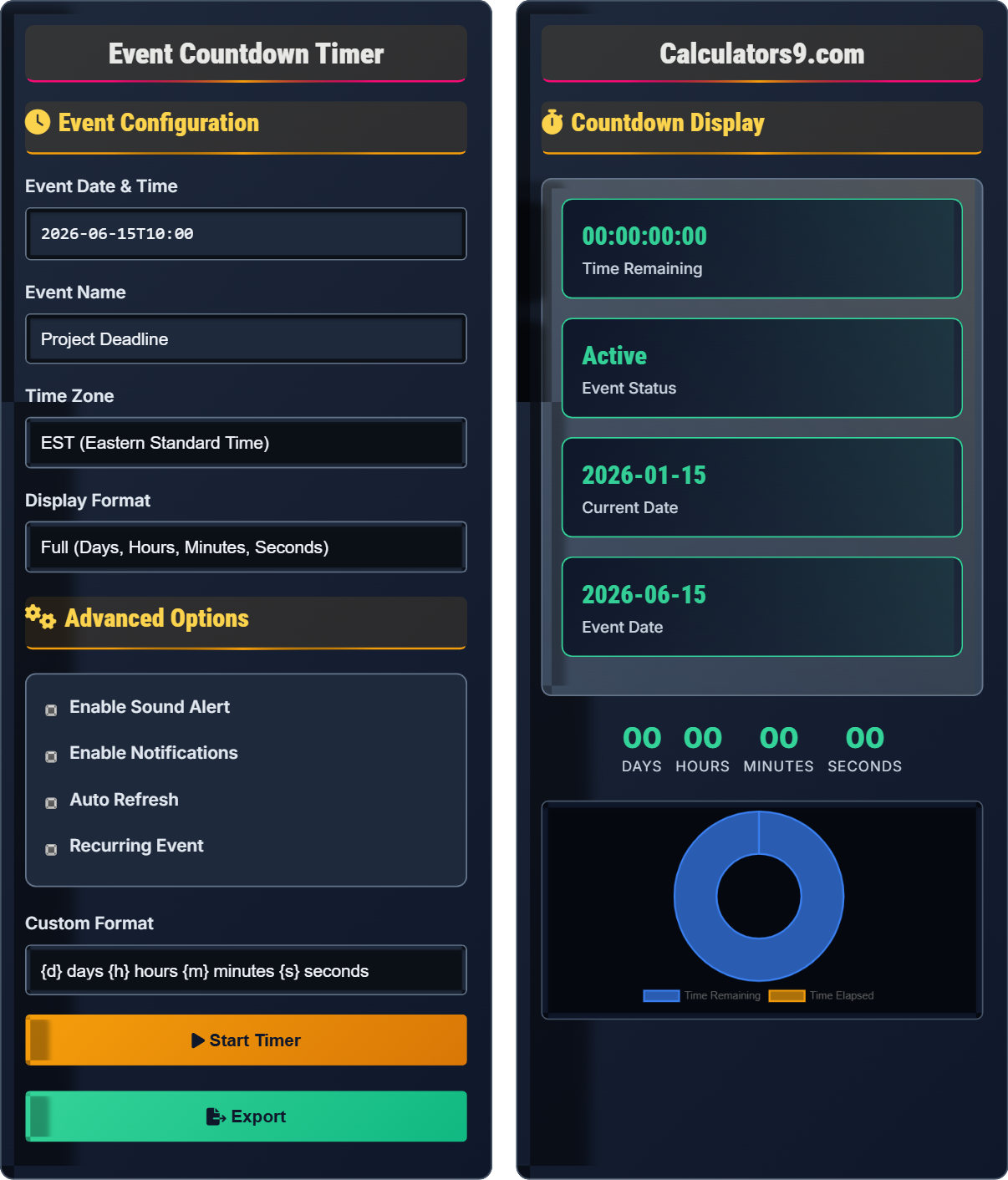
Event Configuration
Advanced Options
Countdown Display
| Component | Value | Description |
|---|---|---|
| Days | 0 | Full days remaining |
| Hours | 0 | Hours in current day |
| Minutes | 0 | Minutes in current hour |
| Seconds | 0 | Seconds in current minute |
| Parameter | Value | Details |
|---|---|---|
| Timezone | EST | Event timezone |
| Progress | 0% | Completion percentage |
| Alerts | Enabled | Sound/notifications |
| Recurrence | None | Repeat schedule |
Comprehensive Countdown Guide
A countdown timer calculates the time remaining until a future event occurs. It's commonly used for deadlines, launches, events, and time-sensitive activities. Modern timers account for time zones, daylight saving time, and leap years to ensure accuracy. The timer updates in real-time, providing visual feedback on the remaining time until the target event.
The countdown calculation involves:
- Time Difference: Calculate milliseconds between event and current time
- Unit Conversion: Convert milliseconds to days, hours, minutes, seconds
- Real-time Update: Refresh display every second
- Event Handling: Trigger actions when timer reaches zero
For example: 100,000,000 milliseconds = 1 day, 3 hours, 46 minutes, 40 seconds
Core conversion formulas:
- Milliseconds in a second: 1000
- Milliseconds in a minute: 60,000
- Milliseconds in an hour: 3,600,000
- Milliseconds in a day: 86,400,000
Time remaining calculation: \( \text{TimeRemaining} = \text{TargetTime} - \text{CurrentTime} \)
- Creates Urgency: Motivates action before deadline
- Visual Feedback: Shows time progression clearly
- Planning Aid: Helps allocate resources effectively
- Stress Reduction: Provides clear timeline visibility
- Goal Tracking: Measures progress toward objectives
Timer Fundamentals
Device that displays the amount of time remaining until a specified event occurs.
\( \text{Days} = \left\lfloor \frac{\text{TimeDifference}}{86400000} \right\rfloor \)
\( \text{Hours} = \left\lfloor \frac{\text{TimeDifference} \bmod 86400000}{3600000} \right\rfloor \)
- Always account for time zones
- Handle leap years and DST transitions
- Update display regularly (every second)
- Provide zero-time event handling
Implementation Strategies
Use setInterval() to update display every 1000ms (1 second) for accurate timing.
- Get current time
- Calculate time difference
- Convert to days/hours/minutes/seconds
- Update display
- Handle zero time event
- Client time may not be accurate
- Browser may throttle intervals when tab is inactive
- Consider server-side validation for critical events
- Handle time zone differences appropriately
Countdown Timer Learning Quiz
How many milliseconds are there in 1 hour?
The answer is C) 3,600,000. There are 1000 milliseconds in 1 second, 60 seconds in 1 minute, and 60 minutes in 1 hour. So: 1000 × 60 × 60 = 3,600,000 milliseconds in 1 hour.
Understanding time unit conversions is crucial for accurate timer calculations. The metric system uses powers of 10, but time units have historical conventions. Remember: 1000ms = 1s, 60s = 1min, 60min = 1hr, 24hr = 1day.
Millisecond: One-thousandth of a second (10⁻³ s)
Time Unit: Standardized measure of duration
Conversion Factor: Ratio used to convert between units
• 1 second = 1000 milliseconds
• 1 minute = 60 seconds
• 1 hour = 60 minutes
• Remember: 1 day = 86,400,000 milliseconds
• Use 1000 as the base conversion factor
• Multiply for larger units, divide for smaller units
• Confusing seconds with milliseconds
• Forgetting to multiply by 1000 for milliseconds
• Miscounting zeros in large numbers
Calculate the time remaining between January 1, 2026 12:00:00 PM and June 15, 2026 10:00:00 AM. Show your work.
First, calculate the total time difference:
From Jan 1, 2026 12:00 PM to Jun 15, 2026 10:00 AM:
Days: Jan(31) + Feb(28*) + Mar(31) + Apr(30) + May(31) + Jun(15) - 1 = 165 days
*2026 is not a leap year (not divisible by 4)
Hours: From 12:00 PM to 10:00 AM = 22 hours (previous day to target day)
Minutes: 0 minutes
Seconds: 0 seconds
Therefore, the time remaining is 165 days, 22 hours.
This problem demonstrates the importance of careful date arithmetic. When calculating time differences across months, account for varying month lengths and leap years. The calculation must consider both the date and time components separately.
Leap Year: Year divisible by 4, except century years not divisible by 400
Time Difference: Duration between two time points
Date Arithmetic: Calculations involving calendar dates
• Account for leap years in February
• Consider both date and time components
• Use consistent time zones
• Use programming libraries for complex date arithmetic
• Remember month lengths: 31, 28/29, 31, 30, 31, 30...
• Always verify leap year calculations
• Forgetting leap year exceptions
• Not accounting for time components
• Miscounting days in months
FAQ
Q: How can I ensure countdown timers remain accurate despite client-side time drift?
A: To ensure accuracy:
1. Server Synchronization: Periodically sync with server time
2. Web Workers: Use web workers to prevent blocking
3. RequestAnimationFrame: Use for smooth updates
4. Time Drift Compensation: Calculate and adjust for drift
5. Graceful Degradation: Fallback to server-side calculation
For critical events, always validate with server time at the moment of the event.
Q: What's the difference between a countdown timer and a stopwatch?
A: A countdown timer measures time toward a future event (decreasing counter), while a stopwatch measures elapsed time from a past event (increasing counter).
Countdown: Target Time - Current Time = Remaining Time
Stopwatch: Current Time - Start Time = Elapsed Time
Countdown timers are used for deadlines and events, while stopwatches track durations of activities.