Date Difference Calculator
Fast duration analysis • 2026 standards
Date Difference Formula:
Show the calculatorBasic Formula: \( \text{Days} = \text{EndDate} - \text{StartDate} \)
Business Days: \( \text{BusinessDays} = \text{TotalDays} - \text{Weekends} - \text{Holidays} \)
Leap Year: \( \text{IsLeap} = (Y \bmod 4 = 0 \land Y \bmod 100 \neq 0) \lor (Y \bmod 400 = 0) \)
Where:
- \( Y \) = year
- \( \bmod \) = modulo operator
- \( \text{EndDate} \) = later date
- \( \text{StartDate} \) = earlier date
Date difference calculations account for leap years, month lengths, and timezone adjustments. The Gregorian calendar includes leap years every 4 years, except century years not divisible by 400. For business day calculations, weekends and holidays must be excluded from the total span.
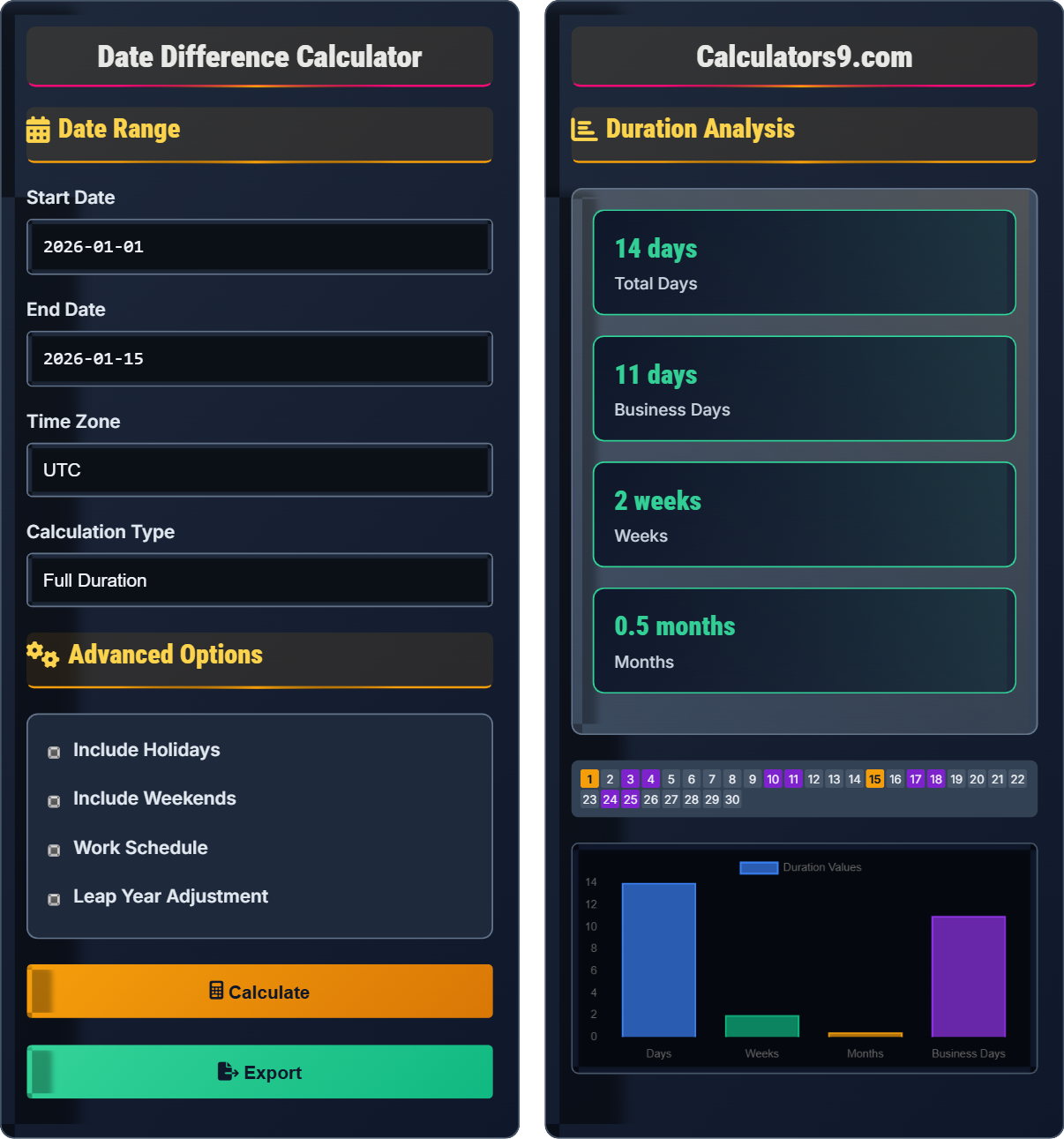
Example: From January 1, 2026 to January 15, 2026:
Total days: 14
Business days: 10 (excluding 2 weekends)
Thus, there are 14 days and 10 business days.
Date Range
Advanced Options
Duration Analysis
| Duration | Value | Equivalent |
|---|---|---|
| Days | 14 | 336 hours |
| Business Days | 10 | 80 work hours |
| Weeks | 2 | 14 days |
| Months | 0.5 | ~15 days |
| Parameter | Value | Details |
|---|---|---|
| Start Date | Jan 1, 2026 | Starting point |
| End Date | Jan 15, 2026 | Ending point |
| Weekends | 4 days | Saturday/Sunday |
| Holidays | 0 days | Excluded days |
Comprehensive Time Management Guide
Date difference calculation determines the duration between two dates, accounting for various calendar systems, leap years, and timezone differences. It's fundamental for project management, scheduling, age calculations, and time tracking applications. Understanding date differences helps in planning, forecasting, and managing time-sensitive activities.
Common date difference calculations:
- Total Days: Simple subtraction accounting for month/year boundaries
- Business Days: Excludes weekends and holidays
- Weeks/Months/Years: Aggregated periods
- Time Zones: Adjusts for UTC offsets
For example, from January 1, 2026 to January 15, 2026: 14 total days, 10 business days (excluding weekends).
Date differences are essential for various time management applications:
- Project Management: Deadline tracking, milestone calculations
- Financial: Interest calculations, billing periods
- HR: Tenure calculations, leave tracking
- Healthcare: Treatment duration, appointment scheduling
- Legal: Contract terms, statute of limitations
- Leap Years: Account for February 29th in calculations
- Time Zones: Convert to UTC for accurate comparisons
- Daylight Saving: Adjust for DST transitions
- Business Rules: Define weekend and holiday exclusions
- Accuracy: Consider time components for precise calculations
Date Calculation Fundamentals
Continuous count of days since January 1, 4713 BCE, used for accurate date differences.
\( \text{IsLeap} = (Y \bmod 4 = 0 \land Y \bmod 100 \neq 0) \lor (Y \bmod 400 = 0) \)
Where Y is the year. This rule accounts for the 400-year cycle of the Gregorian calendar.
- February has 29 days in leap years
- Century years aren't leap years unless divisible by 400
- Always use UTC for accurate time comparisons
Business Applications
Working days excluding weekends and public holidays.
- Calculate total days between dates
- Subtract weekends (Saturdays and Sundays)
- Subtract holidays from the remaining days
- Apply custom business rules if needed
- Define business week (typically Mon-Fri)
- Account for country-specific holidays
- Consider company-specific closure days
- Handle timezone differences in global teams
Time Management Learning Quiz
Which of the following years is NOT a leap year?
The answer is C) 1900. The leap year rule states: A year is a leap year if it's divisible by 4, except for century years (divisible by 100) which must also be divisible by 400. So:
2024: Divisible by 4 → Leap year
2000: Divisible by 400 → Leap year
1900: Divisible by 100 but NOT by 400 → Not a leap year
2028: Divisible by 4 → Leap year
This question tests understanding of the complete leap year rule. The common misconception is that all years divisible by 4 are leap years, but the century exception is crucial for calendar accuracy over centuries. This rule maintains the calendar's alignment with Earth's orbit.
Leap Year: Year with 366 days, February has 29 days
Gregorian Calendar: Current calendar system with leap year rules
Century Year: Year divisible by 100
• Divisible by 4 → Usually leap year
• Century years must be divisible by 400
• 400-year cycle maintains calendar accuracy
• Remember: 4-100-400 rule
• 1700, 1800, 1900 were not leap years
• 1600, 2000, 2400 are leap years
• Forgetting century year exception
• Assuming all century years are leap years
• Not accounting for the 400-year rule
Calculate the business days between Monday, January 5, 2026 and Friday, January 16, 2026, assuming no holidays. Show your work.
From January 5, 2026 (Monday) to January 16, 2026 (Friday):
Total days: January 16 - January 5 = 11 days
Counting the days:
Jan 5 (Mon) - Jan 11 (Sun) = 7 days (5 weekdays, 2 weekend days)
Jan 12 (Mon) - Jan 16 (Fri) = 5 days (5 weekdays)
Total business days: 5 + 5 = 10 days
Weekends: Jan 10-11 (Sat-Sun) = 2 days
Therefore, there are 10 business days in this period.
This calculation demonstrates the importance of excluding weekends in business day calculations. The iterative approach ensures accuracy by examining each day in the range. For longer periods, algorithms can count weekends systematically: every 7-day period contains exactly 2 weekend days.
Business Days: Working days (usually Mon-Fri)
Weekend: Saturday and Sunday
Iterative Counting: Examining each day individually
• Count inclusive or exclusive based on requirements
• Exclude weekends from business calculations
• Subtract holidays separately
• Every 7-day period has 2 weekend days
• Use calendar functions to avoid manual counting
• Define business week based on organization
• Including weekends in business day counts
• Incorrectly handling date boundaries
• Forgetting to exclude holidays
FAQ
Q: How do I calculate business days when holidays fall on weekends?
A: When a holiday falls on a weekend, the treatment depends on the organization's policy:
1. Observed Holiday: The holiday is moved to the next Monday (for Saturday holidays) or the previous Friday (for Sunday holidays)
2. No Observed Holiday: The holiday is ignored since it falls on a non-workday
For example, if July 4th (Independence Day) falls on a Saturday, some organizations observe it on the preceding Friday, while others don't. This affects business day calculations accordingly.
Q: How do I handle date calculations across time zones?
A: For accurate date calculations across time zones:
1. Convert to UTC: Perform all calculations in UTC time
2. Account for DST: Consider daylight saving time transitions
3. Use Libraries: Leverage date/time libraries like Moment.js or Python's datetime
4. Store in UTC: Store dates in UTC in databases
5. Display Local: Convert to local time only for display purposes
For example, if a deadline is 5 PM EST on March 15, convert to UTC (10 PM UTC) for calculation, then convert back for display in other time zones.