Storage Converter
Convert Between Digital Storage Units
Storage Conversion Formula:
Show the calculatorTo convert between storage units, multiply the original value by the conversion factor:
Binary System (IEC): 1 KiB = 1024 bytes, 1 MiB = 1024² bytes, 1 GiB = 1024³ bytes
Decimal System (SI): 1 KB = 1000 bytes, 1 MB = 1000² bytes, 1 GB = 1000³ bytes
Common conversion factors:
- 1 Byte = 8 bits
- 1 Kilobyte (KB) = 1000 bytes
- 1 Megabyte (MB) = 1,000,000 bytes
- 1 Gigabyte (GB) = 1,000,000,000 bytes
- 1 Terabyte (TB) = 1,000,000,000,000 bytes
- 1 Kibibyte (KiB) = 1024 bytes
- 1 Mebibyte (MiB) = 1,048,576 bytes
- 1 Gibibyte (GiB) = 1,073,741,824 bytes
Example: To convert 1 GB to MB: 1 × 1000 = 1000 MB (decimal) or 1 × 1024 = 1024 MiB (binary)
Be aware of the difference between decimal (SI) and binary (IEC) prefixes for accurate conversions.
This ensures correct conversions between all storage units.
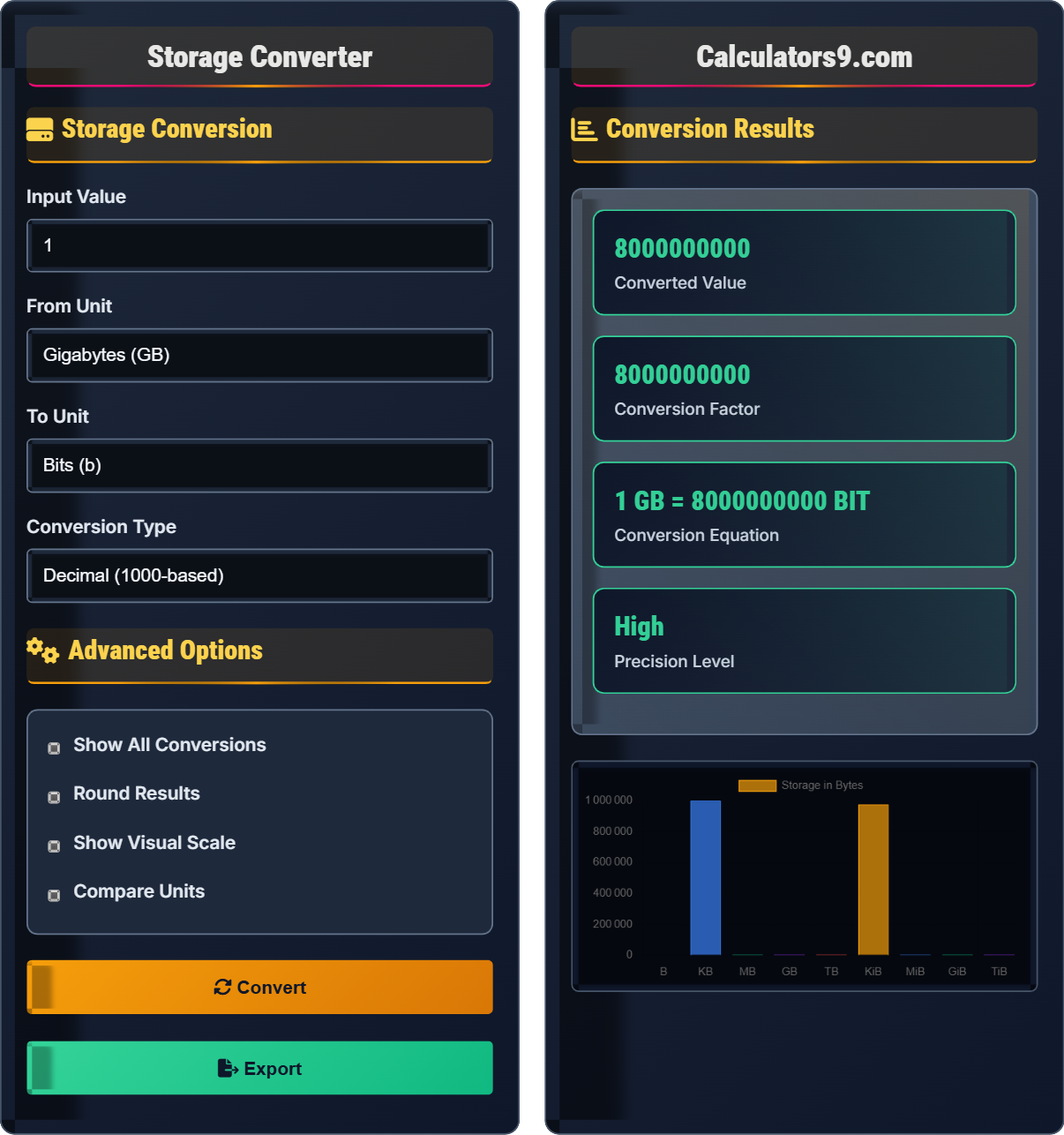
Storage Conversion
Advanced Options
Conversion Results
| Unit | Value |
|---|---|
| Gigabytes | 1 |
| Megabytes | 1000.00 |
| Kilobytes | 1000000.00 |
| Bytes | 1000000000.00 |
| Bits | 8000000000.00 |
Storage Conversion Guide
Storage capacity is measured in bytes. The International System of Units (SI) defines prefixes based on powers of 10 (decimal), while computer systems traditionally used powers of 2 (binary). This creates two different systems: decimal (1000-based) and binary (1024-based).
The decimal system (used by hard drive manufacturers) defines 1 KB = 1000 bytes, while the binary system (used by operating systems) defines 1 KiB = 1024 bytes. This causes confusion when comparing storage capacities. For example, a 1 TB hard drive shows as 931 GiB in operating systems.
Always verify which system (decimal or binary) is being used. For critical applications like storage planning, use the appropriate conversion system. Remember that 1000³ ≠ 1024³, so conversions between decimal and binary systems will yield different results.
Storage Conversion Basics
Amount of data that can be stored in a digital device, measured in bytes.
Target Value = Original Value × (Target Unit Factor / Original Unit Factor)
Where factors are in base units (bytes).
- Always specify decimal or binary system
- Verify conversion factors for accuracy
- Round appropriately for context
- Consider significant figures
Measurement Strategies
Choose appropriate units for the scale of measurement.
- Use decimal for marketing/manufacturer specs
- Use binary for operating system measurements
- Document which system you're using
- Double-check critical conversions
- Hard drives show decimal capacity
- Operating systems show binary capacity
- RAM is measured in binary
- Network speeds use decimal
Storage Conversion Learning Quiz
How many megabytes are in 1 gibibyte?
The answer is C) 1048.576 MB. In the binary system, 1 GiB = 1024³ bytes = 1,073,741,824 bytes. Since 1 MB = 1000² bytes = 1,000,000 bytes, we have 1,073,741,824 ÷ 1,000,000 = 1073.742 MB. However, if comparing to 1024² bytes (MiB), then 1,073,741,824 ÷ 1,048,576 = 1024 MiB.
Understanding the difference between decimal and binary systems is crucial for storage calculations. The binary system (used for RAM) multiplies by 1024 (2¹⁰) while the decimal system (used for hard drives) multiplies by 1000. This difference becomes significant at higher storage capacities.
Gibibyte (GiB): 1024³ bytes (binary system)
Megabyte (MB): 1000² bytes (decimal system)
Mebibyte (MiB): 1024² bytes (binary system)
• 1 GiB = 1024 MiB
• 1 GiB = 1024³ bytes
• 1 MB = 1000² bytes
• Remember: Kibi/Mebi/Gibi are binary prefixes
• Kilo/Mega/Giga are decimal prefixes
• Always check which system is being used
• Confusing binary and decimal systems
• Forgetting to convert to same system
• Misplacing decimal points in large numbers
A hard drive manufacturer advertises a 2 TB drive. When connected to a computer, the operating system reports only 1.82 TiB of usable space. Explain this discrepancy and calculate the percentage of space that appears to be "missing" from the user's perspective.
The discrepancy occurs because manufacturers use decimal (1000-based) system while operating systems use binary (1024-based) system.
Manufacturer's calculation: 2 TB = 2 × 1000⁴ bytes = 2,000,000,000,000 bytes
OS calculation: 2,000,000,000,000 bytes ÷ 1024⁴ bytes/TiB = 1.82 TiB
Missing percentage: (2 - 1.82) / 2 × 100% = 9%
About 9% of the advertised capacity appears to be missing due to the different measurement systems.
This is a common source of confusion for computer users. The difference between decimal and binary systems becomes more pronounced at higher storage capacities. For 1 TB drives, the difference is about 9.1%, while for 10 TB drives, it's about 9.1%. Understanding this concept helps users make informed decisions when purchasing storage devices.
Terabyte (TB): 1000⁴ bytes (decimal system)
Tebibyte (TiB): 1024⁴ bytes (binary system)
Conversion Factor: 1024⁴/1000⁴ = 1.099511627776
• Manufacturers use decimal system
• OS uses binary system
• 1000⁴ ≠ 1024⁴
• Always check the actual usable capacity
• Consider the difference when planning storage
• Understand the system being used
• Expecting exact advertised capacity
• Not accounting for file system overhead
• Confusing decimal and binary systems
FAQ
Q: Why do hard drive manufacturers use decimal while operating systems use binary?
A: The difference stems from historical and practical reasons:
1. Marketing: Decimal system allows for larger advertised numbers (2 TB vs 1.82 TiB)
2. Standardization: SI prefixes were adopted for marketing consistency
3. Computer Architecture: Binary system aligns with memory addressing
4. Memory: RAM has always used binary (powers of 2) due to architecture
5. Legacy: Early computers used binary calculations for efficiency
The International Electrotechnical Commission (IEC) introduced binary prefixes (KiB, MiB, GiB) in 1998 to resolve this confusion, but adoption has been slow.
Q: What's the difference between bits and bytes in data transfer vs storage?
A: Bits and bytes serve different purposes:
Storage: Always measured in bytes (8 bits) - disk drives, RAM, files
Transfer: Often measured in bits per second (bps) - network speeds, bandwidth
Common speed units: Mbps (megabits per second), Gbps (gigabits per second)
Conversion: 1 byte = 8 bits, so 100 Mbps = 12.5 MB/s maximum theoretical speed
Note that actual transfer speeds are lower due to protocol overhead, encoding, and other factors.
This distinction is important when comparing internet speeds to file sizes.