API Rate Limiter
Network tool • 2026 standards
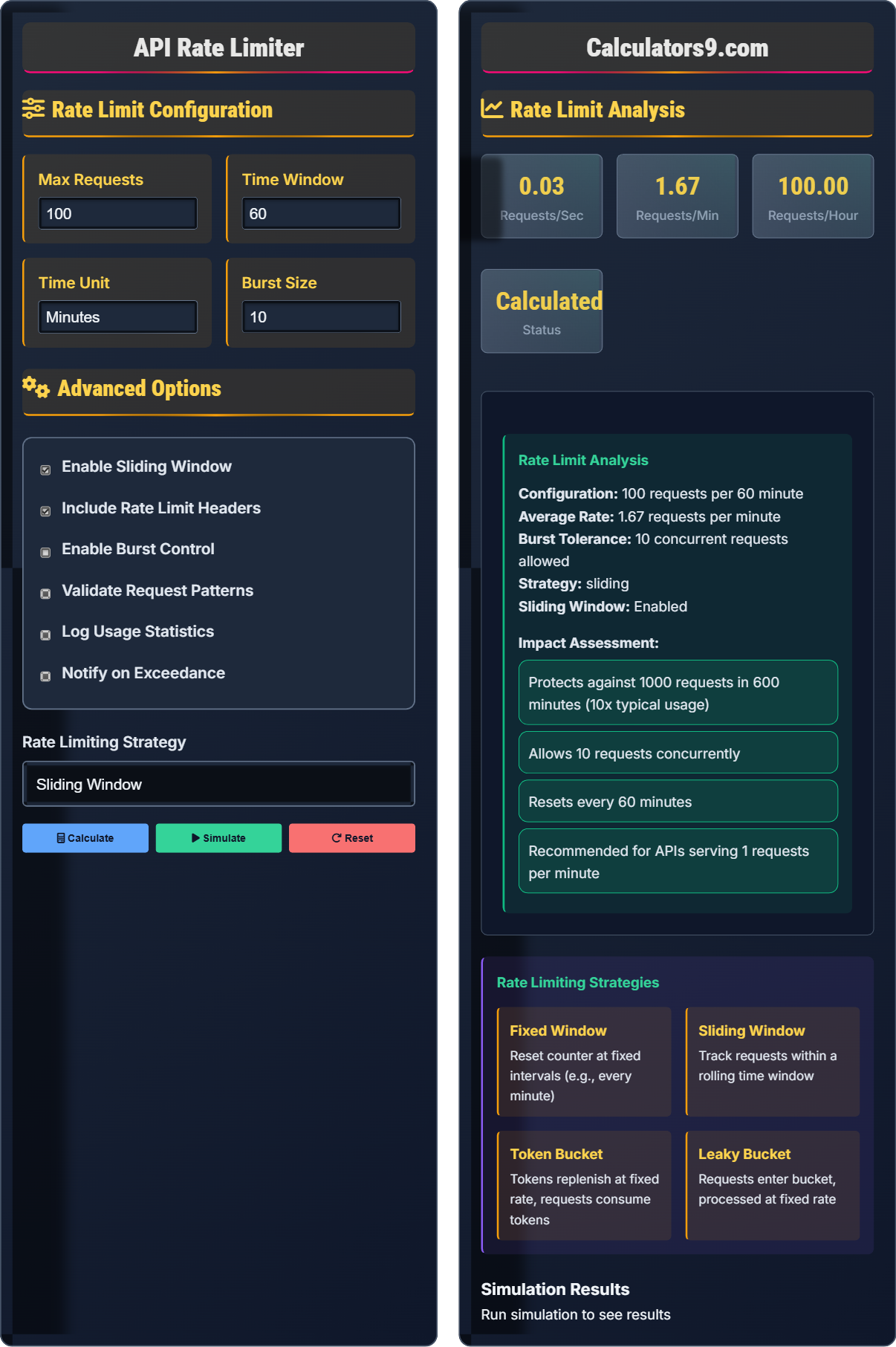
Rate Limiting Formula:
Calculate LimitsRequests per Time Unit = Total Requests / Time Period
Rate = Limit / Window Duration
API rate limiting is a technique to control the number of requests a client can make to an API within a specific time window. This prevents abuse, ensures fair usage, and protects server resources.
Best Practices:
- Set appropriate limits based on your infrastructure
- Implement gradual rate increases for trusted clients
- Return proper HTTP status codes (429 for rate limits)
- Provide clear rate limit headers in responses
- Monitor and adjust limits based on usage patterns
- Implement different limits for different API endpoints
Impact: Proper rate limiting improves API reliability, prevents denial-of-service attacks, ensures fair resource distribution, and maintains service quality for all users.
Rate Limit Configuration
Advanced Options
Rate Limit Analysis
Simulation Results
Rate Limiting Fundamentals
API rate limiting controls the number of requests a client can make to an API within a specific time window. This prevents abuse, ensures fair usage, and protects server resources.
Basic Rate: Requests per time unit = Total requests / Time period
Rate Limit: Max requests / Time window
Example: 100 requests per minute = 100/60 = 1.67 requests per second
These calculations help determine appropriate limits for your API infrastructure.
- Set limits based on your capacity
- Use appropriate HTTP status codes (429)
- Include rate limit headers in responses
- Implement different limits for different endpoints
- Monitor and adjust based on usage patterns
Network Performance Impact
Proper rate limiting improves API reliability, prevents denial-of-service attacks, ensures fair resource distribution, maintains service quality for all users, and protects backend infrastructure from overload.
- Fixed Window Counting
- Sliding Window Counting
- Token Bucket Algorithm
- Leaky Bucket Algorithm
- Sliding Window Log
- Setting limits too restrictive
- Not monitoring usage patterns
- Ignoring burst traffic patterns
- Insufficient logging and monitoring
API Rate Limiting Learning Quiz
What is the primary purpose of API rate limiting?
The answer is B) To control the number of requests to an API. Rate limiting is a technique to control the number of requests a client can make to an API within a specific time window, preventing abuse and protecting server resources.
Rate limiting is a crucial component of API security and resource management. It prevents a single client from overwhelming the API with too many requests, which could degrade performance for other users or cause service outages.
Rate Limiting: Controlling request frequency
Time Window: Specific duration for counting requests
Request Quota: Maximum allowed requests in time window
• Controls request frequency
• Prevents resource exhaustion
• Ensures fair usage
• Protects API stability
• Start with conservative limits
• Monitor usage patterns
• Adjust based on traffic
• Setting limits too restrictive
• Not implementing rate limiting
• Ignoring burst traffic
If an API allows 1000 requests per hour, what is the average rate per minute?
The answer is B) 16.67 requests per minute. Calculation: 1000 requests ÷ 60 minutes = 16.67 requests per minute. This conversion helps understand the rate limit in different time units.
Understanding rate conversions is important for configuring rate limits. The formula is: requests per time unit = total requests ÷ time period. This helps translate between different time units like seconds, minutes, hours, or days.
Rate Conversion: Changing time unit measurements
Time Unit: Measurement period (seconds, minutes, etc.)
Average Rate: Requests per time unit
• Divide total by time period
• Convert units consistently
• Consider peak vs average
• Factor in burst capacity
• Convert to smallest unit first
• Consider burst traffic
• Plan for scaling
• Incorrect unit conversions
• Forgetting to account for time
• Not considering peak loads
An API implements a sliding window rate limit of 100 requests per 10-minute window. If a client makes 50 requests in the first minute and then 60 requests in the second minute, what happens?
The client will exceed the rate limit. In a sliding window, the system tracks requests within the last 10 minutes. After the first minute: 50 requests. After the second minute: 50 + 60 = 110 requests. Since 110 > 100, the client has exceeded the rate limit and subsequent requests will be rejected until enough time passes to stay within the limit.
Sliding window rate limiting maintains a rolling time window. Unlike fixed windows that reset at specific intervals, sliding windows continuously track requests within the most recent time period, providing more consistent rate control.
Sliding Window: Rolling time window tracking
Fixed Window: Resets at time boundaries
Rate Exceedance: Going beyond allowed requests
• Tracks requests in rolling window
• More consistent than fixed windows
• Requires more memory/storage
• Better for burst protection
• Good for steady rate control
• More complex to implement
• Better user experience
• Confusing with fixed windows
• Underestimating complexity
• Not accounting for storage
When implementing API rate limiting, which HTTP headers should be included in responses to inform clients about their rate limit status?
Standard rate limiting headers include:
X-RateLimit-Limit: The maximum number of requests allowed in the time window
X-RateLimit-Remaining: The number of requests remaining in the current window
X-RateLimit-Reset: The time when the rate limit resets (Unix timestamp)
Retry-After: When to retry after hitting the limit (seconds or HTTP-date)
These headers help clients understand their rate limit status and plan their requests accordingly.
Proper rate limiting implementation includes informative headers that help clients understand their usage and avoid hitting limits. This creates a better API experience and reduces the burden on your infrastructure.
Rate Limit Headers: Inform clients about usage
HTTP Status Code 429: Too Many Requests
API Transparency: Clear communication with clients
• Include rate limit headers
• Use status code 429 for limits
• Provide clear error messages
• Include reset information
• Use standard header names
• Update headers with each request
• Include human-readable info
• Not including headers
• Using non-standard names
• Not updating remaining count
Which rate limiting strategy uses a bucket that fills with tokens at a fixed rate and requests consume tokens?
The answer is C) Token Bucket. The token bucket algorithm maintains a bucket of tokens that replenish at a fixed rate. Each request consumes a token, and if no tokens are available, the request is rejected or delayed.
The token bucket algorithm allows for burst traffic up to the bucket size while maintaining an average rate. It's particularly useful when you want to allow occasional bursts while maintaining long-term rate control.
Token Bucket: Tokens replenish at fixed rate
Burst Capacity: Temporary excess request allowance
Token Consumption: Requests use available tokens
• Tokens replenish at fixed rate
• Requests consume tokens
• Allows burst traffic
• Maintains average rate
• Good for bursty traffic
• Allows some flexibility
• Maintains long-term limits
• Confusing with leaky bucket
• Not setting appropriate bucket size
• Wrong token refill rate
FAQ
Q: What's the difference between fixed window and sliding window rate limiting?
A: The key differences are:
Fixed Window:
- Counter resets at fixed intervals (e.g., every minute)
- Simple to implement
- Can allow double the rate at window boundaries
- Less consistent rate control
Sliding Window:
- Tracks requests within a rolling time window
- More complex to implement
- Provides consistent rate control
- Requires more storage/memory
Fixed window is simpler but allows burst traffic at boundaries. Sliding window provides more consistent rate control but requires more resources.
Q: How should I handle rate limit exceedance?
A: Best practices for handling rate limit exceedance:
1. Return HTTP Status 429: "Too Many Requests" - This is the standard response code
2. Include Rate Limit Headers: X-RateLimit-Limit, X-RateLimit-Remaining, X-RateLimit-Reset
3. Provide Retry Information: Include Retry-After header with seconds to wait
4. Implement Graceful Degradation: Instead of failing, return cached or limited data
5. Log Events: Track which clients are exceeding limits
6. Consider Progressive Responses: Gradually increase delays or implement soft limits before hard blocks
Remember to balance security with user experience - provide clear information about rate limits to legitimate users.