GraphQL Query Builder
Query construction • Schema exploration • API testing
GraphQL Query Syntax & Best Practices
Build QueryGraphQL queries use a structured syntax to request specific data.
Key syntax elements:
- Operations: query, mutation, subscription
- Fields: Data points to retrieve
- Arguments: Parameters for field resolution
- Aliases: Custom names for returned fields
- Fragments: Reusable field sets
Best Practices: Select only needed fields, use aliases for clarity, validate queries.
GraphQL provides efficient data fetching with single request optimization.
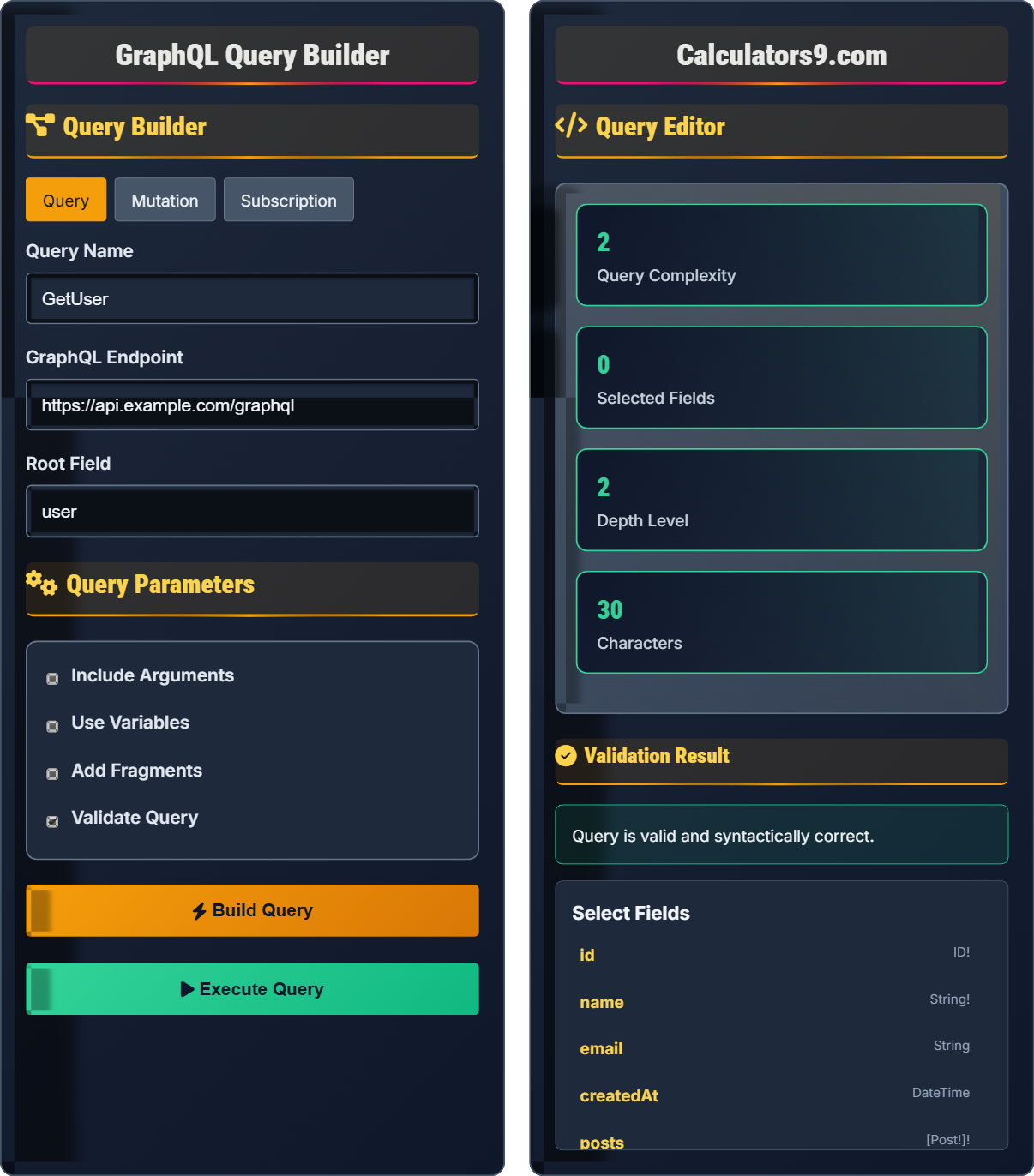
Query Builder
Query Parameters
Query Editor
Validation Result
Select Fields
GraphQL Query Building & Schema Guide
GraphQL queries follow a specific structure:
Best practices for efficient queries:
- Select Only Needed Fields: Avoid over-fetching
- Use Aliases: Rename fields for clarity
- Implement Pagination: Use arguments like limit and offset
- Leverage Fragments: Reuse common field sets
- Validate Queries: Ensure syntactic correctness
Essential GraphQL components:
- Fields: Specific data points to retrieve
- Arguments: Input values for field resolvers
- Aliases: Custom names for returned fields
- Fragments: Reusable sets of fields
- Variables: Dynamic values passed to queries
- Directives: @include, @skip for conditional fields
- Inline Fragments: Type-specific field selection
- Meta Fields: Special fields like __typename
- Introspection: Query schema information
- Batching: Combine multiple operations
GraphQL Fundamentals
Query language for APIs that provides a complete description of data.
query { fieldName { subField } }
Supports nested fields, arguments, and aliases.
- Requests only needed data
- Single endpoint for all operations
- Strongly typed schema
- Introspection capabilities
Query Construction
Building blocks for effective queries.
- Define operation type
- Select root field
- Add arguments if needed
- Specify subfields to retrieve
- Validate syntax and semantics
- Start with root fields
- Build nested structures incrementally
- Validate at each step
- Optimize for performance
GraphQL Query Building Learning Quiz
Which of the following is NOT a valid GraphQL operation type?
The correct answer is D) transaction. GraphQL has three operation types: query (for reading data), mutation (for modifying data), and subscription (for real-time updates). Transaction is not a GraphQL operation type but rather a concept from traditional databases.
Understanding GraphQL's operation types is fundamental to effective API usage. Queries are read-only operations, mutations modify server state, and subscriptions provide real-time data updates. Each operation type serves a specific purpose in the GraphQL ecosystem.
Query: Operation for reading data
Mutation: Operation for modifying data
Subscription: Operation for real-time data updates
• GraphQL has exactly 3 operation types
• Each operation type has a specific purpose
• Operation types determine server behavior
• Use queries for read operations
• Use mutations for write operations
• Use subscriptions for real-time updates
• Confusing GraphQL operations with SQL operations
• Using incorrect operation names
• Not understanding operation purposes
Write a GraphQL query to retrieve the name and email of a user with ID 123, including their posts with titles and creation dates. Include the query name "GetUserWithPosts".
Correct GraphQL query:
query GetUserWithPosts {
  user(id: 123) {
    name
    email
    posts {
      title
      createdAt
    }
  }
}
Explanation:
1. query keyword defines the operation type
2. GetUserWithPosts is the operation name
3. user(id: 123) specifies the root field with argument
4. Nested fields specify exactly what data to retrieve
5> The query efficiently fetches all required data in one request
This example demonstrates GraphQL's hierarchical nature. The query structure mirrors the data structure, allowing for nested field selection. This eliminates the need for multiple requests or over-fetching that occurs with REST APIs.
Selection Set: Group of fields to retrieve
Root Field: Starting point of the queryNested Selection: Sub-fields within a field
• Always specify root fields first
• Use curly braces for selection sets
• Arguments go in parentheses after field name
• Start with the root field
• Indent nested fields for readability
• Only select needed fields
• Forgetting operation name
• Incorrect nesting structure
• Missing parentheses for arguments
A developer wrote a GraphQL query that retrieves all fields of a user object and all fields of related posts. The query returns 2MB of data but the application only uses the user's name and the post titles. How can this query be optimized, and what are the benefits?
Optimized query:
query OptimizedUserPosts {
  user(id: 123) {
    name
    posts {
      title
    }
  }
}
Benefits of optimization:
1. Reduced data transfer (from 2MB to ~2KB)
2. Faster response times
3. Lower bandwidth usage
4. Reduced server processing time
5. Better user experience
This follows the principle of requesting only needed data, which is a core benefit of GraphQL.
This demonstrates GraphQL's primary advantage over REST: precise data fetching. Instead of receiving entire objects, developers can specify exactly which fields they need, dramatically reducing payload size and improving performance.
Over-fetching: Receiving more data than needed
Under-fetching: Needing multiple requests for related data
Exact Fetching: Getting precisely needed data
• Always specify only needed fields
• Avoid fetching entire objects when possible
• Consider network efficiency
• Review required fields before writing queries
• Use fragments for reusable field sets
• Monitor payload sizes
• Fetching all fields by default
• Not considering payload size
• Using REST-like thinking with GraphQL
A GraphQL API has a User type with fields: id, name, email, posts(limit: Int). Write a query that retrieves a user's name and their first 5 posts' titles using variables. Also include a fragment for the post fields.
fragment PostFields on Post {
  title
}

query GetUserPosts($userId: ID!, $limit: Int!) {
  user(id: $userId) {
    name
    posts(limit: $limit) {
      ...PostFields
    }
  }
}

# Variables:
{
  "userId": "123",
  "limit": 5
}
Explanation:
1. Fragment defines reusable field set for Post type
2. Variables ($userId, $limit) allow dynamic values
3. Variables are defined with type annotations
4. Fragment is applied with spread operator (...)
5. This query is flexible and reusable for different users and limits
This demonstrates advanced GraphQL features: fragments for reusable field sets, variables for dynamic values, and type annotations for safety. These features make queries more maintainable and flexible.
Fragment: Reusable set of fields
Variable: Dynamic value passed to query
Type Annotation: Specifies expected variable type
• Fragments can be applied with ...operator
• Variables start with $ symbol
• Always type annotate variables
• Use fragments for common field combinations
• Leverage variables for dynamic queries
• Validate variable types
• Not using fragments for repeated fields
• Forgetting variable type annotations
• Incorrect fragment application
Which GraphQL directive is used to conditionally include a field in the result based on a boolean variable?
The answer is B) @include. The @include directive conditionally includes a field in the result if the 'if' argument is true. For example: { field @include(if: $booleanVar) }. The @skip directive does the opposite - it skips a field when the 'if' argument is true.
Directives provide a way to modify field execution. @include adds a field conditionally, @skip omits a field conditionally, and @deprecated marks fields as obsolete. These directives enable flexible query structures based on runtime conditions.
@include: Include field if condition is true
@skip: Skip field if condition is true
Directive: Modifies field execution
• @include(if: Boolean) includes when true
• @skip(if: Boolean) excludes when true
• Directives modify query behavior
• Use @include for optional fields
• Use @skip to exclude based on conditions
• Combine with variables for dynamic behavior
• Confusing @include with @skip behavior
• Not understanding the boolean logic
• Using non-existent directives
FAQ
Q: What's the difference between GraphQL fragments and directly specifying fields, and when should I use each?
A: The differences are:
- Fragments: Reusable field sets that can be shared across queries
- Direct fields: Specific to individual query selections
Use fragments when:
- Reusing the same field set in multiple queries
- Organizing complex queries
- Sharing field definitions across teams
- Implementing UI component patterns
Use direct field specification for unique, one-time selections.
Q: How can I validate GraphQL queries before execution, and what tools are available?
A: GraphQL validation methods include:
- Schema Validation: Ensuring query matches defined schema
- Syntax Validation: Checking for proper GraphQL syntax
- Type Validation: Verifying argument and return types
Available tools:
- GraphiQL and GraphQL Playground for interactive validation
- GraphQL schema introspection for dynamic validation
- Static analysis tools for build-time validation
- Server-side validation for runtime checks
Most GraphQL servers automatically validate queries against the schema.