HTTP Header Inspector
Security analysis • Response debugging • Header validation
HTTP Headers & Security Standards
Inspect HeadersHTTP headers control communication between client and server.
Key security headers include:
- HSTS: Enforces HTTPS connections
- CSP: Prevents cross-site scripting
- X-Frame-Options: Prevents clickjacking
- Content-Type: Defines content format
- Cache-Control: Manages caching policies
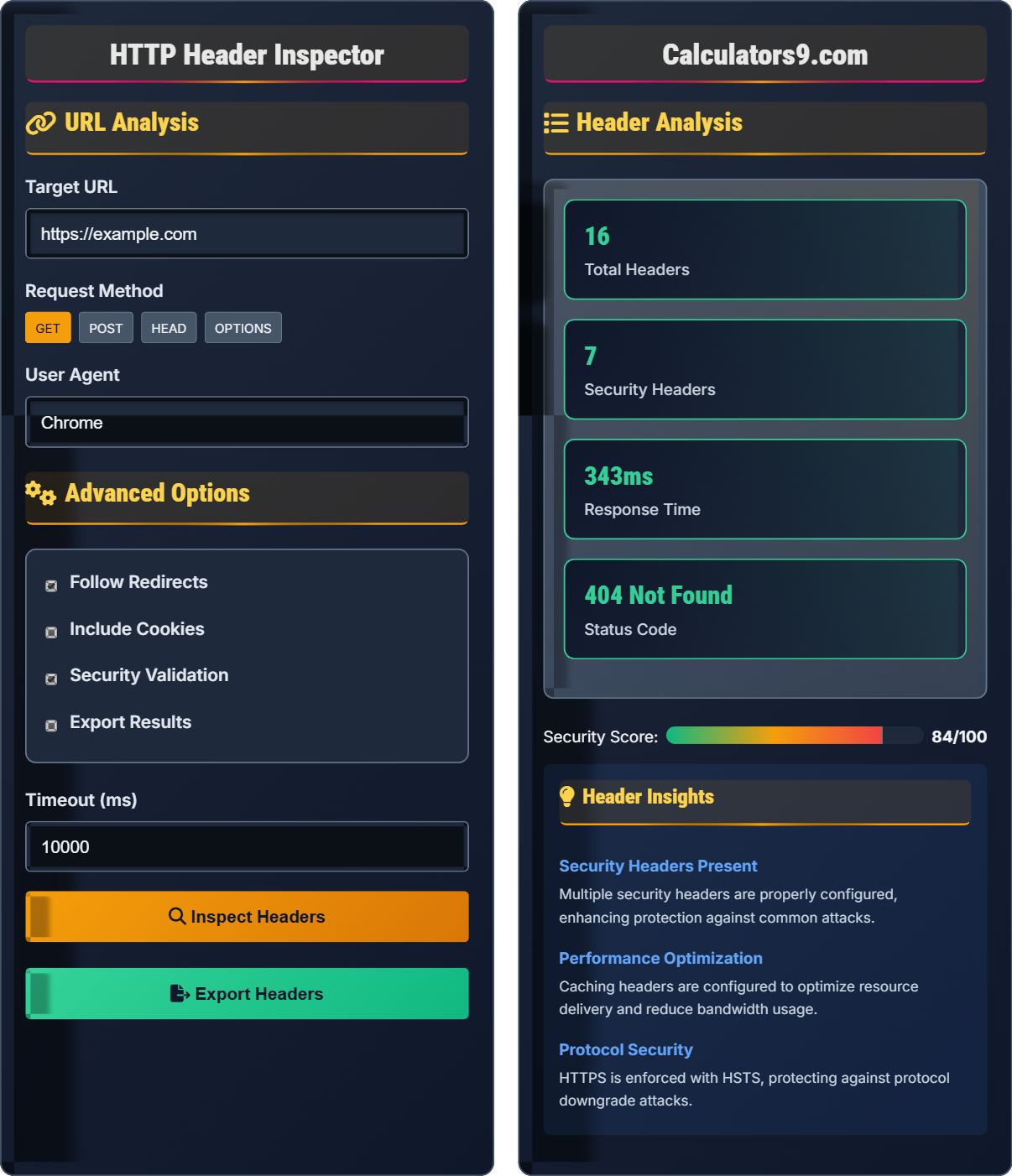
Security Score: 0-100 scale based on header configuration
Proper header configuration enhances security and performance.
URL Analysis
Advanced Options
Header Analysis
HTTP Headers & Security Analysis Guide
Security headers protect against common web vulnerabilities:
Performance headers optimize resource delivery:
- Cache-Control: Defines caching policies
- ETag: Validates cached resources
- Last-Modified: Indicates resource modification time
- Accept-Encoding: Enables compression
- Connection: Manages persistent connections
Effective header analysis includes:
- Validation: Check for required security headers
- Configuration: Verify proper header values
- Missing Headers: Identify security gaps
- Information Disclosure: Prevent sensitive data exposure
- Compliance: Meet security standards
- Score Calculation: Weighted evaluation of header presence
- Risk Identification: Flag missing or weak headers
- Recommendations: Suggest security improvements
- Compliance Checking: Verify against security standards
- Monitoring: Track header changes over time
HTTP Headers Fundamentals
Key-value pairs transmitted between client and server.
Name: Value format with colon separator
Examples: Content-Type: application/json, Cache-Control: max-age=3600
- Headers are case-insensitive
- Multiple values separated by commas
- Security headers enhance protection
- Performance headers optimize delivery
Security Analysis
Special headers that provide security protections.
- Identify required security headers
- Validate header values
- Check for information disclosure
- Assess configuration strength
- Generate security score
- HSTS should enforce HTTPS for at least 1 year
- CSP should have strict policies
- X-Frame-Options should prevent framing
- Server headers should be minimized
HTTP Headers Learning Quiz
Which HTTP header is primarily used to prevent clickjacking attacks by controlling whether a webpage can be embedded in a frame?
The correct answer is B) X-Frame-Options. This header controls whether a webpage can be displayed within a frame, iframe, or object. It has three possible values: DENY (no framing allowed), SAMEORIGIN (only same origin allowed), and ALLOW-FROM uri (specific origin allowed). This prevents clickjacking attacks where malicious sites embed legitimate pages in invisible frames.
Clickjacking is a user interface redressing attack where a malicious site tricks users into clicking on something different than what they perceive. X-Frame-Options provides protection by preventing the page from being framed by other sites. Modern applications should also use Content-Security-Policy with frame-ancestors directive as a more flexible alternative.
Clickjacking: Attack tricking users into clicking unintended elements
X-Frame-Options: Header preventing page framing
Frame-ancestors: CSP directive controlling framing permissions
• X-Frame-Options has DENY, SAMEORIGIN, ALLOW-FROM values
• Modern sites should use CSP frame-ancestors directive
• Both headers serve to prevent clickjacking attacks
• Use DENY for sensitive pages like login forms
• CSP frame-ancestors is more flexible than X-Frame-Options
• Test framing behavior in different browsers
• Confusing X-Frame-Options with X-XSS-Protection
• Not implementing any frame restriction
• Using ALLOW-FROM without considering all origins
Analyze the following HTTP response header: "Content-Security-Policy: default-src 'self'; script-src 'self' 'unsafe-inline'; style-src 'self' 'unsafe-inline'". Identify the security implications and suggest improvements.
Analysis of the CSP header:
Positive aspects:
- default-src 'self': Only allows resources from same origin
- script-src 'self': Scripts only from same origin
- style-src 'self': Styles only from same origin
Security concerns:
- 'unsafe-inline' allows inline scripts and styles (XSS risk)
- 'unsafe-inline' enables inline event handlers
Improvements:
- Remove 'unsafe-inline' directives
- Use nonce or hash for specific inline scripts
- Implement strict CSP policy
Enhanced CSP: "default-src 'self'; script-src 'self'; style-src 'self'"
Content Security Policy is a powerful defense against XSS attacks. The 'unsafe-inline' directive significantly weakens CSP protection by allowing inline scripts and styles, which are common attack vectors. A strong CSP policy should avoid unsafe-* directives entirely and use more specific sources.
CSP: Content Security Policy for XSS prevention
'self': Same origin source
'unsafe-inline': Allows inline content (weakened security)
• Never use 'unsafe-inline' in production
• Always specify explicit sources
• Test CSP policies thoroughly
• Start with report-only mode to test CSP
• Use nonce for dynamic inline scripts
• Implement reporting endpoint for violations
• Including 'unsafe-inline' for convenience
• Not testing CSP policies before deployment
• Using overly permissive policies
During a security audit, you notice the server returns a "Server" header revealing detailed information: "Server: Apache/2.4.41 (Ubuntu) OpenSSL/1.1.1f PHP/7.4.3". What security risks does this pose, and how would you mitigate them?
Security risks of detailed Server header:
1. Information disclosure: Reveals specific software versions
2. Attack vector identification: Makes it easier to find known vulnerabilities
3. Targeted attacks: Attackers can research exploits for specific versions
4. Fingerprinting: Helps identify server characteristics
Mitigation strategies:
- Minimize Server header to generic value
- Use "Server: Web Server" or similar generic response
- Remove version numbers entirely
- Consider removing Server header entirely if possible
- Keep software updated regardless of header disclosure
Secure configuration: "Server: Web Server" or no Server header
Information disclosure through HTTP headers is a common security weakness. While hiding server details doesn't fix underlying vulnerabilities, it reduces the attack surface by making reconnaissance more difficult. Security through obscurity isn't a primary defense but adds an extra layer of protection.
Information Disclosure: Revealing sensitive system information
Reconnaissance: Gathering information about target systems
Attack Vector: Pathway for exploiting vulnerabilities
• Minimize information in HTTP headers
• Regular updates are still essential
• Use generic server names
• Remove unnecessary headers
• Implement security headers alongside
• Not sanitizing server headers
• Thinking header obfuscation is sufficient security
• Forgetting to update server configurations
A website has the following cache headers: "Cache-Control: max-age=3600, public" and "ETag: W/"abc123"". Explain how these headers work together to optimize performance and reduce bandwidth usage.
How the headers work together:
Cache-Control: max-age=3600, public
- Tells browsers to cache resource for 1 hour (3600 seconds)
- 'public' allows caching by proxies and CDNs
ETag: W/"abc123"
- Provides resource identifier for validation
- Weak ETag (W/) indicates semantic equivalence
Together they optimize performance by:
1. Storing resources locally for 1 hour (reduces requests)
2. Using ETag for validation after cache expiration
3. Serving 304 Not Modified responses when unchanged
4. Reducing bandwidth by avoiding full resource transfers
This combination balances performance and freshness effectively.
Cache headers work in concert to optimize web performance. Cache-Control defines how long to cache, while ETag provides validation. This creates a tiered approach: immediate serving from cache, then validation when needed, minimizing both requests and data transfer.
Cache-Control: Directives for caching behavior
ETag: Resource identifier for validation
304 Response: Not Modified - cached version still valid
• Use appropriate max-age values for content type
• Combine caching headers for optimal performance
• Test caching behavior across browsers
• Use longer cache times for static assets
• Implement versioning for cache busting
• Monitor cache hit ratios
• Not using ETag with Cache-Control
• Setting inappropriate cache durations
• Forgetting to update ETags when content changes
What is the correct implementation of the Strict-Transport-Security header to enforce HTTPS for at least one year and include subdomains?
The answer is B) Strict-Transport-Security: max-age=31536000; includeSubDomains. This header enforces HTTPS for 31536000 seconds (1 year) and applies to all subdomains. The 'preload' directive is optional and should only be used after confirming HSTS works correctly, as it permanently forces HTTPS through browser preload lists.
HSTS (HTTP Strict Transport Security) is crucial for security. The max-age value defines the enforcement period, includeSubDomains extends protection to subdomains, and preload adds the site to browser HSTS preload lists. Preloading should only be implemented after thorough testing to avoid locking out users.
HSTS: HTTP Strict Transport Security for HTTPS enforcement
max-age: Duration in seconds for HSTS enforcement
preload: Adds site to browser HSTS preload lists
• Always use max-age of at least 1 year (31536000 seconds)
• Use includeSubDomains for comprehensive protection
• Only use preload after thorough testing
• Start with a short max-age for testing
• Use includeSubDomains for complete protection
• Submit to HSTS preload lists after confirmation
• Forgetting includeSubDomains in HSTS headers
• Using preload without proper testing
• Setting too short max-age values
FAQ
Q: What's the difference between Content-Security-Policy and X-Frame-Options, and which should I use?
A: The differences are:
- Content-Security-Policy: Comprehensive XSS protection for scripts, styles, images, and other resources
- X-Frame-Options: Specific protection against clickjacking by controlling page framing
Usage recommendations:
- Use CSP for broad XSS protection
- Use X-Frame-Options as a fallback to CSP frame-ancestors
- Modern sites should prefer CSP frame-ancestors over X-Frame-Options
- Both can coexist for layered protection
For modern applications, implement CSP with frame-ancestors directive as the primary defense.
Q: How can I validate that my security headers are properly configured across all pages of my website?
A: Effective validation strategies include:
- Automated Scanning: Use tools like OWASP ZAP or security header checkers
- Browser Developer Tools: Check Network tab for headers on each request
- Command Line: curl -I or wget --server-response to fetch headers
- Continuous Monitoring: Implement regular header validation in CI/CD
- Security Platforms: Use services like SecurityHeaders.com for scoring
Regular validation ensures consistent security posture across all pages and endpoints.