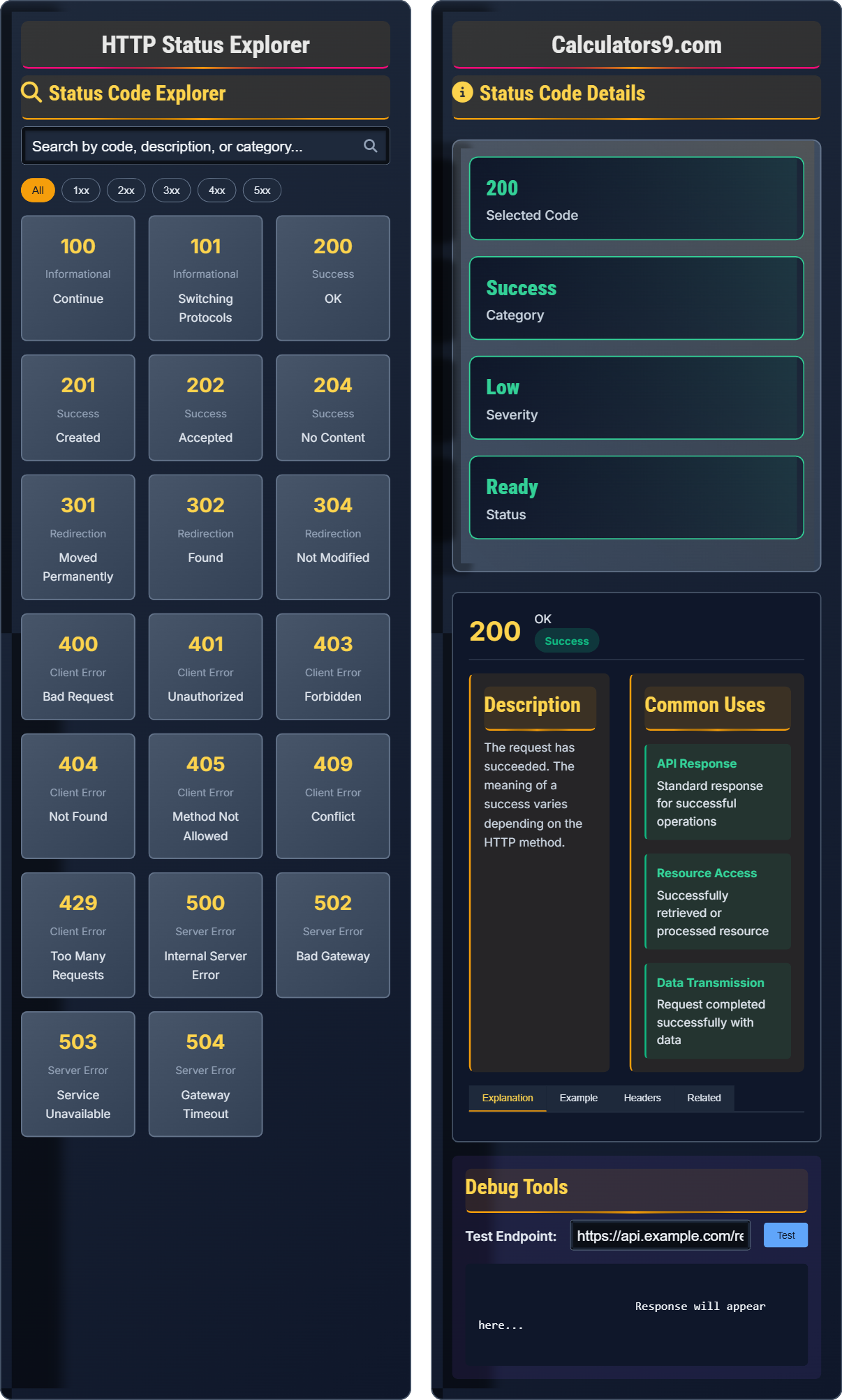
HTTP Status Explorer
API debugging tool • 2026 standards
HTTP Status Code Categories:
Explore Codes1xx Informational: Request received, continuing process
2xx Success: Request successful
3xx Redirection: Further action required
4xx Client Error: Request malformed or impossible
5xx Server Error: Server failed to fulfill request
HTTP status codes are three-digit numbers returned by servers to indicate the outcome of a client's request. Understanding these codes is essential for debugging API calls, troubleshooting network issues, and implementing proper error handling in applications.
Best Practices:
- Implement proper error handling for common codes
- Log status codes for debugging purposes
- Provide meaningful error responses
- Handle retries appropriately for 5xx errors
- Use appropriate status codes in your APIs
Impact: Proper HTTP status handling improves API reliability, enhances user experience, and enables effective debugging of web applications.
Status Code Explorer
Status Code Details
The 200 status code indicates that the request was successful. This is the standard response for successful HTTP requests. The actual response will depend on the request method used. In a GET request, the response will contain an entity corresponding to the requested resource. In a POST request, the response will contain an entity describing or containing the result of the action.
Developers should handle 200 responses appropriately by parsing the response body and updating the application state accordingly. For REST APIs, a 200 response typically means the operation completed successfully and any requested data is included in the response body.
Common headers with 200 responses:
- Content-Type: Indicates the media type of the resource
- Content-Length: Size of the response body in bytes
- ETag: Cache validation token
- Cache-Control: Directives for caching mechanisms
- Vary: Headers that affect response selection
Debug Tools
HTTP Status Code Categories
HTTP status codes are three-digit numbers returned by servers to indicate the outcome of a client's request. They are grouped into five categories based on the first digit, each representing a different type of response.
1xx Informational: Request received, continuing process
2xx Success: Request successful
3xx Redirection: Further action required
4xx Client Error: Request malformed or impossible
5xx Server Error: Server failed to fulfill request
These ranges help developers quickly understand the nature of a response and implement appropriate error handling.
- First digit determines the response category
- Standard codes have defined meanings
- Custom codes should follow conventions
- Implement proper error handling
- Log status codes for debugging
API Debugging Impact
Proper HTTP status handling improves API reliability, enhances user experience, enables effective debugging of web applications, and helps identify network issues quickly.
- 401/403: Authentication/Authorization issues
- 404: Resource not found
- 429: Rate limiting
- 500: Server errors
- 502/503: Gateway/service unavailable
- Improper error handling
- Generic error messages
- Missing status code documentation
- Not logging status codes
HTTP Status Code Learning Quiz
Which category do HTTP status codes starting with 4 represent?
The answer is C) Client Error. HTTP status codes starting with 4 represent client errors, indicating that the request contains bad syntax or cannot be fulfilled by the server. Examples include 400 Bad Request, 401 Unauthorized, 404 Not Found, and 429 Too Many Requests.
HTTP status codes are organized into five categories based on the first digit. Understanding these categories helps developers quickly identify the type of issue that occurred during a request. The 4xx range specifically indicates problems with the client's request.
HTTP Status Code: Three-digit number indicating request outcome
Client Error: Error caused by the client's request
Server Error: Error caused by the server
• First digit determines the category
• 4xx codes indicate client errors
• Server should not retry 4xx errors
• Client should fix the request
• Remember: 4 = client error
• 5 = server error
• 2 = success
• Confusing 4xx with 5xx codes
• Retrying 4xx errors instead of fixing
• Not handling specific 4xx codes
Which HTTP status code should be returned when a requested resource does not exist?
The answer is B) 404 Not Found. This status code indicates that the server could not find the requested resource. It's the standard response when a client tries to access a resource that doesn't exist on the server.
The 404 status code is one of the most commonly encountered HTTP responses. It specifically indicates that the server understood the request but couldn't locate the resource. This is different from other codes like 410 Gone (resource existed but is permanently removed) or 500 (server error).
404 Not Found: Resource does not exist
Resource: Web content identified by a URIClient Request: HTTP request sent by the client
• Use 404 when resource doesn't exist
• Don't use for server errors
• Include helpful error message
• Consider custom 404 pages
• Use 404 for missing resources
• Use 410 for permanently removed
• Provide helpful navigation
• Using 500 instead of 404
• Returning 200 with empty content
• Not providing helpful error info
An API receives a request to create a new user, but the request is missing required fields. What HTTP status code should the API return, and why?
The API should return a 400 Bad Request status code. This indicates that the server cannot process the request due to client error (malformed request syntax, invalid request message framing, or deceptive request routing).
Reasoning:
- The issue is with the request itself (missing required fields)
- It's not a server error (5xx)
- It's not a successful operation (2xx)
- It's a client-side problem that needs correction
The response should also include a detailed error message explaining which fields are missing.
The 400 status code is used when the server cannot or will not process the request due to something that is perceived to be a client error. This includes malformed syntax, invalid request message parameters, or deceptive request routing.
400 Bad Request: Request cannot be processed
Client Error: Issue with the request
Required Fields: Mandatory request parameters
• Use 400 for client-side request errors
• Include specific error details
• Don't use for server processing errors
• Client should fix and retry
• Return specific error details
• Use consistent error format
• Validate request before processing
• Using 500 for validation errors
• Not providing specific error details
• Processing invalid requests
A user attempts to access a protected API endpoint without providing authentication credentials. What HTTP status code should be returned, and how does it differ from authorization failure?
For missing authentication credentials, the API should return 401 Unauthorized. This indicates that the request lacks valid authentication credentials.
Difference between 401 and 403:
- 401 Unauthorized: Authentication is required but missing or invalid
- 403 Forbidden: Authentication is provided but insufficient privileges
Example scenario:
- 401: No API key provided in request header
- 403: Valid API key but user doesn't have permission to access resource
The distinction between 401 and 403 is important for proper API design. 401 suggests that the client can try again with proper authentication, while 403 indicates that even with authentication, the user doesn't have the necessary permissions.
Authentication: Verifying identity
Authorization: Verifying permissions
401 Unauthorized: Missing or invalid credentials
• 401 = authentication required
• 403 = authentication insufficient
• Both are client errors
• Include WWW-Authenticate header for 401
• Use 401 for missing credentials
• Use 403 for insufficient permissions
• Include challenge for 401 responses
• Confusing 401 with 403
• Using 403 for missing auth
• Not including proper headers
Which HTTP status code indicates that the server encountered an unexpected condition that prevented it from fulfilling the request?
The answer is C) 500 Internal Server Error. This is the generic error message returned when the server encounters an unexpected condition that prevents it from fulfilling the request. It's a server-side error indicating something went wrong on the server.
The 500 status code is the catch-all server error response. It should only be used when the server cannot provide a more specific error code. Other 5xx codes like 502, 503, or 504 are more specific and should be used when appropriate.
500 Internal Server Error: Generic server error
Server Error: Issue with server processing
Unexpected Condition: Unhandled server exception
• 500 is generic server error
• Use specific 5xx codes when possible
• Log details for debugging
• Don't expose internal details to client
• Use 500 as last resort
• Implement proper error logging
• Return generic error messages
• Using 500 instead of specific codes
• Exposing internal error details
• Not logging server errors
FAQ
Q: What's the difference between 401 Unauthorized and 403 Forbidden?
A: The key difference lies in authentication vs. authorization:
401 Unauthorized: The request lacks valid authentication credentials. The client hasn't provided proper authentication or the credentials are invalid. The client can try again with proper credentials.
403 Forbidden: The client has valid authentication credentials, but those credentials don't have sufficient privileges to access the requested resource. Even with authentication, the access is denied.
Example scenarios:
- 401: No API key provided, or invalid API key
- 403: Valid API key but user doesn't have permission to view admin resources
Think of 401 as "Who are you?" and 403 as "You can't do that."
Q: How should I handle 5xx server errors in my application?
A: Handling 5xx server errors requires a different approach than client errors:
1. Retry Logic: Implement exponential backoff retry mechanisms since 5xx errors are often temporary
2. Graceful Degradation: Provide fallback functionality or cached data when possible
3. Error Reporting: Log detailed information for debugging while showing user-friendly messages
4. Circuit Breakers: Implement circuit breaker patterns to prevent cascading failures
Common 5xx codes to handle:
- 500 Internal Server Error - Generic server error
- 502 Bad Gateway - Upstream server error
- 503 Service Unavailable - Server temporarily overloaded
- 504 Gateway Timeout - Request timeout
Unlike 4xx errors, 5xx errors suggest the issue might resolve itself, so retrying is often appropriate.