IP Subnet Calculator
Network tool • 2026 standards
Subnetting Formula:
Calculate SubnetsNetwork Bits: CIDR value (e.g., /24)
Host Bits: 32 - CIDR value
Subnets: 2^(subnet bits)
Hosts per Subnet: 2^(host bits) - 2
Subnet Mask: 255.255.255.0 for /24
IP subnetting divides networks into smaller, more manageable segments. It's essential for network administration, optimizing traffic flow, and improving security.
Best Practices:
- Plan subnet sizes based on actual needs
- Use VLSM for efficient address allocation
- Reserve space for growth
- Document network topology
- Validate calculations before implementation
- Use network calculators for verification
Impact: Proper subnetting improves network performance, enhances security, reduces broadcast traffic, and optimizes IP address utilization.
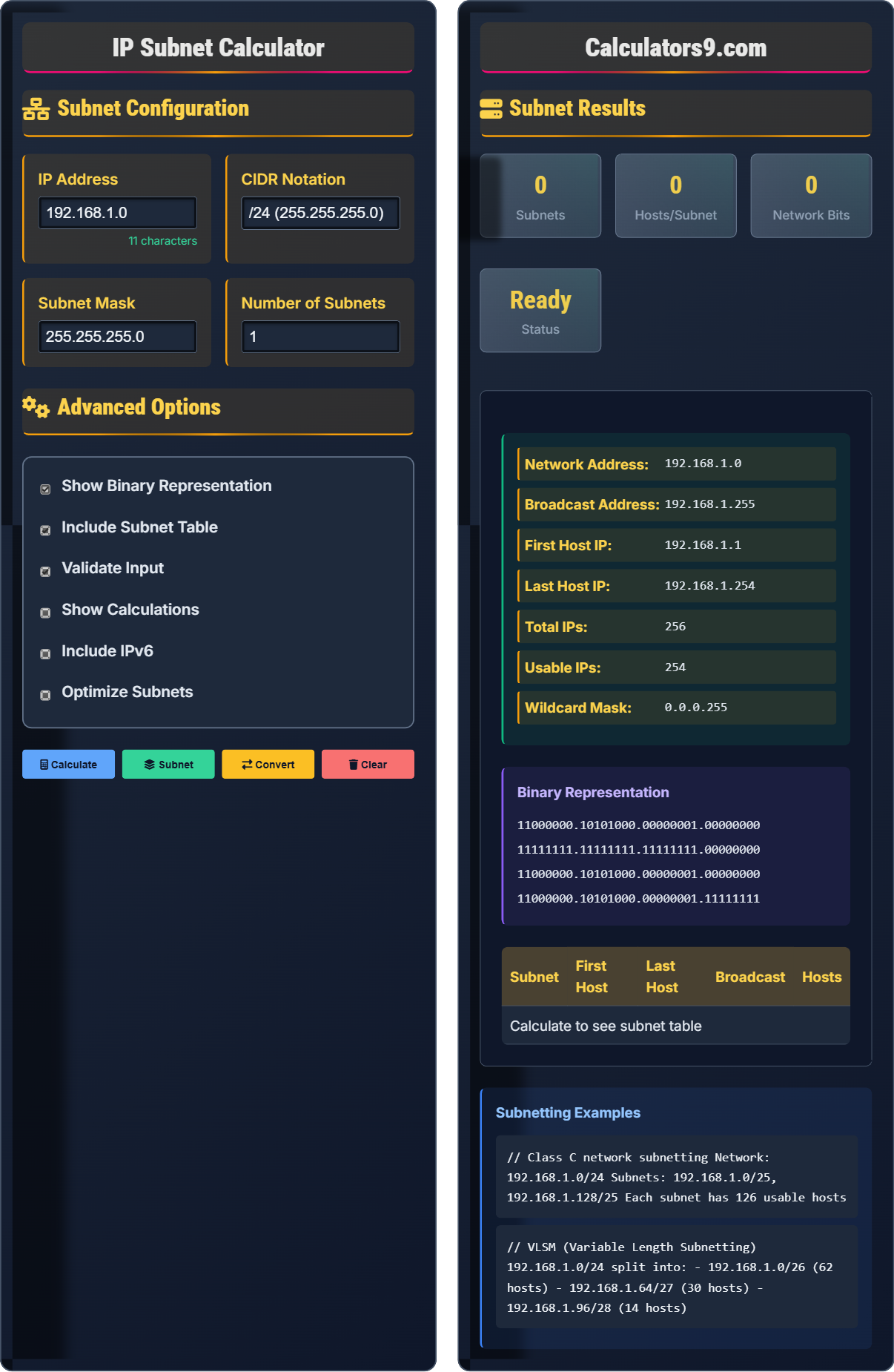
Subnet Configuration
Advanced Options
Subnet Results
| Subnet | First Host | Last Host | Broadcast | Hosts |
|---|---|---|---|---|
| Calculate to see subnet table | ||||
Subnetting Fundamentals
Subnetting divides networks into smaller segments using subnet masks. It separates network and host portions of IP addresses to create multiple logical networks within a single physical network.
Network Bits: CIDR value (e.g., /24)
Host Bits: 32 - CIDR value
Subnets: 2^(subnet bits)
Hosts per Subnet: 2^(host bits) - 2
Subnet Mask: 255.255.255.0 for /24
These formulas determine network boundaries and host counts.
- Network addresses cannot be assigned to hosts
- Broadcast addresses cannot be assigned to hosts
- Subnet masks must be contiguous
- Plan for growth when subnetting
- Validate calculations before implementation
- Use VLSM for efficient allocation
Network Performance Impact
Proper subnetting improves network performance, enhances security, reduces broadcast traffic, optimizes IP address utilization, and provides better network management capabilities.
- Determining network boundaries
- Calculating host ranges
- Creating VLANs
- Designing network topologies
- Implementing access controls
- Optimizing routing
- Incorrect subnet calculations
- Overlapping subnets
- Insufficient address space
- Routing misconfigurations
IP Subnetting Learning Quiz
What is the subnet mask for a /26 network?
The answer is B) 255.255.255.192. A /26 network has 26 bits for the network portion, leaving 6 bits for hosts. In binary, /26 is 11111111.11111111.11111111.11000000, which converts to 255.255.255.192 in decimal.
To convert CIDR to subnet mask, write the CIDR value as binary (26 ones followed by zeros), then convert each octet to decimal. For /26: 11111111.11111111.11111111.11000000 = 255.255.255.192.
CIDR: Classless Inter-Domain Routing
Subnet Mask: Determines network/host portions
Network Bits: Fixed part of IP address
• CIDR indicates network bits
• 32 total bits in IPv4
• 1s for network, 0s for host
• Convert binary to decimal
• Remember powers of 2
• Use binary conversion
• Memorize common masks
• Confusing host with network bits
• Incorrect binary conversion
• Not understanding bit positions
How many usable host addresses are available in a /28 subnet?
The answer is A) 14. A /28 subnet has 4 host bits (32-28=4). With 4 bits, there are 2^4 = 16 total addresses. Subtract 2 (network and broadcast addresses) to get 14 usable hosts.
The formula for usable hosts is: 2^(host bits) - 2. We subtract 2 because the first address is the network address and the last is the broadcast address, neither of which can be assigned to hosts.
Host Bits: Variable part of IP address
Usable Hosts: Addresses assignable to devices
Network Address: First address in subnet
• Usable hosts = 2^(host bits) - 2
• Network address = first
• Broadcast address = last
• Remember to subtract 2
• Total addresses = 2^(host bits)
• Always check your math
• Forgetting to subtract 2
• Confusing total with usable
• Miscounting host bits
A network administrator needs to create subnets that can support exactly 30 hosts each. What is the appropriate CIDR notation for these subnets?
The appropriate CIDR notation is /27. To support 30 hosts, you need at least 5 host bits (2^5 = 32 addresses, with 30 usable after subtracting network and broadcast). With 5 host bits, the network bits are 32-5=27, giving /27.
Verification: /27 = 5 host bits → 2^5 = 32 total addresses → 30 usable hosts.
This subnet mask (255.255.255.224) provides exactly the needed capacity with minimal waste.
When designing subnets, work backwards from the host requirement. Find the smallest power of 2 that accommodates the required hosts, then calculate the corresponding CIDR value.
Subnet Design: Planning network segmentation
Host Requirements: Number of devices per subnet
Power of 2: 2^n for address calculations
• Calculate host bits needed
• Use next power of 2
• Subtract 2 for usable hosts
• Minimize address waste
• Round up to next power of 2
• Always add 2 for network/broadcast
• Plan for growth
• Not accounting for network/broadcast
• Using exact host count
• Not planning for growth
Given the network 192.168.10.0/26, what are the network and broadcast addresses for this subnet?
For 192.168.10.0/26:
Network Address: 192.168.10.0
Broadcast Address: 192.168.10.63
Explanation: /26 means the first 26 bits are network bits. The subnet mask is 255.255.255.192. The network portion is 192.168.10.0, and with 6 host bits, the last address is 192.168.10.63.
Usable IP range: 192.168.10.1 to 192.168.10.62
Network address is always the first address in the subnet (all host bits set to 0). Broadcast address is always the last (all host bits set to 1). For /26, the subnet size is 64 addresses (2^6).
Network Address: First address in subnet
Broadcast Address: Last address in subnet
Subnet Size: Total addresses in subnet
• Network = first address
• Broadcast = last address
• Subnet size = 2^(host bits)
• Usable = total - 2
• Remember: network first, broadcast last
• Calculate subnet size first
• Check boundary addresses
• Confusing network with broadcast
• Incorrect subnet size
• Misidentifying boundaries
What does VLSM stand for and why is it important in network design?
The answer is B) Variable Length Subnet Masking - efficient address allocation. VLSM allows network administrators to use different subnet sizes within the same network, enabling more efficient use of IP address space by assigning appropriately sized subnets to different requirements.
VLSM is crucial for efficient IP address management. Instead of using the same subnet size everywhere, VLSM allows tailoring subnet sizes to actual needs, reducing waste and supporting hierarchical network design.
VLSM: Variable Length Subnet Masking
Efficient Allocation: Minimal address waste
Hierarchical Design: Structured network organization
• Different subnet sizes in same network
• Efficient address utilization
• Supports hierarchical design
• Requires compatible routing protocols
• Plan from largest to smallest subnets
• Use hierarchical addressing
• Document subnet assignments
• Not using VLSM when needed
• Inconsistent subnet sizing
• Poor address planning
FAQ
Q: What's the difference between classful and classless addressing?
A: The key differences are:
Classful Addressing:
- Fixed network sizes (Class A, B, C)
- Default subnet masks
- No variable subnetting
- Wasteful address allocation
- Not used in modern networks
Classless Addressing (CIDR):
- Variable network sizes (/prefix notation)
- Customizable subnet masks
- Supports VLSM
- Efficient address utilization
- Standard for modern networks
CIDR replaced classful addressing for better IP address management.
Q: How do I subnet a network into multiple subnets?
A: Steps to subnet a network:
1. Determine Requirements:
- Number of required subnets
- Hosts per subnet
- Future growth needs
2. Calculate Subnet Bits:
- Find bits needed for subnets: 2^n ≥ required subnets
- New prefix = original prefix + subnet bits
3. Determine Subnet Increment:
- Increment = 2^(8 - new_prefix_mod_8)
- For /24 to /26: increment = 2^(8-6) = 64
4. Calculate Addresses:
- Subnet addresses: original + increment
- First host: subnet + 1
- Last host: broadcast - 1
- Broadcast: next_subnet - 1
Always validate your calculations before implementation.