MAC Address Lookup Tool
Vendor identification • Network analysis • Device tracking
MAC Address Format & OUI Structure
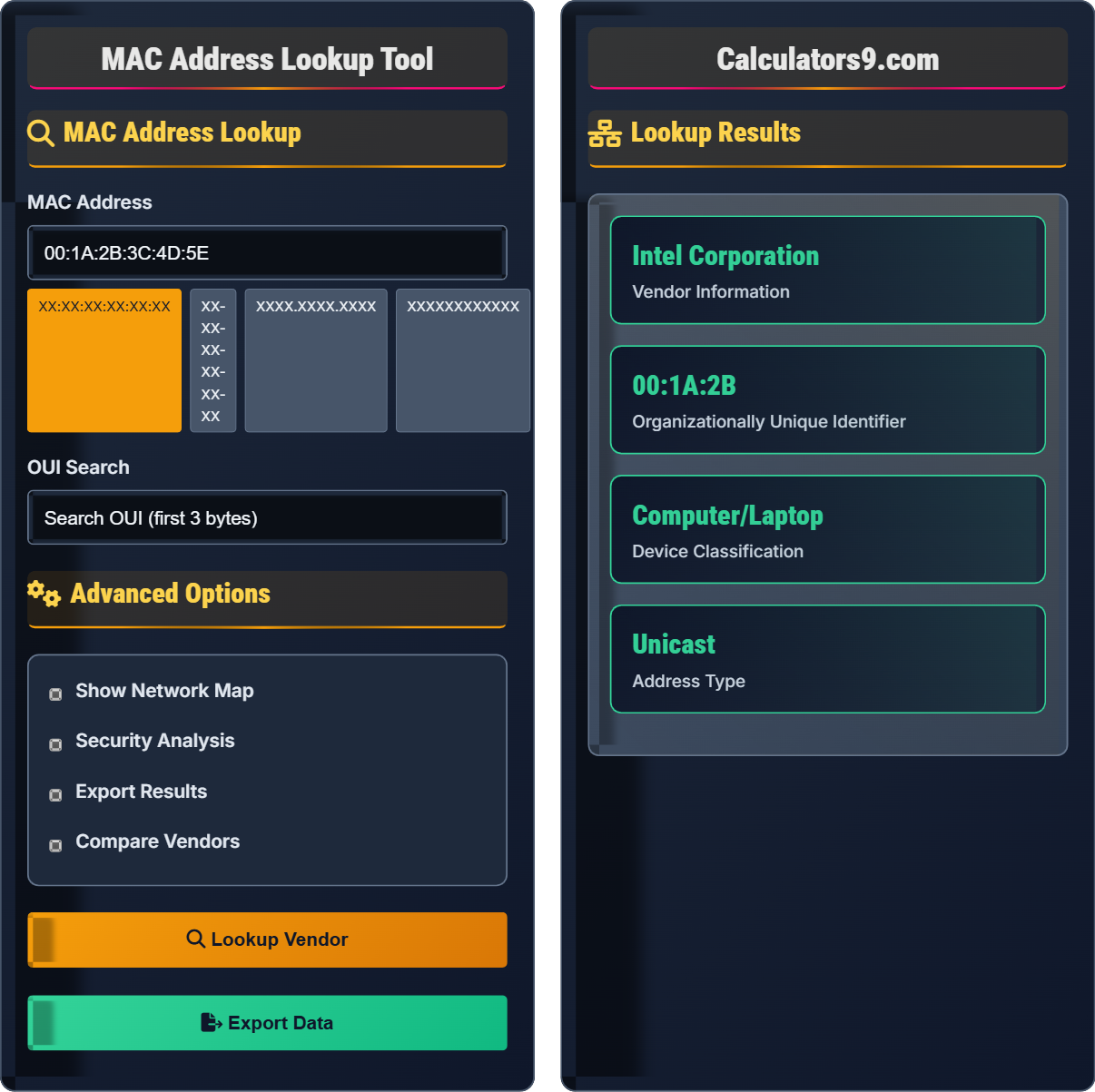
MAC LookupMAC Address Format: XX:XX:XX:YY:YY:YY (where XX:XX:XX = Organizationally Unique Identifier)
Key facts about MAC addresses:
- 48-bit identifier (6 bytes) assigned to network interfaces
- First 3 bytes (OUI) identify the manufacturer
- Registered with IEEE Registration Authority
- Used for Layer 2 network communication
- Can be in various formats: 00:1A:2B:3C:4D:5E, 00-1A-2B-3C-4D-5E, 001A.2B3C.4D5E
Example: MAC Address 00:1A:2B:3C:4D:5E
OUI: 00:1A:2B (Vendor: Intel Corporation)
Device ID: 3C:4D:5E (Assigned by manufacturer)
MAC addresses are critical for network security, device identification, and traffic analysis.
MAC Address Lookup
Advanced Options
Lookup Results
| Field | Value |
|---|---|
| OUI | 00:1A:2B |
| Vendor | Intel Corporation |
| Assignment Date | 2007-04-19 |
| Company Address | Santa Clara, CA, US |
| Timestamp | MAC Address | Vendor | Status |
|---|---|---|---|
| 2024-01-15 14:30:22 | 00:1A:2B:3C:4D:5E | Intel Corp | Active |
| 2024-01-10 09:15:45 | 00:1A:2B:3C:4D:5E | Intel Corp | Active |
| Similar MAC | Vendor | Confidence |
|---|---|---|
| 00:1A:2B:3C:4D:5F | Intel Corp | 98% |
| 00:1A:2B:3C:4E:5E | Intel Corp | 95% |
MAC Address Database & Network Security Guide
The Organizationally Unique Identifier (OUI) database contains registered MAC address prefixes assigned by the IEEE. Each OUI consists of 24 bits (3 bytes) that uniquely identify a vendor or manufacturer.
Database format includes: OUI prefix, company name, address, country, and assignment date. The database is updated regularly as new vendors register prefixes.
MAC address lookups are essential for:
- Device Identification: Identifying connected hardware
- Access Control: MAC filtering and authorization
- Security Monitoring: Detecting unauthorized devices
- Asset Management: Tracking network inventory
- Forensics: Investigating network incidents
- Vendor Profiling: Analyze network composition by vendor
- Device Classification: Categorize devices by type (IoT, mobile, computer)
- Geographic Tracking: Determine device origins by vendor location
- Traffic Patterns: Correlate MAC addresses with network behavior
- Security Posture: Assess risks based on device types
MAC Address Fundamentals
Hardware identifier assigned to network interfaces at the data link layer.
Format: XX:XX:XX:YY:YY:YY (OUI + Device ID)
Where XX:XX:XX = Organizationally Unique Identifier (vendor prefix)
- OUI identifies manufacturer (first 3 bytes)
- Unique within organization (last 3 bytes)
- Case insensitive
- Various formatting allowed
Network Applications
IEEE-maintained registry of vendor identifiers.
- Extract OUI from MAC address
- Query OUI database
- Return vendor information
- Analyze device characteristics
- MAC addresses can be spoofed
- Not encrypted in transit
- Use additional authentication
- Monitor for anomalies
MAC Address Learning Quiz
What does the first 3 bytes of a MAC address represent?
The correct answer is B) Organizationally Unique Identifier (OUI). The first 3 bytes (24 bits) of a MAC address form the OUI, which is assigned by the IEEE to identify the manufacturer or vendor of the network interface. This allows network administrators to identify device manufacturers from MAC addresses.
Understanding MAC address structure is fundamental to network administration and security. The OUI portion provides immediate vendor identification, which is crucial for asset management, security monitoring, and troubleshooting. The last 3 bytes are assigned by the manufacturer to ensure global uniqueness of each network interface.
MAC Address: Media Access Control address, a unique identifier assigned to network interfaces
OUI: Organizationally Unique Identifier, the first 3 bytes identifying the manufacturer
Device ID: The last 3 bytes assigned by the manufacturer for uniqueness
• OUI is always the first 3 bytes of a MAC address
• OUI is assigned by IEEE Registration Authority
• Last 3 bytes ensure uniqueness within manufacturer
• Remember: First half = vendor, Second half = device ID
• OUI database is maintained by IEEE
• Use online tools to look up unknown OUIs
• Confusing OUI with IP addressing schemes
• Thinking MAC addresses are globally unique across all manufacturers
• Not understanding that OUI identifies the vendor, not the specific model
Convert the MAC address 001A2B3C4D5E to colon-separated format (XX:XX:XX:XX:XX:XX).
To convert 001A2B3C4D5E to colon-separated format:
Step 1: Split into pairs of hexadecimal digits: 00, 1A, 2B, 3C, 4D, 5E
Step 2: Join pairs with colons: 00:1A:2B:3C:4D:5E
The converted MAC address is 00:1A:2B:3C:4D:5E
MAC addresses can be represented in multiple formats, and network professionals must be comfortable converting between them. The most common formats are colon-separated (00:1A:2B:3C:4D:5E), hyphen-separated (00-1A-2B-3C-4D-5E), and dot-separated (001A.2B3C.4D5E). Understanding these formats is essential for network configuration and analysis.
Hexadecimal: Base-16 numbering system using digits 0-9 and letters A-F
Colon-Separated: Format using colons to separate byte groups
Dot-Separated: Format using dots to group bytes in pairs
• MAC addresses are always 6 bytes (48 bits) long
• Each byte is represented by 2 hexadecimal digits
• Case is ignored (00:1a:2b is same as 00:1A:2B)
• Count 12 hex digits to verify 6-byte MAC address
• Group digits in pairs when converting formats
• Use online converters for verification
• Miscounting the number of digits (should be 12 hex digits)
• Forgetting to group in pairs of two digits
• Mixing up the grouping pattern (e.g., 001A.2B3C.4D5E instead of 001A.2B3C.4D5E)
You discover a MAC address 02:1A:2B:3C:4D:5E on your network. Based on the first bit of the first byte (02 = 00000010 in binary), what can you determine about this address?
Step 1: Convert first byte to binary: 02₁₆ = 00000010₂
Step 2: Examine the least significant bit (rightmost): Bit 0 is 0
Step 3: Examine the second bit (from right): Bit 1 is 1
Analysis: - Bit 0 = 0 means this is a Unicast address (individual device) - Bit 1 = 1 means this is a Locally Administered Address (not IEEE-assigned)
Conclusion: This is a locally administered unicast address, likely used for virtualization or testing purposes.
MAC address bits carry special meanings. The first bit of the first byte determines if it's unicast (0) or multicast (1). The second bit indicates if it's globally unique (0, IEEE-assigned) or locally administered (1). This knowledge is crucial for security analysis as locally administered addresses may indicate virtual machines, network tests, or potentially unauthorized devices.
Unicast: Address directed to a single device (bit 0 = 0)
Multicast: Address directed to multiple devices (bit 0 = 1)
Globally Unique: IEEE-assigned addresses (bit 1 = 0)
Locally Administered: Administrator-assigned addresses (bit 1 = 1)
• Bit 0 of first byte: 0=Unicast, 1=Multicast
• Bit 1 of first byte: 0=Globally unique, 1=Locally administered
• Broadcast address is always FF:FF:FF:FF:FF:FF
• Remember: Rightmost bit = Unicast/Multicast
• Next bit = Global/Local administration
• Use binary conversion to analyze bit values
• Confusing bit positions (LSB vs MSB)
• Forgetting that locally administered addresses can be used maliciously
• Not recognizing the significance of the bit patterns
Your network monitoring tool detects MAC addresses starting with 00:1B:44, 00:1B:45, and 00:1B:46. After looking up the OUI, you find they all belong to Seiko Epson Corporation. What does this indicate about your network and what actions should you take?
Step 1: OUI lookup reveals all addresses belong to Seiko Epson Corporation
Step 2: This indicates presence of Epson printers or other Epson network devices
Step 3: Potential implications: - Multiple Epson devices on network (printers, scanners) - Possible IoT or embedded systems - Need to verify authorized deployment
Action plan: - Inventory these devices to confirm authorized deployment - Check printer security settings - Verify firmware versions - Assess potential security vulnerabilities
This scenario demonstrates practical application of MAC address analysis in network security. By identifying vendor patterns, administrators can detect device categories, assess security postures, and manage assets. Epson devices, particularly older models, may have known vulnerabilities requiring attention.
Asset Management: Tracking and managing network-connected devices
Vulnerability Assessment: Evaluating security weaknesses in devices
Authorized Deployment: Devices approved for network access
• Always verify that discovered devices are authorized
• Different vendors have varying security postures
• Regular firmware updates are critical for security
• Maintain authorized device inventory
• Set up alerts for unknown vendors
• Research security advisories for discovered vendors
• Not investigating unknown MAC addresses
• Assuming all discovered devices are legitimate
• Failing to consider security implications of device types
Which of the following is the most effective countermeasure against MAC address spoofing attacks?
The answer is B) Port security with sticky MAC addresses. This combines multiple security measures: it limits the number of MAC addresses allowed on a port, learns and remembers valid MAC addresses automatically, and shuts down the port when violations occur. This provides dynamic protection against spoofing while maintaining network functionality.
MAC spoofing occurs when an attacker mimics another device's MAC address to gain unauthorized network access. Single-layer defenses like MAC filtering alone can be bypassed. Port security with sticky MAC addresses provides adaptive protection by learning legitimate devices and blocking unexpected ones, making it more robust against spoofing attempts.
MAC Spoofing: Attacker faking another device's MAC address
Port Security: Switch feature limiting MAC addresses per port
Sticky MAC: Dynamically learned MAC addresses stored persistently
• MAC addresses are not inherently secure identifiers
• Defense-in-depth approach is most effective
• Combine multiple security measures for best protection
• Use 802.1X authentication alongside MAC security
• Monitor for MAC address changes
• Implement network access control (NAC)
• Relying solely on MAC filtering for security
• Not monitoring for MAC address changes
• Failing to implement multi-layer security approaches
FAQ
Q: How accurate is MAC address vendor identification?
A: MAC address vendor identification is highly accurate for legitimate devices, as OUIs are officially registered with the IEEE. The accuracy depends on:
- Database Currency: The OUI database is updated regularly as vendors register new prefixes
- Legitimate Assignment: Officially assigned MAC addresses provide reliable vendor identification
- Manufacturing Compliance: Most reputable manufacturers follow IEEE standards
However, accuracy can be compromised by:
- MAC address spoofing by attackers
- Virtual machines using random MAC addresses
- Outdated OUI databases
- Legacy or cloned MAC addresses
In practice, vendor identification is accurate for 95%+ of legitimate network devices when using current databases.
Q: What privacy concerns are associated with MAC address tracking?
A: MAC addresses pose several privacy concerns:
- Permanent Identification: MAC addresses are hardcoded in hardware and don't change
- Location Tracking: Networks can track device movement across locations
- Behavioral Profiling: Patterns of network usage can reveal personal habits
- Data Correlation: MAC addresses can be linked to other identifiers
Modern solutions include:
- Randomized MAC addresses: Used in mobile devices for WiFi connections
- MAC address changing: Software tools to modify MAC addresses
- Regulatory compliance: GDPR and CCPA regulations apply to MAC tracking
Organizations must implement privacy-by-design principles when collecting MAC address data, ensuring transparency and providing opt-out mechanisms where required by law.