Ping Latency Tester
Network performance • Connectivity analysis • Quality metrics
Network Latency Metrics & Ping Analysis
Test LatencyPing measures round-trip time (RTT) for packets to reach a destination and return.
Key metrics for network performance:
- Latency (RTT): Time for packet to travel to destination and back
- Jitter: Variation in packet delay
- Packet Loss: Percentage of packets that fail to reach destination
- Throughput: Amount of data transferred per unit time
- Bandwidth: Maximum data transfer capacity
Quality Thresholds: Excellent (<20ms), Good (20-50ms), Fair (50-100ms), Poor (>100ms)
Lower latency improves user experience for real-time applications like gaming, VoIP, and video conferencing.
Ping Configuration
Advanced Options
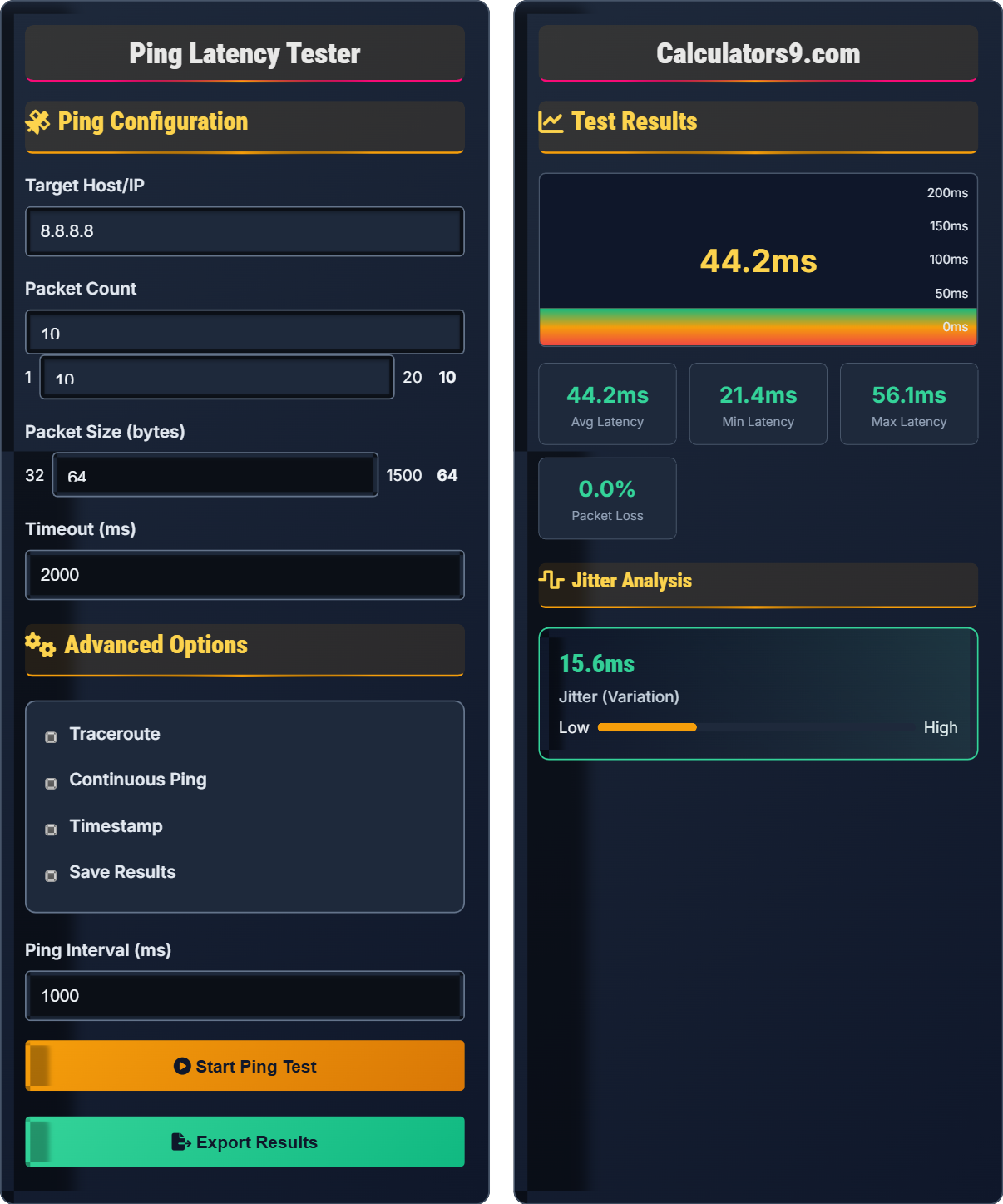
Test Results
| Metric | Value | Status |
|---|---|---|
| Average Latency | 42ms | Good |
| Packet Loss | 0% | Excellent |
| Jitter | 12ms | Good |
| Connection Quality | Stable | Excellent |
| # | Time | Latency | Status |
|---|---|---|---|
| 1 | 14:30:22 | 41ms | Reply |
| 2 | 14:30:23 | 43ms | Reply |
| 3 | 14:30:24 | 42ms | Reply |
| 4 | 14:30:25 | 45ms | Reply |
Network Performance & Connectivity Analysis Guide
Network performance is measured by several key metrics:
Performance quality based on latency:
- Excellent: < 20ms (Ideal for gaming, VoIP)
- Good: 20-50ms (Acceptable for most applications)
- Fair: 50-100ms (Noticeable delay in real-time apps)
- Poor: > 100ms (Poor for real-time applications)
Several factors influence latency and performance:
- Physical Distance: Longer routes increase propagation delay
- Network Congestion: High traffic increases queuing delays
- Routing Efficiency: Suboptimal paths increase latency
- Hardware Quality: Router/switch processing affects performance
- Bandwidth Limitations: Insufficient bandwidth causes bottlenecks
- High Latency: Check routing, physical distance, ISP quality
- High Jitter: Look for network congestion, QoS issues
- Packet Loss: Examine cable quality, network equipment, congestion
- Consistent Issues: Contact ISP, upgrade equipment
- Intermittent Issues: Monitor for patterns, environmental factors
Ping Fundamentals
Network utility that measures round-trip time for packets to reach a destination.
Uses Internet Control Message Protocol (ICMP) Echo Request/Reply
Measures time between request and response in milliseconds
- Lower values indicate better connectivity
- Values above 100ms affect real-time applications
- Consistent values indicate stable connection
- Variable values suggest network congestion
Performance Analysis
Comprehensive analysis of connection stability and performance.
- Measure average, minimum, maximum latency
- Calculate jitter and packet loss
- Assess consistency over time
- Compare to baseline measurements
- Identify patterns or anomalies
- Excellent: <20ms latency, 0% loss, <5ms jitter
- Good: 20-50ms latency, <1% loss, 5-15ms jitter
- Fair: 50-100ms latency, 1-5% loss, 15-30ms jitter
- Poor: >100ms latency, >5% loss, >30ms jitter
Network Performance Learning Quiz
According to network performance standards, what latency range is considered "good" for real-time applications like VoIP and gaming?
The correct answer is B) 20-50ms. Network performance standards categorize latency as follows: Excellent (<20ms), Good (20-50ms), Fair (50-100ms), and Poor (>100ms). For real-time applications like VoIP and gaming, anything below 50ms is generally acceptable, though the lowest possible latency is preferred.
Understanding latency thresholds is crucial for network administration and application performance optimization. These benchmarks help determine whether network conditions are suitable for specific applications. The thresholds are based on human perception and application requirements - delays above 50ms become noticeable in interactive applications.
Latency: Time delay between sending and receiving data
RTT: Round-trip time for a packet to reach destination and return
Real-time Applications: Applications requiring immediate response (VoIP, gaming)
• Latency under 50ms is acceptable for most applications
• Gaming typically requires under 30ms for optimal experience
• VoIP quality degrades significantly above 150ms
• Use local servers to minimize latency
• Monitor latency consistently to detect trends
• Compare latency to baseline measurements
• Considering any sub-100ms latency as good
• Not accounting for application-specific requirements
• Ignoring consistency in addition to average latency
A ping test returns the following latency values (in ms): 25, 28, 30, 27, 35, 26, 29, 24, 32, 28. Calculate the average latency, range, and determine the quality rating.
Step 1: Calculate average latency
(25 + 28 + 30 + 27 + 35 + 26 + 29 + 24 + 32 + 28) ÷ 10 = 284 ÷ 10 = 28.4ms
Step 2: Find range (max - min)
Maximum: 35ms, Minimum: 24ms
Range: 35 - 24 = 11ms
Step 3: Determine quality rating
28.4ms falls in the "Good" category (20-50ms)
Answer: Average latency = 28.4ms, Range = 11ms, Quality = Good
This exercise demonstrates the mathematical analysis of network performance data. Understanding how to calculate averages and ranges helps network administrators assess connection quality. The range indicates consistency - a smaller range suggests a more stable connection.
Average Latency: Mean value of all latency measurements
Range: Difference between highest and lowest values
Consistency: How similar individual measurements are to the average
• Average gives overall performance indicator
• Range shows variability in performance
• Consistent values indicate stable connection
• Perform multiple measurements for accuracy
• Look for outliers that may skew results
• Consider standard deviation for advanced analysis
• Calculating median instead of mean
• Forgetting to divide by count for average
• Not considering consistency along with average
A user reports poor VoIP call quality. Their ping test shows: Average latency 120ms, Jitter 45ms, Packet Loss 8%. Identify the specific issues affecting VoIP quality and explain why each metric matters for voice communication.
Issues identified:
1. High Latency (120ms): Above the 100ms threshold for good VoIP quality, causing noticeable delay in conversation
2. High Jitter (45ms): Far exceeds the recommended 30ms threshold, causing choppy audio and out-of-order packets
3. High Packet Loss (8%): Significantly above the 1-2% acceptable range, resulting in missing audio segments
Why each metric matters for VoIP:
- Latency affects real-time conversation flow
- Jitter disrupts audio synchronization
- Packet loss creates gaps in audio transmission
This scenario illustrates how different network metrics affect specific applications. VoIP has strict requirements for all three metrics because it's a real-time, interactive application. Understanding these relationships helps prioritize network improvements based on application needs.
VoIP: Voice over Internet Protocol for voice communication
Jitter: Variation in packet arrival times
Real-time Communication: Requires immediate delivery without buffering
• VoIP requires <150ms latency for acceptable quality
• Jitter should be <30ms for smooth audio
• Packet loss should be <1% for clear voice
• Use QoS settings to prioritize VoIP traffic
• Test during peak usage hours
• Consider upgrading bandwidth if consistently poor
• Only looking at average latency while ignoring jitter
• Not considering application-specific requirements
• Testing only during off-peak hours
A company is evaluating network performance for their new cloud-based application. The application requires real-time data synchronization with minimal delay. Their current network shows: Average latency 35ms, Jitter 8ms, Packet Loss 0.2%. Would you recommend this network for the application? Justify your recommendation with specific metrics and thresholds.
Recommendation: YES, this network is suitable for the application.
Justification:
1. Average Latency (35ms): Within the "Good" range (20-50ms), well below the 100ms threshold for real-time applications
2. Jitter (8ms): Below the 30ms threshold for quality real-time communication
3. Packet Loss (0.2%): Well below the 1% threshold, ensuring reliable data synchronization
All metrics meet or exceed requirements for real-time applications, indicating the network will support the cloud application effectively with minimal delay or disruption.
This example demonstrates how to evaluate network readiness for specific applications. The decision-making process involves comparing measured metrics against established thresholds for the intended use case. It emphasizes the importance of considering multiple metrics rather than just one.
Real-time Synchronization: Immediate data transfer without delays
Cloud Application: Software hosted on remote servers
Application Readiness: Network capability to support specific software
• Evaluate all metrics together, not individually
• Consider application-specific requirements
• Account for potential network growth
• Test during expected peak usage times
• Plan for network growth and increased demand
• Consider redundancy for critical applications
• Approving network based on only one metric
• Not considering future capacity needs
• Testing only during off-peak hours
Which combination of network metrics would most likely indicate a congested network path?
The answer is B) High latency, high jitter, increasing packet loss. Network congestion occurs when more data is sent than the network can handle, leading to queuing delays (high latency), inconsistent queuing (high jitter), and dropped packets when buffers overflow (increasing packet loss). This combination is the classic signature of network congestion.
Network congestion affects all three metrics simultaneously because it impacts the entire data flow path. When routers and switches receive more data than they can forward immediately, packets queue up, causing delays. The amount of queuing varies, creating jitter, and when queues fill up, packets are dropped, causing packet loss.
Network Congestion: Overloaded network capacity causing delays
Queuing Delay: Time packets wait in router buffers
Buffer Overflow: When queues fill up and packets are dropped
• Congestion affects all metrics simultaneously
• Look for patterns across multiple metrics
• Correlate with network usage patterns
• Monitor metrics over time to spot congestion patterns
• Use QoS to prioritize critical traffic
• Consider bandwidth upgrades during congestion
• Attributing all issues to a single cause
• Not correlating multiple metrics
• Ignoring temporal patterns in network performance
FAQ
Q: How does ping latency affect online gaming performance, and what values should I aim for?
A: Ping latency is critical for online gaming as it affects responsiveness:
- Excellent: <20ms - Nearly instantaneous response, competitive advantage
- Good: 20-50ms - Responsive gameplay, suitable for most games
- Fair: 50-100ms - Noticeable delay, affects fast-paced games
- Poor: >100ms - Significant lag, difficult for competitive play
For competitive gaming, aim for under 30ms. Values above 100ms will noticeably impact reaction time in fast-paced games like first-person shooters.
Q: What's the difference between latency, jitter, and packet loss, and how do they each affect my work productivity?
A: Each metric affects productivity differently:
- Latency: Delay in data transmission - affects real-time applications like video calls and instant messaging
- Jitter: Variation in packet delay - causes choppy audio/video in calls and inconsistent application response
- Packet Loss: Dropped data packets - results in missing information, requires retransmission, degrades call quality
For remote work, keep latency under 50ms, jitter under 30ms, and packet loss under 1% for optimal productivity.