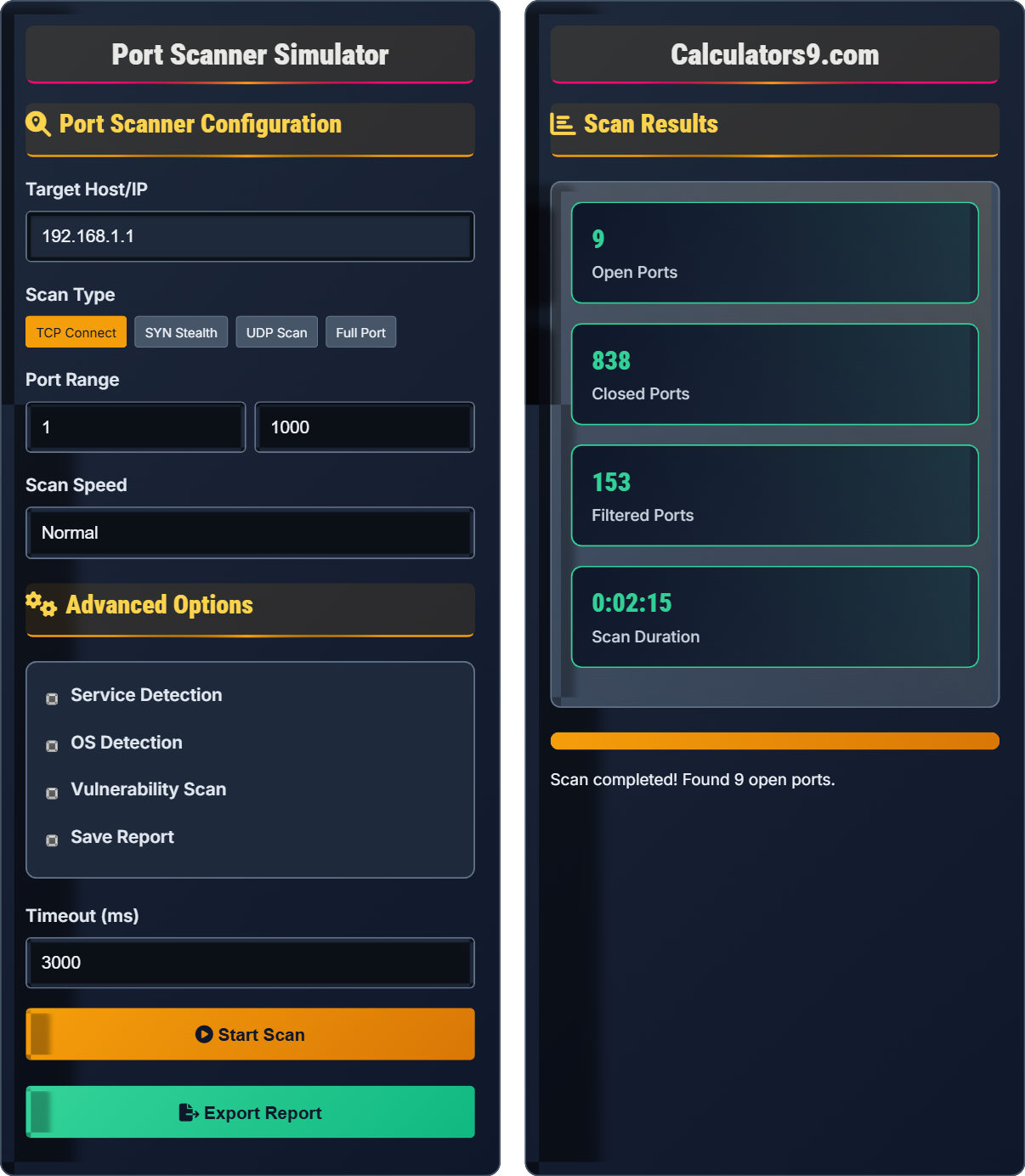
Port Scanner Simulator
Network security • Service detection • Vulnerability assessment
Port Scanning Fundamentals & TCP/UDP Protocols
Port ScanPort scanning identifies open ports and services running on target systems.
Key facts about port scanning:
- TCP scans send SYN packets to test connectivity
- UDP scans send probe packets to test service availability
- Well-known ports: 1-1023 (system services)
- Registered ports: 1024-49151 (user applications)
- Dynamic ports: 49152-65535 (temporary assignments)
Common Ports: 22 (SSH), 80 (HTTP), 443 (HTTPS), 3389 (RDP), 53 (DNS)
Port scanning is essential for network security assessment, penetration testing, and system administration.
Port Scanner Configuration
Advanced Options
Scan Results
| Port | Protocol | Status | Service | Risk |
|---|---|---|---|---|
| 22 | TCP | Open | SSH | Low |
| 80 | TCP | Open | HTTP | Medium |
| 443 | TCP | Open | HTTPS | Low |
| 3306 | TCP | Open | MySQL | High |
| Port | Service | Version | CPE |
|---|---|---|---|
| 22 | OpenSSH | 8.2p1 Ubuntu-4 | cpe:/a:openssh:openssh:8.2p1 |
| 80 | Apache httpd | 2.4.41 (Ubuntu) | cpe:/a:apache:http_server:2.4.41 |
| 443 | Apache httpd | 2.4.41 (Ubuntu) | cpe:/a:apache:http_server:2.4.41 |
| Vulnerability | Port | Severity | CVE |
|---|---|---|---|
| Apache mod_ssl SSL Protocol Flaw | 443 | Medium | CVE-2020-1927 |
| MySQL Authentication Bypass | 3306 | High | CVE-2020-2563 |
Port Scanning Techniques & Network Security Guide
Port scanning techniques vary in stealth and accuracy:
Understanding port categories is crucial for security:
- Well-Known Ports (1-1023): Reserved for system services
- Registered Ports (1024-49151): Assigned by IANA for applications
- Dynamic Ports (49152-65535): Temporary assignments
- Common Services: SSH (22), HTTP (80), HTTPS (443), FTP (21)
Effective vulnerability scanning includes:
- Service Version Detection: Identifying software versions
- Operating System Fingerprinting: Determining OS and version
- Script Scanning: Running NSE scripts for deeper inspection
- Vulnerability Database Matching: Cross-referencing CVEs
- Configuration Analysis: Checking for insecure configurations
- Minimize Open Ports: Only expose necessary services
- Regular Scanning: Periodic assessment of network posture
- Service Hardening: Secure configurations for exposed services
- Network Segmentation: Isolate sensitive systems
- Monitoring: Log and analyze scan attempts
Port Scanning Fundamentals
Systematic process of probing a host's ports to discover open, closed, or filtered ports.
22 (SSH), 80 (HTTP), 443 (HTTPS), 25 (SMTP), 110 (POP3)
Port ranges: Well-known (1-1023), Registered (1024-49151), Dynamic (49152-65535)
- Only scan networks you own
- Follow responsible disclosure
- Document findings properly
- Respect privacy laws
Security Applications
Identifying security weaknesses through systematic port analysis.
- Discover live hosts
- Scan ports systematically
- Detect services and versions
- Identify vulnerabilities
- Recommend mitigations
- Always get permission
- Limit scope appropriately
- Protect discovered data
- Report responsibly
Port Scanning Learning Quiz
Which of the following correctly identifies the port ranges defined by IANA?
The correct answer is B) Well-known: 1-1023, Registered: 1024-49151, Dynamic: 49152-65535. The Internet Assigned Numbers Authority (IANA) defines these three port ranges: Well-known ports (1-1023) are reserved for system services, Registered ports (1024-49151) are assigned for specific applications, and Dynamic/Private ports (49152-65535) are for temporary assignments.
Understanding port ranges is fundamental to network administration and security. Well-known ports are standardized and shouldn't be reassigned, registered ports are used by applications but can be reassigned, and dynamic ports are ephemeral. This knowledge helps administrators identify legitimate services and detect potential security issues.
Well-Known Ports: Ports 1-1023 reserved for system services (SSH, HTTP, HTTPS)
Registered Ports: Ports 1024-49151 assigned for specific applications
Dynamic Ports: Ports 49152-65535 for temporary assignments
• Well-known ports should not be used by user applications
• Port assignments are maintained by IANA
• Understanding ranges helps with firewall configuration
• Remember: 1-1023 for system services
• 1024-49151 for applications
• 49152-65535 for temporary use
• Confusing the exact boundaries of port ranges
• Thinking port 0 is part of well-known range
• Not understanding that port assignments are standardized
Explain the TCP three-way handshake and how a SYN scan exploits it to detect open ports without completing the connection. Show the packet sequence.
The TCP three-way handshake consists of:
Step 1: Client sends SYN packet to server
Step 2: Server responds with SYN-ACK if port is open
Step 3: Client sends ACK to complete connection
SYN scan works by:
1. Sending SYN packet to target port
2. If SYN-ACK received → port is OPEN
3. If RST received → port is CLOSED
4. If no response → port is FILTERED
5. The scanner never sends the final ACK, making it "stealthy"
This avoids completing connections and reduces detection.
SYN scanning is more stealthy than TCP connect scanning because it never completes the three-way handshake. This makes it harder for servers to log the connection attempt. However, modern firewalls and intrusion detection systems can still detect SYN scans by monitoring incomplete handshakes.
SYN Packet: Synchronize packet initiating TCP connection
SYN-ACK: Synchronize-Acknowledge response
Stealth Scan: Scan technique that avoids completing connections
• SYN scans require root privileges on most systems
• They're faster than connect scans
• Modern IDS can detect SYN scan patterns
• Use SYN scans for stealthier reconnaissance
• Combine with service detection for better results
• Always respect legal boundaries when scanning
• Confusing SYN scan with TCP connect scan
• Not understanding the difference between open and filtered ports
• Thinking SYN scans are completely undetectable
During a port scan of 192.168.1.100, you discover the following open ports: 22, 80, 443, 3306, 3389. Analyze the security implications of each service and recommend immediate actions to improve the system's security posture.
Security analysis of discovered ports:
Port 22 (SSH): High risk - remote access service. Recommendation: Change default port, implement key-based auth, restrict IP access.
Port 80 (HTTP): Medium risk - unencrypted web traffic. Recommendation: Redirect to HTTPS, implement security headers.
Port 443 (HTTPS): Low-Medium risk - encrypted web traffic. Recommendation: Keep updated, monitor for vulnerabilities.
Port 3306 (MySQL): High risk - database service. Recommendation: Restrict access to localhost or VPN, implement strong passwords.
Port 3389 (RDP): High risk - remote desktop service. Recommendation: Disable if not needed, restrict IP access, implement VPN.
Overall risk score: High. Immediate actions needed to secure exposed services.
This analysis demonstrates the importance of understanding service-specific risks. Each service has different security considerations based on its function, default configurations, and known vulnerabilities. The security posture depends not only on what's running but also how it's configured.
Attack Surface: Sum of paths an attacker can use to enter a system
Defense in Depth: Multiple layers of security controls
Principle of Least Privilege: Grant minimum necessary access
• Minimize open ports to essential services only
• Regularly audit running services
• Apply security patches promptly
• Use network segmentation to isolate sensitive services
• Implement network access control lists
• Monitor for unauthorized service exposure
• Leaving default configurations unchanged
• Exposing database services to internet
• Not monitoring open ports regularly
You're performing a vulnerability assessment on a corporate network. Your port scan reveals that ports 135, 139, and 445 are open on multiple hosts. What services do these ports correspond to, what security risks do they pose, and what remediation steps should be taken?
Analysis of SMB-related ports:
Port 135 (RPC Endpoint Mapper): Windows service for remote procedure calls
Port 139 (NetBIOS Session Service): Legacy Windows file sharing protocol
Port 445 (Microsoft-DS): Modern SMB/CIFS file sharing over TCP
Security risks include: - SMB vulnerabilities (EternalBlue, WannaCry) - LLMNR/NBT-NS poisoning attacks - Credential theft through relay attacks - Unauthorized file access
Remediation steps: - Disable NetBIOS if not needed (port 139) - Keep SMB implementations patched - Implement network segmentation - Monitor for suspicious SMB activity
This scenario highlights how port scanning can reveal specific attack vectors. SMB ports are commonly targeted by ransomware and other malware. Understanding the relationship between ports and services allows for targeted security improvements. The interconnected nature of Windows services means that securing one port often requires securing others.
SMB: Server Message Block protocol for file sharing
NetBIOS: Network Basic Input/Output System legacy protocol
Relay Attack: Intercepting and forwarding authentication requests
• SMB ports are frequent attack targets
• Always patch SMB implementations
• Use SMB signing when possible
• Block SMB ports at network perimeter
• Use alternative file sharing methods
• Monitor SMB traffic for anomalies
• Not understanding the relationship between SMB ports
• Leaving legacy protocols enabled unnecessarily
• Underestimating SMB-related vulnerabilities
Why is UDP scanning generally slower and less reliable than TCP scanning?
The answer is B) UDP is connectionless and doesn't send acknowledgments. UDP scanning is challenging because UDP is connectionless - there's no handshake mechanism like TCP. When a UDP packet is sent to an open port, the service may or may not respond. When sent to a closed port, the system may send an ICMP "Port Unreachable" message, but firewalls often block these responses. This makes UDP scanning slower and less reliable than TCP scanning.
UDP scanning requires sending probe packets and waiting for responses, but the absence of a response doesn't necessarily mean the port is closed - it could be filtered by a firewall. This uncertainty requires longer timeouts and multiple attempts per port, making UDP scans significantly slower than TCP scans. Many UDP services (like DNS, DHCP) don't respond to arbitrary probes.
Connectionless: Protocol without session establishment
ICMP Unreachable: Message indicating destination unavailable
Firewall Filtering: Blocking of network traffic
• UDP scans require longer timeouts
• Results may be inconclusive
• Firewalls often block ICMP responses
• Use service-specific UDP probes for better results
• Combine with other reconnaissance techniques
• Expect more inconclusive results than TCP scans
• Treating UDP scan results as definitively open/closed
• Not accounting for ICMP blocking by firewalls
• Expecting UDP scans to be as fast as TCP scans
FAQ
Q: What's the difference between SYN scan and TCP connect scan, and when should each be used?
A: The key differences are:
- SYN Scan: Sends SYN packet, waits for response, never completes handshake. More stealthy, requires root privileges.
- TCP Connect Scan: Performs full three-way handshake. Easier to detect, works without special privileges.
Use SYN scan when stealth is important and you have necessary privileges. Use TCP connect scan when you need to test actual connection capability or don't have root access. SYN scan is faster since it doesn't complete connections, but modern firewalls can detect both types.
Q: How can I safely perform port scanning on production systems without affecting performance?
A: To minimize impact on production systems:
- Use slow scan speeds: Increase delays between probes
- Scan during maintenance windows: When system load is lowest
- Leverage existing monitoring: Use passive scanning when possible
- Focus on specific ports: Avoid full port scans unless necessary
- Implement rate limiting: Control the number of concurrent connections
Consider using network discovery tools that leverage existing network traffic analysis rather than active scanning. Always coordinate with operations teams and have rollback procedures in place.