Query String Builder
API tool • 2026 standards
Query String Format:
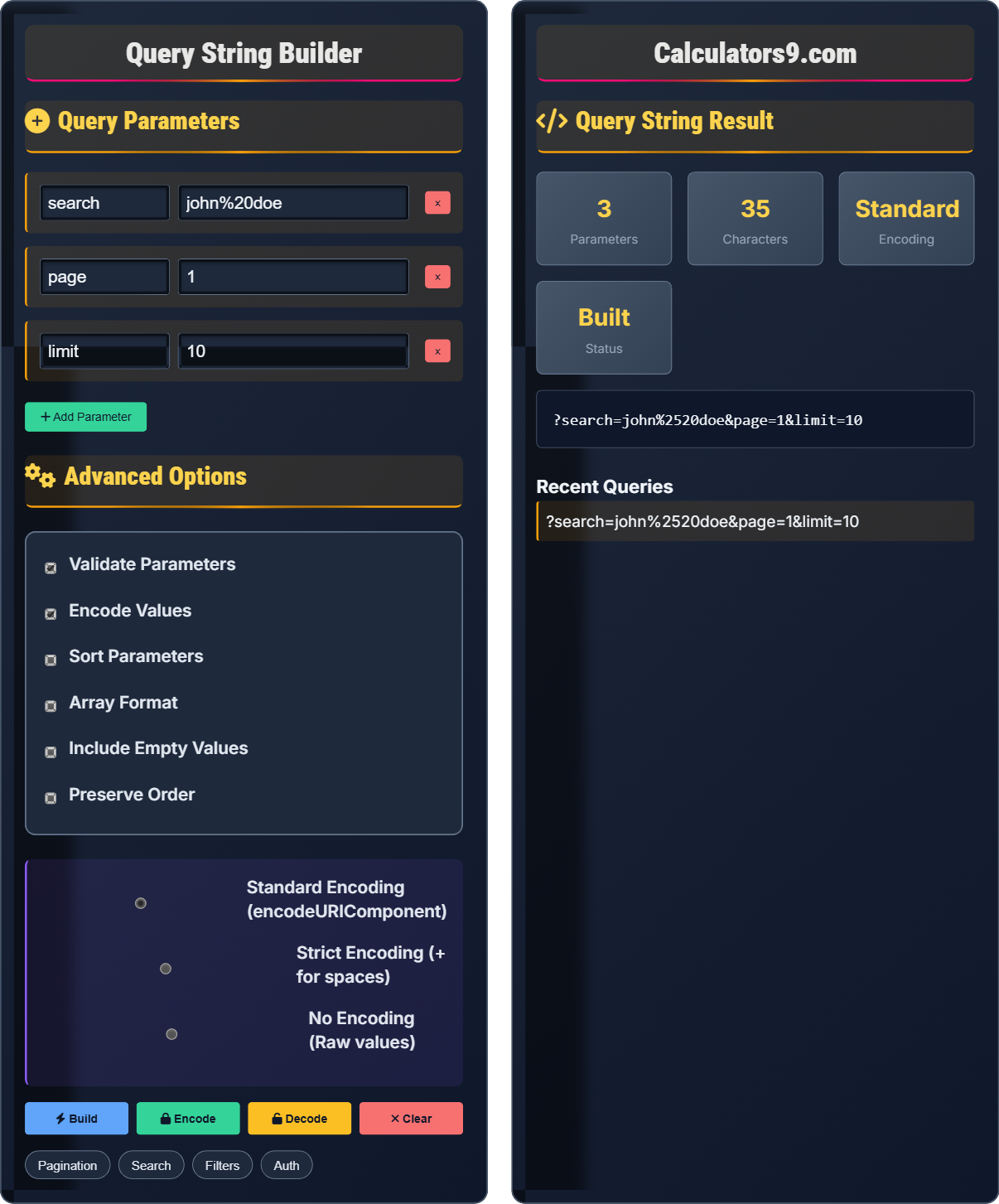
Build Queryparameter1=value1¶meter2=value2¶meter3=value3
Query strings are key-value pairs appended to URLs to pass information to servers. They are essential for API communication, filtering, pagination, and data transmission.
Best Practices:
- Always encode special characters in values
- Use meaningful parameter names
- Validate parameter values
- Handle arrays and complex data types properly
- Be mindful of URL length limits
- Implement proper error handling
Impact: Proper query string handling improves API reliability, enhances data transmission, and prevents security vulnerabilities.
Query Parameters
Advanced Options
Query String Result
Recent Queries
Query String Fundamentals
Query strings consist of key-value pairs separated by ampersands (&) and prefixed by a question mark (?) when appended to URLs. They enable flexible data transmission between clients and servers.
Basic: parameter=value
Multiple: param1=value1¶m2=value2
With Arrays: param[]=value1¶m[]=value2
With Objects: param[key]=value
Each component must be properly encoded to ensure correct transmission and interpretation.
- Separate parameters with &
- Separate keys and values with =
- Encode special characters properly
- Validate parameter values
- Consider URL length limits (2048 chars)
API Integration Impact
Proper query string handling improves API reliability, enhances data transmission, prevents security vulnerabilities, enables efficient filtering and pagination, and supports complex API operations.
- Pagination: ?page=1&limit=10
- Filtering: ?category=tech&status=published
- Sorting: ?sort=name&order=asc
- Search: ?q=keyword&fields=title,body
- Authentication: ?token=abc123&apiKey=xyz
- Improper character encoding
- Missing validation
- Excessive URL length
- Security vulnerabilities
Query String Building Learning Quiz
Which of the following is the correct format for a query string with multiple parameters?
The answer is B) ?param1=value1¶m2=value2. Query strings use the equals sign (=) to separate parameter names from their values, and ampersands (&) to separate multiple parameters.
Query strings follow a standardized format where each parameter consists of a name and value separated by an equals sign. Multiple parameters are joined with ampersands. This format is universally recognized by web browsers and servers.
Query String: Key-value pairs appended to URLs
Parameter: Name-value pair in query string
Separator: Character that divides components
• Use = to separate key and value
• Use & to separate parameters
• Start with ? after URL path
• Encode special characters
• Remember: param=value¶m2=value2
• Use query builders for complex strings
• Always validate before sending
• Using wrong separators
• Forgetting the ? prefix
• Not encoding special characters
When building a query string with the value "hello world", what should the encoded parameter look like?
The answer is D) Both B and C are acceptable. In URL encoding, spaces can be represented as %20 (percent-encoded) or + (plus sign). Both are valid, though %20 is more standard.
URLs cannot contain certain characters like spaces directly. They must be encoded using percent-encoding (%XX) or special representations like + for spaces. Different contexts may prefer one over the other.
Percent-Encoding: Encoding with % and hex digits
URL Safe: Characters that don't need encoding
Reserved Characters: Have special meaning in URLs
• Spaces become %20 or +
• Special chars need encoding
• Use encodeURIComponent() in JavaScript
• Validate encoded strings
• Use %20 for consistency
• + is mainly for forms
• Always encode user input
• Not encoding spaces
• Forgetting to encode other special chars
• Double encoding
You need to build a query string for an API that retrieves the second page of results with 20 items per page. What would be the correct query string?
The correct query string would be: ?page=2&limit=20
Explanation:
- "page" parameter specifies which page to retrieve (2nd page)
- "limit" parameter specifies how many items per page (20 items)
- Parameters are separated by &
- Uses standard format: parameter=value
This is a common pattern in REST APIs for pagination, allowing clients to retrieve data in manageable chunks.
Pagination is a standard technique for managing large datasets. By using page and limit parameters, APIs can return data in smaller, more manageable portions, improving performance and user experience.
Pagination: Breaking results into pages
Limit: Maximum items per page
Offset: Starting position in dataset
• Use consistent parameter names
• Validate page and limit values
• Handle boundary cases
• Consider performance limits
• Use page/limit or offset/limit
• Validate against max limits
• Include pagination metadata
• Not validating page numbers
• No limits on result sets
• Inconsistent parameter naming
An API accepts multiple category filters as an array. How should you construct a query string to filter by "technology", "science", and "education" categories?
There are several common formats for array parameters:
Format 1 (Brackets): ?categories[]=technology&categories[]=science&categories[]=education
Format 2 (Comma-separated): ?categories=technology,science,education
Format 3 (Repeated parameter): ?categories=technology&categories=science&categories=education
The specific format depends on the API's expected format. The bracket notation is most common for arrays in APIs.
Handling arrays in query strings requires understanding the API's expected format. Different APIs may expect different array representations. Always consult API documentation for the correct format.
Array Parameter: Multiple values for one parameter
Bracket Notation: Using [] to indicate arraysAPI Convention: Expected parameter format
• Check API documentation
• Use consistent format
• Encode array values
• Validate array parameters
• Bracket notation is common
• Commas work for simple lists
• Test with actual API
• Using wrong array format
• Not encoding array values
• Assuming all APIs use same format
Which of the following is NOT a security concern when building query strings?
The answer is B) URL length limitations causing data truncation. While URL length limits are a technical constraint, they are not primarily a security concern. The other options are legitimate security risks: SQL injection can occur if parameters aren't validated, sensitive data in URLs can be logged, and XSS can occur if parameter data isn't properly sanitized.
Query strings can introduce several security vulnerabilities if not handled properly. Always validate and sanitize query parameters, avoid putting sensitive information in URLs, and follow security best practices.
SQL Injection: Attack using malicious SQL in input
XSS: Cross-site scripting vulnerability
Data Exposure: Sensitive info in logs/URLs
• Validate all input parameters
• Don't put sensitive data in URLs
• Use parameterized queries
• Sanitize output
• Use POST for sensitive data
• Validate parameter types
• Log carefully
• Not validating user input
• Putting passwords in URLs
• Trusting parameter values
FAQ
Q: What's the maximum length for query strings?
A: While there's no official standard limit for query string length, practical limits exist:
• Internet Explorer: 2,083 characters
• Apache Server: 8,192 characters by default
• Nginx: 8,192 characters by default
• IIS: 16,384 characters
As a best practice, keep query strings under 2,000 characters to ensure compatibility across all browsers and servers. For larger datasets, consider using POST requests instead of GET with query strings.
Q: How should I handle sensitive data in query strings?
A: Never put sensitive data in query strings. Here's why and what to do instead:
Problems with sensitive data in URLs:
- Stored in browser history
- Logged in server logs
- Visible in referral headers
- Accidentally shared when copying URLs
Better alternatives:
- Use POST requests with sensitive data in the request body
- Pass sensitive data in HTTP headers
- Use tokens stored in sessions/cookies
- Employ proper authentication mechanisms
If you must pass sensitive identifiers, use encrypted tokens rather than plain text values.