SSL Certificate Expiry Tracker
Security monitoring • Renewal alerts • Certificate management
SSL Certificate Lifecycle & Security
Track CertificatesSSL/TLS certificates have limited validity periods (typically 1-2 years).
Key facts about SSL certificates:
- Expiration triggers security warnings in browsers
- Must be renewed before expiration to avoid service disruption
- Certificate Authorities (CA) issue certificates with specific validity periods
- EV certificates offer highest validation level
- OCSP and CRL mechanisms check certificate revocation status
Alert Thresholds: Critical (<7 days), Warning (7-30 days), Safe (30+ days)
Proper SSL certificate management prevents security breaches and service interruptions.
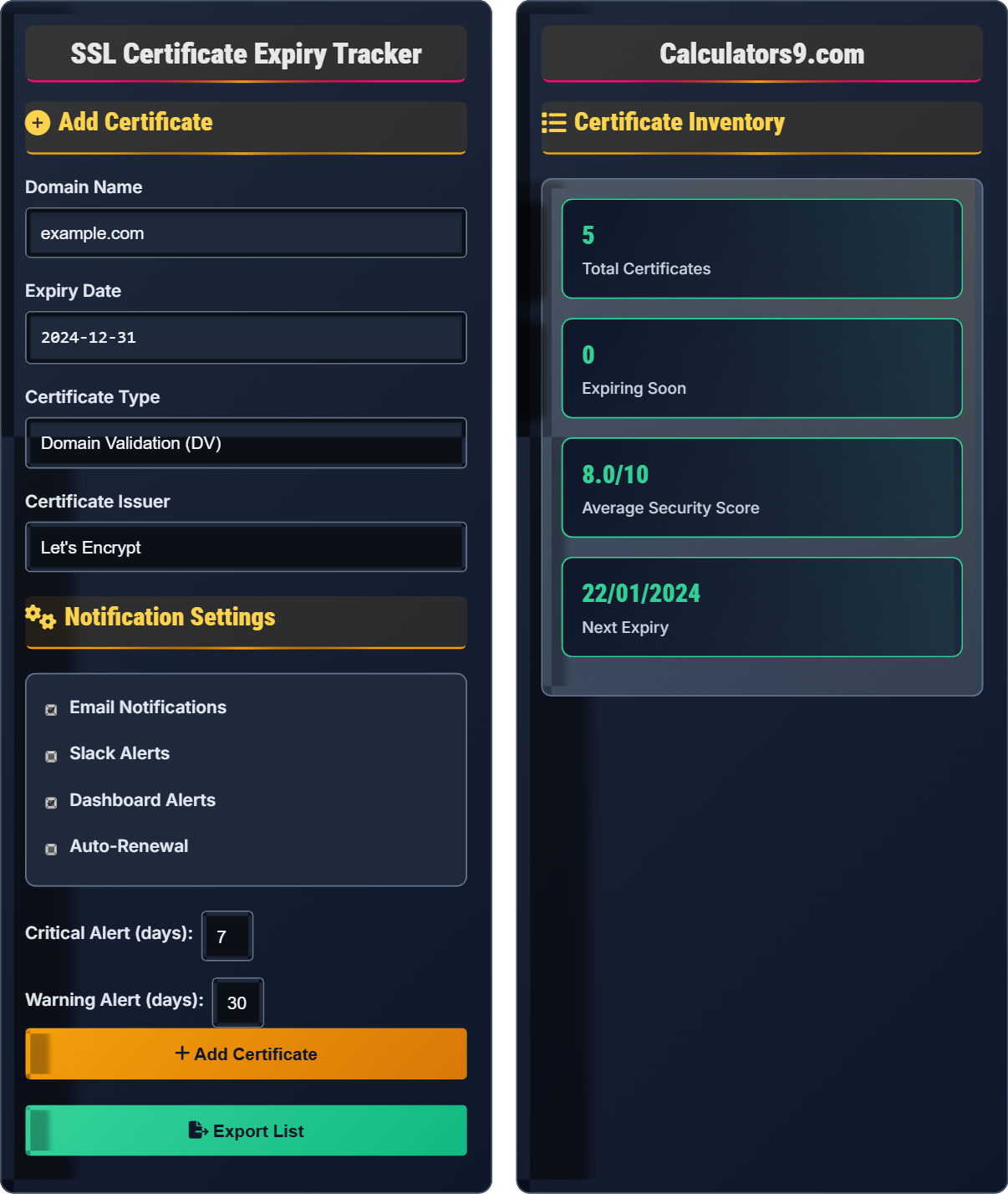
Add Certificate
Notification Settings
Certificate Inventory
SSL Certificate Management & Security Guide
SSL certificates come in different validation levels:
Recommended alert timing for certificate renewals:
- Critical Alert: 7 days before expiration
- Warning Alert: 30 days before expiration
- Notification: 60 days before expiration
- Planning: 90 days before expiration
Essential practices for certificate security:
- Regular Monitoring: Continuously track expiration dates
- Proper Storage: Secure private keys in hardware security modules
- Revocation Checks: Implement OCSP stapling and CRL checks
- Algorithm Strength: Use SHA-256 or stronger hashing
- Chain Validation: Ensure complete certificate chains
- Automated Renewal: Use Let's Encrypt with ACME protocol
- Monitoring Tools: Implement certificate tracking systems
- Alert Systems: Configure multi-channel notifications
- Backup Plans: Have contingency certificates ready
- Documentation: Maintain certificate inventories
SSL Certificate Fundamentals
Protocol that encrypts communication between web browsers and servers.
Issuance → Validation → Installation → Monitoring → Renewal → Replacement
Typical validity: 1-2 years (some CAs limit to 1 year)
- Never let certificates expire
- Keep private keys secure
- Update certificates before expiry
- Verify certificate chains
Security Management
Trusted entity that issues digital certificates.
- Generate new certificate signing request (CSR)
- Submit to certificate authority
- Validate domain/organization ownership
- Install new certificate
- Update systems and configurations
- Use strong encryption algorithms
- Implement certificate pinning
- Monitor for revoked certificates
- Have emergency replacement procedures
SSL Certificate Management Learning Quiz
Which SSL certificate validation level provides the highest level of trust and displays the organization name in the browser's address bar?
The correct answer is C) Extended Validation (EV). EV certificates require the most rigorous validation process, including verification of legal existence, operational existence, physical address, and authorization to use the domain. When installed, they display the organization name in the browser's address bar, providing the highest level of trust and visual assurance to visitors.
Understanding certificate validation levels is crucial for selecting appropriate security for different applications. DV certificates validate only domain ownership, OV validates organization identity, and EV provides the most comprehensive validation. The choice depends on the level of trust required and the sensitivity of the data being protected.
EV Certificate: Extended Validation certificate with highest validation level
DV Certificate: Domain Validation certificate verifying domain ownership
OV Certificate: Organization Validation certificate verifying business identity
• EV certificates display organization name in address bar
• Validation process becomes more rigorous from DV to EV
• EV certificates take longer to issue than DV certificates
• Use EV for e-commerce and financial sites
• OV suitable for business websites
• Confusing validation levels with encryption strength
• Using DV certificates for high-trust applications
• Not understanding the visual indicators in browsers
If today is January 15, 2024, and a certificate expires on February 29, 2024, how many days until expiration? When should you configure a warning alert based on best practices?
Days until expiration calculation:
January 15 to January 31: 16 days
February 1 to February 29: 29 days
Total: 16 + 29 = 45 days until expiration
Best practice alert configuration:
Warning alert: 30 days before expiration (January 30, 2024)
Critical alert: 7 days before expiration (February 22, 2024)
Planning notification: 60 days before expiration (December 27, 2023)
This calculation demonstrates the importance of proactive certificate management. The 30-day warning allows time for procurement and installation, while the 7-day critical alert ensures immediate action. Planning notifications help schedule renewals well in advance to avoid last-minute emergencies.
Expiration Date: Final date a certificate is considered valid
Warning Alert: Notification sent before critical deadline
Critical Alert: Urgent notification near expiration
• Always calculate days accurately including leap years
• Configure alerts well before expiration
• Account for weekends and holidays in planning
• Use calendar tools to visualize expiration dates
• Consider time zones when scheduling alerts
• Test renewal processes before critical dates
• Not accounting for leap years in calculations
• Setting alerts too close to expiration
• Forgetting to consider business hours for renewals
A company discovers that their wildcard SSL certificate for *.company.com expires in 5 days. The certificate covers 15 critical subdomains including login.company.com, api.company.com, and shop.company.com. What immediate actions should be taken, and what are the potential consequences of not renewing?
Immediate actions:
1. Generate new CSR for wildcard certificate
2. Submit urgent renewal request to CA
3. Prepare staging environment for certificate installation
4. Coordinate with development teams for potential downtime window
5. Test new certificate in staging before production deployment
6. Schedule installation with minimal business impact
Potential consequences:
- Complete service interruption across all 15 subdomains
- Security warnings displayed to users
- Loss of customer trust and business revenue
- SEO ranking impact due to security issues
- Potential data breach if users ignore security warnings
This scenario highlights the critical nature of wildcard certificates. Because they cover multiple subdomains, their expiration affects all covered domains simultaneously. The impact is multiplied compared to single-domain certificates, making their management even more critical.
Wildcard Certificate: Certificate covering domain and all subdomains
CSR: Certificate Signing Request for certificate issuanceService Interruption: Downtime caused by expired certificates
• Wildcard certificates require extra attention due to broad coverage
• Always have contingency plans for urgent renewals
• Test certificate installations in staging environments
• Implement automated monitoring for wildcard certificates
• Keep backup certificates for critical services
• Document renewal procedures thoroughly
• Not understanding the broad impact of wildcard expirations
• Failing to test renewal procedures in advance
• Not having emergency contacts for certificate authorities
A security administrator notices that one of their servers is using a self-signed certificate instead of a CA-issued certificate. The server handles internal administrative functions but no sensitive data. What are the security implications of self-signed certificates, and what recommendations would you make?
Security implications of self-signed certificates:
1. No third-party validation of identity
2. Browser warnings that users must accept manually
3. Vulnerable to man-in-the-middle attacks if not properly managed
4. Difficult to revoke if compromised
5. Potential for certificate confusion in large deployments
Recommendations:
For internal administrative functions:
- Consider using a private CA for internal certificates
- Implement proper certificate distribution mechanisms
- Document the use of self-signed certificates
- Ensure secure distribution of certificate fingerprints
- Plan migration to CA-issued certificates for enhanced security
This scenario illustrates the trade-offs between convenience and security. While self-signed certificates are easier to deploy, they lack the trust mechanisms of CA-issued certificates. The risk level depends on the sensitivity of data and the potential impact of compromise.
Self-Signed Certificate: Certificate signed by its own private key
Private CA: Internal Certificate Authority for organizational use
Man-in-the-Middle: Attack intercepting communications
• Self-signed certificates should be avoided for public-facing services
• Internal services may use private CA for better security
• Always verify certificate fingerprints for self-signed certificates
• Use Let's Encrypt for free, trusted certificates
• Implement certificate pinning to prevent substitution
• Consider private PKI for internal services
• Using self-signed certificates for public-facing services
• Not validating certificate authenticity
• Failing to implement proper certificate management
Which of the following is the most effective method for checking if a certificate has been revoked before its expiration date?
The answer is C) Online Certificate Status Protocol (OCSP). OCSP provides real-time certificate status information by querying the Certificate Authority directly. Unlike CRLs, which are periodic snapshots, OCSP provides immediate status updates. While CRLs can be effective, OCSP is more efficient and provides fresher information about certificate revocation status.
Understanding certificate revocation mechanisms is crucial for security. CRLs provide batch updates but can be outdated. OCSP offers real-time status but can create privacy concerns. Certificate Transparency logs provide public audit trails but don't directly indicate revocation status. OCSP Stapling combines efficiency with privacy by having servers provide OCSP responses.
OCSP: Online Certificate Status Protocol for real-time status
CRL: Certificate Revocation List containing revoked certificates
OCSP Stapling: Server provides OCSP response to clients
• Implement both CRL and OCSP checking when possible
• Use OCSP Stapling to improve performance and privacy
• Monitor for revoked certificates in your infrastructure
• Enable OCSP Stapling on web servers
• Implement CRL checking as backup to OCSP
• Monitor Certificate Transparency logs for your domains
• Not implementing any revocation checking
• Relying solely on CRLs without OCSP
• Not handling OCSP failures gracefully
FAQ
Q: What's the difference between SSL certificate expiration and revocation, and how should I monitor both?
A: The key differences are:
- Expiration: Natural end of certificate validity period, planned and predictable
- Revocation: Premature invalidation due to compromise, misissuance, or policy violation
Monitoring strategies:
- Expiration: Track dates and set automated alerts (30, 14, 7 days before)
- Revocation: Implement OCSP checking and CRL monitoring in applications
- Combined: Use certificate management platforms that handle both
Both require proactive monitoring to maintain security and availability.
Q: How can we automate SSL certificate renewals for our infrastructure to prevent service disruptions?
A: Effective automation strategies include:
- Let's Encrypt + ACME: Free certificates with automated renewal
- Cloud Provider Integration: AWS Certificate Manager, Azure Key Vault
- Infrastructure as Code: Ansible, Terraform for certificate deployment
- Monitoring Hooks: Integrate with alerting systems for failed renewals
- Staging Environment: Test renewals before production
Always implement fallback procedures and manual override capabilities for when automation fails.