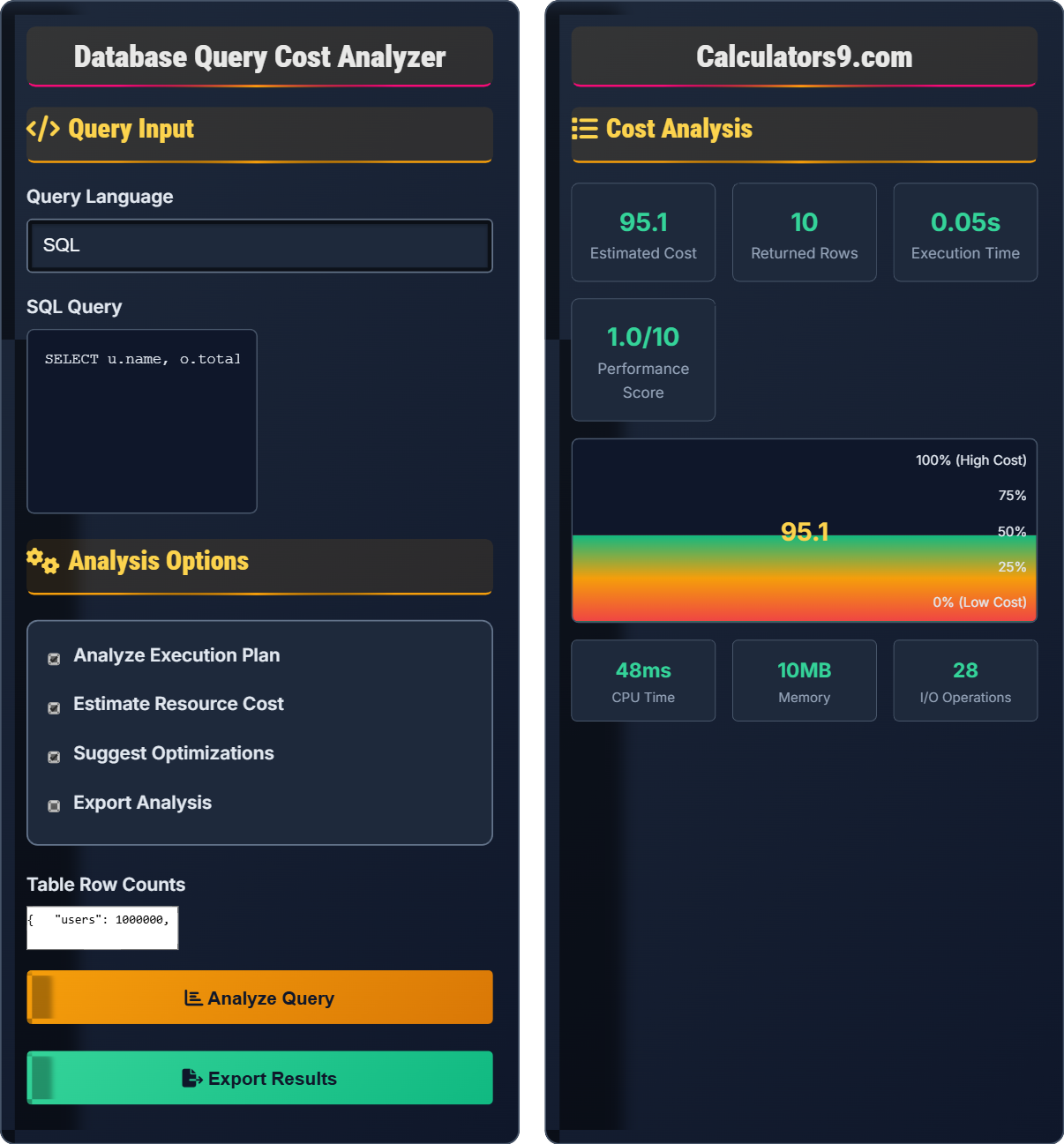
Database Query Cost Analyzer
Performance optimization • Execution analysis • Cost estimation
Query Cost Analysis & Execution Planning
Analyze QueryQuery cost analysis estimates resource consumption and execution time.
Key cost factors:
- Table Scans: Full table traversal
- Index Lookups: Efficient key-based searches
- Joins: Combining multiple tables
- Sorting: Ordering result sets
- Aggregations: Grouping and summarizing
Cost Estimation: Relative units based on database statistics
Optimizing queries reduces resource consumption and improves performance.
Query Input
Analysis Options
Cost Analysis
Database Query Analysis & Performance Optimization Guide
Factors affecting query cost:
Effective optimization techniques:
- Index Creation: Add indexes on frequently queried columns
- Query Rewriting: Simplify complex joins or subqueries
- Limit Usage: Restrict result sets when possible
- Proper Joins: Use appropriate join types for data relationships
- Statistics: Keep database statistics updated
Reading execution plans:
- Sequential Scans: Full table reads (usually expensive)
- Index Scans: Using indexes for lookups (better)
- Hash Joins: Efficient for large datasets
- Nested Loops: Good for small result sets
- Bitmap Scans: Efficient for OR conditions
- Relative Costs: Compare costs between different queries
- Statistics: Ensure database statistics are current
- Testing: Verify estimates with actual execution times
- Workload: Consider concurrent query impact
- Hardware: Factor in available resources
Query Cost Analysis Fundamentals
Estimated resource consumption for query execution.
Based on table statistics, indexes, and operations.
Measured in relative units (not actual time).
- Lower cost generally means better performance
- Cost is relative, not absolute
- Statistics affect accuracy
- Actual performance may vary
Performance Analysis
Quantitative measures of query efficiency.
- Parse query structure
- Estimate operation costs
- Calculate total cost
- Generate execution plan
- Provide optimization suggestions
- Sub-second execution for OLTP
- Efficient use of indexes
- Minimal resource consumption
- Scalable performance
Database Query Analysis Learning Quiz
Which of the following operations typically has the HIGHEST cost in a query execution plan?
The correct answer is B) Table Scan. A table scan reads every row in a table, which is the most expensive operation in terms of I/O. It has a cost that scales linearly with table size. In contrast, index seeks use the index to directly locate specific rows, making them much more efficient.
This question highlights the fundamental difference in operation costs. Table scans examine every row, while index operations use the index structure to efficiently locate data. Understanding this helps prioritize index creation and query optimization efforts.
Table Scan: Reading every row in a table
Index Seek: Using index to find specific rows
Index Scan: Reading all index entries
• Table scans are most expensive operation
• Index seeks are most efficient
• Cost scales with data volume
• Avoid table scans when possible
• Create indexes on WHERE clause columns
• Use EXPLAIN to identify scans
• Not understanding scan vs. seek differences
• Failing to create appropriate indexes
• Using functions in WHERE clauses that prevent seeks
A query performs a table scan on a table with 1,000,000 rows. If the cost model assigns 1 unit per row, and there's an additional 100 units for setup overhead, what is the estimated total cost?
Calculation:
Row cost: 1,000,000 rows × 1 unit/row = 1,000,000 units
Setup overhead: 100 units
Total cost: 1,000,000 + 100 = 1,000,100 units
The estimated total cost is 1,000,100 units.
This demonstrates how cost models work. Database optimizers assign costs to operations based on statistics and operation types. The setup overhead represents the cost of initializing the operation, while the per-row cost represents the cost of processing each individual row.
Cost Unit: Relative measure of resource consumption
Setup Overhead: Fixed cost for operation initialization
Per-Row Cost: Variable cost based on data volume
• Costs are relative, not absolute measures
• Total cost = Fixed overhead + Variable costs
• Statistics affect cost estimates
• Understand your database's cost model
• Use statistics for accurate estimates
• Compare costs to optimize queries
• Confusing cost units with time units
• Not accounting for setup overhead
• Assuming costs are absolute measures
A query joins two large tables (1M and 5M rows) without indexes on the join columns. The optimizer estimates the cost at 500,000 units and execution time at 15 seconds. What optimization strategy would most effectively reduce the cost?
The most effective optimization would be:
1. Create indexes on the join columns to enable index seeks instead of table scans
2. This would reduce the cost from O(n*m) to approximately O(log n + log m)
3. Expected cost reduction: From 500,000 units to approximately 1,000-5,000 units
4. Expected time reduction: From 15 seconds to under 1 second
Creating appropriate indexes is the most impactful optimization for join operations on large tables.
This demonstrates the dramatic impact of proper indexing on join performance. Without indexes, the database must perform a nested loop join examining every combination of rows, resulting in O(n*m) complexity. With indexes, it can efficiently locate matching rows.
Nested Loop Join: Examines all row combinations
Index Seek: Uses index to locate specific rows
Join Cardinality: Number of matching rows
• Always index join columns
• Statistics affect join algorithm choice
• Index all foreign key columns
• Consider composite indexes for multi-column joins
• Use JOIN hints if needed
• Not indexing join columns
• Performing joins on non-indexed columns
• Ignoring join cardinality
A query selects the top 10 customers by sales amount: SELECT * FROM customers c JOIN orders o ON c.id = o.customer_id ORDER BY o.amount DESC LIMIT 10. The execution plan shows a table scan on orders (5M rows) followed by sorting. How can this be optimized?
Optimization strategies:
1. Create an index on orders(amount DESC) to eliminate sorting
2. Consider a composite index on orders(customer_id, amount DESC) for efficient joins
3. Add an index on customers(id) for the join
4. Consider a materialized view or summary table for frequent top-N queries
These optimizations would change the execution from O(n log n) to O(k) where k is the number of results needed.
This demonstrates how to optimize top-N queries. Sorting large result sets is expensive, but if the data is already ordered by the sort column through indexing, the database can stop after finding the top results. This transforms the problem from sorting all data to simply reading the first few index entries.
Top-N Query: Retrieving limited results by rank
Index Sort Elimination: Using index order to avoid sorting
Materialized View: Precomputed query results
• Index sort columns for ORDER BY clauses
• Use composite indexes for multi-column conditions
• Consider materialized views for complex aggregations
• Order indexes by sort direction
• Use covering indexes when possible
• Consider partitioning for large tables
• Not indexing sort columns
• Performing full sorts for top-N queries
• Not considering index maintenance costs
When reading an execution plan, what does a high estimated row count compared to actual row count indicate?
The answer is B) The database statistics are outdated. When estimated rows differ significantly from actual rows, it indicates that the database's statistics about the data distribution are inaccurate. This leads to poor cost estimates and potentially inefficient execution plans.
This highlights the importance of maintaining accurate statistics. The query optimizer relies on statistics to estimate selectivity and make decisions about execution plans. Outdated statistics can lead to choosing expensive operations like table scans when index seeks would be more efficient.
Estimated Rows: Optimizer's prediction of result set size
Actual Rows: Real number of rows processed
Statistics: Data distribution information
• Keep database statistics updated
• Large discrepancies indicate problems
• Statistics affect plan quality
• Update statistics regularly
• Use AUTO UPDATE STATISTICS
• Monitor plan quality over time
• Not updating statistics after large data changes
• Ignoring plan quality indicators
• Assuming estimates are always accurate
FAQ
Q: What's the difference between estimated cost and actual execution time?
A: Key differences:
- Estimated Cost: Relative units based on database statistics
- Actual Time: Real-world execution duration
- Purpose: Cost guides plan selection; time measures performance
- Accuracy: Cost depends on statistics; time is factual
Estimated cost helps the optimizer choose the best plan, while actual time measures real performance.
Q: How can I identify which queries need optimization in my application?
A: Identify candidates by:
- Query Logs: Find slowest executing queries
- Database Monitors: Check for high CPU/memory usage
- Missing Indexes: Look for table scans
- Frequency: Optimize frequently executed queries
- Impact: Focus on queries affecting user experience
Start with queries that have the highest impact on overall application performance.