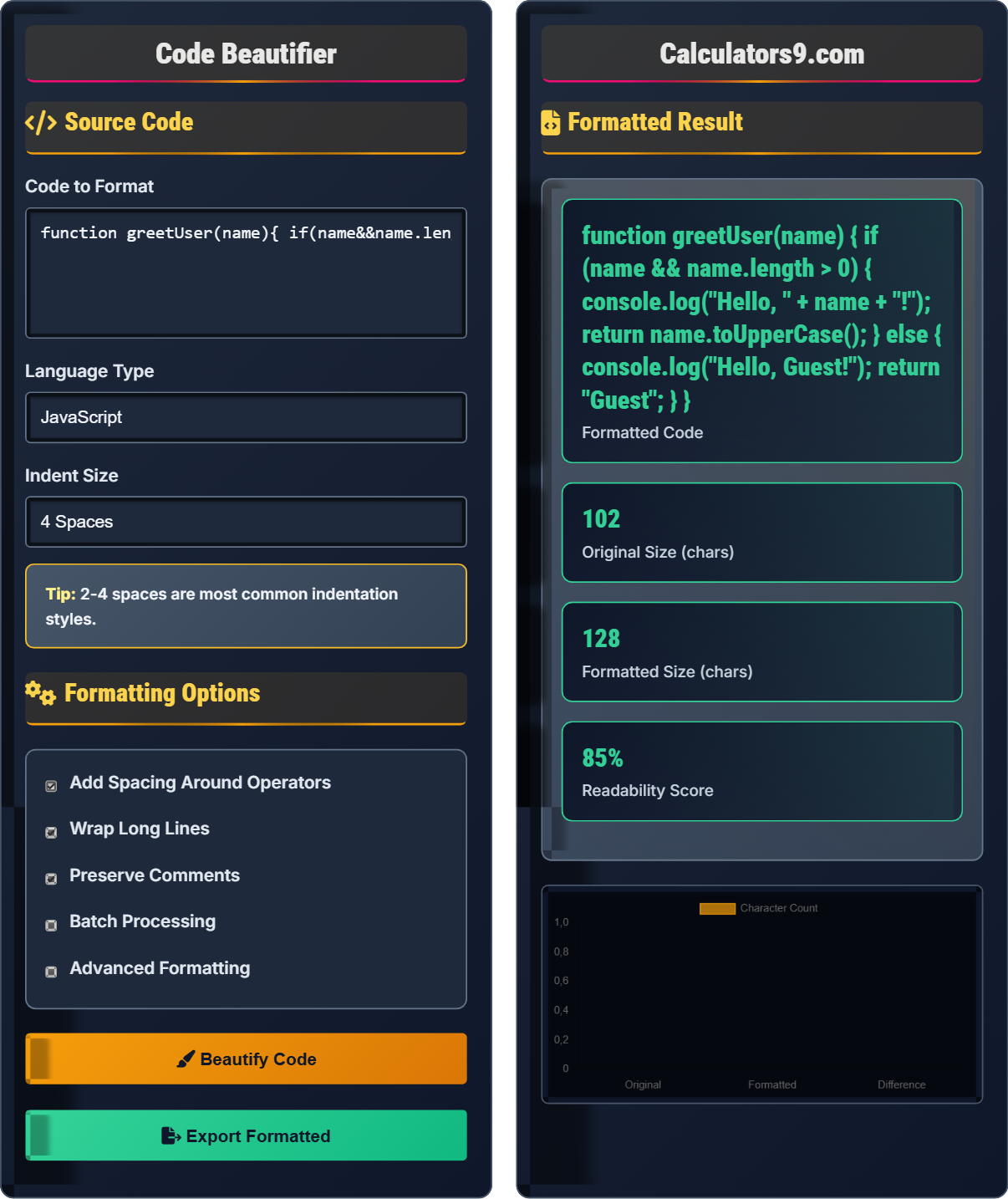
Code Beautifier
JavaScript CSS HTML formatter • 2026 standards
function hello(){console.log('world');} → function hello() {\n console.log('world');\n}
Source Code
Formatting Options
Formatted Result
| Rule | Applied | Changes | Impact | Time |
|---|
| Metric | Before | After | Change | Significance |
|---|
Comprehensive Code Beautification Guide
Code beautification is the process of transforming compressed, unreadable code into a more readable and maintainable format. This involves adding proper indentation, spacing, and line breaks to make the code structure clear and easy to understand. Beautification is especially important when working with minified code or when trying to understand third-party libraries.
The code beautification process follows this algorithm:
Where:
- Unformatted: Raw, compressed code
- Parse: Identify code elements
- Indent: Apply proper nesting
- Format: Final readable output
Different programming languages have specific formatting conventions:
- JavaScript: Curly braces, semicolons, camelCase
- CSS: Selector grouping, property ordering
- HTML: Tag nesting, attribute formatting
- JSON: Key-value alignment, array formatting
- Python: Indentation-sensitive syntax
- Consistency: Use the same style throughout
- Team Standards: Follow project formatting guidelines
- Tool Integration: Use formatters in IDEs
- Automated Formatting: Run formatters in build process
- Version Control: Format before committing
Code Beautification Learning Quiz
Which of the following is the most commonly accepted indentation size in JavaScript development?
The answer is C) 4 spaces. While 2 spaces has gained popularity in recent years, 4 spaces remains the most widely accepted indentation size in JavaScript development. Many style guides, including Google's JavaScript Style Guide, recommend 2 spaces, but 4 spaces is still the most common choice overall.
Indentation standards vary by language and community preferences. The choice affects code readability and collaboration. It's important to follow the convention of the project you're working on, but 4 spaces has been the traditional standard in JavaScript development for many years.
Indentation: Horizontal space at beginning of line
Consistency: Uniform formatting across codebase
Readability: How easily code can be understood
• Choose one style and stick to it
• Follow team/project conventions
• Use editor settings to enforce consistency
• Use ESLint/Prettier for automatic formatting
• Configure your editor to show whitespace
• Use .editorconfig for team consistency
• Mixing spaces and tabs
• Inconsistent indentation in same file
• Not following project standards
Explain why preserving comments during code beautification is important and describe one potential challenge in doing so.
Importance: Comments provide documentation, explain complex logic, indicate TODO items, and preserve license information. They are crucial for code maintainability and understanding.
Challenge: Comments can appear in various positions relative to code elements, making it difficult to determine their proper placement after reformatting. Multi-line comments especially can complicate parsing and positioning.
Comments serve as documentation that explains the "why" behind code decisions. While beautification focuses on structural formatting, preserving comments ensures that important contextual information isn't lost. The challenge lies in accurately parsing the comment's intended association with nearby code elements.
Documentation: Explanatory text for code
Contextual Information: Background for code decisions
Multi-line Comments: Comments spanning multiple lines
• Always preserve comments during beautification
• Maintain comment-to-code associations
• Respect license and attribution comments
• Use AST-based parsers for accurate comment handling
• Test with various comment placements
• Verify license preservation
• Removing important documentation comments
• Misplacing comments during reformatting
• Not handling multi-line comments properly
A developer has a deeply nested JavaScript object with 8 levels of nesting. When they beautify the code, the deepest levels become difficult to read due to excessive indentation. Calculate the total indentation width at the 8th level if using 4-space indentation, and suggest an alternative formatting approach.
Step 1: Calculate indentation width = 4 spaces × 8 levels = 32 spaces
Step 2: At 8 levels deep, there are 32 spaces before the deepest code
Step 3: On a standard 80-column terminal, this leaves only 48 columns for code
Alternative Approaches:
• Use 2-space indentation instead of 4
• Flatten nested structures where possible
• Break complex nested objects into separate variables
• Use array/object destructuring to reduce nesting
This demonstrates how indentation can impact code readability in deeply nested structures. As nesting increases, the available horizontal space for actual code decreases. This is why many style guides recommend limiting nesting depth and preferring flatter structures when possible.
Nesting Level: Depth of code indentation
Horizontal Space: Width available for code
Terminal Columns: Character width of terminal display
• Limit nesting to 4-5 levels maximum
• Consider alternative structures for deep nesting
• Balance indentation with readability
• Use 2-space indentation for deeply nested code
• Break complex objects into smaller pieces
• Consider functional approaches to reduce nesting
• Creating excessively nested structures
• Not considering indentation impact on readability
• Using fixed indentation regardless of nesting depth
A development team is working on a JavaScript project with inconsistent code formatting. Some developers use 2-space indentation while others use 4-space indentation. Describe how a code beautifier can help resolve this issue and what steps the team should take.
Beautifier Solution:
• Apply consistent formatting rules across all files
• Eliminate style differences between team members
• Reduce merge conflicts caused by formatting
Team Steps:
1. Agree on a common formatting standard (e.g., 2 spaces)
2. Configure formatters (ESLint, Prettier) with agreed rules
3. Set up pre-commit hooks to format code automatically
4. Run beautifier on entire codebase once
5. Educate team on using formatter in their editors
This scenario highlights the importance of consistent formatting in collaborative development. Code formatters solve the subjective debate about formatting by applying objective rules automatically. This removes formatting discussions from code reviews and focuses attention on logic and functionality.
Collaborative Development: Multiple developers working on same code
Style Consistency: Uniform formatting across codebase
Pre-commit Hooks: Scripts that run before commits
• Establish team formatting standards
• Use automated tools for enforcement
• Apply formatting consistently
• Use editorconfig for cross-editor consistency
• Set up CI checks for formatting
• Document formatting decisions
• Not standardizing formatting early in project
• Forgetting to configure team members' editors
• Not applying formatting to entire codebase
Which of the following statements about language-specific formatting is true?
The answer is B) Python formatting is sensitive to indentation. Python uses indentation to define code blocks, making formatting not just stylistic but syntactically important. Incorrect indentation in Python will cause syntax errors, unlike other languages where formatting is purely for readability.
This question highlights how formatting serves different purposes in different languages. In Python, formatting is part of the language syntax, while in JavaScript and CSS, formatting is primarily for readability. Understanding these differences is crucial for effective code beautification.
Syntactic Formatting: Formatting that affects code execution
Stylistic Formatting: Formatting for readability only
Indentation-Sensitive: Language where whitespace defines structure
• Apply language-specific rules
• Understand syntactic vs stylistic formatting
• Respect language conventions
• Use language-aware formatters
• Learn language-specific conventions
• Test formatting on different languages
• Applying same rules to all languages
• Not understanding language-specific requirements
• Forgetting syntactic formatting needs
Beautification Basics
Adding proper indentation, spacing, and formatting to compressed code.
Parse → Indent → Space → Wrap → Output
Transforms compressed code into readable format.
- Consistent indentation
- Proper spacing around operators
- Logical line breaks
Best Practices
Use same formatting rules across entire project.
- Choose standard indentation size
- Configure automated tools
- Apply to entire codebase
- Integrate into development workflow
- Team collaboration
- Editor configuration
- Version control impact
- Performance implications
FAQ
Q: Does beautification affect code functionality?
A: No, beautification only changes whitespace and formatting. The underlying logic and functionality remain unchanged. Comments are preserved unless specifically configured otherwise.
Q: 2-space vs 4-space indentation?
A: 2-space: More compact, fits deeply nested code. 4-space: More readable, clearer indentation. Choose based on team preference and project standards.