Code Minifier
JavaScript CSS HTML compressor • 2026 standards
function hello() { console.log('world'); } → function hello(){console.log('world')}
Source Code
Optimization Options
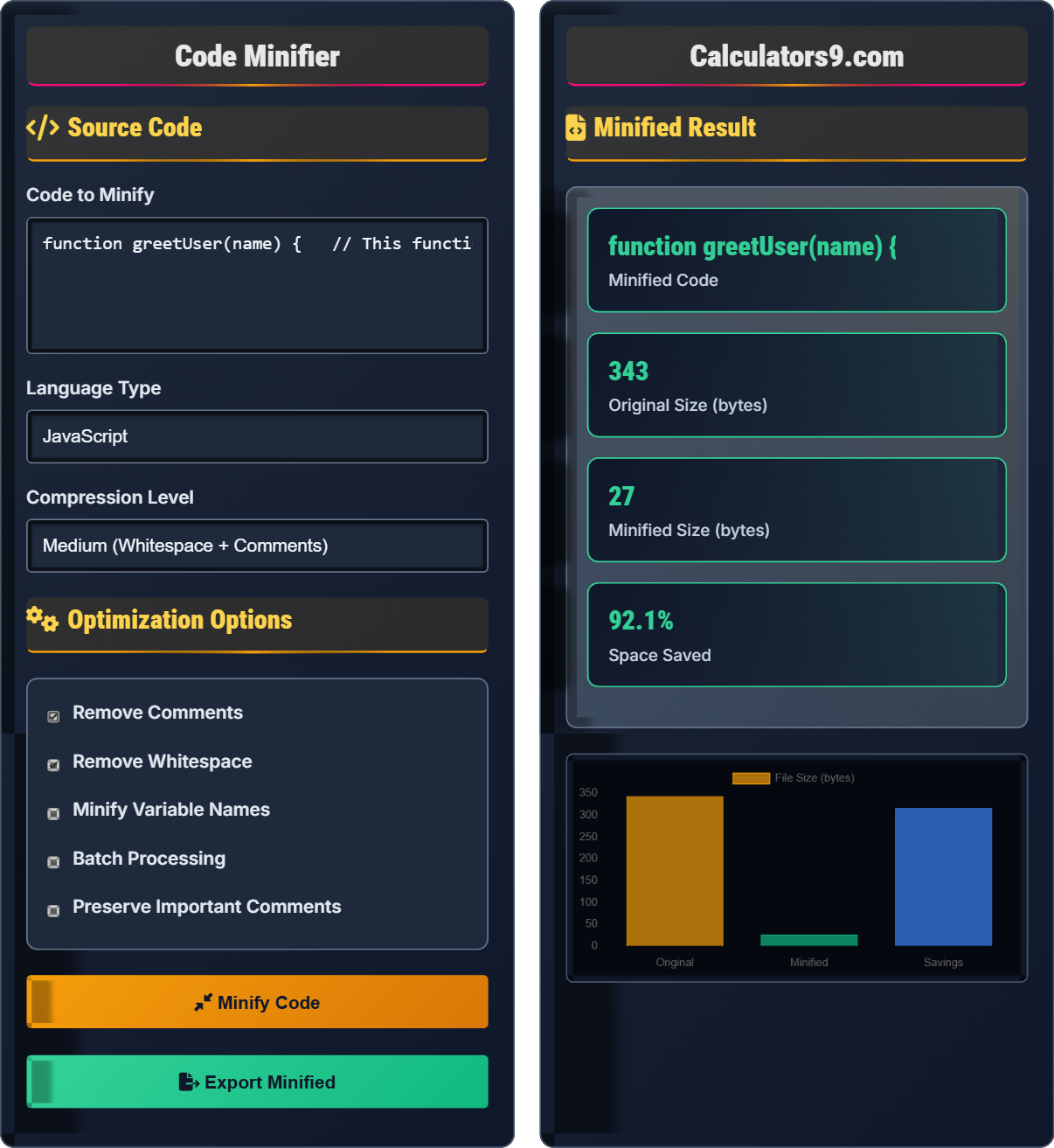
Minified Result
| Metric | Before | After | Savings | Percentage |
|---|
| Operation | Applied | Bytes Saved | Effectiveness | Time |
|---|
Comprehensive Code Minification Guide
Code minification is the process of removing unnecessary characters from source code without changing its functionality. This includes removing whitespace, comments, and sometimes renaming variables to shorter names. The goal is to reduce file size, which improves load times and reduces bandwidth usage for web applications.
Common minification techniques include:
Where:
- Original: Full source code
- Whitespace: Spaces, tabs, newlines
- Comments: Documentation and notes
- Names: Variables, functions, classes
Code minification provides several important benefits:
- Reduced File Size: Smaller files download faster
- Improved Performance: Faster parsing and execution
- Bandwidth Savings: Less data transferred
- Obfuscation: Code becomes harder to read
- SEO Improvement: Faster page loads boost rankings
- Keep Original: Always preserve original source
- Source Maps: Use source maps for debugging
- Test Thoroughly: Verify minified code works correctly
- Balance: Optimize for both size and readability
- Automation: Integrate into build process
Code Minification Learning Quiz
What is the primary purpose of code minification?
The answer is B) To reduce file size and improve performance. Minification removes unnecessary characters like whitespace and comments to make files smaller, which improves download times and overall application performance. While it also makes code harder to read (a side effect), the primary goal is performance optimization.
Understanding the core purpose of minification is essential for proper implementation. The process is purely about optimization - making code more efficient for delivery and execution, not about enhancing functionality. This distinguishes it from other code transformations like transpilation or bundling.
Minification: Process of removing unnecessary characters from code
File Size: Amount of data in a file
Performance: Speed and efficiency of code execution
• Minification reduces file size
• Improves download and parsing times
• Does not change functionality
• Use automated build tools
• Preserve original source
• Test minified code thoroughly
• Confusing minification with obfuscation
• Not testing minified code
• Removing important comments
Which of the following code elements can be safely removed during minification? List all that apply: comments, whitespace, semicolons, function names, variable names.
Safely Removable:
• Comments: Pure documentation, no functional impact
• Whitespace: Formatting only, not required for execution
• Variable names: Can be shortened if done systematically
Cannot Safely Remove:
• Semicolons: Required in JavaScript in certain contexts
• Function names: Required for function calls and references
This question highlights the importance of understanding JavaScript syntax rules. While whitespace and comments are purely for human readability, semicolons are sometimes required due to automatic semicolon insertion rules. Similarly, names must be preserved or systematically replaced to maintain functionality.
Safe Removal: Does not affect code functionality
Automatic Semicolon Insertion: JavaScript's parsing behavior
Name Mangling: Systematic renaming of variables/functions
• Comments and whitespace are safe to remove
• Syntax elements must be preserved or handled carefully
• Names require systematic replacement
• Use established minification tools
• Understand language-specific rules
• Always test after minification
• Removing semicolons inappropriately
• Not understanding ASI rules
• Renaming without preserving scope
A web application has 10 JavaScript files totaling 2MB. After minification, the total size is reduced by 60%. If the application serves 10,000 users daily, calculate the daily bandwidth savings in MB.
Step 1: Calculate size reduction = 2MB × 0.60 = 1.2MB
Step 2: Calculate daily savings = 1.2MB × 10,000 users = 12,000MB
Step 3: Convert to GB = 12,000MB ÷ 1024 = 11.7GB
Therefore, the daily bandwidth savings are 12,000MB (11.7GB) per day.
This demonstrates the significant impact of minification at scale. While 1.2MB might seem modest for a single application, when multiplied across thousands of users, the savings become substantial. This calculation helps justify the effort invested in minification processes.
Bandwidth: Data transfer capacity over network
Scale: Multiplication effect across usersMB: Megabyte (1,048,576 bytes)
• Savings multiply with user count
• Even small reductions have impact at scale
• Bandwidth costs can be significant
• Calculate ROI for minification efforts
• Consider CDNs for further savings
• Monitor bandwidth usage trends
• Not considering scale effects
• Underestimating bandwidth costs
• Forgetting to measure actual savings
Explain why source maps are important when using code minification in production applications, and describe how they help with debugging.
Importance of Source Maps:
• Minified code is unreadable and unmaintainable
• Error stack traces point to minified code locations
• Developers need to see original source for debugging
How They Help:
• Map minified code locations back to original source
• Enable debugging of original, readable code
• Allow setting breakpoints in original code
• Show meaningful variable and function names
• Maintain development workflow while using optimized code
Source maps solve the fundamental conflict between performance optimization and development convenience. They allow teams to deploy highly optimized code while maintaining the ability to debug as if the original code were running. This is essential for maintaining code quality in production environments.
Source Map: File mapping minified to original code
Debugging: Finding and fixing code errors
Production: Live application environment
• Always use source maps in production
• Generate source maps during build
• Don't serve source maps to end users
• Configure build tools to generate source maps
• Use sourcemaps in browser dev tools
• Exclude source maps from production bundles
• Not using source maps at all
• Serving source maps to public
• Not configuring build tools properly
Which of the following scenarios would make code minification potentially unsafe?
The answer is D) All of the above. Modern ES6+ features may not be supported by all minifiers. Legal notices in comments may need to be preserved. Dynamic code evaluation (eval/new Function) can break if minification changes variable names or code structure. All these scenarios require careful consideration during minification.
This question emphasizes that minification is not a universal solution. Different code patterns and requirements may necessitate different approaches or configurations. Understanding these edge cases is crucial for safe minification implementation.
ES6+: Modern JavaScript features
eval(): Function that evaluates code as string
Dynamic Evaluation: Runtime code execution
• Test code after minification
• Preserve legal notices
• Be cautious with dynamic code
• Use preserve comments option for licenses
• Avoid eval() when possible
• Test thoroughly in production-like environment
• Not testing after minification
• Removing important legal notices
• Breaking dynamic code constructs
Minification Basics
Removing unnecessary characters from source code without changing functionality.
Remove whitespace → Remove comments → Shorten names
Reduces file size for better performance.
- Does not change functionality
- Reduces file size
- Improves performance
Best Practices
Use build tools, preserve source, test thoroughly.
- Configure build process
- Preserve source maps
- Test minified output
- Monitor performance gains
- Debugging complexity
- Build process overhead
- Browser caching
- Legal notice preservation
FAQ
Q: Can minification break my code?
A: Yes, if done incorrectly. Poor minification can break code with eval(), incorrect semicolon removal, or unsafe name mangling. Always test thoroughly.
Q: Light vs Heavy minification?
A: Light: Remove whitespace only. Heavy: Advanced optimizations, name mangling. Heavy saves more space but takes longer and risks breaking code.