Code Snippet Saver
Professional code repository • 2026 edition
Code Snippet Organization System:
Show the saverA code snippet saver organizes reusable code segments with metadata including language, tags, and descriptions. Effective organization systems use:
- Categories: Group snippets by language, framework, or functionality
- Tags: Add searchable keywords for quick retrieval
- Descriptions: Document purpose and usage
- Versions: Track improvements and updates
- Search: Enable quick access to stored snippets
Proper organization increases productivity by reducing time spent searching for common solutions.
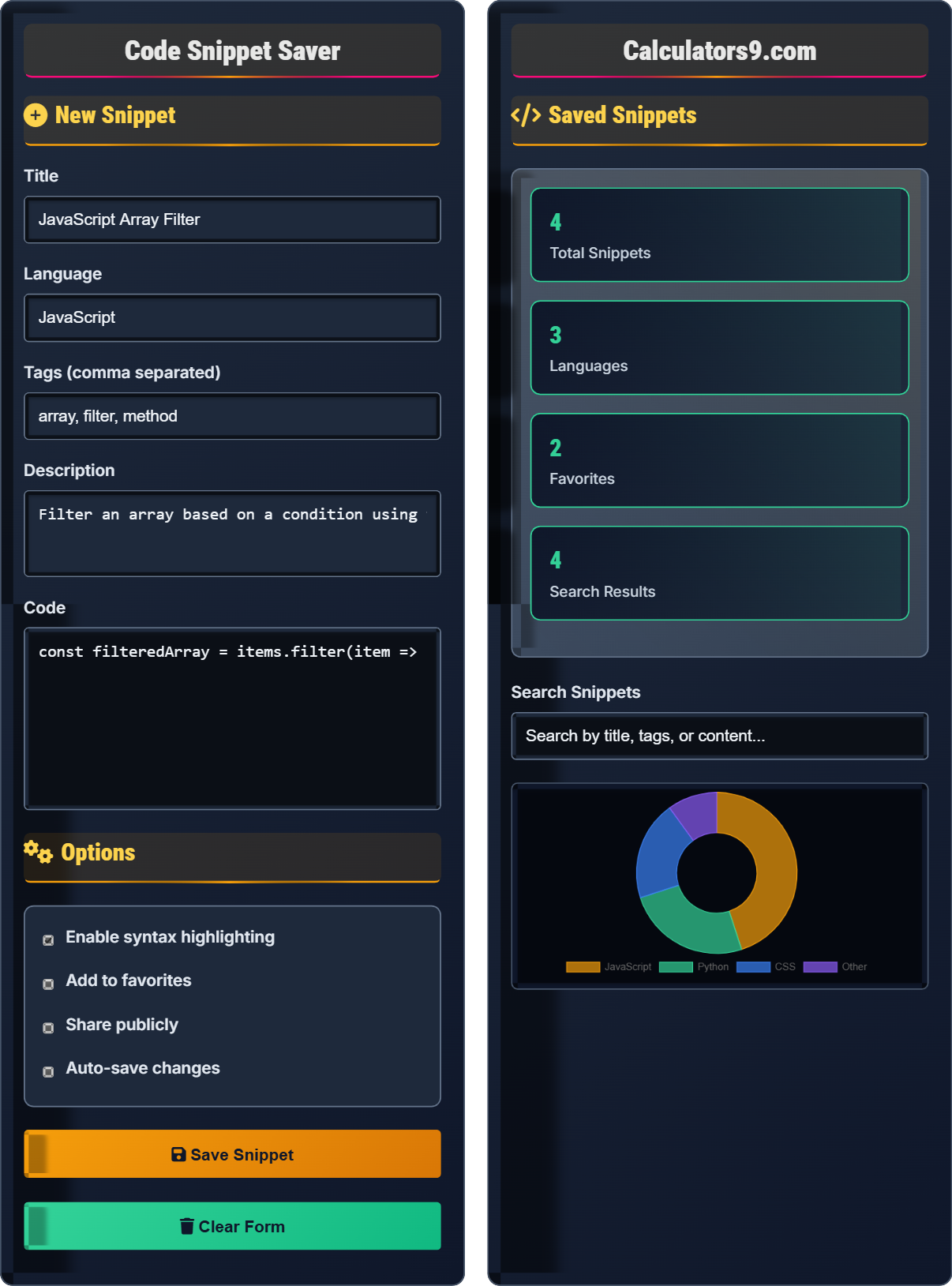
New Snippet
Options
Saved Snippets
const filteredArray = items.filter(item => item.isActive);squares = [x**2 for x in range(10)].container {
display: flex;
justify-content: center;
align-items: center;
}const filteredArray = items.filter(item => item.isActive);const filteredArray = items.filter(item => item.isActive);.container {
display: flex;
justify-content: center;
align-items: center;
}Comprehensive Code Snippet Management Guide
A code snippet is a reusable piece of code that performs a specific task. These are commonly used to accelerate development by providing ready-made solutions for common programming challenges. Effective snippet management involves organizing, categorizing, and documenting these code pieces for easy retrieval and reuse.
Successful code snippet management follows these strategies:
Effective search capabilities are crucial for snippet repositories:
- Multi-field search: Search by title, tags, content, or language
- Filtering: Filter by language, date, or category
- Sorting: Sort by recency, popularity, or relevance
- Autocomplete: Provide suggestions as you type
- Descriptive naming: Use clear, meaningful titles
- Consistent formatting: Maintain uniform code style
- Regular cleanup: Remove outdated or unused snippets
- Backup strategy: Regularly backup your collection
- Accessibility: Ensure easy access from any device
Code Snippet Management Learning Quiz
What is the most important factor for effective code snippet organization?
The answer is B) Consistent categorization and tagging. Effective organization relies on systematic classification that enables quick retrieval. Consistent categories and tags allow developers to find relevant snippets efficiently, while disorganized approaches waste valuable development time.
Organization systems work because they create predictable patterns. When snippets are consistently categorized by language, function, or project, developers can quickly locate what they need. Tagging provides multiple pathways to the same content, increasing findability. Without consistent organization, even excellent code becomes difficult to retrieve when needed.
Code Snippet: A reusable piece of code for specific tasks
Categorization: Grouping snippets by shared characteristics
Tagging: Adding keywords for searchability
• Consistency is key for effective organization
• Multiple access paths improve findability
• Organization should serve the retrieval purpose
• Use standardized naming conventions
• Apply multiple relevant tags
• Regularly review and reorganize
• Inconsistent categorization across the repository
• Using vague or non-descriptive tags
• Not maintaining organization over time
Why is documentation important for code snippets, and what elements should be included?
Documentation is crucial for code snippets because it explains the context, purpose, and usage of the code. Important documentation elements include:
1. Clear description of what the snippet does
2. Expected inputs and outputs
3. Example usage scenarios
4. Dependencies or prerequisites
5. Potential limitations or caveats
6. Version information and modification history
Code snippets without documentation are like tools without instructions - they might work, but users won't know how or when to use them effectively. Good documentation bridges the gap between the author's intent and the user's understanding. It ensures that snippets remain useful even months after creation when the original context might be forgotten.
Documentation: Written explanation of code purpose and usage
Context: Circumstances where code should be used
Dependencies: External requirements for code to function
• Document the purpose, not just the code
• Include usage examples
• Note any limitations or special considerations
• Write documentation as you create the snippet
• Include a simple usage example
• Note any special configuration required
• Assuming future self will remember the context
• Only documenting complex snippets
• Writing documentation that's too technical
A developer has a repository of 500 code snippets across 10 programming languages. They need to find a specific CSS snippet for responsive design. Without proper organization, how might this search become inefficient, and what organizational features would improve the search process?
Without proper organization, the developer would face:
Step 1: Having to manually browse through potentially hundreds of unrelated snippets
Step 2: Relying only on memory of where the snippet might be located
Step 3: Spending significant time searching instead of coding
Organizational features that would improve efficiency:
• Language-specific filters (CSS category)
• Topic tags (responsive, design, media-query)
• Search functionality across titles and content
• Sorting by recency or popularity
• Hierarchical folder structure (Frontend/CSS/Responsive)
This organization would reduce search time from minutes to seconds.
This example demonstrates the exponential impact of organization on productivity. As repository size grows, poor organization creates increasingly severe inefficiencies. A well-organized system scales effectively, while an unorganized system becomes progressively harder to navigate. The investment in organization pays dividends every time a snippet is retrieved.
Search Efficiency: Time and effort required to find needed content
Scalability: Ability to maintain performance as collection grows
Metadata: Information about data that aids in organization
• Plan organization before creating large collections
• Implement multiple search pathways
• Regularly maintain organization as collection grows
• Create organizational structure early
• Use consistent metadata for all entries
• Implement search before collection becomes unwieldy
• Waiting until collection is large to organize
• Using inconsistent organizational schemes
• Neglecting to maintain organization over time
A development team of 5 members shares a code snippet repository. Each member adds snippets independently. What organizational challenges might arise, and how can a standardized system address these challenges?
Potential challenges include:
• Inconsistent naming conventions across team members
• Different categorization approaches causing confusion
• Duplicate snippets with different names
• Missing documentation for some snippets
• Difficulty finding specific solutions
Standardized system solutions:
Step 1: Establish naming conventions (e.g., Language_Function_Purpose)
Step 2: Define required metadata fields (language, tags, description)
Step 3: Create standardized tag vocabulary
Step 4: Implement review process for new additions
Step 5: Regular audits to maintain consistency
This ensures all team members can effectively use the shared resource.
This problem highlights the complexity of shared resources. Individual preferences can create chaos when scaled to a team. A standardized system ensures that everyone contributes in a way that benefits the entire team. It transforms a potential source of friction into a collaborative asset that grows more valuable with use.
Team Collaboration: Shared use of resources across multiple users
Standardization: Consistent application of rules and formats
Shared Resources: Assets used by multiple team members
• Establish standards before widespread adoption
• Ensure all team members follow the same conventions
• Regular maintenance of shared resources
• Create templates for new snippets
• Implement peer review for additions
• Provide training on organizational standards
• Allowing individual preferences to override team standards
• Not enforcing consistent practices
• Failing to train team members on standards
Which backup strategy is most appropriate for a code snippet repository?
The answer is B) Cloud sync with version control. This approach provides automatic synchronization across devices, maintains version history, enables collaboration, and ensures data recovery in case of hardware failure. Version control systems also track changes and allow for reverting to previous versions.
Code snippets represent accumulated knowledge and time investment. Losing them means losing all the effort invested in collecting, organizing, and documenting them. A robust backup strategy protects this valuable resource. Cloud sync ensures accessibility from any device, while version control preserves the evolution of the collection over time.
Backup Strategy: Plan for protecting data against loss
Version Control: System tracking changes over time
Cloud Sync: Automatic synchronization to remote servers
• Implement backup before collection becomes valuable
• Use automated systems to ensure consistency
• Maintain multiple copies in different locations
• Use Git for version control
• Sync to cloud storage for accessibility
• Regularly verify backup integrity
• Underestimating the value of organized snippets
• Relying on single-point-of-failure storage
• Not testing backup restoration procedures
Snippet Management Fundamentals
Systematic organization of reusable code segments.
Create → Categorize → Document → Store → Retrieve
- Consistent naming conventions
- Comprehensive documentation
- Regular maintenance
Best Practices
Structure for maximum findability and usability.
- Define clear categories
- Establish tagging system
- Document all snippets
- Implement search functionality
- Team collaboration needs
- Backup and security
- Regular cleanup schedule
FAQ
Q: How do I maintain an organized code snippet repository over time?
A: Maintaining an organized repository requires systematic practices:
- Set standards: Define naming conventions, required metadata, and categorization rules
- Regular audits: Schedule monthly reviews to remove obsolete snippets
- Consistent input: Always apply the same organizational rules when adding new snippets
- Team agreement: Ensure all contributors follow the same standards
- Tool support: Use tools that enforce organizational standards
The key is to establish routines early and maintain consistency. An organized repository only stays organized through disciplined maintenance.
Consider implementing automated checks to ensure new additions meet organizational standards. This prevents the accumulation of poorly organized entries that become difficult to manage later.
Q: What should I include in snippet documentation?
A: Effective snippet documentation should include:
- Purpose: What problem does this solve?
- Usage: How do I implement this in my code?
- Inputs/Outputs: What does it expect and return?
- Dependencies: What libraries or modules are required?
- Limitations: When shouldn't I use this?
- Examples: Simple example of usage
- Author: Who created it and when?
Remember: good documentation makes a snippet usable months or years later, even by someone else. The goal is to capture the context that might be obvious when you write it but forgotten later.
Consider using templates to ensure consistent documentation across all snippets in your repository.