JSON Formatter & Validator
JSON tool • 2026 code development
JSON Syntax Rules:
Show Tool\( \text{Object: } \{ "key": value \} \)
\( \text{Array: } [value1, value2] \)
\( \text{Valid Values: } \text{string, number, boolean, null, object, array} \)
Where:
- \( \text{Objects} \) = unordered collections of key-value pairs
- \( \text{Arrays} \) = ordered collections of values
- \( \text{Keys} \) = strings enclosed in double quotes
- \( \text{Values} \) = valid JSON data types
- \( \text{Strings} \) = enclosed in double quotes
JSON (JavaScript Object Notation) is a lightweight data-interchange format that is easy for humans to read and write and easy for machines to parse and generate.
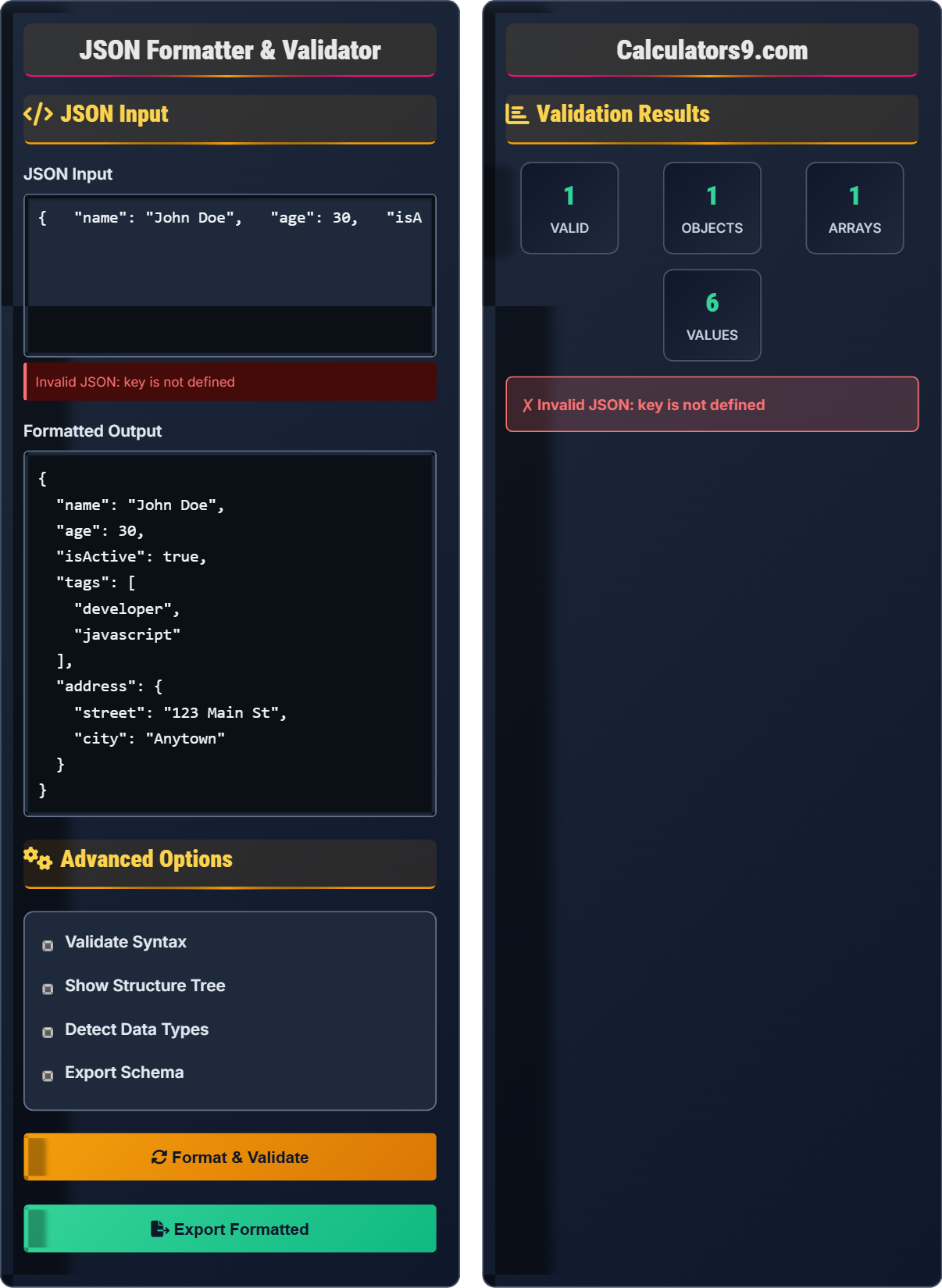
Example: Valid JSON object:
\( \{ \)
\( "name": "John Doe", \)
\( "age": 30, \)
\( "isActive": true, \)
\( "tags": ["developer", "javascript"], \)
\( "address": \{ \)
\( "street": "123 Main St", \)
\( "city": "Anytown" \)
\( \} \)
\( \} \)
This represents a structured data format that can be parsed and validated.
JSON Input
Advanced Options
Validation Results
JSON Guide
JSON (JavaScript Object Notation) is a lightweight data-interchange format that is easy for humans to read and write and easy for machines to parse and generate. It is based on a subset of the JavaScript Programming Language and uses conventions that are familiar to programmers of the C-family of languages.
The fundamental rules for JSON syntax include:
Where:
- \( \text{objects} \) = unordered collections of key-value pairs
- \( \text{arrays} \) = ordered collections of values
- \( \text{values} \) = strings, numbers, booleans, null, objects, or arrays
JSON is most effective for:
- API Communication: Data exchange between client and server
- Configuration Files: Storing application settings
- Data Storage: NoSQL databases and document stores
- Web Applications: Client-side data storage and retrieval
- Consistent Keys: Use consistent naming conventions
- Validate Before Use: Always validate JSON before processing
- Handle Errors: Implement proper error handling
- Security: Sanitize input to prevent injection attacks
JSON Fundamentals
Objects store key-value pairs, arrays store ordered values.
\( \{ "key": value \} \) for objects, \( [value1, value2] \) for arrays.
Keys must be strings, values can be any valid JSON type.
- Double quotes for strings and keys
- Commas separate elements
- Colons separate keys from values
JavaScript Integration
JavaScript provides built-in methods for JSON parsing and serialization.
- JSON.parse() - convert string to object
- JSON.stringify() - convert object to string
- Validate with try/catch
- Handle errors gracefully
- Performance on large datasets
- Security against injection
- Error handling
- Browser compatibility
JavaScript JSON Examples
Formatting Options
JSON Learning Quiz
Which of the following is a valid JSON key?
The answer is B) "name". In JSON, all keys must be strings and must be enclosed in double quotes. Single quotes (''), unquoted identifiers (name), and template literals (`name`) are not valid JSON syntax.
This is a fundamental rule of JSON syntax. Unlike JavaScript objects which can have unquoted keys, JSON strictly requires all keys to be quoted strings. This ensures consistency and predictability when parsing JSON across different programming languages and platforms.
JSON Key: String that identifies a value in an object
Double Quotes: Required for all strings in JSON
Syntax Rule: Strict formatting requirements
• All keys must be double-quoted strings
• Single quotes are invalid
• Unquoted keys are invalid
• Always use double quotes for keys
• Remember: JSON ≠ JavaScript object
• Use a validator to check syntax
• Using single quotes for keys
• Forgetting quotes around keys
• Confusing JSON with JS objects
Why is this JSON invalid? {name: "John", age: 30}
This JSON is invalid because the keys "name" and "age" are not enclosed in double quotes. The correct syntax would be: {"name": "John", "age": 30}. In JSON, all keys must be quoted strings, unlike JavaScript objects which can have unquoted keys.
This is a common mistake when transitioning from JavaScript objects to JSON. While JavaScript allows unquoted keys in object literals, JSON has stricter rules. This ensures that JSON can be reliably parsed by any programming language without ambiguity about whether a token is a key or a variable.
JSON Validation: Checking syntax compliance
Strict Syntax: No deviation from rules
Language Independence: Works across platforms
• Keys must be quoted strings
• No trailing commas allowed
• Only double quotes for strings
• Use a JSON formatter to spot errors
• Always validate before processing
• Remember: JSON is stricter than JS
• Assuming JS object syntax works in JSON
• Forgetting to quote keys
• Using single quotes instead of double
A developer receives this string from an API: '{"users": [{"id": 1, "name": "Alice"}, {"id": 2, "name": "Bob"}], "total": 2}'. They need to extract the names of all users. Write the JavaScript code to parse this JSON and extract the names.
This code parses the JSON string and extracts the names using the map function.
This demonstrates the common workflow of receiving JSON data from an API, parsing it into a JavaScript object, and then manipulating the data. The JSON.parse() method safely converts the string to an object, and then standard JavaScript array methods can be used to extract specific information.
API Response: Data received from web service
JSON.parse(): Converts string to objectData Extraction: Retrieving specific values
• Always parse before manipulation
• Handle potential parsing errors
• Validate data structure
• Use try/catch for error handling
• Validate expected structure
• Consider data types during extraction
• Trying to manipulate string without parsing
• Not handling parsing errors
• Assuming data structure is always consistent
A configuration system uses deeply nested JSON objects. Given this structure: {"app": {"database": {"host": "localhost", "port": 5432}, "server": {"port": 3000}}}, write code to safely access the database port value without causing errors if any intermediate property is missing.
Both approaches safely access the nested value without throwing errors.
This demonstrates safe property access in JavaScript, which is crucial when working with JSON data that may not have the expected structure. Optional chaining (?.) is the modern approach, while the traditional method uses logical operators to check existence before accessing properties.
Optional Chaining: ?. operator for safe access
Nullish Coalescing: ?? operator for defaults
Safe Access: Preventing runtime errors
• Always validate nested structures
• Use safe access methods
• Provide fallback values
• Use optional chaining for modern browsers
• Consider JSON schema validation
• Plan for missing data gracefully
• Direct access to potentially undefined properties
• Not handling missing configuration values
• Assuming all expected properties exist
Which of the following represents the best practice for handling JSON in production applications?
The answer is B) Always validate and sanitize JSON input. This ensures security by preventing injection attacks and reliability by ensuring data conforms to expected structures. JSON.parse() is safe for parsing, but the resulting data should still be validated against expected schemas.
Security and reliability are paramount in production applications. While JSON.parse() is safe from code injection (unlike eval()), the data itself must still be validated to ensure it matches expected structures and contains appropriate values. This prevents both security vulnerabilities and runtime errors.
Data Validation: Ensuring data meets criteria
Sanitization: Cleaning and securing data
Production Security: Protecting live systems
• Never trust external input
• Validate data structure
• Check value ranges and types
• Use JSON schema validation
• Implement proper error handling
• Log validation failures for debugging
• Not validating external JSON data
• Using eval() for parsing
• Assuming all input is well-formed
FAQ
Q: What's the difference between JSON.parse() and eval()?
A: The key differences are:
- JSON.parse(): Safely parses JSON strings only
- eval(): Executes any JavaScript code (security risk!)
Example:
JSON.parse('{"x": 5}'); // Safe
eval('{"x": 5}'); // Could execute malicious code
Always use JSON.parse() for JSON data - never eval().
Q: How do I handle circular references when serializing objects to JSON?
A: JSON.stringify() cannot handle circular references. Solutions:
- Custom replacer: Detect and handle circular refs
- Clone without cycles: Remove circular references
- Alternative format: Use MessagePack or BSON
Example replacer function to detect circular refs: