Slug Generator
SEO-friendly URL creator • 2026 edition
Slug Generation Algorithm:
Show the generatorA slug is a URL-friendly version of a title that:
- Contains only lowercase letters, numbers, hyphens, and optionally underscores
- Replaces spaces with hyphens
- Removes special characters and punctuation
- Converts accented characters to ASCII equivalents
- Trims excessive hyphens and ensures clean formatting
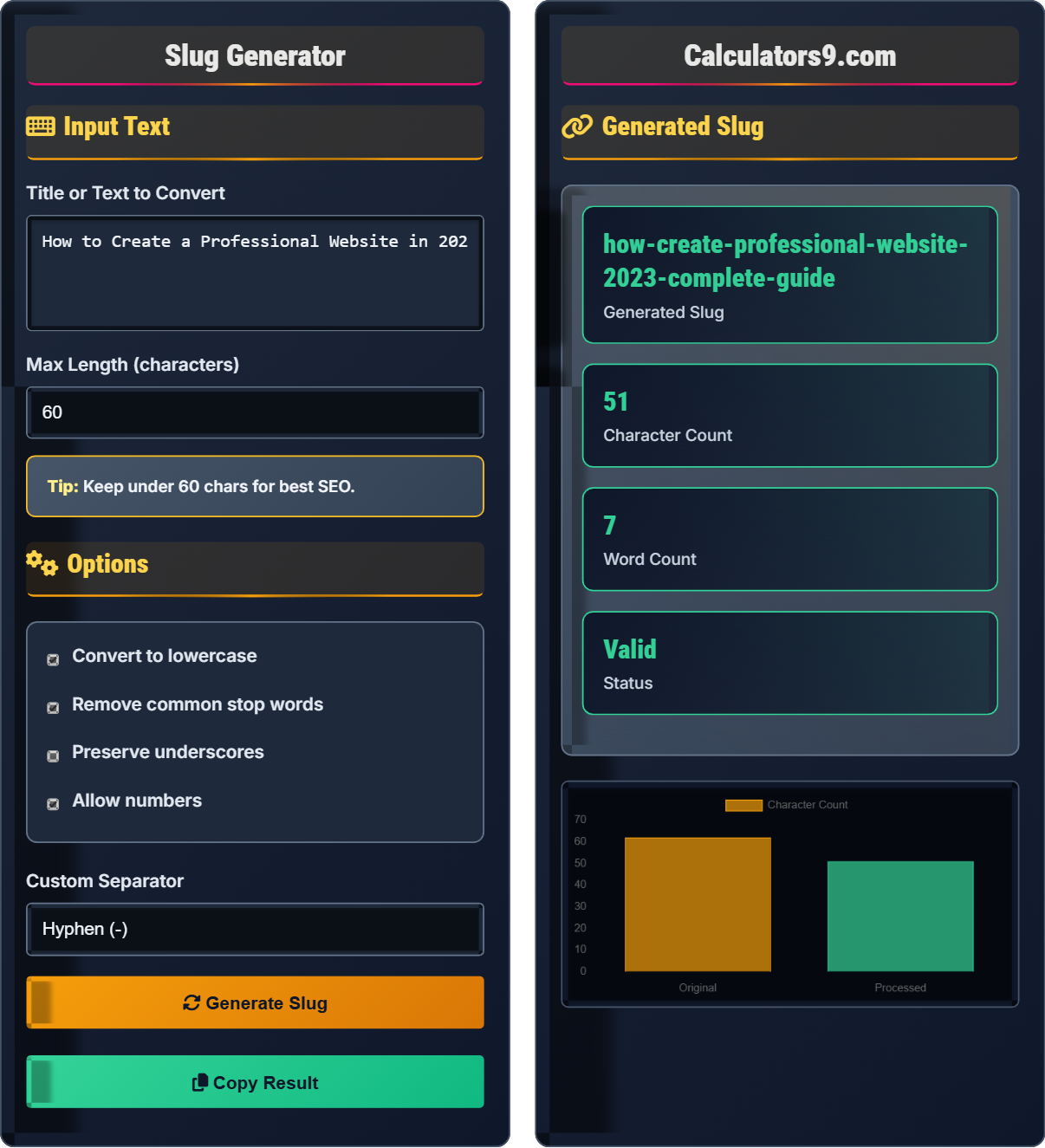
Example: "How to Create a Professional Website in 2023" becomes "how-to-create-a-professional-website-in-2023"
This format improves SEO by making URLs readable and keyword-rich.
Input Text
Options
Generated Slug
| Original Text |
|---|
| How to Create a Professional Website in 2023: A Complete Guide |
| Processed Slug |
|---|
| how-to-create-a-professional-website-in-2023-a-complete-guide |
Comprehensive Slug Generation Guide
A slug is a URL-friendly version of a title or text that is used in web addresses. It's designed to be human-readable and SEO-friendly, typically containing only lowercase letters, numbers, hyphens, and sometimes underscores. Slugs appear in URLs after the domain name and help search engines understand the content of a page.
The slug generation algorithm follows these steps:
Well-crafted slugs provide several SEO advantages:
- Keyword visibility: Including relevant keywords in slugs helps search engines understand page content
- User trust: Readable slugs build confidence that the page contains relevant information
- Click-through rates: Descriptive slugs can improve click-through rates from search results
- Sharing: Clean URLs are easier to share and remember
- Keep it concise: Aim for under 60 characters to ensure full visibility in search results
- Use hyphens: Separate words with hyphens rather than underscores for better SEO
- Include keywords: Include important keywords that reflect the page content
- Avoid stop words: Remove articles, conjunctions, and prepositions when possible
- Be descriptive: Make sure the slug accurately describes the page content
Slug Generation Learning Quiz
Which of the following characters is NOT recommended for use in SEO-friendly slugs?
The answer is C) Spaces ( ). Spaces are not recommended in SEO-friendly slugs because they are encoded as %20 in URLs, making them less readable. Instead, spaces should be replaced with hyphens (-) which are more SEO-friendly and human-readable.
URLs cannot contain spaces, so browsers automatically encode them as %20. This creates ugly, unreadable URLs that hurt SEO. Hyphens are preferred over underscores because search engines treat hyphens as word separators, while underscores are treated as part of the word. This is why "seo-friendly-url" is better than "seo_friendly_url" for SEO purposes.
Slug: A URL-friendly version of a title used in web addresses
SEO: Search Engine Optimization - practices to improve search rankings
URL Encoding: Converting special characters to safe web formats (%20 for spaces)
• Never use spaces in slugs - replace with hyphens
• Hyphens are preferred over underscores for SEO
• Slugs should be lowercase for consistency
• Keep slugs under 60 characters for visibility
• Use hyphens to separate words in slugs
• Remove unnecessary stop words like "a", "an", "the"
• Keep important keywords that describe the content
• Including spaces in slugs (creates %20 encoding)
• Using underscores instead of hyphens for word separation
• Creating overly long slugs that get truncated
Convert the following title to a slug: "Learn JavaScript in 2023: Complete Beginner's Guide". Show the step-by-step process.
Step 1: Remove punctuation and special characters: "Learn JavaScript in 2023 Complete Beginners Guide"
Step 2: Convert to lowercase: "learn javascript in 2023 complete beginners guide"
Step 3: Replace spaces with hyphens: "learn-javascript-in-2023-complete-beginners-guide"
Step 4: Remove common stop words (optional): "learn-javascript-2023-complete-beginners-guide"
Final slug: "learn-javascript-2023-complete-beginners-guide"
This process demonstrates the importance of each step in slug creation. Removing punctuation prevents encoding issues, converting to lowercase ensures consistency, replacing spaces with hyphens creates readable URLs, and removing stop words makes slugs more focused on important keywords. The order of operations matters - you want to process the text systematically to achieve the best result.
Stop Words: Common words like "a", "an", "the", "in" that don't add SEO value
URL Encoding: Converting special characters to web-safe formats
SEO Value: Contribution to search engine ranking
• Always process text in a consistent order
• Remove or replace special characters first
• Convert to lowercase before adding separators
• Use hyphens for word separation
• Remove punctuation before processing
• Consider which words add SEO value
• Test your slug for readability
• Processing text in the wrong order
• Forgetting to convert to lowercase
• Including special characters that cause encoding issues
A website has two pages with the following URLs: Page A: "/page.php?id=123" and Page B: "/learn-seo-best-practices". Which URL is better for SEO and why? What are the specific advantages of the better URL?
Page B: "/learn-seo-best-practices" is significantly better for SEO. Specific advantages include:
Step 1: Contains relevant keywords ("learn", "seo", "best", "practices") that indicate content relevance
Step 2: Is human-readable and indicates what the page is about
Step 3: Uses proper URL structure with hyphens separating words
Step 4: Creates trust with users who can see what the page contains
Page A: "/page.php?id=123" offers no SEO value - it's not descriptive, doesn't contain keywords, and doesn't indicate content to users or search engines.
This example highlights the dramatic difference between SEO-friendly and non-SEO-friendly URLs. Search engines use slugs to understand page content, and users rely on them to determine if a link is relevant. The descriptive slug "learn-seo-best-practices" immediately tells both search engines and users that the page contains information about SEO best practices, which can improve click-through rates and search rankings.
SEO Value: Contribution to search engine ranking
Click-Through Rate (CTR): Percentage of users who click a link after seeing it
Descriptive URL: URL that indicates the content of the page
• Descriptive URLs perform better than parameter-based URLs
• Keywords in URLs contribute to search rankings
• Readable URLs improve user trust and CTR
• Dynamic parameters should be avoided in favor of slugs
• Always prefer descriptive slugs over parameter-based URLs
• Include main keywords in the slug
• Make sure the slug reflects the page content
• Using query parameters as part of the URL structure
• Creating meaningless or generic slugs
• Ignoring the SEO impact of URL structure
You need to create a slug for "The Ultimate Guide to Creating Professional WordPress Websites in 2023". The maximum allowed length is 50 characters. How would you optimize this slug to fit within the limit while preserving SEO value? Show your optimized slug and explain your choices.
Step 1: Analyze the original: "the-ultimate-guide-to-creating-professional-wordpress-websites-in-2023" = 77 characters
Step 2: Remove stop words: "ultimate-guide-creating-professional-wordpress-websites-2023" = 63 characters
Step 3: Further optimize by focusing on core keywords: "professional-wordpress-websites-2023" = 38 characters
Step 4: Verify it's under 50 characters: ✓
Optimized slug: "professional-wordpress-websites-2023"
Choices made: Removed "the", "ultimate", "guide", "to", "creating", "in" as they're stop words or don't add core SEO value. Kept "professional", "wordpress", "websites", "2023" as the most important keywords.
This problem demonstrates the balance between keeping URLs short and preserving SEO value. When character limits exist, it's crucial to prioritize the most important keywords while removing less valuable words. The key is identifying which words provide the most SEO value - typically the main subject, action, and time-related terms. This optimization maintains the core meaning while fitting within technical constraints.
Character Limit: Maximum number of characters allowed in a field
Keyword Density: Concentration of important words in a URL
SEO Optimization: Balancing various factors for best search performance
• Prioritize core keywords when character limits exist
• Remove stop words to save characters
• Maintain readability while optimizing length
• Focus on words that convey the main topic
• Identify the most important keywords first
• Remove articles, prepositions, and adjectives when necessary
• Use acronyms if they're widely understood
• Cutting important keywords to meet character limits
• Removing words that provide context
• Sacrificing readability for brevity
Which of the following slugs follows all best practices for SEO?
The answer is C) /learn-seo-best-practices-2023. This slug follows all SEO best practices: it's lowercase, uses hyphens to separate words, contains relevant keywords, is descriptive, and avoids special characters that require encoding. It's also concise while being informative about the page content.
This question tests understanding of multiple SEO principles simultaneously. Option A uses dynamic parameters which are bad for SEO. Option B uses underscores which aren't ideal for word separation. Option D contains encoded spaces (%20) which hurt readability. Only option C combines all best practices: lowercase, hyphen-separated, keyword-rich, and descriptive. This demonstrates that effective slugs must meet multiple criteria simultaneously.
URL Parameters: Dynamic elements in URLs (e.g., ?id=123)
Word Separation: Using proper characters to distinguish words in URLs
Readability: How easily humans can understand a URL
• Use lowercase for consistency
• Use hyphens for word separation
• Include relevant keywords
• Avoid special characters requiring encoding
• Test your slug for readability
• Ensure it contains important keywords
• Verify it meets technical requirements
• Using uppercase letters inconsistently
• Mixing different separator types
• Forgetting to remove special characters
Slug Fundamentals
URL-friendly version of a title for web addresses.
Normalize → Lowercase → Replace spaces → Remove special chars → Validate
- Use hyphens, not underscores
- Keep under 60 characters
- Include relevant keywords
SEO Strategies
Improves search rankings and user trust.
- Include target keywords
- Remove stop words
- Use lowercase
- Focus on readability
- Character limits matter
- Consistency across site
- Future-proof for content changes
FAQ
Q: Why are hyphens preferred over underscores in slugs for SEO?
A: Search engines like Google treat hyphens as word separators, allowing them to understand individual words in a slug. For example, "seo-guide" is interpreted as "seo" and "guide". However, underscores are treated as part of the word, so "seo_guide" is seen as a single term "seoguide".
This affects how search engines understand the content and keywords associated with your page. The hyphen approach allows for better keyword recognition and indexing, which can improve search rankings.
From an algorithmic perspective, when parsing URLs, search engines tokenize strings based on hyphens as delimiters, but not underscores. This means "seo-guide" becomes ["seo", "guide"] while "seo_guide" remains ["seo_guide"], affecting how the terms are weighted for search relevance.
Q: How long should my slugs be for optimal SEO?
A: For optimal SEO, aim for slugs under 60 characters. This ensures the full URL is visible in search results, improving click-through rates. Research shows that URLs shorter than 50-60 characters tend to perform better in search rankings.
While there's no hard character limit that causes penalties, longer URLs can be truncated in search results, making them less appealing to users. Additionally, shorter, more focused slugs tend to be more keyword-dense, which search engines favor.
Best practice is to include your primary keyword while keeping the slug concise and readable. For example, "best-seo-practices-2023" (25 characters) is better than "the-complete-guide-to-the-best-seo-practices-for-2023" (55 characters).