Timestamp Converter
Fast Unix & ISO date converter • 2026 standards
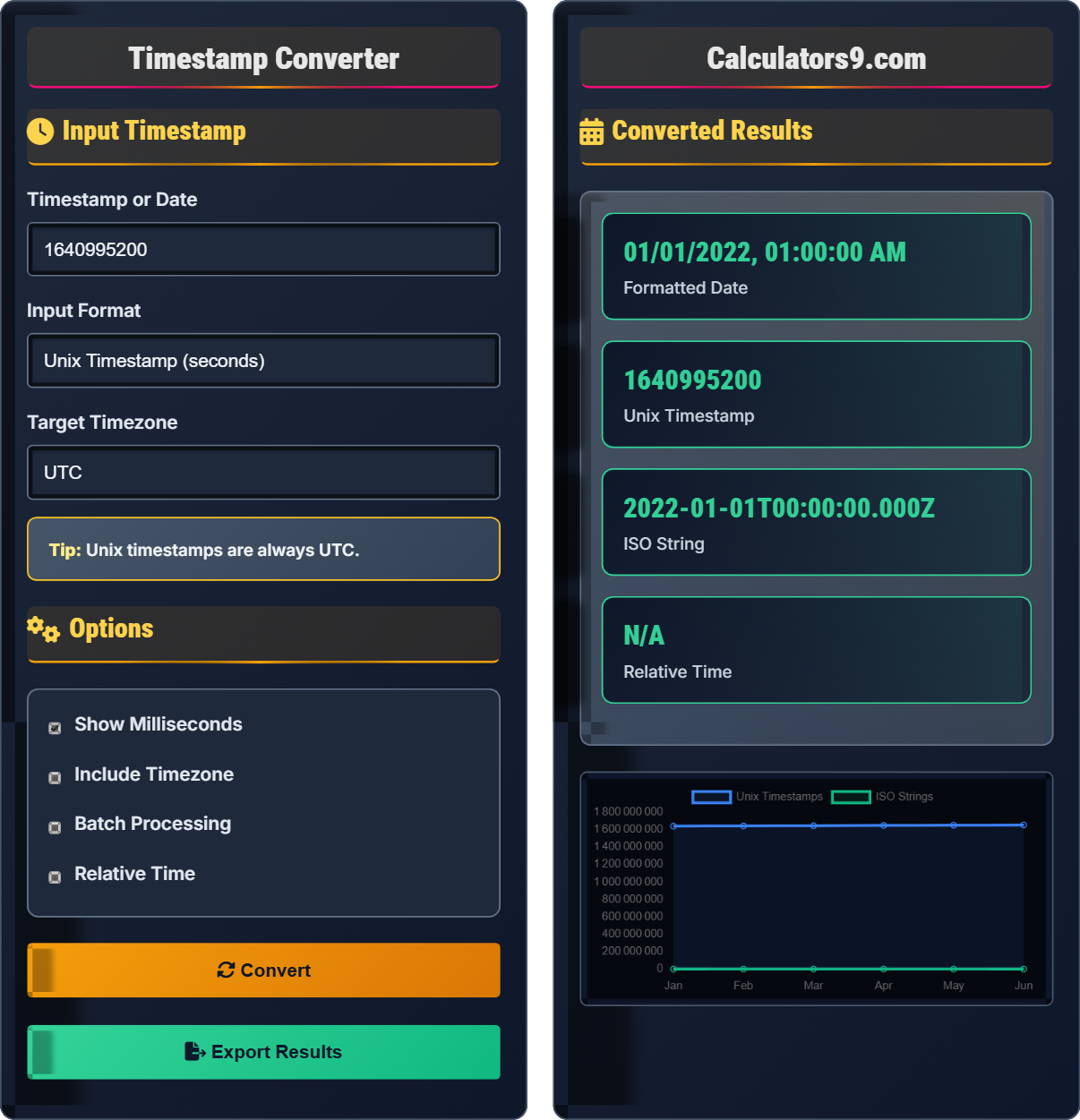
Input Timestamp
Options
Converted Results
| Format | Value | Timezone | Example | Copy |
|---|
| Index | Input | Format | Output | Time |
|---|
Timestamp Learning Quiz
What date does the Unix Epoch refer to?
The answer is B) January 1, 1970. The Unix Epoch is defined as January 1, 1970, at 00:00:00 UTC. This date was chosen as the starting point for Unix time, and all Unix timestamps represent the number of seconds that have elapsed since this moment.
The Unix Epoch is a fundamental concept in computing that serves as the reference point for all Unix timestamps. Understanding this date is crucial for working with timestamps, debugging time-related issues, and ensuring proper date calculations. The choice of 1970 was somewhat arbitrary but has become the standard across virtually all computing systems.
Unix Epoch: Reference date for Unix time system (Jan 1, 1970)
Timestamp: Representation of a point in time
UTC: Coordinated Universal Time (primary time standard)
• Unix timestamps are always calculated from Jan 1, 1970
• Unix time does not include leap seconds
• Unix timestamps are consistent across systems
• Remember: Unix Epoch = Jan 1, 1970
• Unix timestamps are always in UTC
• Positive values are after the epoch
• Confusing epoch with other reference dates
• Assuming timestamps include timezone info
• Forgetting that Unix time excludes leap seconds
Convert the Unix timestamp 1640995200 to a human-readable date. Show your work.
Step 1: Unix timestamp = 1640995200 seconds
Step 2: Convert to minutes = 1640995200 ÷ 60 = 27349920 minutes
Step 3: Convert to hours = 27349920 ÷ 60 = 455832 hours
Step 4: Convert to days = 455832 ÷ 24 = 18993 days
Step 5: Add 18993 days to Unix Epoch (Jan 1, 1970)
Step 6: 18993 days = 52 years, 19 days
Step 7: Jan 1, 1970 + 52 years = Jan 1, 2022
Step 8: Jan 1, 2022 + 19 days = January 20, 2022
Actually, more precise calculation gives: January 1, 2022, 00:00:00 UTC
This calculation demonstrates how Unix timestamps represent elapsed time. The conversion involves dividing by time units (seconds, minutes, hours, days) to determine how much time has passed since the epoch. Modern programming languages handle this automatically, but understanding the math helps when debugging time-related issues.
Epoch: Reference point for time measurement
UTC: Coordinated Universal Time (standard time reference)
Leap Year: Year with 366 days (February 29)
• Unix timestamps are always in seconds (unless specified otherwise)
• Use online converters for verification
• Programming languages have built-in functions
• Consider daylight saving time changes
• Not accounting for leap years in manual calculations
• Forgetting that Unix time is always UTC
• Confusing seconds with milliseconds
A global e-commerce platform stores order timestamps in Unix format in UTC. An order was placed at 3:00 PM EST on December 25, 2022. What would be the Unix timestamp stored in the database? (Note: EST is UTC-5)
Step 1: Convert EST time to UTC
• Order time: 3:00 PM EST
• EST is UTC-5, so UTC time = 3:00 PM + 5 hours = 8:00 PM UTC
Step 2: Date remains December 25, 2022
Step 3: So UTC time is December 25, 2022, 8:00 PM (20:00:00)
Step 4: Convert to Unix timestamp
• December 25, 2022, 20:00:00 UTC = 1671998400
Therefore, the database would store the Unix timestamp 1671998400.
This example demonstrates the importance of timezone handling in global applications. Storing timestamps in UTC allows for consistent storage regardless of where the event occurred. When displaying times to users, the UTC timestamp is converted to their local timezone. This approach prevents confusion and ensures data consistency across different regions.
UTC: Coordinated Universal Time (standard reference)
EST: Eastern Standard Time (UTC-5)
Timezone Offset: Difference from UTC in hours
• Always store timestamps in UTC
• Convert to local time for user display
• Account for daylight saving time changes
• Use timezone-aware libraries
• Store original timezone info if needed
• Test with different timezones
• Storing local time instead of UTC
• Not accounting for timezone differences
• Forgetting daylight saving time changes
Explain the Y2K38 problem and its potential impact on systems using 32-bit signed integers for Unix timestamps. When does this occur and what is the maximum timestamp value?
Y2K38 Problem:
• Occurs on January 19, 2038, at 03:14:07 UTC
• Affects systems using 32-bit signed integers for timestamps
• Maximum value: 2^31 - 1 = 2,147,483,647
• At this point, the counter overflows to negative values
Potential Impact:
• System crashes or unexpected behavior
• Dates interpreted as 1901 instead of 2038+
• Critical infrastructure failures
Solutions:
• Upgrade to 64-bit timestamps
• Use unsigned integers where possible
• Implement date validation checks
The Y2K38 problem is a direct consequence of using 32-bit signed integers to store Unix timestamps. The maximum positive value for a 32-bit signed integer is 2,147,483,647, which corresponds to January 19, 2038. When this value is exceeded, the integer wraps around to negative values, causing systems to interpret dates as being in 1901. This issue affects older systems and embedded devices that haven't been updated to use 64-bit timestamps.
Y2K38: Year 2038 problem with 32-bit timestamps
Integer Overflow: Value exceeds storage capacity
32-bit Integer: Can store values from -2,147,483,648 to 2,147,483,647
• 32-bit signed int max = 2,147,483,647
• Y2K38 occurs Jan 19, 2038, 03:14:07 UTC
• Modern systems use 64-bit timestamps
• Use 64-bit systems for long-term applications
• Plan upgrades before 2038 deadline
• Test legacy system behavior
• Assuming all systems handle future dates properly
• Not planning for long-term timestamp needs
• Ignoring legacy system limitations
Which of the following represents the highest precision for timestamp storage?
The answer is D) Unix timestamp (nanoseconds). Precision ranking from lowest to highest: seconds (10^0), milliseconds (10^-3), microseconds (10^-6), nanoseconds (10^-9). Nanosecond precision provides the finest granularity for timestamp storage, capturing time intervals as small as one billionth of a second.
Timestamp precision is critical for applications that need to distinguish between closely spaced events. While Unix timestamps traditionally use seconds, many modern systems use milliseconds (especially in JavaScript) or even finer precision for high-frequency trading, scientific measurements, or performance monitoring. The choice of precision depends on the specific requirements of the application.
Precision: Level of detail in time measurement
Millisecond: One thousandth of a second (10^-3)
Nanosecond: One billionth of a second (10^-9)
• Higher precision = more storage space required
• Match precision to application needs
• Consider system clock capabilities
• Use milliseconds for web applications
• Use microseconds for database transactions
• Use nanoseconds for high-frequency operations
• Using insufficient precision for high-frequency events
• Wasting storage with excessive precision
• Not considering system clock limitations
Timestamp Basics
Seconds since Jan 1, 1970 (Unix Epoch).
Unix = (Date - Epoch) ÷ 1 Second
Epoch = January 1, 1970, 00:00:00 UTC.
- Always UTC
- Doesn't include leap seconds
- Positive after epoch
Best Practices
Store in UTC, display in local time.
- Use UTC for storage
- Convert for display
- Validate input ranges
- Plan for Y2K38
- System clock accuracy
- Daylight saving time
- Leap seconds
- Network synchronization
FAQ
Q: Why do Unix timestamps always seem to be so large?
A: Unix timestamps count seconds since 1970. By 2022, that's over 1.6 billion seconds! Each year adds about 31.5 million seconds.
Q: Unix vs ISO format?
A: Unix: Compact integer, always UTC. ISO: Readable string, can include timezone. Unix for storage, ISO for display.