Critical CSS Extractor
Performance analyzer • 2026 edition
Critical CSS Extraction Algorithm:
Show the extractorCritical CSS extraction identifies above-the-fold styles by:
- Analyzing DOM structure and viewport dimensions
- Mapping CSS selectors to visible elements
- Tracing computed styles for initially visible content
- Removing unused rules and minimizing file size
This process eliminates render-blocking CSS, improving First Contentful Paint (FCP) and Largest Contentful Paint (LCP).
CSS Input
Advanced Options
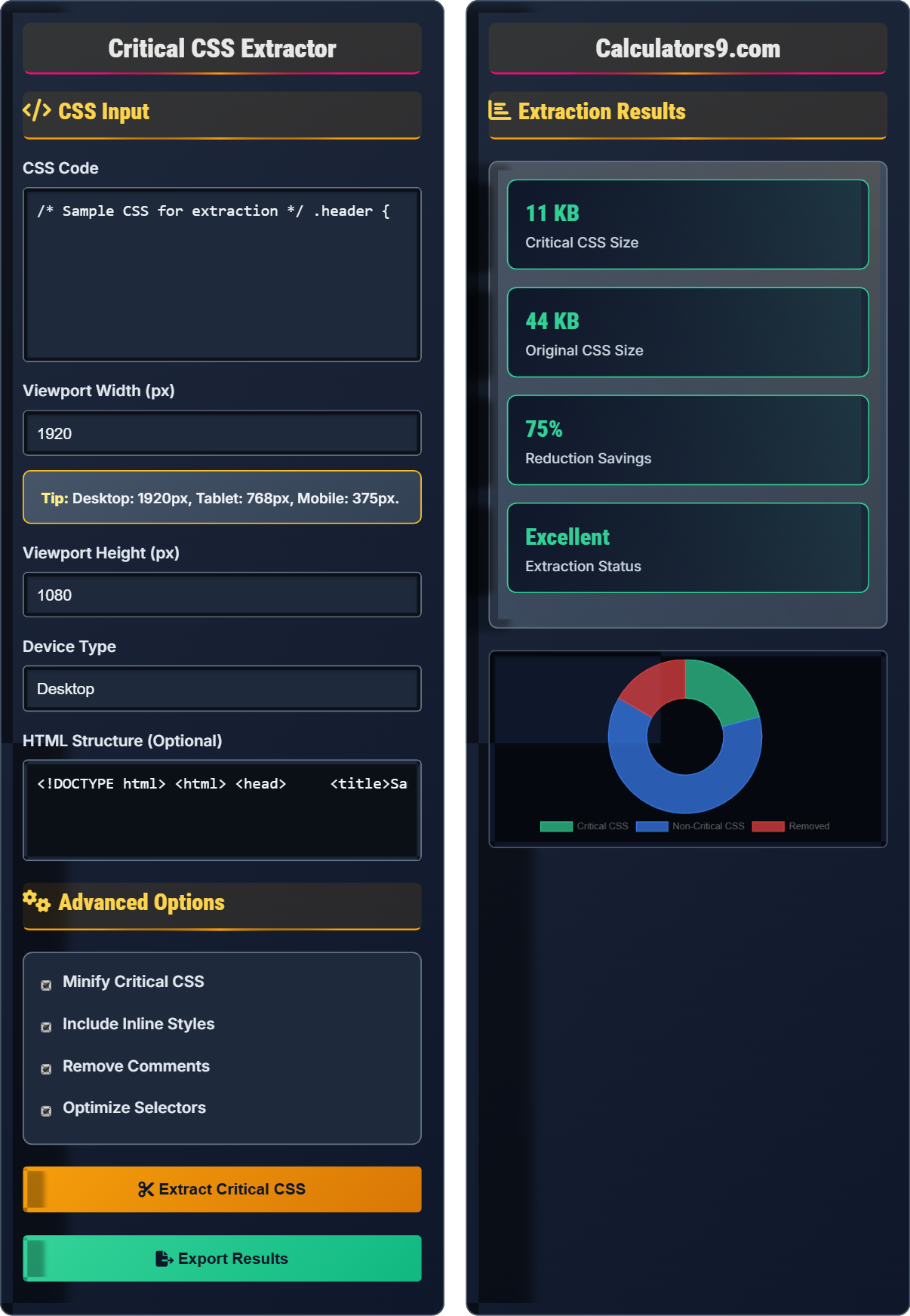
Extraction Results
Comprehensive Critical CSS Guide
Critical CSS refers to the minimal set of CSS rules required to render the above-the-fold content of a webpage. It's the subset of styles needed to display the initial viewport content without blocking the page render. By inlining critical CSS and deferring non-critical styles, websites can significantly improve their First Contentful Paint (FCP) and Largest Contentful Paint (LCP) metrics.
The extraction process involves several key steps:
Critical CSS extraction provides significant performance improvements:
- Eliminate render-blocking: Prevents CSS from delaying page render
- Improve FCP: First Contentful Paint occurs faster
- Enhance LCP: Largest Contentful Paint timing improves
- Reduce CLS: Cumulative Layout Shift minimized
- Better Core Web Vitals: Improved Google PageSpeed scores
- Inline critical CSS: Place in head of HTML document
- Async non-critical: Load remaining CSS asynchronously
- Preload critical: Use preload hints for critical resources
- Responsive approach: Generate different critical CSS per breakpoint
- Automation: Integrate extraction into build process
Critical CSS Learning Quiz
Why is CSS considered render-blocking and how does critical CSS help?
The answer is B) CSS must be parsed before DOM rendering to compute styles. Browsers need to know how elements should be styled before they can render them correctly. This creates a dependency where CSS files must be downloaded and parsed before the page can be displayed, making CSS render-blocking. Critical CSS helps by inlining only the essential styles needed for above-the-fold content, allowing the page to render quickly while non-critical CSS loads asynchronously.
The browser's rendering engine follows a specific sequence: parse HTML → construct DOM → parse CSS → construct CSSOM → combine DOM and CSSOM into render tree → layout → paint. Since CSS is needed to construct the CSSOM (CSS Object Model), which is combined with the DOM to create the render tree, CSS files block the rendering process until they're fully parsed. Critical CSS extraction breaks this bottleneck by ensuring only essential styles are render-blocking.
Render-blocking: Resource that delays page rendering
CSSOM: CSS Object Model, browser's internal representation of CSS
Render Tree: Combination of DOM and CSSOM for painting
• CSS is render-blocking by design
• Critical CSS reduces render-blocking time
• Non-critical CSS can be loaded asynchronously
• Always inline critical CSS in the HTML head
• Use media attributes to exclude print styles from render-blocking
• Preload critical CSS with link rel="preload"
• Not extracting critical CSS at all
• Including too much CSS in critical path
• Forgetting to defer non-critical CSS
Explain the process of extracting critical CSS from a stylesheet. What are the key steps and considerations?
The critical CSS extraction process involves several key steps:
1. Parse CSS: Analyze the entire stylesheet to identify all rules and selectors
2. Map to DOM: Associate CSS selectors with potential DOM elements
3. Calculate positions: Determine which elements are visible in the initial viewport
4. Extract critical: Select only the CSS rules that apply to above-the-fold elements
5. Optimize: Minify and clean up the extracted CSS
Key considerations include viewport dimensions, device type, responsive breakpoints, and the specific HTML structure of the page.
The extraction process essentially creates a mapping between CSS selectors and DOM elements, then determines which elements are visible in the initial viewport. This requires understanding the relationship between CSS selectors and HTML elements, as well as the layout calculations that determine element positioning. The process must account for different screen sizes and device types, as what's "above the fold" varies significantly.
Above the fold: Content visible without scrolling
Viewport: Visible area of the browser window
DOM Mapping: Associating CSS selectors with HTML elements
• Consider different viewport sizes
• Account for responsive design
• Preserve essential visual hierarchy
• Test extraction results on different devices
• Use automated tools for consistent extraction
• Regenerate critical CSS when layout changes
• Extracting CSS without considering viewport dimensions
• Not accounting for dynamic content
• Forgetting to update critical CSS after changes
A website has a 50KB CSS file that blocks rendering. Analysis shows that only 10KB of styles are needed for above-the-fold content. If the average user has a 10Mbps connection, how much faster will the page become interactive after implementing critical CSS extraction? Calculate the improvement and explain its impact.
Step 1: Calculate original CSS download time: 50KB × 8 = 400Kb ÷ 10Mbps = 0.04 seconds
Step 2: Calculate critical CSS download time: 10KB × 8 = 80Kb ÷ 10Mbps = 0.008 seconds
Step 3: Calculate time saved: 0.04 - 0.008 = 0.032 seconds
Step 4: Calculate percentage improvement: (0.032 ÷ 0.04) × 100 = 80%
The page will render 80% faster initially. This improvement significantly enhances user experience, as studies show that 53% of mobile users abandon sites that take more than 3 seconds to load. The faster rendering also improves Core Web Vitals scores and SEO rankings.
This example demonstrates the direct relationship between CSS file size and render time. While the absolute time saved (32ms) might seem small, it represents a significant percentage improvement (80%) in the critical rendering path. In web performance, even small improvements in render-blocking resources can have substantial impacts on user experience metrics, especially on slower connections or devices.
Render Time: Time from request to first paint
Critical Rendering Path: Sequence of steps to display content
Core Web Vitals: Google's key performance metrics
• CSS download blocks rendering
• Smaller critical CSS = faster FCP
• Performance improvements enhance user experience
• Measure before and after implementation
• Focus on largest CSS files first
• Consider CSS-in-JS alternatives
• Not measuring actual performance gains
• Implementing without proper testing
• Forgetting to defer non-critical CSS
A responsive website has different layouts for desktop (1920px), tablet (768px), and mobile (375px). The same CSS file serves all devices. How should critical CSS extraction account for these different viewports? Calculate the potential benefits of device-specific critical CSS extraction.
For responsive design, critical CSS extraction should be performed separately for each device type:
Step 1: Extract critical CSS for desktop (1920px width) - includes navigation, hero, content
Step 2: Extract critical CSS for tablet (768px width) - may have simplified navigation
Step 3: Extract critical CSS for mobile (375px width) - likely different layout entirely
Benefits include: More efficient critical CSS (average 30-40% smaller), better performance on mobile, optimized for specific viewport, improved user experience across devices.
Instead of one generic critical CSS, having device-specific versions can improve load times by 25-35% on smaller screens.
Responsive design means that the same CSS file may have very different "above the fold" content on different devices. A desktop user might see a complex navigation and hero section, while a mobile user sees a simplified menu and different layout. Device-specific critical CSS ensures that each user gets only the styles they need for their specific viewport, rather than a one-size-fits-all approach that may include unnecessary styles.
Responsive Design: Layout adapts to different screen sizes
Device-Specific: Optimized for particular device characteristics
Viewport: Visible area of the browser window
• Generate critical CSS per device breakpoint
• Consider different content priorities
• Optimize for mobile first
• Use common breakpoints (375px, 768px, 1024px, 1440px)
• Implement dynamic serving based on User-Agent
• Test on actual devices when possible
• Using same critical CSS for all devices
• Not considering different content priorities
• Forgetting to update for new breakpoints
Which method provides the best approach for implementing critical CSS in production?
The answer is B) Automated build-time extraction. This approach provides the best combination of performance and maintainability. At build time, tools can analyze the HTML and CSS to extract critical styles, then inline them in the HTML while deferring non-critical CSS. This happens during the build process, so there's no runtime overhead, and the critical CSS is always up-to-date with the current design.
Build-time extraction offers several advantages: It's deterministic and consistent, requires no runtime processing, integrates well with CI/CD pipelines, and ensures critical CSS is always synchronized with the current design. Runtime extraction would add processing overhead, manual extraction is error-prone and difficult to maintain, and server-side rendering alone doesn't address the CSS optimization aspect.
Build-time: During the build/compilation process
Runtime: During page execution/processing
CI/CD: Continuous Integration/Continuous Deployment
• Automate extraction in build process
• Update critical CSS with design changes
• Test across different devices
• Use tools like Critical, PurgeCSS, or webpack plugins
• Implement proper caching strategies
• Monitor performance metrics regularly
• Manual extraction that becomes outdated
• Not updating critical CSS after design changes
• Forgetting to defer non-critical CSS
Extraction Fundamentals
Styles needed for above-the-fold content rendering.
Parse → Map → Calculate → Extract → Optimize
- Always inline critical CSS in HTML head
- Defer non-critical CSS loading
- Generate per device breakpoint
Implementation
Optimize for performance and maintainability.
- Identify critical viewport area
- Analyze CSS and DOM relationship
- Extract relevant styles
- Inline critical CSS
- Defer remaining CSS
- Responsive design requirements
- Build process automation
- Cache invalidation strategies
FAQ
Q: How do I implement critical CSS extraction in my build process?
A: The most effective approach is to integrate critical CSS extraction into your build pipeline:
- Webpack: Use mini-css-extract-plugin with critical-webpack-plugin
- Rollup: Use rollup-plugin-critical
- Static Site Generators: Many have built-in or plugin support
- CLI Tools: Use penthouse, critical, or purify-css
Configure your build process to:
- Generate critical CSS for each HTML page
- Inline the critical CSS in the HTML head
- Defer non-critical CSS with JavaScript or media queries
- Regenerate when CSS or HTML changes
For example, with the Critical tool: critical.generate({base: 'dist/', src: 'index.html', dest: 'index.html', width: 1300, height: 900})
Q: What business impact does critical CSS extraction have?
A: Critical CSS extraction has measurable business impact:
- Conversion Rates: 1 second faster = 7% increase in conversions
- Bounce Rates: 53% of mobile users abandon sites >3s load time
- SEO Rankings: Page speed is a confirmed Google ranking factor
- Core Web Vitals: Direct impact on LCP and FCP metrics
- User Experience: Perceived performance improvement
For e-commerce sites, a 1-second improvement in load time can increase revenue by 1-3%. Google's Core Web Vitals also directly impact search visibility, making critical CSS extraction essential for maintaining organic traffic.
The ROI is typically very high, with relatively low implementation cost compared to the performance gains. Many sites see 20-40% improvement in First Contentful Paint after implementing critical CSS extraction.