Hreflang Generator
International SEO tool • 2026 standards
Hreflang Tag Standards:
Generate Tags<link rel="alternate" hreflang="en-US" href="https://example.com/en-us/page" />
Hreflang tags tell search engines which language and region a specific page targets. They help serve the correct version of your content to users based on their language preferences and geographic location.
Best Practices:
- Use ISO language codes (en, es, fr)
- Include country codes when needed (en-US, en-GB)
- Ensure bidirectional linking (A→B and B→A)
- Use absolute URLs
- Include x-default for default language
Impact: Proper hreflang implementation improves international search visibility, reduces bounce rates, and enhances user experience for global audiences.
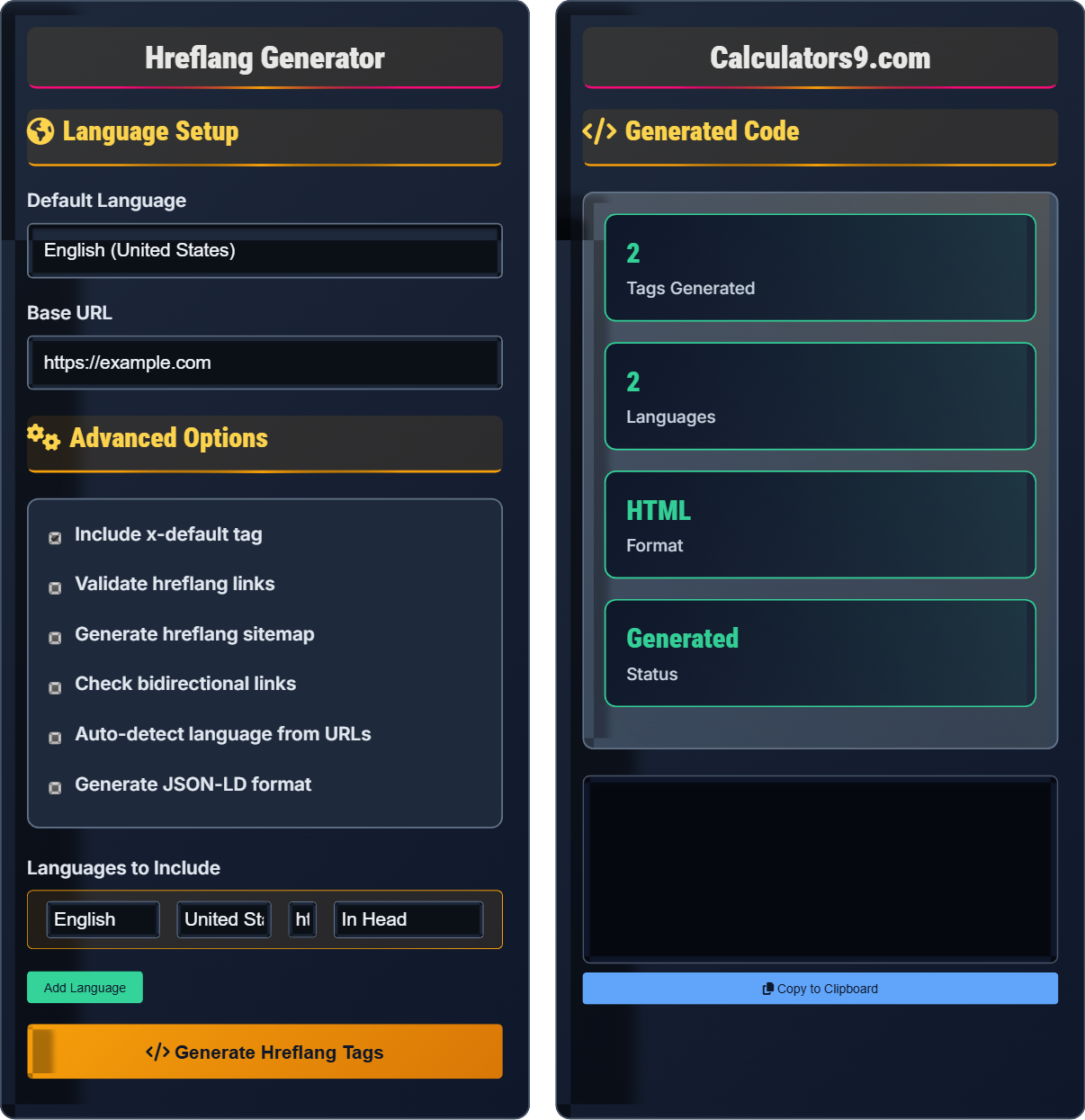
Language Setup
Advanced Options
Generated Code
Hreflang Fundamentals
Hreflang tags tell search engines which language and region a specific page targets. They help serve the correct version of your content to users based on their language preferences and geographic location.
<link rel="alternate" hreflang="[language-country]" href="[absolute-url]" />
Place in the <head> section of your HTML. Use ISO language codes followed by optional country codes separated by hyphens.
- Use ISO language codes (en, es, fr)
- Include country codes when needed (en-US, en-GB)
- Ensure bidirectional linking (A→B and B→A)
- Use absolute URLs
- Include x-default for default language
International SEO Impact
Proper hreflang implementation improves international search visibility, reduces bounce rates, enhances user experience for global audiences, and prevents duplicate content issues across regions.
- In HTML head section
- As HTTP headers
- In XML sitemaps
- Combined approaches
- Missing bidirectional links
- Incorrect language codes
- Broken URLs
- Non-matching content
Hreflang Tag Learning Quiz
What is the primary purpose of hreflang tags?
The answer is B) To specify language and region for content. Hreflang tags tell search engines which language and region a specific page targets, helping them serve the correct version to users based on their language preferences and geographic location.
Hreflang tags are essential for international SEO. They help search engines understand the relationship between different language versions of your content and serve the most appropriate version to users. This prevents duplicate content issues and improves user experience for global audiences.
Hreflang Tag: An HTML attribute that specifies the language and region of a page
International SEO: Optimizing websites for multiple countries and languages
Language Targeting: Indicating which audience a page is intended for
• Must use ISO language codes
• Include country codes when needed
• Ensure bidirectional linking
• Use absolute URLs
• Use x-default for default language
• Validate hreflang links regularly
• Include in sitemap for better coverage
• Forgetting bidirectional links
• Using incorrect language codes
• Having broken URLs in hreflang tags
Which of the following is the CORRECT syntax for an English-US hreflang tag?
The answer is B) <link rel="alternate" hreflang="en-US" href="https://example.com/en" />. This is the correct HTML syntax for a hreflang tag, using the link element with rel="alternate", hreflang="en-US", and an absolute href attribute.
Understanding the correct syntax is crucial for proper implementation. The hreflang tag must use the link element with rel="alternate", include the hreflang attribute with the language-country code, and point to an absolute URL. This tells search engines exactly which version of the page to serve to which audience.
ISO Language Code: Standard codes for languages (en, es, fr)
Country Code: Standard codes for countries (US, GB, FR)
Absolute URL: Complete URL including protocol and domain
• Use link element with rel="alternate"
• Include hreflang attribute with code
• Use absolute URL in href attribute
• Place in head section of HTML
• Use en-US instead of en-us (case matters)
• Always use absolute URLs
• Test with Google Search Console
• Using meta tags instead of link tags
• Incorrect capitalization in language codes
• Using relative URLs instead of absolute
You have an English page at https://example.com/en/page and a Spanish page at https://example.com/es/page. What hreflang tags should be on each page to create proper bidirectional linking?
On the English page (https://example.com/en/page):
<link rel="alternate" hreflang="en-US" href="https://example.com/en/page" />
<link rel="alternate" hreflang="es-ES" href="https://example.com/es/page" />
On the Spanish page (https://example.com/es/page):
<link rel="alternate" hreflang="es-ES" href="https://example.com/es/page" />
<link rel="alternate" hreflang="en-US" href="https://example.com/en/page" />
This creates a complete bidirectional link, telling search engines that these pages are equivalent versions of the same content in different languages.
Bidirectional linking is crucial for hreflang implementation. Each page in a language set must link to all other pages in that set, including itself. This helps search engines understand the complete relationship between all language versions of your content.
Bidirectional Linking: Each page links to all other language versions
Language Set: All pages that are translations of each other
Self-Referencing: A page includes its own hreflang tag
• Every page in a set links to all others
• Include self-referencing hreflang tags
• Links must be reciprocal
• All URLs must be accessible
• Use a spreadsheet to map all relationships
• Test each link points to accessible content
• Use automation for large sites
• Forgetting to add hreflang to all pages
• Missing self-referencing tags
• Broken links in hreflang attributes
A company has separate websites for UK, US, and Canadian English speakers. How should they implement hreflang tags to differentiate between these country variants?
For each page, they should include hreflang tags for all three variants:
On the US page (https://us.example.com/page):
<link rel="alternate" hreflang="en-US" href="https://us.example.com/page" />
<link rel="alternate" hreflang="en-GB" href="https://uk.example.com/page" />
<link rel="alternate" hreflang="en-CA" href="https://ca.example.com/page" />
On the UK page (https://uk.example.com/page):
<link rel="alternate" hreflang="en-GB" href="https://uk.example.com/page" />
<link rel="alternate" hreflang="en-US" href="https://us.example.com/page" />
<link rel="alternate" hreflang="en-CA" href="https://ca.example.com/page" />
And similarly for the Canadian page. This ensures search engines understand the differences between regional variants and serve the appropriate version.
Country variants are important when content differs by region (different currencies, shipping options, legal requirements, etc.). Using both language and country codes (like en-US vs en-GB) helps search engines distinguish between these regional variations and serve the most relevant content to users.
Country Variants: Versions of content tailored to specific countries
Regional Content: Differences based on geographic location
Language-Country Codes: Combined codes like en-US or fr-CA
• Use language-country codes for regional differences
• Include all variants in each page's hreflang tags
• Ensure content matches the targeted region
• Maintain consistent implementation across all variants
• Use separate hreflang for each regional variant
• Include currency and regional information in content
• Test with geo-specific searches
• Using generic language code instead of regional
• Not including all regional variants
• Having inconsistent regional content
When should you use the x-default hreflang value?
The answer is B) As a fallback for users with unknown language. The x-default hreflang value is used to specify a default page for users whose language preferences are not matched by any of your other hreflang tags. It's particularly useful for international visitors or when search engines can't determine the user's preferred language.
The x-default value serves as a safety net in your hreflang strategy. It ensures that users who don't match any specific language-country combination still get directed to an appropriate page rather than potentially seeing irrelevant content. This is especially important for international visitors or users with ambiguous language settings.
X-Default: A special hreflang value for fallback content
Fallback Strategy: Providing content when exact match isn't available
Unknown Language: When search engines can't determine user preference
• Use x-default as a fallback option
• Include in bidirectional linking setup
• Point to your primary language version
• Ensure x-default page is accessible
• Usually point x-default to your main language version
• Include x-default on all pages in the set
• Test how it works with international traffic
• Forgetting to include x-default in bidirectional links
• Using x-default incorrectly as primary language
• Having broken x-default URL
FAQ
Q: Do I need hreflang tags if I only have one language version?
A: If you only have one language version of your content, hreflang tags are not necessary. Hreflang tags are specifically designed to help search engines understand relationships between multiple language or regional versions of the same content.
However, if you plan to expand to multiple languages in the future, it's good to plan your site architecture with hreflang implementation in mind. Also, if you have regional variations (like different pricing for different countries), you might still benefit from hreflang tags.
For single-language sites, focus on other SEO fundamentals like proper canonical tags, structured data, and mobile optimization.
Q: Can I implement hreflang tags in multiple ways on the same site?
A: Yes, you can implement hreflang tags using multiple methods simultaneously, but you must ensure consistency across all implementations. The three main methods are:
- HTML link elements in the <head> section
- HTTP headers (useful for non-HTML content like PDFs)
- XML sitemap entries
Search engines will consolidate information from all methods, but inconsistencies between implementations can cause issues. The hreflang information should be identical across all methods.
For example, if you use hreflang in your HTML head, also include the same hreflang information in your sitemap for maximum coverage and redundancy.