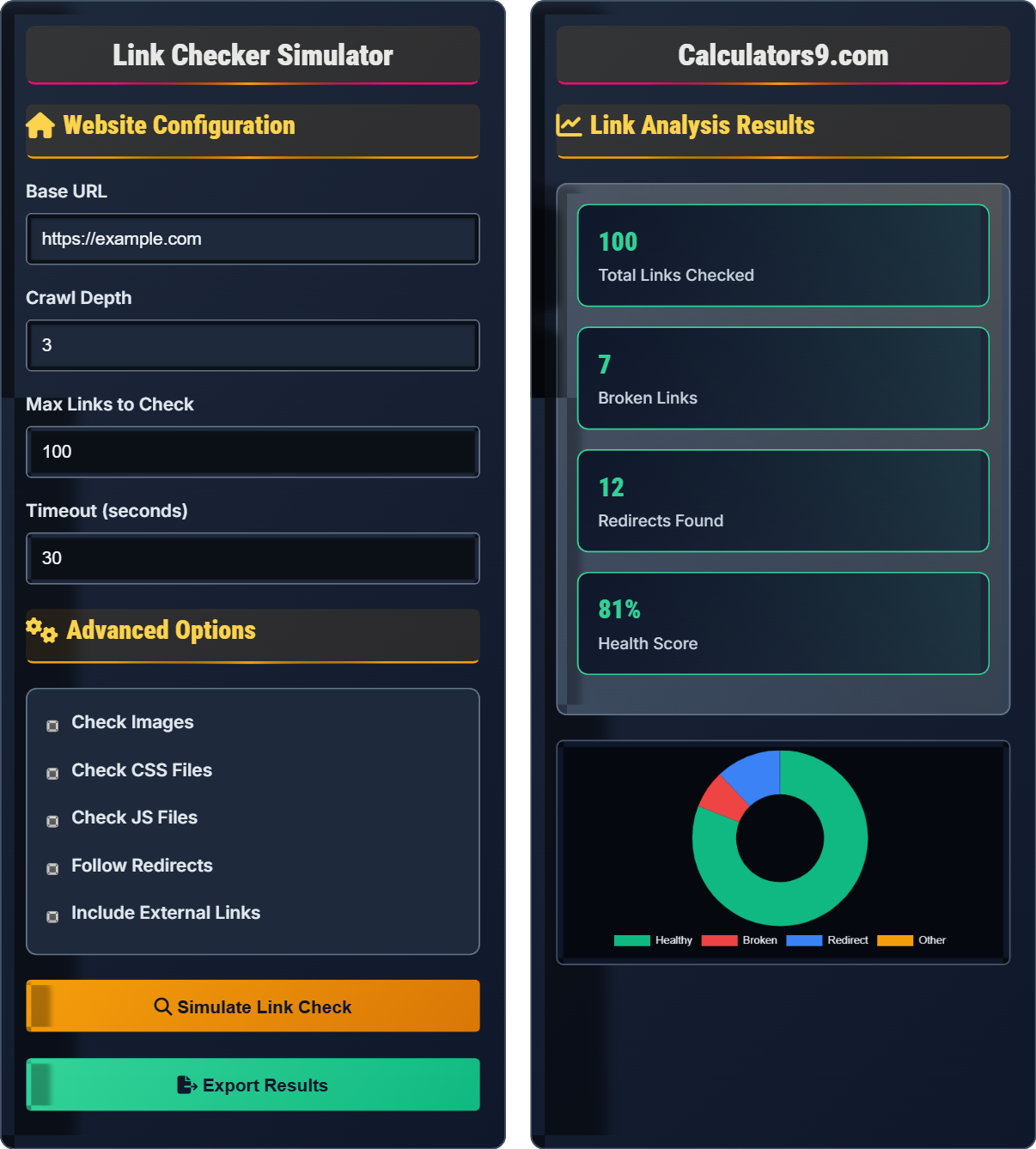
Link Checker Simulator
Broken link detection • Redirect tracking • SEO analysis
Link Health Analysis:
Show the simulatorA link checker simulator analyzes URL status codes to determine link health:
- 200 OK: Healthy link
- 3xx Redirects: Redirected links
- 404 Not Found: Broken links
- 500 Server Error: Server issues
This tool simulates the process of crawling a website to identify broken links, redirects, and other link-related issues that impact SEO performance and user experience.
Key Metrics: Link health score, broken link percentage, redirect chains, and response time analysis help optimize website performance.
Website Configuration
Advanced Options
Link Analysis Results
| URL | Status | Response Time | Type |
|---|
| URL | Error Code | Error Message | Time |
|---|
| From URL | To URL | Code | Chain Length |
|---|
Comprehensive Link Checker Guide
A link checker is a tool that crawls websites to identify broken links, redirects, and other link-related issues. It helps maintain website quality by ensuring all internal and external links are functioning properly, which is crucial for SEO performance and user experience.
HTTP status codes indicate the health of links:
Broken links negatively affect SEO in multiple ways:
- User Experience: Visitors encounter dead ends
- Crawling: Search engines waste crawl budget
- Authority: Damages site reputation and trust
- Ratings: Can lower search rankings
- Regular Scheduling: Weekly or monthly checks
- Priority Pages: Focus on high-traffic pages
- Automated Alerts: Set up notifications for new broken links
- Redirect Management: Fix redirects that cause loops
- External Link Monitoring: Track changes on linked sites
Link Checker Learning Quiz
Which HTTP status code indicates a permanent redirect?
The answer is B) 301. A 301 status code indicates a permanent redirect, telling search engines and browsers that the resource has moved permanently to a new location. This is important for SEO because it passes most of the link equity to the new URL.
Understanding HTTP status codes is crucial for link checking. Each code group represents a different type of response: 2xx means success, 3xx means redirection, 4xx means client errors (like 404 for not found), and 5xx means server errors. The specific codes within these ranges provide detailed information about what happened during the request.
HTTP Status Code: A three-digit number returned by a server indicating the outcome of a request
301 Redirect: Permanent redirect indicating the resource has moved permanently
Link Equity: SEO value passed from one page to another through links
• 301 = Permanent redirect
• 302 = Temporary redirect
• Remember: 301 is "permanent" (think "3" sounds like "tree" - permanent tree)
• Use 301 redirects when restructuring URLs permanently
• Monitor for redirect chains (multiple redirects)
• Confusing 301 (permanent) with 302 (temporary) redirects
• Not understanding that 301 passes link equity differently than 302
• Ignoring redirect chains that can slow down page loading
Explain the basic algorithm a link checker follows when crawling a website.
A link checker follows this algorithm:
Step 1: Start with the base URL and fetch the page content
Step 2: Parse the HTML to extract all URLs (internal and external)
Step 3: For each URL, send an HTTP HEAD or GET request
Step 4: Record the response status code and response time
Step 5: If the status is 3xx (redirect), follow the redirect and record the chain
Step 6: Categorize links based on status codes (200=healthy, 404=broken, etc.)
Step 7: Repeat for all discovered internal links up to the specified depth
This algorithm demonstrates the systematic approach of web crawling. The HEAD method is often preferred because it returns headers without the full response body, making it faster for link checking. The depth parameter prevents infinite crawling, while the timeout ensures the tool doesn't hang on unresponsive servers.
Web Crawling: Automated browsing of websites to discover and analyze content
HEAD Request: HTTP method that returns only headers, not the response body
Crawl Depth: How many levels deep to follow links from the starting URL
• Always set timeouts to prevent hanging requests
• Respect robots.txt and rate limiting
• Follow redirects up to a reasonable limit
• Use HEAD requests for faster status checks
• Implement queuing to manage concurrent requests
• Cache results to avoid duplicate checks
• Not setting timeouts leading to hanging processes
• Following infinite redirect loops
• Not handling malformed URLs properly
A website has 1,200 internal links. A link checker finds 48 broken links. If each broken link reduces the site's SEO authority by approximately 0.2%, what is the total SEO authority loss? Also calculate the broken link percentage.
Step 1: Calculate broken link percentage = (48 / 1,200) × 100 = 4%
Step 2: Calculate SEO authority loss = 48 × 0.2% = 9.6%
Therefore, the website has 4% broken links causing approximately 9.6% SEO authority loss.
This example illustrates the quantifiable impact of broken links on SEO. Even a seemingly small percentage of broken links (4%) can result in significant authority loss (9.6%). This demonstrates why regular link checking is essential for maintaining website health and search performance.
SEO Authority: A measure of a website's trustworthiness and ranking potential
Broken Link Percentage: Ratio of broken links to total links
Link Equity: SEO value passed through links
• Aim for less than 2% broken links
• Fix critical page links first
• Monitor external links regularly
• Prioritize fixing broken links on high-traffic pages
• Use 301 redirects for permanently moved content
• Implement automated monitoring for new broken links
• Ignoring broken links thinking they're minor issues
• Not tracking the percentage of broken links over time
• Failing to prioritize critical page fixes
A link checker finds the following redirect chain: Page A → Page B (301) → Page C (301) → Page D (200). If each redirect adds 0.5 seconds to load time, and the final page takes 1.2 seconds to load, what is the total load time? How does this affect SEO?
Step 1: Count redirects = 2 (from A to B, and B to C)
Step 2: Calculate redirect time = 2 × 0.5 seconds = 1 second
Step 3: Calculate total load time = 1 second (redirects) + 1.2 seconds (final page) = 2.2 seconds
Step 4: SEO impact - Long redirect chains hurt SEO by slowing page load times and potentially losing link equity.
Therefore, the total load time is 2.2 seconds, which is slower than optimal for SEO.
This demonstrates how redirect chains compound loading times. Each redirect requires an additional HTTP request-response cycle, adding latency. Google considers page speed as a ranking factor, so minimizing redirect chains is important for SEO. Ideally, redirects should point directly to the final destination.
Redirect Chain: Multiple redirects following one after another
Page Load Time: Time taken for a page to fully load
Link Equity Loss: Reduction in SEO value during redirects
• Keep redirect chains under 3 hops
• Directly redirect to final destination when possible
• Monitor for circular redirects
• Use tools to identify and fix redirect chains
• Implement direct redirects to final destinations
• Audit redirects regularly during site migrations
• Creating unnecessary redirect chains during site restructuring
• Not testing redirects after implementing changes
• Ignoring the cumulative effect of multiple redirects
Which of the following is the BEST practice for link checking frequency?
The answer is B) Monthly for static sites, weekly for dynamic sites. This approach balances resource usage with maintaining link health. Static sites change infrequently, so monthly checks are sufficient. Dynamic sites with frequent content changes need more regular monitoring to catch broken links quickly.
The frequency of link checking should match the rate of content changes on the website. Static sites with minimal updates can be checked less frequently, while e-commerce sites or news sites with daily updates require more frequent checks. Automated monitoring systems can alert when new broken links appear.
Static Site: Website with content that rarely changes
Dynamic Site: Website with frequently updated content
Automated Monitoring: Continuous checking with alerts
• Check more frequently for sites with regular content updates
• Schedule checks during low-traffic hours
• Set up alerts for newly discovered broken links
• Schedule weekly checks for e-commerce sites
• Use continuous monitoring for mission-critical pages
• Check immediately after major site updates
• Checking too infrequently allowing many broken links to accumulate
• Checking too frequently wasting server resources
• Not adjusting frequency based on content update patterns
Link Checker Fundamentals
Process of verifying that hyperlinks work correctly.
- Extract all URLs from HTML
- Send HTTP requests to each URL
- Record response codes and times
- Categorize links by status
- Generate reports
- Always set request timeouts
- Limit concurrent connections
- Respect robots.txt
- Handle redirects properly
SEO Impact
Broken links harm user experience and search rankings.
- Fix critical broken links first
- Implement proper redirects
- Monitor external links
- Regular audits
- Keep broken link percentage below 2%
- Minimize redirect chains
- Update external link references
- Track link health metrics
FAQ
Q: How often should I run link checks on my website?
A: The frequency depends on your content update schedule:
- Static sites: Monthly checks are usually sufficient
- Dynamic sites: Weekly checks recommended
- E-commerce/news sites: Daily or continuous monitoring
After major site updates or content additions, always run a link check. For optimal SEO, aim to keep broken link percentage below 2%. Tools can be scheduled to run automatically and send alerts when new broken links are detected.
Q: What's the difference between internal and external link checking?
A: Internal link checking focuses on links within your own domain, while external link checking monitors links to other domains.
- Internal links: You have control over fixing broken ones
- External links: You cannot fix them directly, but should monitor for changes
- Priority: Fix broken internal links first as they directly impact user experience
- Monitoring: External links require ongoing monitoring as linked sites may change
Both are important for SEO, but internal links have a more direct impact on your site's architecture and user navigation.