OG Tag Generator
Social media optimization tool • 2026 standards
Open Graph Standards:
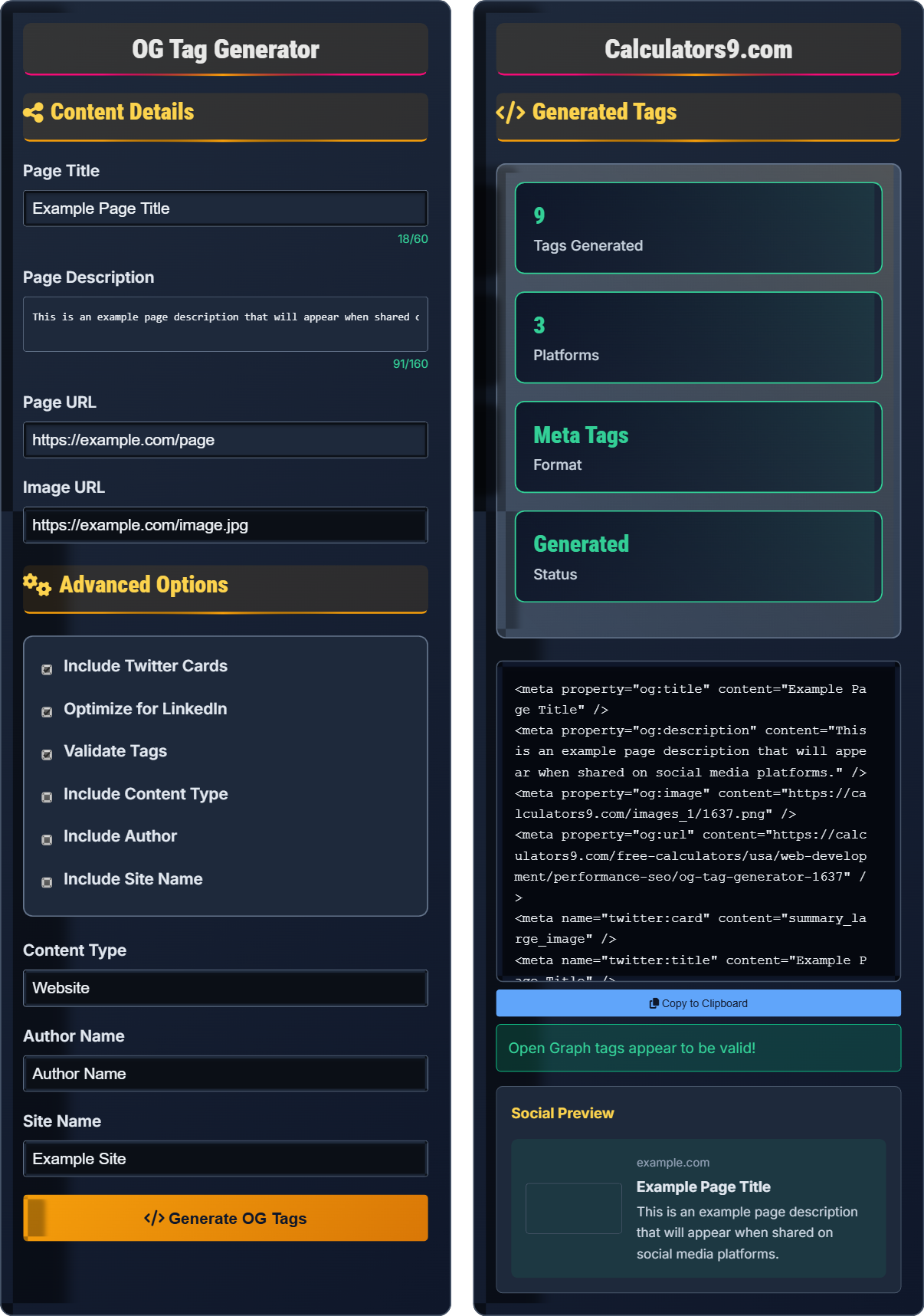
Generate Tags<meta property="og:title" content="Page Title" />
<meta property="og:description" content="Page Description" />
<meta property="og:image" content="https://example.com/image.jpg" />
<meta property="og:url" content="https://example.com/page" />
Open Graph tags control how your content appears when shared on social media platforms like Facebook, Twitter, and LinkedIn. They define the title, description, image, and other properties that determine how your content is displayed.
Best Practices:
- Title: 50-60 characters for optimal display
- Description: 150-160 characters maximum
- Image: 1200×630 pixels for Facebook
- Type: Specify content type (article, website, etc.)
- Always include required tags: title, description, image, url
Impact: Proper OG tags improve click-through rates, enhance social sharing, and increase engagement on social media platforms.
Content Details
Advanced Options
Generated Tags
Open Graph Fundamentals
Open Graph tags are meta elements that control how your content appears when shared on social media platforms. They define the title, description, image, and other properties that determine how your content is displayed.
<meta property="og:title" content="Page Title" />
<meta property="og:description" content="Page Description" />
<meta property="og:image" content="https://example.com/image.jpg" />
<meta property="og:url" content="https://example.com/page" />
These are the required tags for proper Open Graph implementation.
- Place in the <head> section of HTML
- Include required tags: title, description, image, url
- Use absolute URLs for images
- Optimize image dimensions (1200×630 for Facebook)
- Test with social media debuggers
Social Media Impact
Proper Open Graph implementation improves click-through rates, enhances social sharing, increases engagement on social media platforms, and provides better user experience when content is shared.
- Facebook (OG tags)
- Twitter (Twitter Card tags)
- LinkedIn (OG tags with specific optimizations)
- WhatsApp (OG tags)
- Missing required tags
- Incorrect image dimensions
- Broken image URLs
- Character limits exceeded
Open Graph Tag Learning Quiz
What is the primary purpose of Open Graph tags?
The answer is B) To control how content appears when shared. Open Graph tags are meta elements that control how your content appears when shared on social media platforms like Facebook, Twitter, and LinkedIn.
Open Graph tags give you control over the appearance of your content when it's shared on social media. Without these tags, social platforms will try to guess what content to display, often resulting in poor representation of your page.
Open Graph Tags: Meta elements controlling social media sharing
Social Media Sharing: How content appears when shared
Meta Elements: HTML elements in the head section
• Place in the head section of HTML
• Include required tags for proper display
• Use absolute URLs for images
• Test with social media debuggers
• Always include title, description, and image
• Optimize images for each platform
• Test before publishing
• Forgetting required tags
• Using relative image URLs
• Incorrect image dimensions
Which of the following is the CORRECT syntax for an Open Graph title tag?
The answer is B) <meta property="og:title" content="Title" />. This is the correct syntax using the property attribute with the og:title value.
Open Graph tags must use the meta element with the property attribute, not the name attribute. The property attribute is what distinguishes Open Graph tags from other meta tags.
Meta Element: HTML element for metadata
Property Attribute: Attribute defining the property name
Open Graph Protocol: Standard for structured data• Use property attribute, not name
• Include content attribute
• Use proper og: prefix
• Self-close with forward slash
• Remember: property, not name
• Always include content attribute
• Use proper prefix (og:, twitter:)
• Using name attribute instead of property
• Forgetting the content attribute
• Missing the og: prefix
For optimal display on Facebook when sharing content, what are the recommended dimensions for the Open Graph image?
The recommended dimensions for Facebook Open Graph images are 1200×630 pixels. This aspect ratio (1.91:1) ensures the image displays properly in Facebook's feed without being cropped.
Additional recommendations:
- Minimum size: 600×315 pixels
- Maximum size: 8MB
- Format: JPG or PNG
- Aspect ratio: 1.91:1 for optimal display
Following these guidelines ensures your shared content looks professional and engaging when posted on Facebook.
Image dimensions are crucial for Open Graph implementation. Different social platforms have different optimal dimensions. Facebook's 1200×630 recommendation ensures your image fills the expected space without awkward cropping or black bars.
Aspect Ratio: Proportional relationship between width and height
Optimal Dimensions: Size that displays best on platform
Image Cropping: Trimming of image edges by platform
• Use 1200×630 for Facebook
• Ensure minimum size requirements
• Use appropriate file formats
• Keep file size under 8MB
• Create images with safe zones for text
• Test with Facebook debugger
• Use high-resolution originals
• Using incorrect aspect ratios
• Images too small or too large
• Forgetting file size limits
You want to implement both Open Graph tags and Twitter Card tags on your page. How should you approach this, and what considerations should you keep in mind?
You can implement both Open Graph tags and Twitter Card tags on the same page. They use different namespaces but can coexist:
Open Graph tags use property="og:*" attributes:
<meta property="og:title" content="Title" />
Twitter Card tags use name="twitter:*" attributes:
<meta name="twitter:card" content="summary_large_image" />
<meta name="twitter:title" content="Title" />
Considerations:
- Both sets of tags can be on the same page
- Some properties should match between both (title, description, image)
- Twitter has specific card types (summary, summary_large_image, etc.)
- Test both with respective debuggers
Different social platforms require different meta tags. Open Graph tags work for Facebook, LinkedIn, and many others, while Twitter has its own system. Both can be implemented simultaneously for maximum compatibility.
Namespace: Prefix identifying tag type (og:, twitter:)
Card Types: Different Twitter card layouts
Coexistence: Multiple tag systems on same page
• Use property for Open Graph tags
• Use name for Twitter Card tags
• Keep similar content consistent
• Test both implementations
• Implement both for maximum reach
• Use consistent titles and descriptions
• Test with both debuggers
• Using property for Twitter tags
• Inconsistent content between platforms
• Not testing both implementations
What is the recommended character limit for Open Graph descriptions?
The answer is B) 150-160 characters. This is the recommended length for Open Graph descriptions to ensure proper display across social media platforms without truncation.
Character limits are important for ensuring your content displays properly. While Open Graph tags don't enforce strict limits, social platforms will truncate descriptions beyond certain lengths, so staying within recommendations ensures complete visibility.
Character Limit: Maximum number of characters before truncation
Truncation: Cutting off text after limit
Proper Display: Content showing completely without cutting
• Keep descriptions under 160 characters
• Title should be under 60 characters
• Prioritize important information at beginning
• Test for truncation
• Put key information first
• Use compelling opening sentences
• Test with social media debuggers
• Writing descriptions that are too long
• Placing important information at the end
• Not testing for truncation
FAQ
Q: Do I need both Open Graph tags and Twitter Card tags?
A: You can use both Open Graph tags and Twitter Card tags on the same page, and it's often beneficial to do so. Open Graph tags work with Facebook, LinkedIn, Pinterest, and many other platforms, while Twitter has its own specific tags that provide enhanced functionality.
When both are present, Twitter will use its own tags, while other platforms will use Open Graph tags. The tags can coexist on the same page:
- Open Graph: <meta property="og:title" content="..." />
- Twitter: <meta name="twitter:title" content="..." />
For best results, keep the content consistent between both tag sets to ensure a uniform appearance across platforms.
Q: How often should I test my Open Graph tags after implementation?
A: You should test your Open Graph tags whenever you make changes to them or your page content. Additionally, consider periodic testing:
- Before launch: Always test before going live
- After content changes: When updating titles, descriptions, or images
- Quarterly: Routine check for all important pages
- After platform updates: When social platforms update their algorithms
Use platform-specific tools like Facebook's Sharing Debugger and Twitter's Card Validator to ensure your tags are properly recognized and cached. Social platforms cache OG tags, so you may need to force refresh when testing.