Schema Markup Generator
Structured data tool • 2026 standards
Schema.org Standards:
Generate Schema{
"@context": "https://schema.org",
"@type": "Organization",
"name": "Example Corp",
"url": "https://example.com"
}
Schema markup is structured data that helps search engines understand your content better. It uses standardized vocabulary to describe your page content, enabling rich snippets in search results.
Best Practices:
- Use JSON-LD format when possible
- Include required properties
- Use absolute URLs
- Match structured data to actual content
- Test with Google Rich Results Test
Impact: Proper schema implementation can improve click-through rates, enhance search visibility, and provide rich snippets in search results.
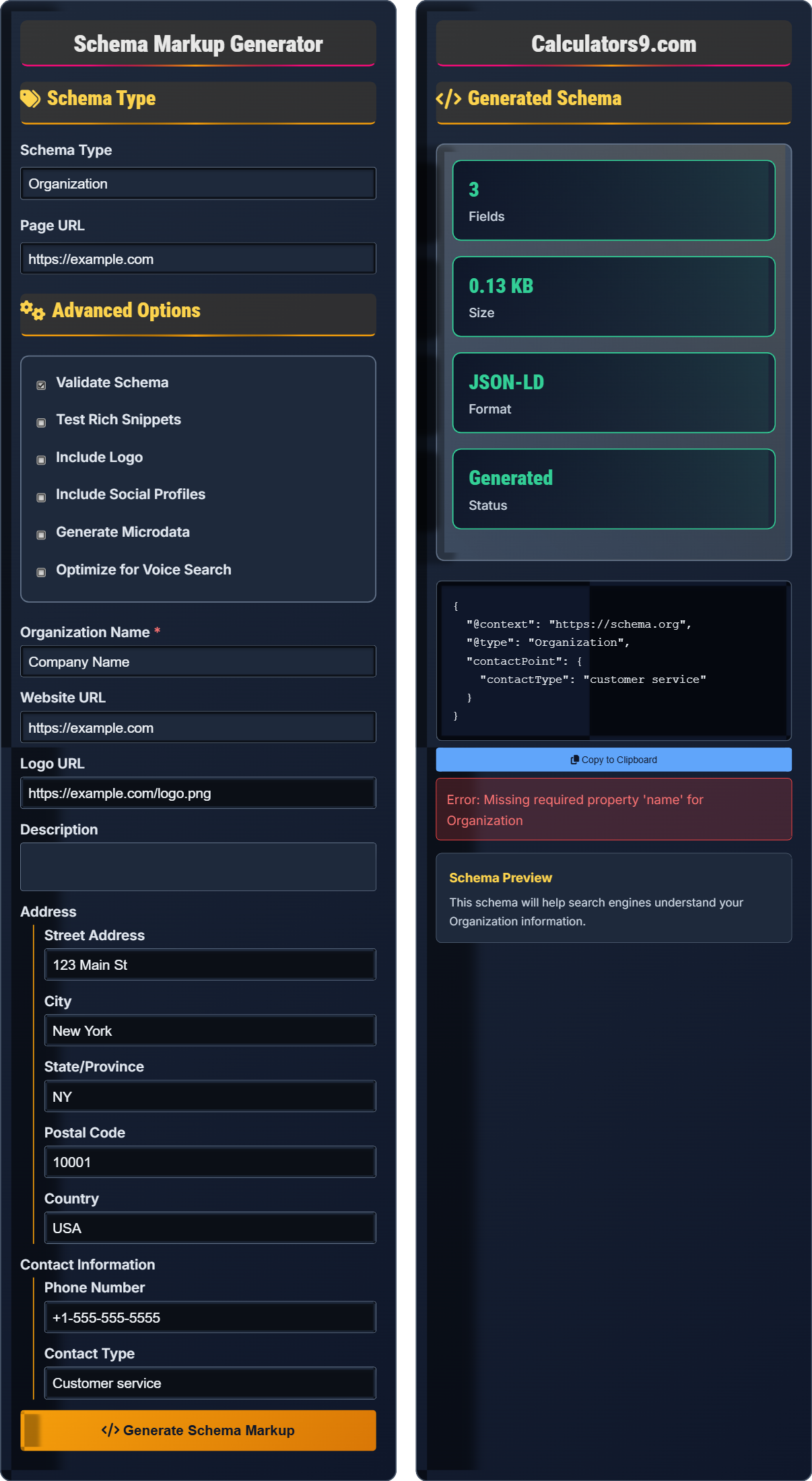
Schema Type
Advanced Options
Generated Schema
Schema Markup Fundamentals
Schema markup is structured data that helps search engines understand your content better. It uses standardized vocabulary to describe your page content, enabling rich snippets in search results.
{
"@context": "https://schema.org",
"@type": "Organization",
"name": "Company Name",
"url": "https://example.com"
}
JSON-LD is the recommended format for schema markup. It's easy to implement and doesn't interfere with page rendering.
- Use @context to define vocabulary
- Specify @type for schema type
- Include required properties
- Match structured data to actual content
- Test before publishing
SEO Impact
Proper schema implementation can improve click-through rates, enhance search visibility, provide rich snippets in search results, and help with voice search optimization.
- JSON-LD (recommended)
- Microdata
- RDFa
- HTML meta tags
- Mismatched content and structured data
- Missing required properties
- Incorrect syntax
- Broken URLs in schema
Schema Markup Learning Quiz
What is the primary purpose of schema markup?
The answer is B) To help search engines understand content. Schema markup uses structured data to provide search engines with additional context about your page content, enabling rich snippets and better search results.
Schema markup is essentially a shared vocabulary that webmasters can use to mark up their pages in ways that search engines can understand. It's like adding labels to your content that tell search engines exactly what each piece of information represents.
Schema Markup: Structured data that describes content to search engines
Structured Data: Organized format for providing information
Rich Snippets: Enhanced search results with additional information
• Must use standardized vocabulary
• Content must match actual page content
• Required properties must be included
• Validate before publishing
• Use JSON-LD format when possible
• Test with Google Rich Results Test
• Start with basic schemas
• Mismatched content and schema
• Missing required properties
• Incorrect syntax
Which of the following is the CORRECT JSON-LD syntax for an organization schema?
The answer is B) { "@context": "https://schema.org", "@type": "Organization", "name": "Company" }. This is the correct JSON-LD syntax with the required @context and @type properties.
Every JSON-LD schema must include @context to define the vocabulary and @type to specify the schema type. These are mandatory properties that tell search engines how to interpret the structured data.
@context: Defines the vocabulary used in the schema
@type: Specifies the type of schema
JSON-LD: JavaScript Object Notation for Linked Data
• Always include @context property
• Always include @type property
• Use absolute URLs for context
• Follow schema.org vocabulary
• Place JSON-LD in the head section
• Use double quotes for properties
• Validate with structured data testing tool
• Forgetting @context property
• Forgetting @type property
• Using incorrect vocabulary
You're implementing a product schema for an online store. Which properties are required for a basic Product schema according to schema.org standards?
For a basic Product schema, the required properties are:
1. @context: "https://schema.org"
2. @type: "Product"
3. name: "Product Name"
4. image: "URL to product image"
5. description: "Product description"
6. offers: { "@type": "Offer", "price": "Price", "priceCurrency": "Currency" }
These properties provide search engines with the essential information needed to display rich product snippets.
Required properties are essential for a schema to be valid and for search engines to recognize it. Without these, the schema may be ignored. Optional properties can enhance the rich snippet but aren't necessary for basic recognition.
Required Properties: Mandatory fields for schema validity
Optional Properties: Enhance schema but not required
Rich Product Snippet: Enhanced search result with price, rating, etc.
• Include all required properties
• Use accurate and current information
• Match schema to actual product
• Include offer information for products
• Include aggregateRating for better results
• Use brand property when applicable
• Include availability information
• Omitting required offer information
• Using outdated pricing
• Mismatched product information
A news website wants to implement article schema to improve search visibility. What schema properties would be most important for achieving rich snippets with headline, author, date published, and image?
For an article schema to achieve rich snippets, the most important properties are:
1. @type: "Article" or "NewsArticle"
2. headline: "Article Headline"
3. author: { "@type": "Person", "name": "Author Name" }
4. datePublished: "YYYY-MM-DD"
5. image: "URL to featured image"
6. publisher: { "@type": "Organization", "name": "Publisher Name" }
7. description: "Brief article summary"
These properties will help search engines create rich article snippets with all the requested information.
Article schemas are particularly effective for news and blog sites because they provide search engines with the exact information users expect to see in search results: headline, author, publication date, and image. This can significantly improve click-through rates.
NewsArticle: Specialized article schema for news content
Headline: Title of the article
Embedded Entity: Related objects within schema
• Use NewsArticle for news content
• Include datePublished in ISO format
• Provide accurate author information
• Include publisher details
• Include dateModified for updates
• Add articleSection for categorization
• Include videoObject if video content
• Using generic Article instead of NewsArticle for news
• Incorrect date format
• Missing publisher information
Which tool is recommended for validating schema markup?
The answer is B) Google Rich Results Test. This is Google's official tool for testing structured data and seeing how it appears in search results. It validates schema markup and identifies any errors or warnings.
Validation is a critical step in schema implementation. Google Rich Results Test allows you to input a URL or paste code directly to see if your schema is valid and what rich results it might generate. This tool helps identify syntax errors and missing required properties.
Rich Results Test: Google's tool for validating structured data
Validation: Checking for correct schema syntax
Structured Data Testing: Verifying schema implementation
• Always validate before publishing
• Test on live pages when possible
• Check for errors and warnings
• Re-validate after changes
• Use browser extensions for quick checks
• Test both desktop and mobile versions
• Monitor rich result reports in Search Console
• Publishing without validation
• Ignoring warnings
• Not testing on live pages
FAQ
Q: What's the difference between JSON-LD, Microdata, and RDFa for schema markup?
A: There are three main formats for implementing schema markup:
JSON-LD: Recommended format that uses JavaScript objects placed in the <head> or <body>. Easiest to implement and maintain.
Microdata: HTML attributes added directly to HTML elements. More complex but allows for inline markup.
RDFa: Similar to Microdata but uses different attribute names. Less commonly used now.
Google recommends JSON-LD as it's easier to implement, less prone to errors, and doesn't require HTML modification. JSON-LD is also preferred because it's separate from the HTML structure, making it easier to manage.
Q: How long does it take for schema markup to show up in search results?
A: The timeline for schema markup to appear in search results varies:
- Implementation: Immediate once added to page
- Discovery: When search engines crawl your page (hours to weeks)
- Processing: Time to process and validate schema (hours to days)
- Display: When rich results appear (days to weeks)
Factors affecting timing include crawl frequency, page authority, and whether the schema meets Google's guidelines. After validation, it typically takes a few days to a week for rich results to appear, though it may take longer for new sites or less frequent crawls.