SEO Title Length Analyzer
Performance calculator • 2026 edition
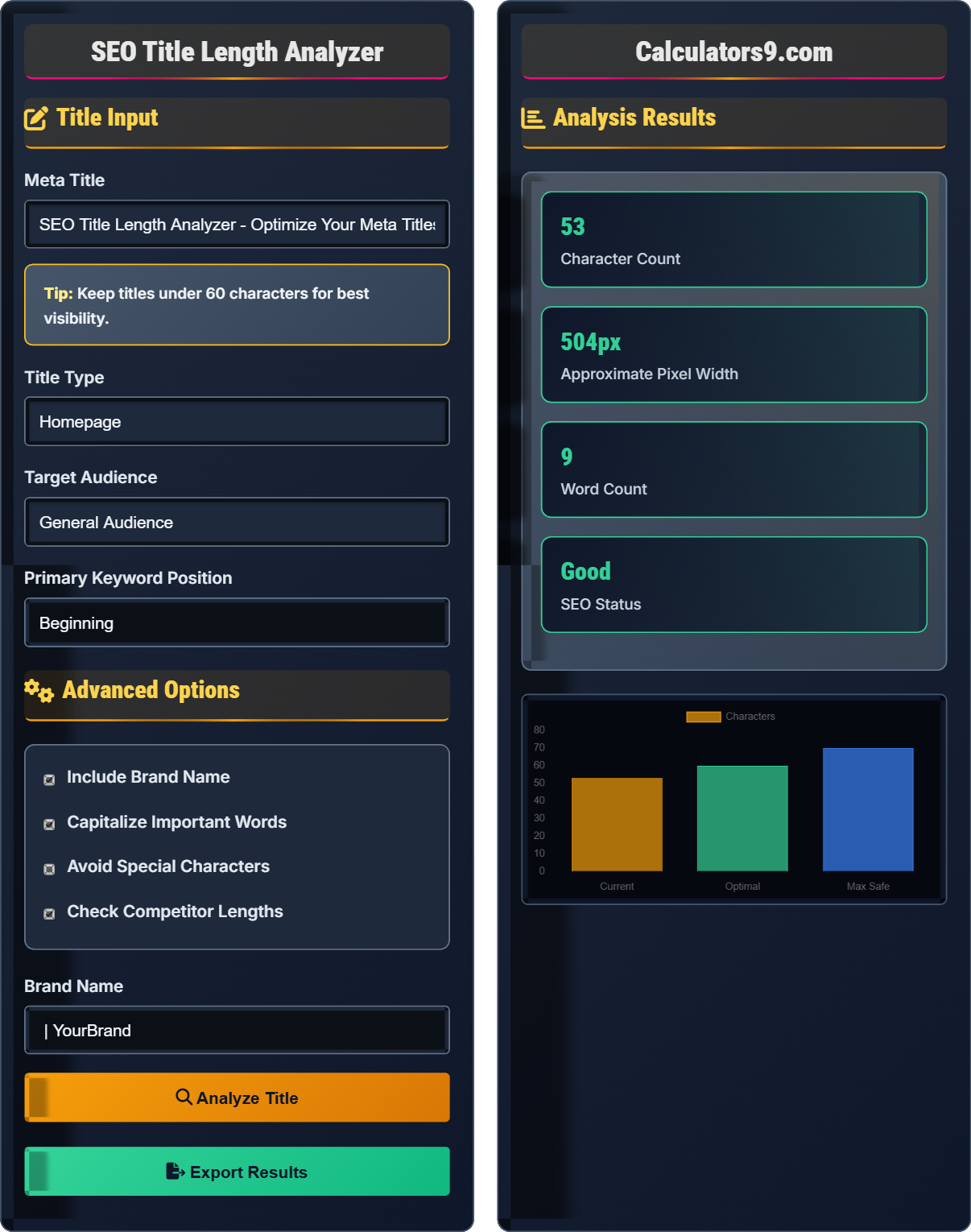
SEO Title Length Guidelines:
Show the analyzerSEO title length optimization follows these guidelines:
\( \text{Optimal Characters} = 50-60 \text{ (Google typically truncates at 60 characters)} \)
Where:
- Optimal Range: 50-60 characters for full visibility
- Maximum Safe: Up to 70 characters before truncation
- Pixel Width: Titles should be under 600px wide
- Mobile: 40-50 characters for mobile visibility
This formula helps ensure titles display completely in search results, improving click-through rates.
Title Input
Advanced Options
Analysis Results
Comprehensive SEO Title Guide
SEO titles (also known as meta titles) are HTML elements that specify the title of a web page. They appear in search engine results as clickable headlines and in browser tabs. Well-optimized titles significantly impact click-through rates and search rankings.
SEO title length optimization follows specific guidelines:
Well-optimized titles contribute to better performance metrics:
- Higher CTR: Descriptive titles increase click-through rates
- Better Rankings: Relevance signals boost search rankings
- Improved UX: Clear titles set proper user expectations
- Increased Visibility: Full display in search results
- Place keywords first: When possible, put primary keywords at the beginning
- Include brand name: Add brand at the end with a separator
- Use action words: Verbs like "Learn," "Discover," "Get" improve CTR
- Match content: Ensure title accurately describes page content
- Be unique: Each page should have a unique title
- Capitalize appropriately: Use title case for better readability
SEO Title Length Learning Quiz
What is the recommended character length for SEO titles to avoid truncation in Google search results?
The answer is B) 50-60 characters. Google typically displays around 60 characters in search results, though this can vary based on font rendering and pixel width. Staying within the 50-60 character range ensures that titles display completely in most search results, maximizing visibility and click-through rates.
Google's search result display is based on pixel width rather than character count, which is why the exact character limit can vary. However, 50-60 characters represents a safe range that accommodates most characters (including wider ones like W, M, and special characters). The goal is to ensure the most important information appears before any truncation occurs.
Meta Title: HTML element defining page title for search engines
CTR: Click-Through Rate - percentage of clicks per impression
Truncation: Cutting off text when it exceeds display space
• Keep titles between 50-60 characters
• Most important information first
• Avoid truncation for better CTR
• Test titles in Google's Rich Results Test
• Use title case for readability
• Include primary keyword early
• Creating titles that are too long
• Placing keywords at the end
• Using all caps or excessive punctuation
Calculate the character count for this title: "Best SEO Practices for 2026 | YourBrand". Include spaces and special characters in your count.
Step 1: Count each character including spaces and special characters
Step 2: "Best SEO Practices for 2026 | YourBrand"
Step 3: B-e-s-t- -S-E-O- -P-r-a-c-t-i-c-e-s- -f-o-r- -2-0-2-6- -|- -Y-o-u-r-B-r-a-n-d
Step 4: Count: 37 characters
Therefore, the title has 37 characters, which is within the optimal range but could potentially be expanded to include more descriptive terms.
This calculation demonstrates the importance of counting all characters, not just letters. Spaces, punctuation, and special characters all contribute to the total character count. When optimizing titles, it's crucial to account for every character to ensure proper display in search results.
Character Count: Total number of characters including spaces and punctuation
Optimal Range: 50-60 characters for full visibility
Truncation Point: Where search engines cut off titles
• Count all characters (spaces, punctuation, etc.)
• Stay within 50-60 character range
• Prioritize important information first
• Use online character counters
• Account for brand name in total count
• Test different lengths for CTR
• Forgetting to count spaces and punctuation
• Not accounting for brand name length
• Ignoring mobile search display
A website has a 5% click-through rate with properly optimized titles (55 characters). If they change to longer titles (80 characters) that get truncated, resulting in a 1.5% CTR, what is the percentage decrease in clicks? Calculate the impact if they receive 100,000 impressions per month.
Step 1: Calculate clicks with optimized titles: 100,000 × 5% = 5,000 clicks
Step 2: Calculate clicks with truncated titles: 100,000 × 1.5% = 1,500 clicks
Step 3: Calculate decrease: 5,000 - 1,500 = 3,500 fewer clicks
Step 4: Calculate percentage decrease: (3,500 ÷ 5,000) × 100% = 70% decrease
Therefore, improperly optimized titles result in 70% fewer clicks, representing a loss of 3,500 clicks per month for 100,000 impressions.
This example demonstrates the significant impact of title optimization on actual business metrics. A 70% decrease in clicks represents a substantial loss of traffic and potential customers. This quantifies the importance of title optimization - it's not just about following guidelines, but about driving measurable results. The truncated title likely appears unprofessional and incomplete to users, reducing their willingness to click.
CTR: Click-Through Rate (clicks ÷ impressions)
Impressions: Times a title appears in search results
Conversions: Actions taken after clicking
• Proper titles can double CTR
• Truncated titles reduce trust
• Optimization directly impacts traffic
• A/B test title variations
• Monitor CTR in Google Search Console
• Track conversions from title changes
• Not measuring CTR impact
• Using generic titles
• Ignoring competitor analysis
Mobile search results display fewer characters than desktop. If a desktop-optimized title of 60 characters appears on mobile, approximately how many characters will be visible? How should you adjust your strategy for mobile-first indexing?
Step 1: Mobile displays typically show 40-50 characters (vs. 50-60 on desktop)
Step 2: A 60-character desktop title may be truncated to 40-45 characters on mobile
Step 3: Adjustment strategies:
• Prioritize critical information in first 40 characters
• Consider mobile-specific titles for important pages
• Test titles on actual mobile devices
• Focus on the most compelling 40 characters
For mobile-first indexing, ensure the most important keywords and value proposition appear within the first 40 characters to maximize visibility and click-through rates across all devices.
Mobile search results have less horizontal space due to smaller screens and different font rendering. This creates a challenge for SEO professionals who must optimize for both desktop and mobile displays. The solution is to front-load the most important information so that even if truncation occurs, the essential message is still conveyed.
Mobile-First Indexing: Google primarily uses mobile version for ranking
Font Rendering: How browsers display text characters
Character Density: How many characters fit in a given space
• Mobile shows 40-50 characters max
• Desktop shows 50-60 characters max
• Prioritize first 40 characters
• Use Google's Rich Results Test
• Check mobile search appearance
• Create mobile-specific variations
• Only optimizing for desktop
• Not testing on mobile devices
• Placing important info after 40 chars
Where should primary keywords be placed in SEO titles for maximum effectiveness?
The answer is C) At the beginning of the title. Placing primary keywords at the beginning of titles provides multiple benefits: search engines give more weight to words at the beginning, users see the most relevant information first, and it helps with search result matching. This placement strategy maximizes both SEO value and user engagement.
Search engines and users both place higher importance on words that appear early in titles. This is partly due to how search algorithms weight terms and partly due to user reading patterns (left-to-right, top-down). When truncation occurs, titles with keywords at the beginning are more likely to maintain their SEO value in search results.
Keyword Weight: Importance assigned to keyword location
Search Matching: How search engines match queries to titles
Information Hierarchy: Order of importance in content
• Keywords first for SEO value
• Important info in first 40 chars
• Balance SEO with readability
• Use keyword variations
• Include brand at the end
• Test different keyword positions
• Hiding keywords at the end
• Stuffing keywords at the beginning
• Ignoring brand placement
Title Optimization Fundamentals
50-60 characters, keyword first, include brand.
Keywords + Description + Brand = Effective Title
- Stay within 50-60 character range
- Place primary keywords first
- Include brand name at the end
Performance Impact
Well-optimized titles increase click-through rates.
- Character length optimization
- Keyword placement
- Brand integration
- Call-to-action elements
- Mobile vs. desktop display
- Competitor analysis
- Search intent alignment
FAQ
Q: Does the exact character count matter for SEO, or is it more about readability?
A: Both character count and readability matter for SEO. Character count is crucial because Google typically displays only the first 50-60 characters in search results. If your title is too long, important information gets cut off, reducing click-through rates. However, readability is equally important because users must find the title compelling enough to click.
The optimal approach is to stay within the 50-60 character range while crafting titles that are both descriptive and compelling. Prioritize your primary keyword within the first 40-50 characters, ensure the title accurately describes the page content, and make it compelling enough to stand out among other search results.
Google's algorithm considers both relevance and engagement metrics, so a perfectly sized but unengaging title won't perform as well as a slightly longer but more compelling one that stays within safe limits.
Q: How often should I review and update my page titles for SEO?
A: Review and update page titles based on performance data and content changes:
- Quarterly: Review titles for pages with declining CTR
- After content updates: Ensure titles match updated content
- Following algorithm updates: When Google updates ranking factors
- Seasonal basis: For time-sensitive content
- Competitor analysis: When competitors improve their titles
Focus first on high-traffic pages with low CTR, as these represent the biggest opportunity for improvement. Use Google Search Console to identify pages where your titles aren't attracting clicks despite good rankings. A/B testing different title variations can provide data-driven insights for optimization.
As a minimum, conduct a comprehensive title audit annually to ensure all pages have optimized titles that align with current search intent and business goals.